Introduzzjoni
Thank you for choosing the Kinglucky Mini Karaoke Machine. This portable and fun device is designed to bring joy and entertainment to kids and families with its clear sound, wireless microphones, and exciting voice effects. Please read this manual carefully to ensure proper use and maintenance of your new karaoke machine.
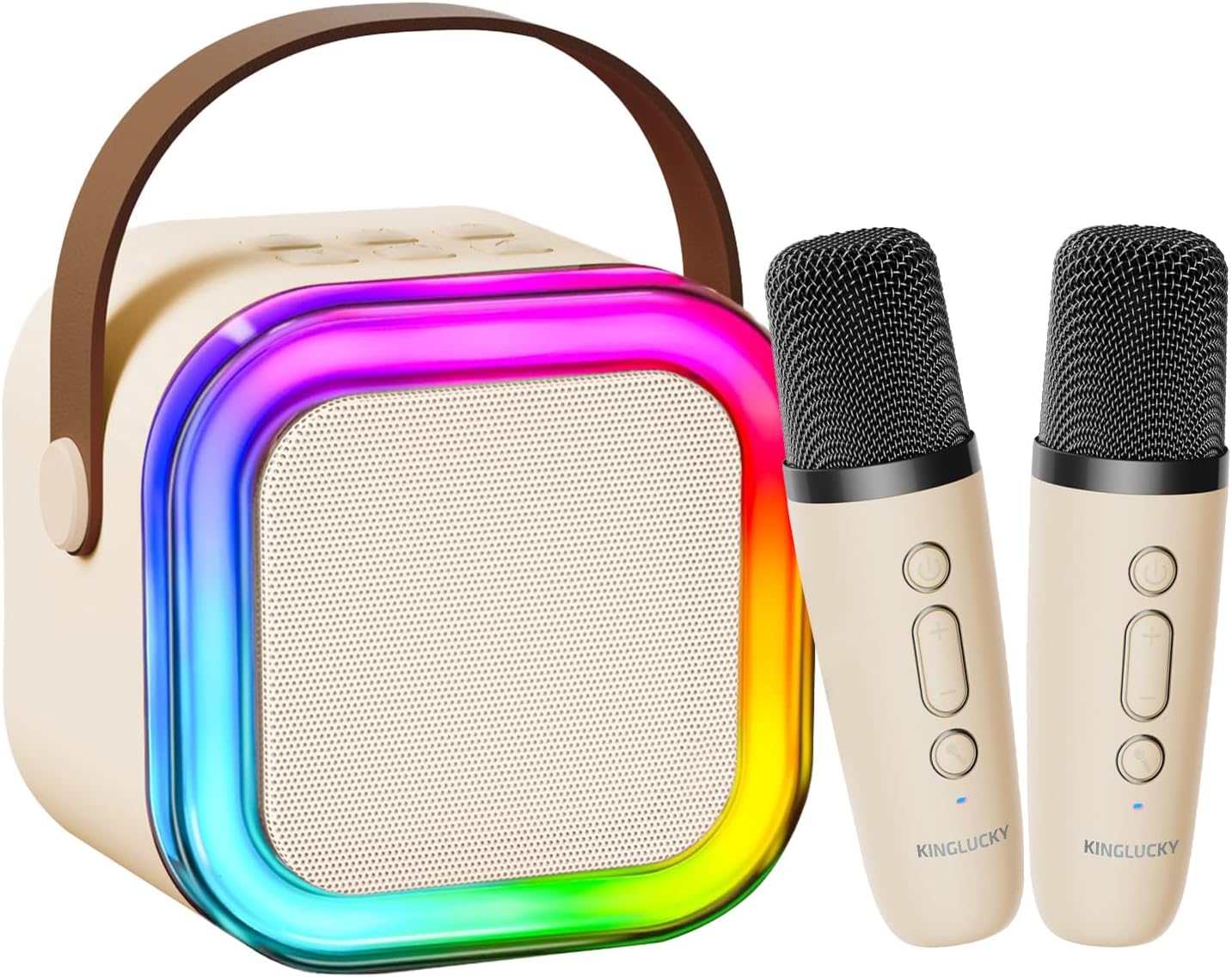
The Kinglucky Mini Karaoke Machine, featuring a beige speaker with colorful LED lights and two matching wireless microphones.
X'hemm fil-Kaxxa
Your Kinglucky Mini Karaoke Machine package includes the following items:
- 1 x Speaker tal-karaoke
- 2 x Mikrofoni Wireless
- 1 x Cable tal-Iċċarġjar
- 1 x Manwal tal-Utent (dan id-dokument)
Setup
1. Iċċarġjar tal-Apparat
Before first use, ensure both the karaoke speaker and the wireless microphones are fully charged. Use the provided charging cable to connect the devices to a compatible USB power source.
- Connect the charging cable to the charging port on the karaoke speaker.
- Connect the charging cable to the charging port on each wireless microphone.
- The charging indicator light will show the charging status (refer to the device for specific light behavior).
- Ladarba tkun iċċarġjata kompletament, skonnettja l-kejbil tal-iċċarġjar.
2. Tixgħel
- To power on the karaoke speaker, press and hold the power button for a few seconds until the LED lights illuminate.
- To power on each wireless microphone, press and hold the power button on the microphone until its indicator light turns on.
3. Pairing Microphones with Speaker
The wireless microphones should automatically pair with the karaoke speaker upon powering on. If they do not pair automatically:
- Ensure both the speaker and microphones are powered on and within close proximity.
- If pairing issues persist, power off and then power on both devices again.
Istruzzjonijiet Operattivi
1. Connecting to Audio Source (Bluetooth)
The Kinglucky Karaoke Machine supports Bluetooth 5.3 for seamless wireless connection to your devices.
- Turn on the karaoke speaker. It will automatically enter Bluetooth pairing mode.
- On your smartphone, tablet, or TV, enable Bluetooth and search for available devices.
- Select "Kinglucky K12" (or similar name) from the list of devices to connect.
- Once connected, you will hear an audible confirmation. You can now play music from your device through the karaoke speaker.

The karaoke machine offers multiple connection methods including Bluetooth 5.3, USB, and AUX for versatile audio playback.
2. Volum ta 'aġġustament
You can adjust the volume of the music, microphone, and echo effect independently.
- Volum tal-Mużika: Use the volume controls on your connected device (phone, tablet) to adjust the music playback volume.
- Microphone Volume (Mic VOL): Use the '+' and '-' buttons on the wireless microphones to increase or decrease your voice volume.
- Echo Volume (Echo VOL): Long press the '+' or '-' button on the microphone for 2-3 seconds to adjust the echo level. There are 5 levels of echo, with 0 being the default (no echo).

Microphone controls allow for independent adjustment of echo, music, and microphone volume.
3. Effetti tal-Vuċi
The karaoke machine features 5 fun voice-changing effects to enhance your singing experience.
- Press the voice effect button (often indicated by a microphone icon or 'M') on the wireless microphone to cycle through the available voice effects.
- Effects include Original, Mom, Dad, Monster, and Baby.
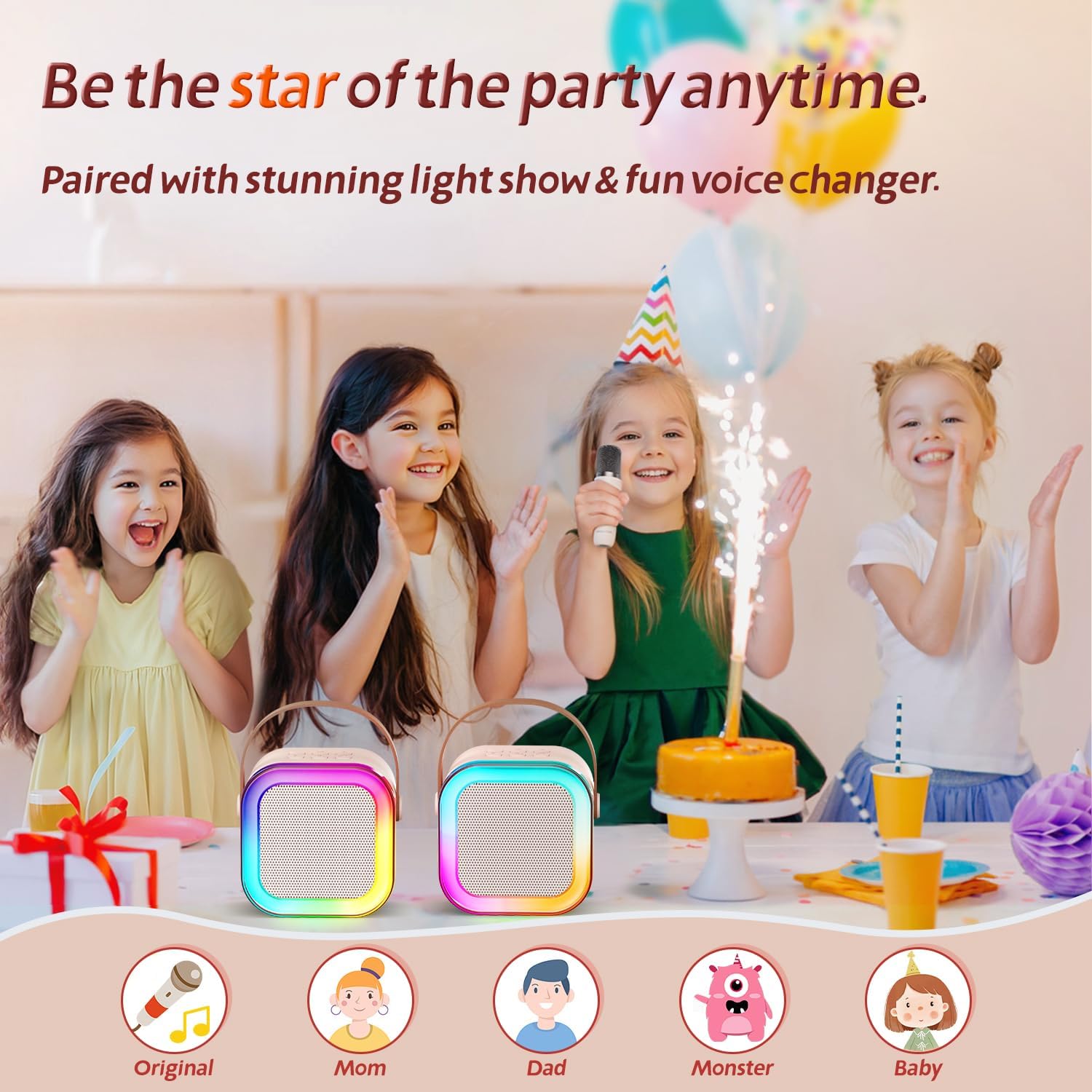
Explore five unique voice effects to add more fun to your karaoke sessions.
4. LED Disco Lights
The karaoke speaker features dynamic LED disco lights that synchronize with the music, creating a lively atmosphere.
- Id-dwal LED jattivaw awtomatikament meta l-ispiker jinxtegħel.
- There may be a dedicated button on the speaker to turn the lights on/off or change modes (refer to device markings if available).
Manutenzjoni
- Tindif: Wipe the surface of the karaoke machine and microphones with a soft, dry cloth. Do not use abrasive cleaners or immerse in water.
- Ħażna: Aħżen l-apparat f'post frisk u niexef 'il bogħod mix-xemx diretta u minn temperaturi estremi.
- Kura tal-batterija: To prolong battery life, charge the device regularly, even if not in frequent use. Avoid fully discharging the battery for extended periods.
Issolvi l-problemi
| Problema | Kawża Possibbli | Soluzzjoni |
|---|---|---|
| L-ebda ħoss mill-ispiker. | Speaker is off; volume is too low; not connected via Bluetooth. | Ensure speaker is on and charged. Increase speaker and connected device volume. Re-pair Bluetooth. |
| Il-mikrofonu mhux qed jaħdem. | Il-mikrofonu mitfi; il-batterija baxxa; mhux imqabbad mal-ispiker. | Ensure microphone is on and charged. Re-pair microphone with speaker. |
| Echo effect won't turn off. | Echo level is set too high. | Long press the '-' button on the microphone to decrease the echo level to 0. |
| Poor sound quality / Distortion. | Volume too high; interference; low battery. | Lower volume. Move closer to the speaker. Charge devices. |
Speċifikazzjonijiet
- Mudell: K12
- Ditta: Kinglucky
- Dimensjonijiet tal-Prodott: 3 x 8 x 6.2 pulzieri
- Piż tal-oġġett: 1.5 liri
- Verżjoni Bluetooth: 5.3
- Karatteristiċi Speċjali: 10h Battery Life, Super Cute & Portable, Sound loud & clear
- Kulur: Beige
- Użi Rakkomandati: Parti

The Kinglucky karaoke machine features precision-engineered speakers for clear, immersive sound.

Enjoy extended playtime with the Kinglucky Mini Karaoke Machine's 10-hour ultra-long battery life.
Garanzija u Appoġġ
Kinglucky products are designed for durability and performance. For warranty information, technical support, or any inquiries regarding your karaoke machine, please refer to the contact information provided on the product packaging or visit the official Kinglucky websit. Żomm l-irċevuta tax-xiri tiegħek għal pretensjonijiet ta' garanzija.
For additional support, you may also refer to the Manwal għall-Utent (PDF) disponibbli online.


