1. Introduzzjoni
Welcome to the user manual for your new Dragon Touch Notepad K10 Tablet. This guide provides essential information to help you set up, operate, maintain, and troubleshoot your device. Please read this manual thoroughly to ensure proper and safe use of your tablet.
1.1 Kontenut tal-Pakkett
Qabel ma tibda, jekk jogħġbok ivverifika li l-oġġetti kollha huma preżenti fil-pakkett tiegħek:
- Dragon Touch Notepad K10 Tablet
- Cable USB
- Ċarġer tal
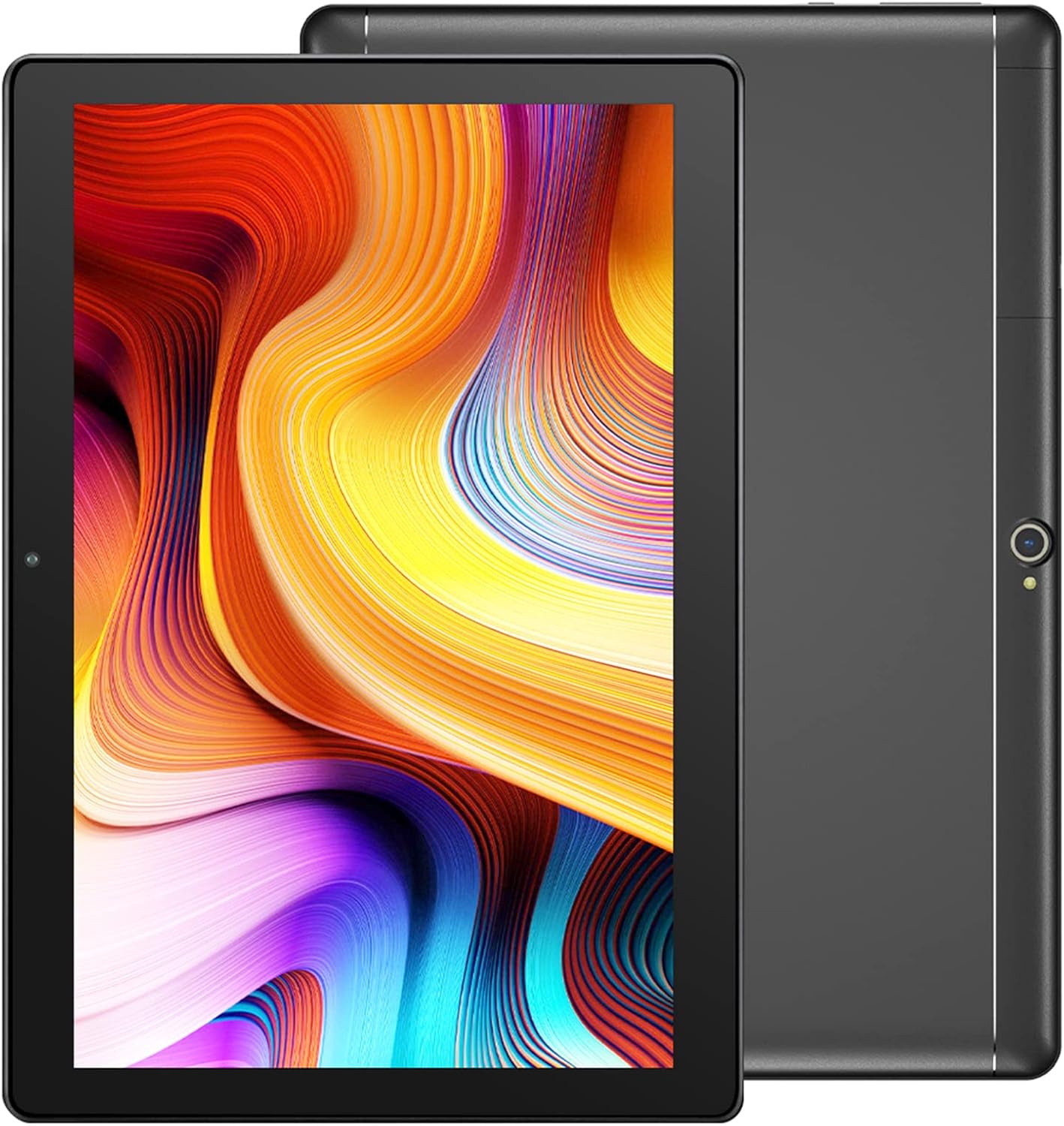
Image: The Dragon Touch Notepad K10 Tablet shown with its USB charging cable and power adapter.
2. Device Overview
Familiarize yourself with the physical features and components of your Notepad K10 Tablet.
2.1 Quddiem u wara View
The tablet features a 10.1-inch IPS HD display on the front, along with a front-facing camera for video calls and selfies. The rear of the tablet houses the 8MP main camera and dual speakers.

Immaġni: Dettaljata view of the Notepad K10 tablet, illustrating its 10.1-inch display, Android 9.0 operating system, Quad-Core CPU, 2GB RAM, 32GB storage, dual cameras, and dual Wi-Fi capabilities.
2.2 Portijiet u Buttuni
Locate the following ports and buttons on your tablet:
- Buttuna tal-Qawwa: Użat biex tixgħel/titfi t-tablet jew biex torqod/tqajjem.
- Buttuni tal-Volum: Aġġusta l-volum tal-awdjo.
- Port Micro USB: For charging the tablet and connecting to a computer.
- Port Mikro HDMI: Connects the tablet to an external display (e.g., TV, monitor).
- Jack tal-headphones ta' 3.5mm: Għall-konnessjoni ta' headphones jew kelliema esterni.
- Slott tal-Karta Mikro SD: Għall-espansjoni tal-ħażna b'kard Micro SD.
3. Setup
3.1 Iċċarġjar inizjali
Before first use, fully charge your tablet. Connect the included USB cable to the tablet's Micro USB port and the charger to a power outlet. The battery indicator will show charging status.
3.2 Tixgħel/Jitfi
- Biex Tixgħel: Press and hold the Power button until the Dragon Touch logo appears.
- Biex Tifi: Press and hold the Power button until a power-off menu appears, then select 'Power off'.
- Sleep/Qawmien: Agħfas fil-qosor il-buttuna tal-Power biex torqod it-tablet jew tqajjemha.
3.3 Wizard tas-Setup Inizjali
Malli tixgħel it-tablet għall-ewwel darba, dan jiggwidak permezz ta' wizard tas-setup inizjali. Segwi l-istruzzjonijiet fuq l-iskrin biex:
- Agħżel il-lingwa tiegħek.
- Qabbad ma 'netwerk Wi-Fi.
- Set up your Google account (recommended for app downloads and services).
- Ikkonfigura d-data, il-ħin, u settings bażiċi oħra.
3.4 Daħħal Micro SD Card
The Notepad K10 supports Micro SD cards up to 128GB for expanded storage. Locate the Micro SD card slot, gently insert the card with the gold contacts facing down until it clicks into place. The tablet will recognize the new storage.
4. Istruzzjonijiet Operattivi
4.1 Navigazzjoni Bażika
The tablet uses a capacitive touchscreen. Common gestures include:
- Tektek: Biex tagħżel oġġett jew tiftaħ app.
- Tektek u Żomm: Biex taċċessa l-menus kuntestwali jew iċċaqlaq l-ikoni.
- Swipe: Biex tiskrollja minn paġni jew listi.
- Oqros: Biex tkabbar jew tkabbar l-immaġnijiet u web paġni.
4.2 Konnessjoni mal-Wi-Fi
Biex tikkonnettja mal-internet:
- Mur fuq Settings > Netwerk u internet > Wi-Fi.
- Ixgħel il-Wi-Fi On.
- Agħżel in-netwerk mixtieq tiegħek mil-lista.
- Daħħal il-password jekk tintalab, imbagħad tektek Qabbad.
The Notepad K10 supports dual-band Wi-Fi (2.4GHz and 5GHz) for faster and more stable connections.
4.3 Użu tal-Kameras
The tablet is equipped with an 8MP rear camera for capturing photos and videos, and a front camera for video calls and selfies. Open the Kamera app from the home screen or app drawer to start. You can switch between front and rear cameras within the app.

Image: The tablet's 8MP rear camera is shown in use, capturing a family moment, highlighting its ability to record wonderful memories.

Image: The tablet's front camera facilitates video calls, allowing users to stay connected with friends and family.
4.4 Connecting to a TV via Micro HDMI
The Notepad K10 features a Micro HDMI port, allowing you to connect it to a larger display like a TV or monitor for an enhanced viewing esperjenza.
- Obtain a Micro HDMI to HDMI cable (not included).
- Connect the Micro HDMI end to your tablet and the HDMI end to your TV.
- Switch your TV's input source to the corresponding HDMI port.
- The tablet's screen content will be mirrored on the TV.

Image: The tablet connected to a television, demonstrating its capability to provide great entertainment enjoyment on a larger screen.
4.5 Ġestjoni tal-Ħażna
The tablet comes with 32GB of internal storage. You can expand this by inserting a Micro SD card (up to 128GB). To check storage usage or manage files, mur Settings > Ħażna.
4.6 Ġestjoni tal-batterija
The Notepad K10 is equipped with a 5000mAh Lithium Polymer battery. Average battery life is approximately 5 hours for general use. To optimize battery life:
- Naqqas il-luminożità tal-iskrin.
- Itfi l-Wi-Fi u l-Bluetooth meta ma tkunx qed tużahom.
- Agħlaq l-applikazzjonijiet li ma tużax.
- Evita temperaturi estremi.

Image: An illustration of the tablet's 5000mAh battery, detailing its long-lasting performance for various activities like video playback, gaming, navigation, and music.
4.7 Modalità tal-Kura tal-Għajnejn
The tablet features an Eye-Care mode that automatically adjusts and optimizes the backlight to reduce eye strain, making it more comfortable for reading, especially at night. This setting can typically be found in the Display settings.
5. Manutenzjoni
5.1 Tindif tat-Tablet
Biex tnaddaf it-tablet tiegħek, uża drapp artab u mingħajr suf. Għal tbajja' persistenti, nixxef ftit.ampen the cloth with water. Avoid using harsh chemicals, abrasive cleaners, or aerosol sprays directly on the tablet.
5.2 Aġġornamenti tas-Software
Iċċekkja perjodikament għal aġġornamenti tas-sistema biex tiżgura li t-tablet tiegħek għandu l-aħħar karatteristiċi u irqajja tas-sigurtà. Mur fuq Settings > Sistema > Aġġornament tas-sistema.
5.3 Kura tal-Batterija
Biex ittawwal il-ħajja tal-batterija tat-tablet tiegħek:
- Evita li tiċċarġja l-batterija kompletament ta' spiss.
- Do not leave the tablet in direct sunlight or extremely hot environments.
- Jekk taħżen it-tablet għal perjodu twil ta' żmien, iċċarġjah sa madwar 50% qabel ma titfih.
6 Issolvi l-problemi
If you encounter issues with your tablet, refer to the following common problems and solutions:
6.1 Tablet Will Not Turn On
- Kun żgur li l-batterija hija ċċarġjata biżżejjed. Qabbad il-ċarġer u stenna ftit minuti qabel ma tipprova tixgħelha.
- Agħfas u żomm il-buttuna tal-Qawwa għal 10-15-il sekonda biex twettaq restart furzat.
6.2 Kwistjonijiet ta' Konnessjoni tal-Wi-Fi
- Check that Wi-Fi is enabled in Settings.
- Ensure you are within range of the Wi-Fi router.
- Erġa' ibda r-router tal-Wi-Fi tiegħek.
- Insieh in-netwerk fis-settings tat-tablet u erġa' qabbad.
6.3 Prestazzjoni bil-mod
- Agħlaq l-applikazzjonijiet mhux użati li jkunu qed jaħdmu fl-isfond.
- Neħħi d-dejta tal-cache għall-apps fi Settings > Apps u notifiki.
- Ibda mill-ġdid il-pillola.
- Kun żgur li jkun hemm biżżejjed spazju ħieles għall-ħażna.
6.4 L-Iskrin Ma Jirrispondix
- Perform a forced restart (press and hold Power button for 10-15 seconds).
- Kun żgur li l-iskrin ikun nadif u ħieles mill-umdità jew debris.
6.5 HDMI Output Issues
- Verify that the Micro HDMI cable is securely connected to both the tablet and the TV.
- Ensure the TV input source is set to the correct HDMI port.
- Try a different Micro HDMI cable if available.
- Restart both the tablet and the TV.
7. Speċifikazzjonijiet
Detailed technical specifications for the Dragon Touch Notepad K10 Tablet:
| Karatteristika | Dettall |
|---|---|
| Mudell | Notepad K10 |
| Sistema Operattiva | Android |
| Daqs tal-Wiri | 10.1 Pulzier |
| Riżoluzzjoni tal-Wiri | 1280 x 800 pixels IPS |
| Proċessur | Quad-Core, 1.3GHz MediaTek |
| RAM | 2GB |
| Ħażna Interna | 32GB |
| Ħażna espansibbli | Sa 128GB permezz ta' kard Micro SD |
| Kamera ta' wara | 8MP |
| Kamera ta' Quddiem | Yes (for video calls) |
| Wi-Fi | 2.4GHz & 5GHz Doppju Banda |
| Bluetooth | Iva |
| Portijiet | Micro USB, Micro HDMI, 3.5mm Headphone Jack, Micro SD Card Slot |
| Batterija | Polimer tal-Litju 5000mAh |
| Dimensjonijiet (LxWxH) | 9.4 x 0.4 x 6.7 pulzieri |
| Piż | 1.88 liri |
8. Garanzija u Appoġġ
8.1 Informazzjoni dwar Garanzija
For detailed warranty information regarding your Dragon Touch Notepad K10 Tablet, please refer to the warranty card or documentation included with your original purchase. You may also find the most up-to-date warranty terms on the official Dragon Touch websit.
8.2 Appoġġ għall-Klijent
If you have any questions, require technical assistance, or encounter issues that cannot be resolved using this manual, please contact Dragon Touch customer support:
- Żur l-uffiċjal Dragon Touch Store on Amazon għal informazzjoni dwar il-prodott u riżorsi ta' appoġġ.
- Refer to the Dragon Touch official website for contact details, FAQs, and additional support.


