1. Introduzzjoni
Grazzi tax-xiriasing the MUSE M-15 Alarm Clock Radio. This manual provides essential information for the safe and efficient operation of your device. Please read it thoroughly before use and retain it for future reference.
2. Informazzjoni dwar is-Sigurtà
- Sors tal-Enerġija: Use only the specified battery type (1 AA battery). Ensure correct polarity when inserting batteries.
- Ilma u Umdità: Do not expose the device to water, rain, or excessive moisture. Avoid placing it near liquids.
- Sħana: Żomm l-apparat 'il bogħod minn sorsi ta' sħana bħal radjaturi, reġistri tas-sħana, stufi, jew apparat ieħor (inkluż amplifiers) li jipproduċu sħana.
- Tindif: Naddaf biss b'ċarruta niexfa. Tużax tindif likwidu jew tindif aerosol.
- Servizzi: Tippruvax isservi dan il-prodott int stess. Irreferi l-manutenzjoni kollha lil persunal tas-servizz kwalifikat.
- Rimi: Dispose of batteries and the device according to local regulations. Do not dispose of batteries in fire.
3. Prodott Aktarview
Familiarize yourself with the components of your MUSE M-15 Alarm Clock Radio.
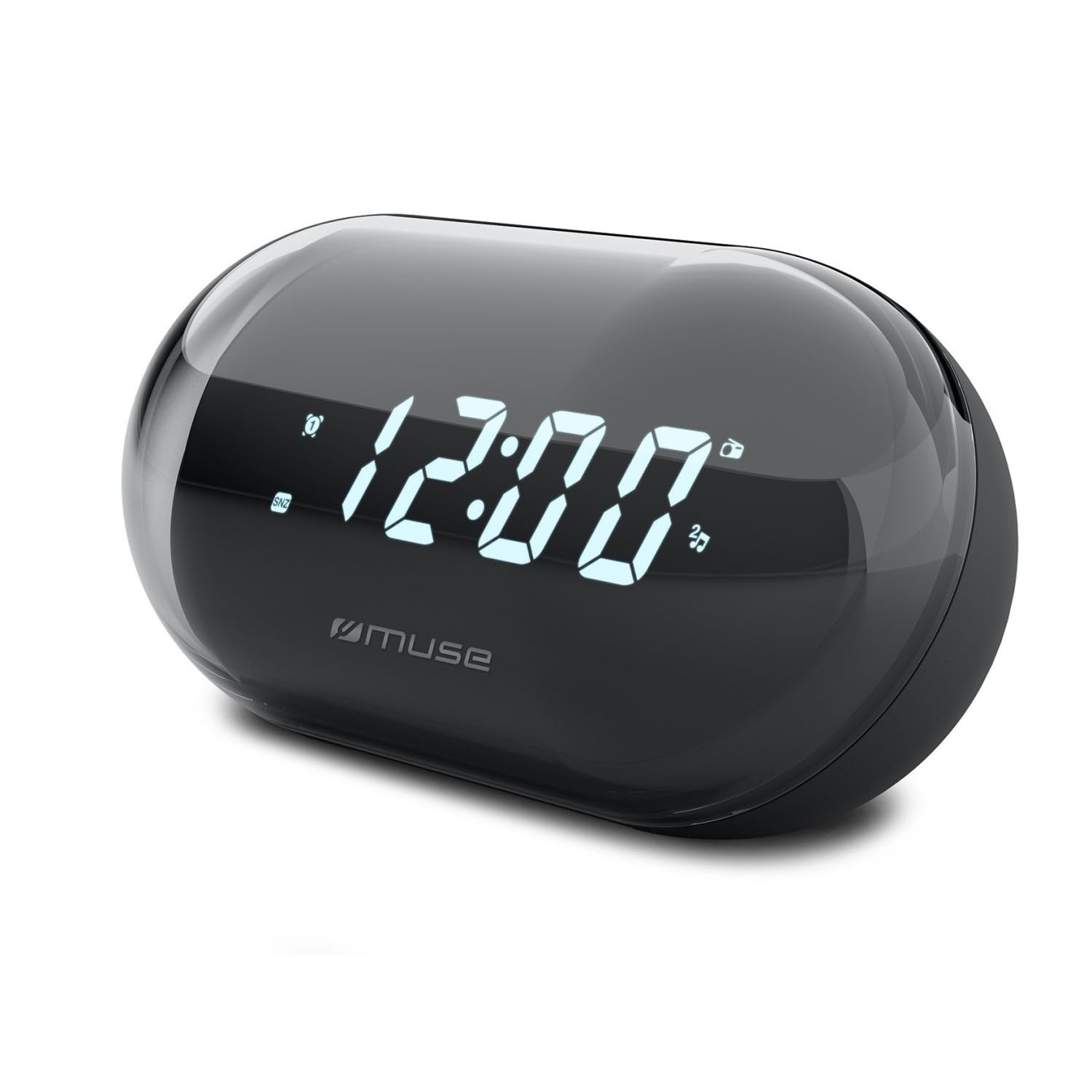
Immaġni: Quddiem view of the MUSE M-15 Alarm Clock Radio, showing the digital display and control buttons.
Kontrolli u Karatteristiċi:
- Wirja Diġitali: Juri l-ħin, l-istatus tal-allarm, u l-frekwenza tar-radju.
- Buttuna tas-Setjar tal-Ħin: Used to adjust the current time.
- Buttuna tas-Set tal-Allarm: Used to set and activate/deactivate the alarm.
- Tuning Buttons (+/-): Used to adjust radio frequency.
- Kontroll tal-Volum: Jaġġusta l-livell tal-ħruġ tal-awdjo.
- Buttuna tal-Enerġija / Modalità: Turns the device on/off and switches between radio and clock modes.
- Buttuna Snooze: Jissikket l-allarm temporanjament.
- Kompartiment tal-batterija: Located on the back, for 1 AA battery.
4. Setup
4.1 Installazzjoni tal-batterija
- Sib l-għatu tal-kompartiment tal-batterija fuq wara tal-unità.
- Żerżaq jew erfa' l-għatu biex tiftaħ il-kompartiment.
- Insert one (1) AA battery, ensuring the correct polarity (+ and -) matches the diagram inside the compartment.
- Ibdel l-għatu tal-kompartiment tal-batterija b'mod sikur.
Note: The MUSE M-15 is battery-powered and does not require an external power adapter.
5. Istruzzjonijiet Operattivi
5.1 Issettjar tal-Ħin
- Fil-modalità arloġġ, agħfas u żomm il-buttuna Buttuna tas-Sett tal-Ħin until the hour digits begin to flash.
- Uża l- Tuning Buttons (+/-) biex taġġusta s-siegħa. Agħfas il-buttuna Buttuna tas-Sett tal-Ħin għal darb'oħra biex tikkonferma s-siegħa u tmur għall-minuti.
- Uża l- Tuning Buttons (+/-) to adjust the minutes. Press the Buttuna tas-Sett tal-Ħin one more time to save the time and exit time setting mode.
5.2 Issettjar tal-Allarm
- Agħfas u żomm il- Buttuna ta 'l-Allarm until the alarm hour digits begin to flash.
- Uża l- Tuning Buttons (+/-) to adjust the alarm hour. Press the Buttuna ta 'l-Allarm għal darb'oħra biex tikkonferma u tgħaddi għall-minuti.
- Uża l- Tuning Buttons (+/-) to adjust the alarm minutes. Press the Buttuna ta 'l-Allarm one more time to save the alarm time.
- Biex tattiva jew tiddiżattiva l-allarm, agħfas fil-qosor il-buttuna Buttuna ta 'l-Allarm. An alarm icon will appear on the display when activated.
5.3 Using the Radio
- Agħfas il- Buttuna Enerġija/Modalità to switch to radio mode. The display will show the radio frequency.
- Uża l- Tuning Buttons (+/-) to manually tune to your desired radio station.
- Aġġusta l-volum billi tuża Kontroll tal-Volum.
- Biex itfi r-radju, agħfas il- Buttuna Enerġija/Modalità again to return to clock mode or turn off the device.
5.4 Funzjoni Snooze
Meta l-allarm jinstema ', agħfas il-buttuna Buttuna Snooze to temporarily silence the alarm for a few minutes. The alarm will sound again after the snooze period ends.
6. Manutenzjoni
6.1 Tindif
Wipe the exterior of the device with a soft, dry cloth. Do not use abrasive cleaners, waxes, or solvents as they may damage the finish.
6.2 Sostituzzjoni tal-batterija
When the display dims or the device functions become erratic, it is time to replace the battery. Follow the battery installation steps in Section 4.1.
7 Issolvi l-problemi
| Problema | Kawża Possibbli | Soluzzjoni |
|---|---|---|
| L-apparat ma jixgħelx. | Il-batterija mejta jew imdaħħla ħażin. | Ibdel il-batterija AA jew iċċekkja l-polarità tagħha. |
| L-allarm ma jdoqqx. | L-allarm mhux attivat jew il-volum huwa baxx wisq. | Kun żgur li l-ikona tal-allarm tkun viżibbli fuq id-displej. Żid il-volum. |
| Riċeviment ħażin tar-radju. | Sinjal dgħajjef jew interferenza. | Reposition the device or extend the antenna (if applicable). Try tuning to a stronger station. |
| Irrisettjar tas-settings tal-Ħin/Allarm. | Il-qawwa tal-batterija hija baxxa wisq. | Ibdel il-batterija AA. |
8. Speċifikazzjonijiet
- Mudell: MUSE M-15
- Dimensjonijiet tal-Prodott (L x W x H): 15 x 3.81 x 10 ċm (5.9 x 1.5 x 3.9 pulzieri)
- Piż: 300 gramma (0.66 lbs)
- Sors tal-Enerġija: 1 x Batterija AA (mhux inklużi)
- Tip ta' wiri: Diġitali
- Karatteristiċi: Alarm, Radio, Digital Time Display
- Tip ta 'Immuntar: Tabella Mount
9. Garanzija u Appoġġ
This product is covered by a standard manufacturer's warranty. For detailed warranty information, please refer to the warranty card included with your purchase or visit the official MUSE websit.
For technical support, troubleshooting assistance, or spare parts inquiries, please contact MUSE customer service through their official webis-sit jew l-informazzjoni ta' kuntatt ipprovduta fl-imballaġġ tal-prodott tiegħek.
Please have your model number (M-15) and purchase date available when contacting support.


