1. Introduzzjoni
This manual provides comprehensive instructions for the installation, operation, and maintenance of your Kolink Unity Peak ARGB Midi Tower Showcase. Please read this manual thoroughly before beginning assembly to ensure correct setup and to prevent damage to the product or other components. Keep this manual for future reference.
The Kolink Unity Peak is designed to accommodate high-performance PC components, featuring extensive mesh paneling for optimal airflow and tempered glass panels to showcase your build. It supports ATX motherboards and offers versatile cooling options.
2. Informazzjoni dwar is-Sigurtà
Observe the following safety guidelines to prevent injury and damage to your system:
- Immaniġġja b'Kura: The tempered glass panels are fragile. Avoid impacts and place the case on a stable, flat surface during assembly.
- Truf li jaqtgħu: Be aware of potential sharp edges inside the case. Wear protective gloves if necessary.
- Sigurtà Elettrika: Ensure all power is disconnected from components before installation or removal.
- Elettriku Statiku: Ħalli l-elettriku statiku jiġi skarikat billi tmiss oġġett tal-metall ertjat qabel ma timmaniġġja l-komponenti interni.
- Ventilazzjoni: Do not obstruct the ventilation openings of the case to ensure proper airflow and prevent overheating.
3. Kontenut tal-Pakkett
Jekk jogħġbok ivverifika li l-oġġetti kollha huma preżenti fil-pakkett:
- Kolink Unity Peak ARGB Midi Tower Showcase
- Kaxxa tal-Aċċessorji (li fiha viti, standoffs, rabtiet tal-kejbil, eċċ.)
- Manwal għall-Utent (dan id-dokument)
- ARGB Controller (may be pre-installed or included in accessory box)
4. Speċifikazzjonijiet
| Karatteristika | Dettall |
|---|---|
| Isem tal-Mudell | Unity Peak |
| Tip ta' Każ | Torri tal-Midi |
| Dimensjonijiet (LxWxH) | 20.67 x 10.63 x 20.67 pulzieri (52.5 x 27 x 52.5 ċm) |
| Piż | 2.2 liri (madwar 1 kg) |
| Materjal | Ħġieġ ittemprat, Azzar, Plastik |
| Kompatibbiltà tal-motherboard | ATX, Mikro-ATX, Mini-ITX |
| Slots ta 'Espansjoni | 7 |
| Portijiet I / O ta 'quddiem | 2x USB 3.0, 2x USB 2.0, HD Audio (Mic/Headphone), Power Button, Reset Button, ARGB Control Button |
| Appoġġ tal-Fann (Quddiem) | 3x 120mm / 3x 140mm |
| Appoġġ tal-Fann (Fuq) | 3x 120mm / 2x 140mm |
| Appoġġ tal-Fann (Wara) | 1x 120mm |
| Appoġġ tar-Radjatur (ta' Quddiem) | Sa 360mm |
| Appoġġ tar-Radjatur (Fuq) | Sa 360mm |
| Appoġġ tar-Radjatur (Wara) | 120mm |
| Drive Bays | 2x 3.5" HDD, 2x 2.5" SSD (or 4x 2.5" SSD) |
| Max GPU Tul | 380mm |
| Max CPU Cooler Għoli | 165mm |
| Tip ta 'PSU | ATX (Bottom Mount) |
5. Setup u Installazzjoni
5.1. Tħejjija tal-Każ
- Iftaħ il-Kaxxa: Carefully remove the Kolink Unity Peak from its packaging. Inspect for any shipping damage.
- Neħħi l-Panewijiet tal-Ġnub: The case features tempered glass side panels. Locate the thumbscrews on the rear of the case securing these panels. Unscrew them and carefully slide the glass panels off. Place them on a soft, flat surface to prevent scratches or breakage.

Image 5.1: Front-left view of the Kolink Unity Peak ARGB Midi Tower Showcase, illustrating the tempered glass side and front panels.
5.2. Installazzjoni tal-Motherboard
- Installa Standoffs: Ensure the correct standoffs are installed for your motherboard form factor (ATX, Micro-ATX, Mini-ITX). The Unity Peak typically has ATX standoffs pre-installed.
- Installa l-I/O Shield: If your motherboard came with a separate I/O shield, install it into the rear opening of the case before mounting the motherboard.
- Immuntar tal-Motherboard: Carefully align your motherboard with the standoffs and the I/O shield. Gently lower it into place. Secure the motherboard using the provided screws. Do not overtighten.
5.3. Installazzjoni ta 'Provvista ta' Enerġija
- Pożizzjoni tal-PSU: The power supply unit (PSU) is installed at the bottom rear of the case, within the PSU shroud.
- PSU Sikura: Slide the PSU into its designated bay from the rear of the case. Align the screw holes and secure it with the provided screws.
5.4. Installazzjoni tad-Drajv tal-Ħażna
The Kolink Unity Peak supports both 3.5" HDDs and 2.5" SSDs.
- HDDs ta' 3.5": Locate the drive cage beneath the PSU shroud. Slide the 3.5" drives into the trays and secure them with screws.
- SSDs ta' 2.5": SSDs can be mounted on dedicated brackets behind the motherboard tray or on the 3.5" drive trays. Secure them with screws.
5.5. Karta tal-Grafika u Karti ta' Espansjoni
- Neħħi l-Għotjien tas-Slott: Remove the necessary PCIe slot covers from the rear of the case corresponding to your expansion card(s).
- Installa l-Karta: Align the card with the PCIe slot on the motherboard and press down firmly until it clicks into place. Secure the card to the case with screws.
5.6. Installazzjoni tal-Fann u r-Radjatur
The Unity Peak offers extensive cooling options:
- Quddiem: Supports up to three 120mm or 140mm fans, or a radiator up to 360mm.
- Fuq: Supports up to three 120mm or two 140mm fans, or a radiator up to 360mm.
- Wara: Supports one 120mm fan or a 120mm radiator.
Install fans or radiators by aligning them with the mounting holes and securing them with the appropriate screws. Ensure proper airflow direction for optimal cooling.

Immaġni 5.2: Minn fuq għal isfel view highlighting the extensive mesh paneling and mounting options for fans and radiators on the top and front of the case.
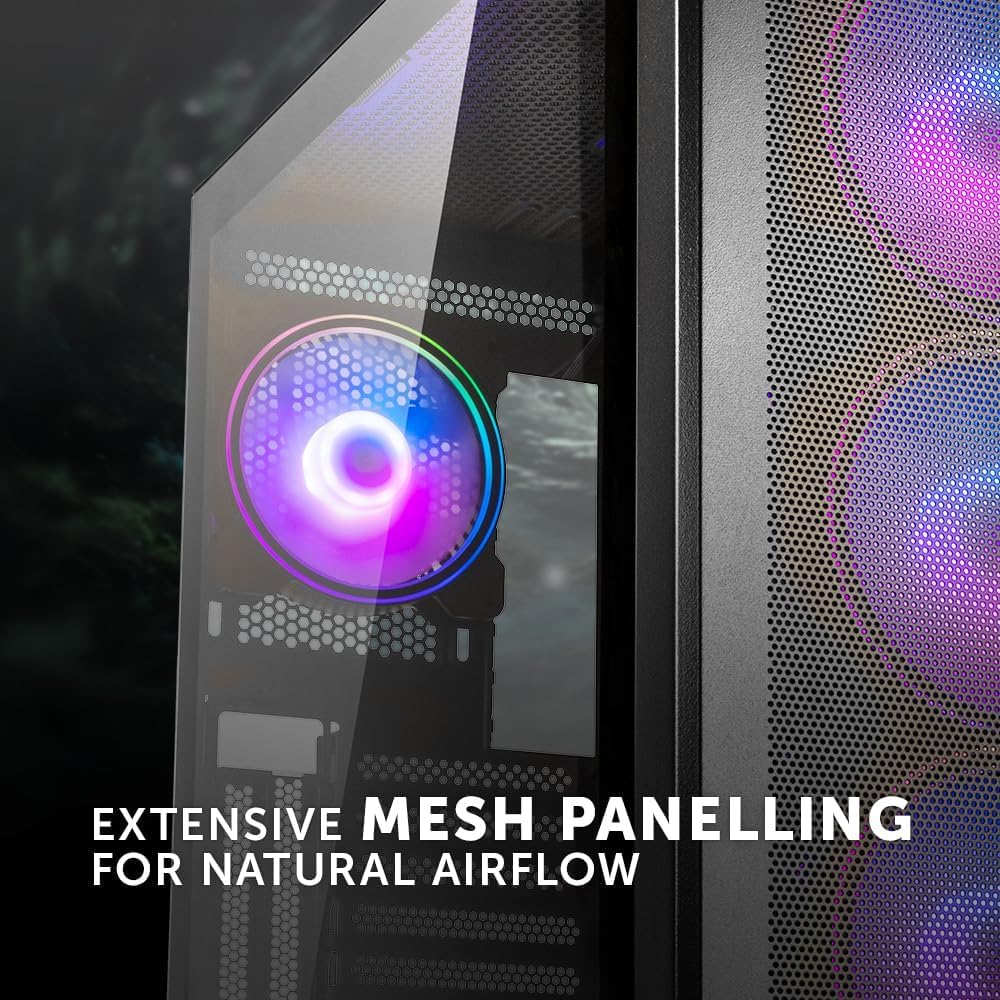
Image 5.3: Detail of the extensive mesh paneling designed for natural airflow, visible on the front and top of the case.
5.7. Ġestjoni tal-Kejbil
The case provides a dedicated 24mm space behind the motherboard tray for cable routing. Utilize the cutouts and cable tie points to organize and secure cables. This improves airflow and aesthetics.

Immaġni 5.4: Intern view of the case, illustrating the dedicated space behind the motherboard tray for efficient cable routing.
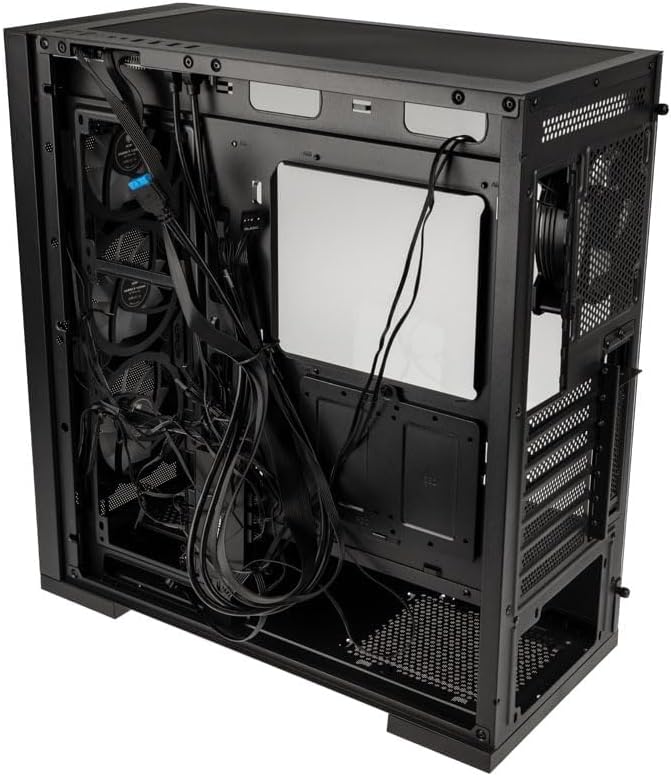
Image 5.5: Rear perspective of the case, displaying the area behind the motherboard tray where cables can be neatly organized and secured.
5.8. Connecting Front I/O Panel
Connect the cables from the front I/O panel to the corresponding headers on your motherboard. These include:
- USB 3.0 (2x)
- USB 2.0 (2x)
- HD Audio (for microphone and headphone jacks)
- Power Switch, Reset Switch, Power LED, HDD LED
- ARGB Control (if applicable, connect to motherboard ARGB header or included controller)

Immaġni 5.6: Dettaljata view of the fully-featured front I/O panel, including USB 3.0, USB 2.0, audio jacks, and control buttons.
6. Istruzzjonijiet Operattivi
6.1. Kif Tixgħel is-Sistema Tiegħek
- Ensure all components are correctly installed and all cables are securely connected.
- Connect the power cable to your power supply and a wall outlet.
- Flip the power switch on the PSU to the 'ON' position.
- Press the power button on the front I/O panel of your Kolink Unity Peak case to start your system.
6.2. Kontroll tad-Dawl ARGB
The Kolink Unity Peak ARGB fans can be controlled via the integrated ARGB controller or by connecting them to a compatible motherboard's ARGB header (3-pin, 5V). If using the integrated controller, use the dedicated ARGB button on the front I/O panel or the included remote control (if applicable) to cycle through lighting modes and colors.
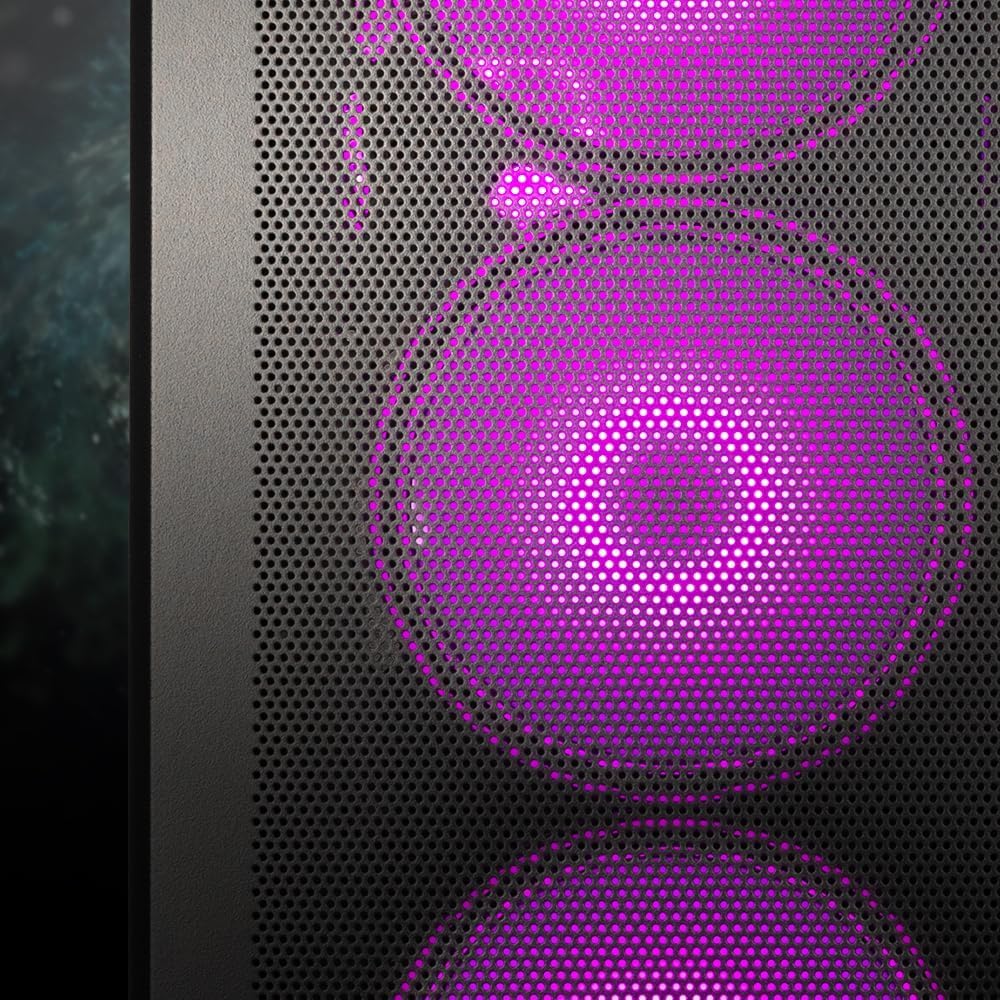
Image 6.1: Detail of the front panel showcasing the vibrant ARGB lighting of the pre-installed fans.
7. Manutenzjoni
Manutenzjoni regolari tgħin biex tiżgura prestazzjoni ottimali u lonġevità tal-komponenti tal-PC tiegħek.
- Filtri tat-Trab: The Kolink Unity Peak includes removable dust filters (e.g., on the top and bottom). Periodically remove and clean these filters with compressed air or water (ensure they are completely dry before reinstallation).
- Tindif ta' barra: Wipe down the exterior surfaces, including tempered glass panels, with a soft, lint-free cloth. For glass, a mild glass cleaner can be used sparingly. Avoid abrasive cleaners.
- Tindif ta 'ġewwa: Use compressed air to remove dust buildup from internal components, fans, and radiators. Ensure the system is powered off and unplugged before cleaning.
- Airflow Optimization: Periodically check that cables are not obstructing airflow paths and that fans are spinning freely.
8 Issolvi l-problemi
Din it-taqsima tindirizza kwistjonijiet komuni li tista’ tiltaqa’ magħhom.
- Is-Sistema Ma Tixgħelx:
- Check if the PSU is switched 'ON' at the back.
- Kun żgur li l-kejbil tal-enerġija huwa konness sew mal-PSU u mas-sokit tal-ħajt.
- Ivverifika li l-kejbil tas-swiċċ tal-enerġija tal-pannell ta' quddiem huwa konness sew mal-header tal-motherboard.
- Confirm all internal power cables (24-pin ATX, CPU, GPU, etc.) are properly seated.
- Il-Fannijiet Mhux Iduru / L-ARGB Mhux Jixgħel:
- Check fan power connections to the motherboard or fan controller.
- Verify ARGB cables are correctly connected to the ARGB controller or motherboard ARGB header.
- If using an ARGB controller, ensure it is receiving power (usually SATA power).
- Front USB Ports Not Functioning:
- Ensure the USB 3.0 and USB 2.0 headers from the front panel are correctly connected to the corresponding headers on your motherboard.
- Poor Airflow / High Temperatures:
- Check fan orientation; ensure intake fans pull air in and exhaust fans push air out.
- Naddaf il-filtri tat-trab u l-komponenti interni.
- Verify no cables are obstructing airflow.
9. Garanzija u Appoġġ
Kolink products are manufactured to high-quality standards. For information regarding warranty terms and conditions, please refer to the warranty card included with your product or visit the official Kolink website. For technical support or further assistance, please contact your retailer or Kolink customer service.
Note: Specific warranty details may vary by region and retailer. Please retain your proof of purchase.


