1. Introduzzjoni
Thank you for choosing the ZEBRONICS K4000MW Wireless Keyboard. This manual provides essential information for setting up, operating, maintaining, and troubleshooting your new keyboard. The K4000MW offers versatile connectivity options, including 2.4 GHz wireless and dual Bluetooth, making it compatible with a wide range of devices such as laptops, desktops, tablets, and smartphones. Its compact design and integrated multimedia keys enhance productivity and user convenience.

Immaġni 1: Minn fuq għal isfel view of the ZEBRONICS K4000MW Wireless Keyboard, showcasing its compact layout and black finish.
2. Setup
2.1 Kontenut tal-Pakkett
- ZEBRONICS K4000MW Wireless Keyboard
- USB Nano Receiver (for 2.4 GHz connection)
- Manwal għall-Utent
2.2 Installazzjoni tal-batterija
- Sib il-kompartiment tal-batterija fuq in-naħa ta’ taħt tat-tastiera.
- Iftaħ l-għatu tal-kompartiment tal-batterija.
- Insert the required batteries (not specified in JSON, typically AA or AAA) according to the polarity markings.
- Agħlaq l-għatu tal-kompartiment tal-batterija sew.
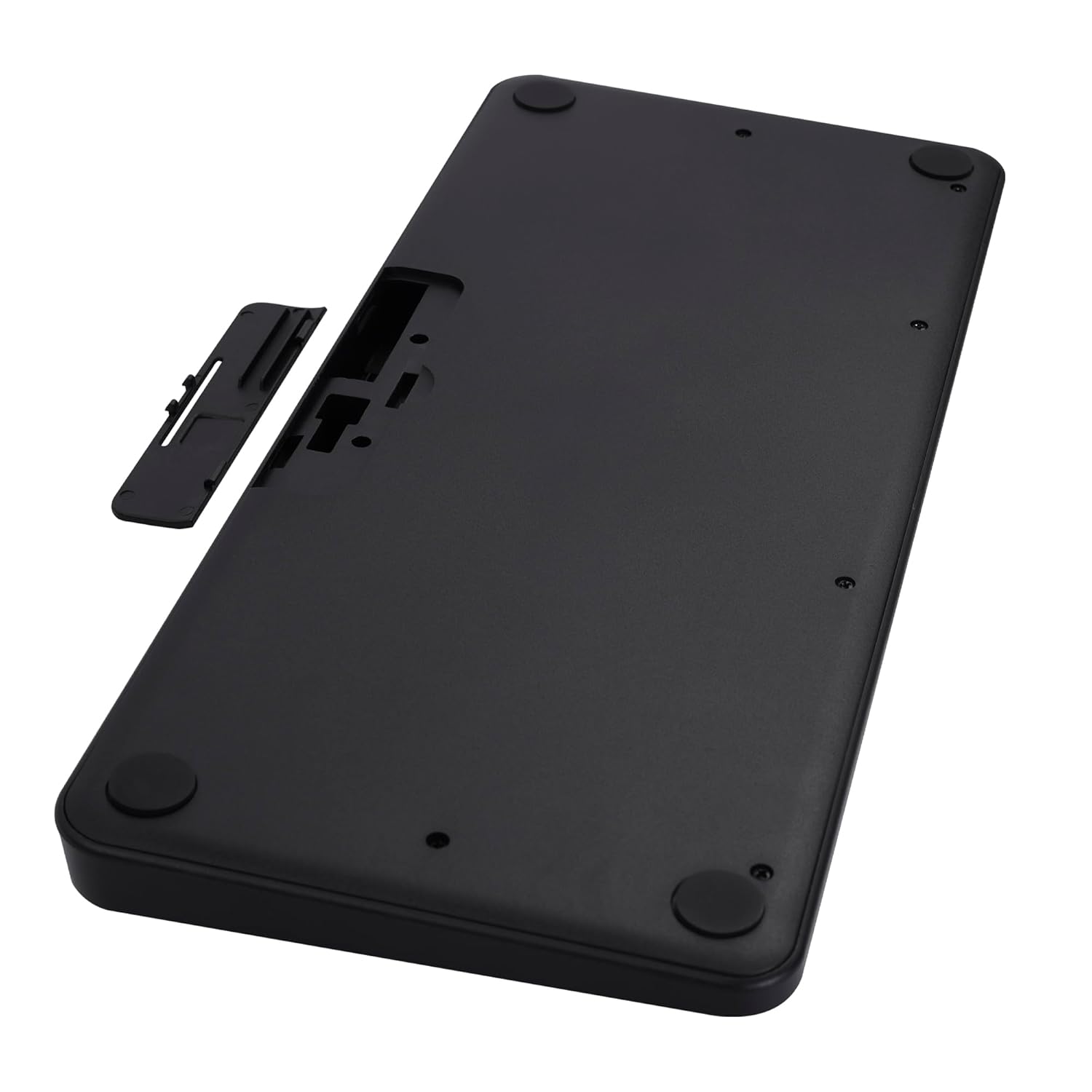
Image 2: The underside of the keyboard, showing the battery compartment and the slot for the USB nano receiver.
2.3 Connecting via 2.4 GHz Wireless
- Remove the USB nano receiver from its storage slot in the battery compartment.
- Plug the nano receiver into an available USB port on your computer or compatible device.
- The keyboard should automatically connect. The 2.4G LED indicator on the keyboard will illuminate briefly to confirm connection.
2.4 Konnessjoni permezz tal-Bluetooth
The keyboard supports up to two Bluetooth connections (BT1 and BT2).
- Pairing for BT1:
a. Agħfas u żomm il- Fn + BT1 keys simultaneously for 3-5 seconds until the BT1 LED indicator starts blinking rapidly.
b. On your device (laptop, tablet, smartphone), enable Bluetooth and search for available devices.
c. Select "ZEB-K4000MW" from the list of devices to pair.
d. Once paired, the BT1 LED indicator will stop blinking and remain solid for a few seconds. - Pairing for BT2:
a. Follow the same steps as for BT1, but press and hold Fn + BT2 ċwievet.
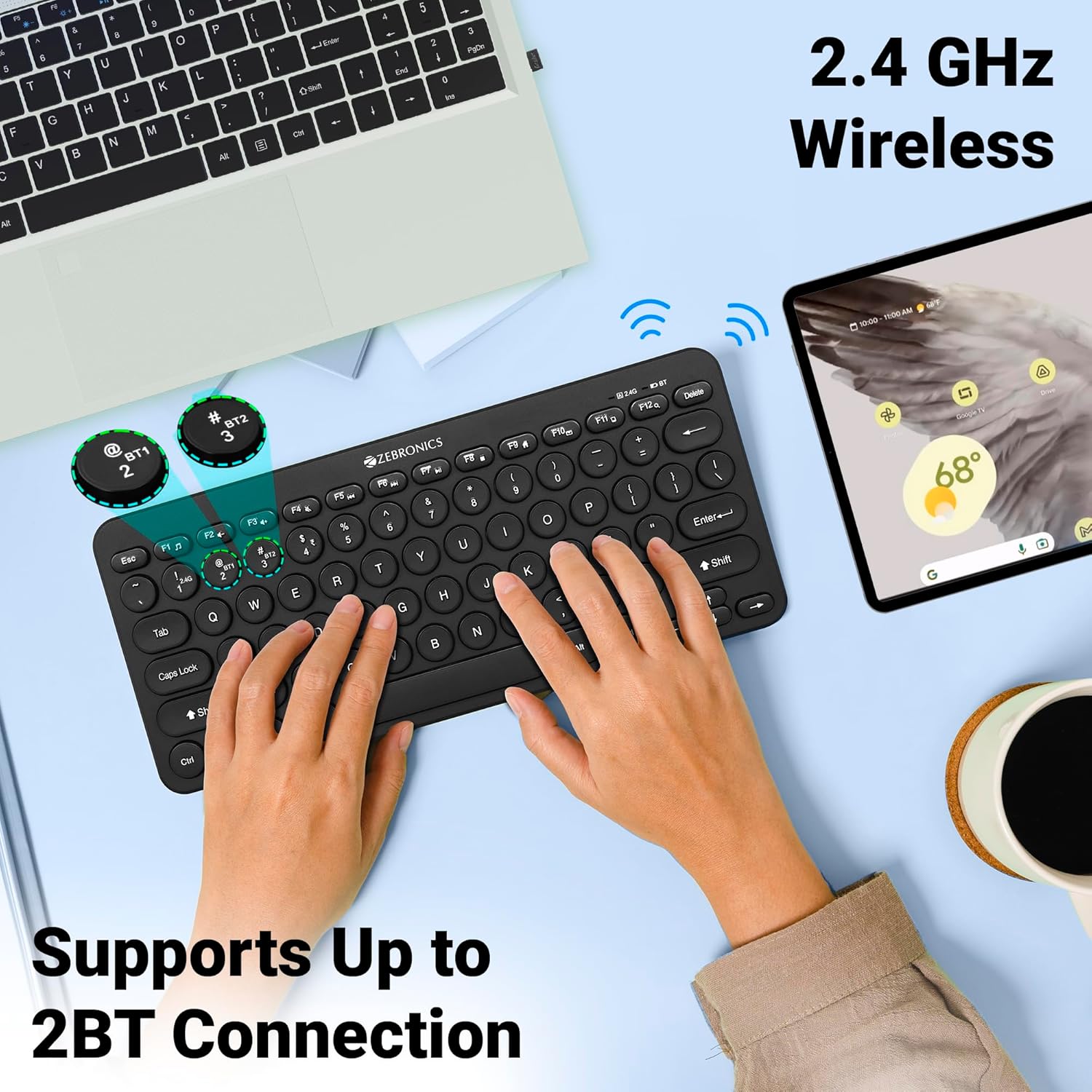
Image 3: The keyboard in use, highlighting the 2.4 GHz wireless and dual Bluetooth connection capabilities with LED indicators.
2.5 Tibdil bejn Apparati
Biex taqleb bejn apparat konness:
- Agħfas Fn + 2.4G to switch to the device connected via the 2.4 GHz nano receiver.
- Agħfas Fn + BT1 to switch to the device paired with Bluetooth 1.
- Agħfas Fn + BT2 to switch to the device paired with Bluetooth 2.
3. It-Tħaddim tat-Tastiera
3.1 Ittajpjar Bażiku
The keyboard features 78 UV-coated keys designed for comfortable and efficient typing. The layout includes standard alphanumeric keys, function keys, and navigation keys.
3.2 Ċwievet Multimedjali
The keyboard integrates 12 multimedia keys (F1-F12) for quick access to media controls and other functions. To use these functions, press the Fn ċavetta simultanjament mal-ċavetta tal-funzjoni mixtieqa.
- Fn+F1: Media Player
- Fn+F2: Volum 'l isfel
- Fn+F3: Volum Up
- Fn+F4: Mute
- Fn+F5: Track Preċedenti
- Fn+F6: Play/Pawsa
- Fn+F7: Track li jmiss
- Fn+F8: Waqqaf
- Fn+F9: Web Browser
- Fn+F10: Email
- Fn+F11: Il-Kompjuter Tiegħi
- Fn+F12: Kalkulatur
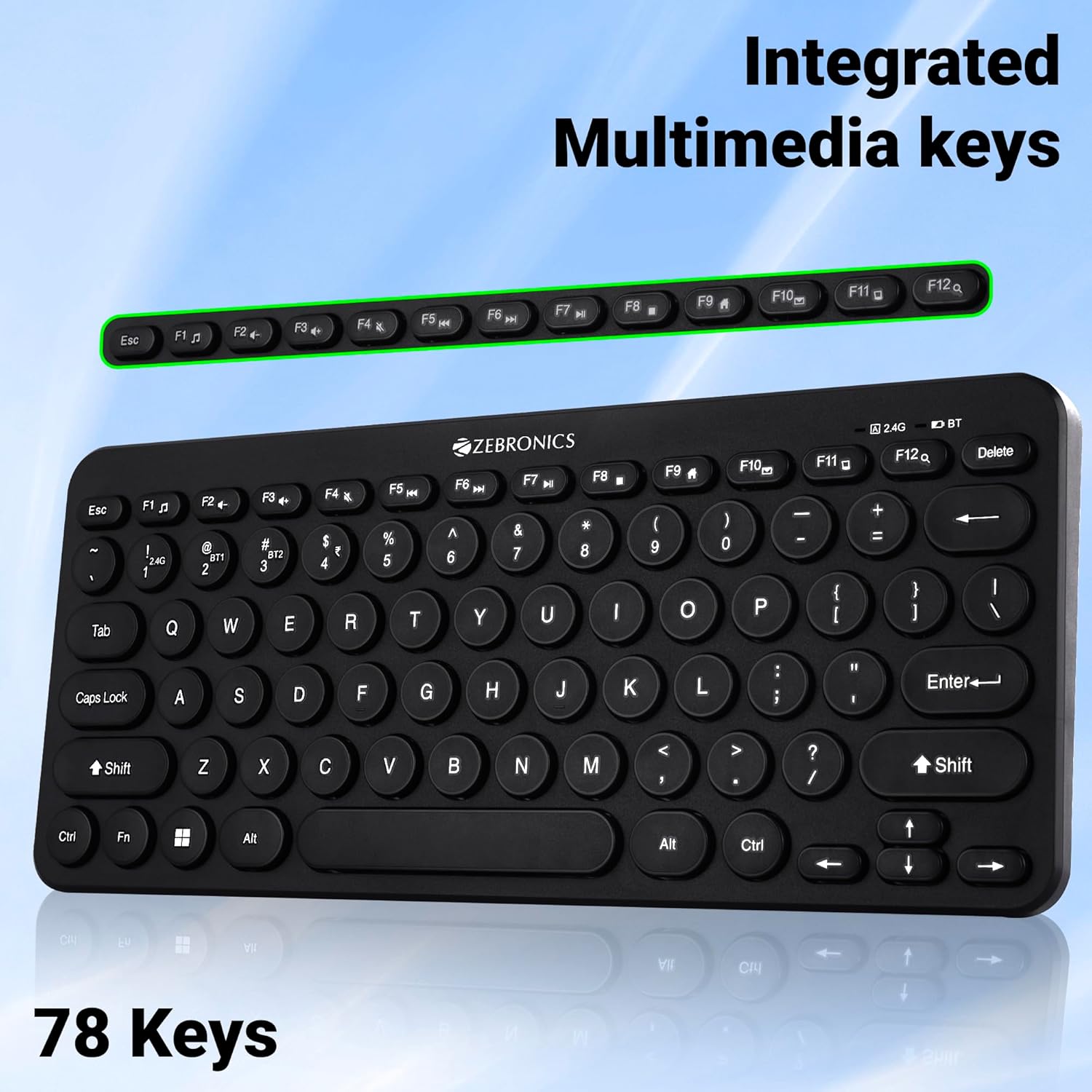
Image 4: The keyboard with the row of function keys (F1-F12) highlighted, indicating their integrated multimedia capabilities.
3.3 Rupee Key
The keyboard includes a dedicated Rupee key, indicating regional inclusivity for users.
3.4 Indikaturi LED
The keyboard features LED indicators to provide status information:
- LED 2.4G: Indicates 2.4 GHz wireless connection status.
- BT1/BT2 LED: Indicates Bluetooth connection status for BT1 or BT2.
- LED tal-Caps Lock: Jixgħel meta l-Caps Lock ikun attiv.
- LED ta 'Batterija Baxxa: Flashes or changes color to indicate low battery power.
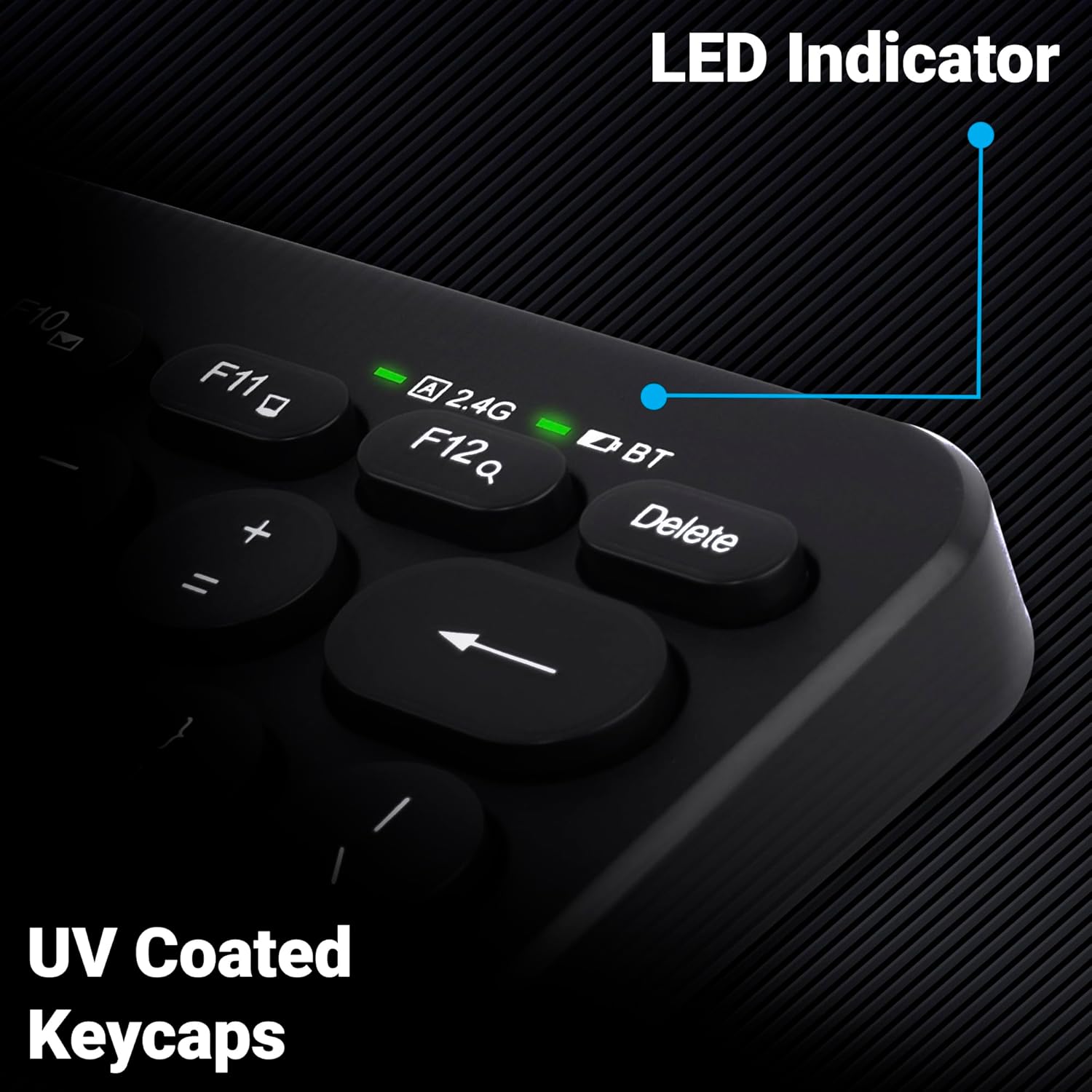
Immaġni 5: Close-up view of the keyboard's top right corner, showing the LED indicators for 2.4G, BT, and Caps Lock, along with the UV-coated keycaps.
3.5 Kompatibbiltà tal-Apparat
The K4000MW keyboard is designed for broad compatibility, integrating seamlessly with:
- Laptops
- Desktops
- Pilloli
- Smartphones
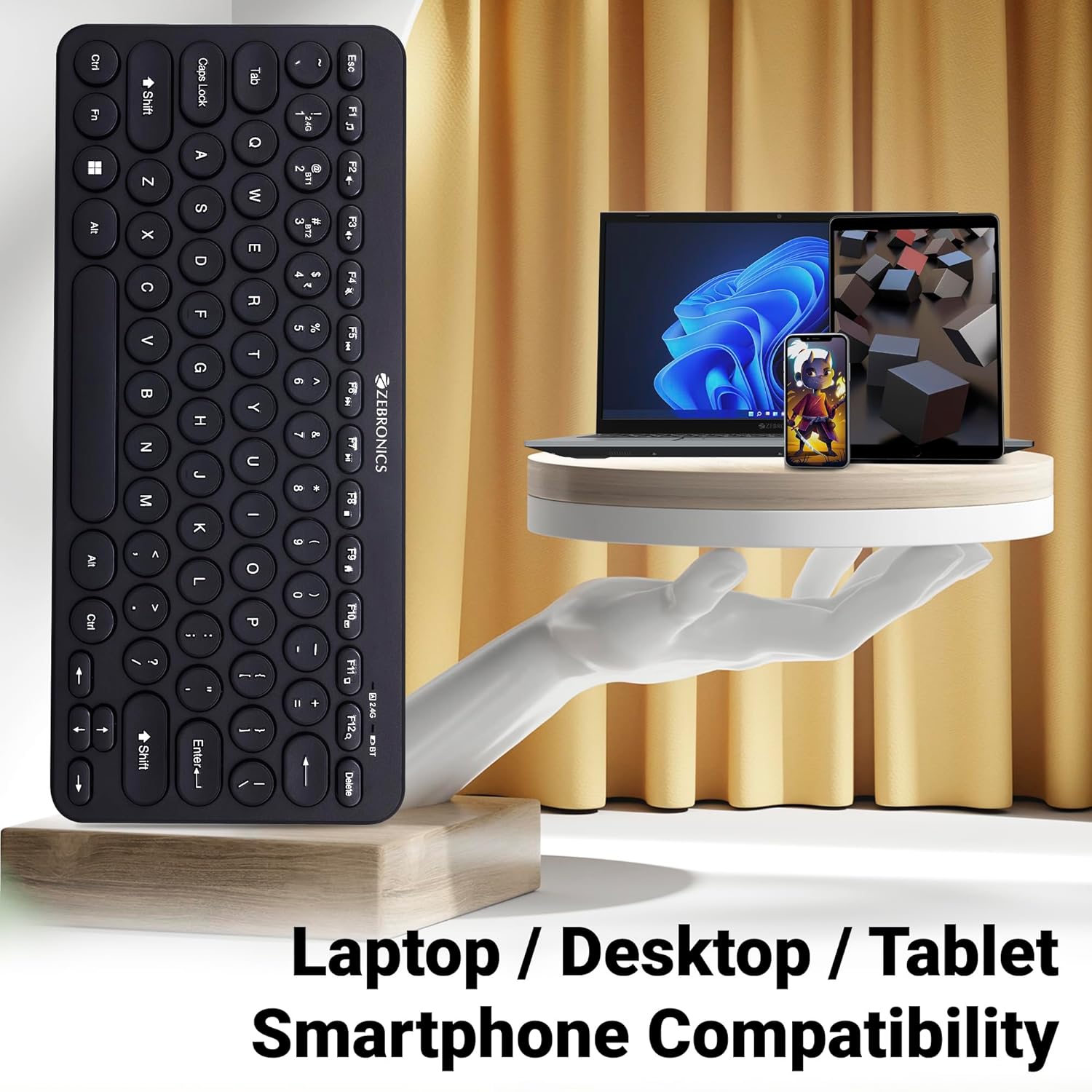
Image 6: The keyboard positioned next to a laptop, tablet, and smartphone, illustrating its multi-device compatibility.
4. Manutenzjoni
4.1 Tindif
- Use a soft, dry cloth to wipe the surface of the keyboard.
- Għal ħmieġ iebes, neħħi ftitampLaħlaħ id-drapp bl-ilma jew b'soluzzjoni ħafifa tat-tindif. Evita umdità eċċessiva.
- Do not use harsh chemicals or abrasive cleaners, as these can damage the keycaps and finish.
- Uża arja kkompressata biex tneħħi t-trab u l-fdalijiet minn bejn iċ-ċwievet.
4.2 Kura tal-Batterija
- Replace batteries when the low battery indicator illuminates to ensure uninterrupted operation.
- If the keyboard will not be used for an extended period, it is recommended to remove the batteries to prevent leakage.
- Aħżen it-tastiera f'post frisk u niexef.
5 Issolvi l-problemi
5.1 It-Tastiera Ma Tirrispondix
- Iċċekkja Batteriji: Kun żgur li l-batteriji huma installati sew u għandhom biżżejjed ċarġ. Ibdelhom jekk meħtieġ.
- Iċċekkja l-Konnessjoni: Verify that the 2.4 GHz nano receiver is securely plugged into the USB port, or that the Bluetooth connection is active and paired.
- Aqleb il-Kanali: If using Bluetooth, ensure you are on the correct BT1 or BT2 channel.
- Erġa' qabbad il-Bluetooth: If connection issues persist, try unpairing and re-pairing the keyboard with your device.
- Interferenza: Move the keyboard closer to the receiver/device and away from other wireless devices that might cause interference.
5.2 Keys Not Working or Lagging
- Ċwievet Nodfa: Kun żgur li ma jkun hemm l-ebda debris taħt iċ-ċwievet.
- Livell tal-batterija: Low battery can sometimes affect key responsiveness. Replace batteries.
- Interferenza: Wireless interference can cause lag. Try moving closer to the receiver/device.
- Kompatibbiltà tal-Apparat: Ensure your device's operating system is compatible with the keyboard.
5.3 Kwistjonijiet ta' Skonnessjoni tal-Bluetooth
- Distanza: Kun żgur li t-tastiera tinsab fil-firxa effettiva tat-tagħmir Bluetooth tiegħek.
- Interferenza: Other Bluetooth or wireless devices nearby can cause disconnections.
- Device Bluetooth Driver: Update your device's Bluetooth drivers to the latest version.
- Erġa 'par: Remove the keyboard from your device's Bluetooth list and re-pair it.
6. Speċifikazzjonijiet
| Karatteristika | Dettall |
|---|---|
| Brand | ŻEBRONIKA |
| Isem tal-Mudell | K4000MW |
| Teknoloġija tal-Konnettività | 2.4 GHz Wireless, Bluetooth (Dual BT) |
| Numru ta' Ċwievet | 78 |
| Ċwievet Multimidja | 12 Integrated Multimedia Keys |
| Tip ta 'keycap | UV-Coated |
| Karatteristiċi Speċjali | Rupee Key, LED Indicator (Battery, Connectivity, Caps Lock) |
| Disinn | Slim & Minimalist |
| Apparati Kompatibbli | Desktop, Laptop, Tablet, Smartphone |
| Sistema Operattiva | Windows 10 (u sistemi operattivi kompatibbli oħra) |
| Sors tal-Enerġija | Mħaddma bil-batterija |
| Dimensjonijiet tal-Prodott (LxWxH) | 29.4 x 13.4 x 3 ċm |
| Piż tal-oġġett | 320 g |
7. Garanzija u Appoġġ
7.1 Informazzjoni dwar Garanzija
For specific warranty terms and conditions, please refer to the warranty card included with your product or visit the official ZEBRONICS websit. Żomm l-irċevuta tax-xiri tiegħek bħala prova tax-xiri għal talbiet ta' garanzija.
7.2 Appoġġ għall-Klijent
If you encounter any issues or have questions regarding your ZEBRONICS K4000MW Wireless Keyboard, please contact ZEBRONICS customer support through their official webis-sit jew l-informazzjoni ta' kuntatt ipprovduta fl-imballaġġ tal-prodott tiegħek.


