1. Introduzzjoni
Thank you for choosing the XTRARM Proton 100 Mobile TV Stand. This manual provides essential information for the safe and efficient assembly, operation, and maintenance of your new TV stand. Please read this manual thoroughly before installation and retain it for future reference.
The XTRARM Proton 100 is a versatile mobile TV stand designed for televisions ranging from approximately 37 to 70 inches and weighing up to 40 kg. It features adjustable height, VESA compatibility, lockable wheels for mobility, integrated cable management, and a convenient power strip with USB ports.

Image: The XTRARM Proton 100 Mobile TV Stand with a large flat-screen television mounted, showcasing its sleek design and mobility.
2. Informazzjoni dwar is-Sigurtà
CAUTION: Follow all instructions carefully to avoid incorrect installation or faulty function.
Check the condition and completeness of the item upon receipt. The fastening materials supplied for wall mounting are intended exclusively for fastening to solid masonry or concrete. For other walls, such as hollow bricks, plasterboard, or lightweight construction, please contact a specialist retailer for information on suitable fastening elements. Under no circumstances should you exceed the limit values specified for the product.
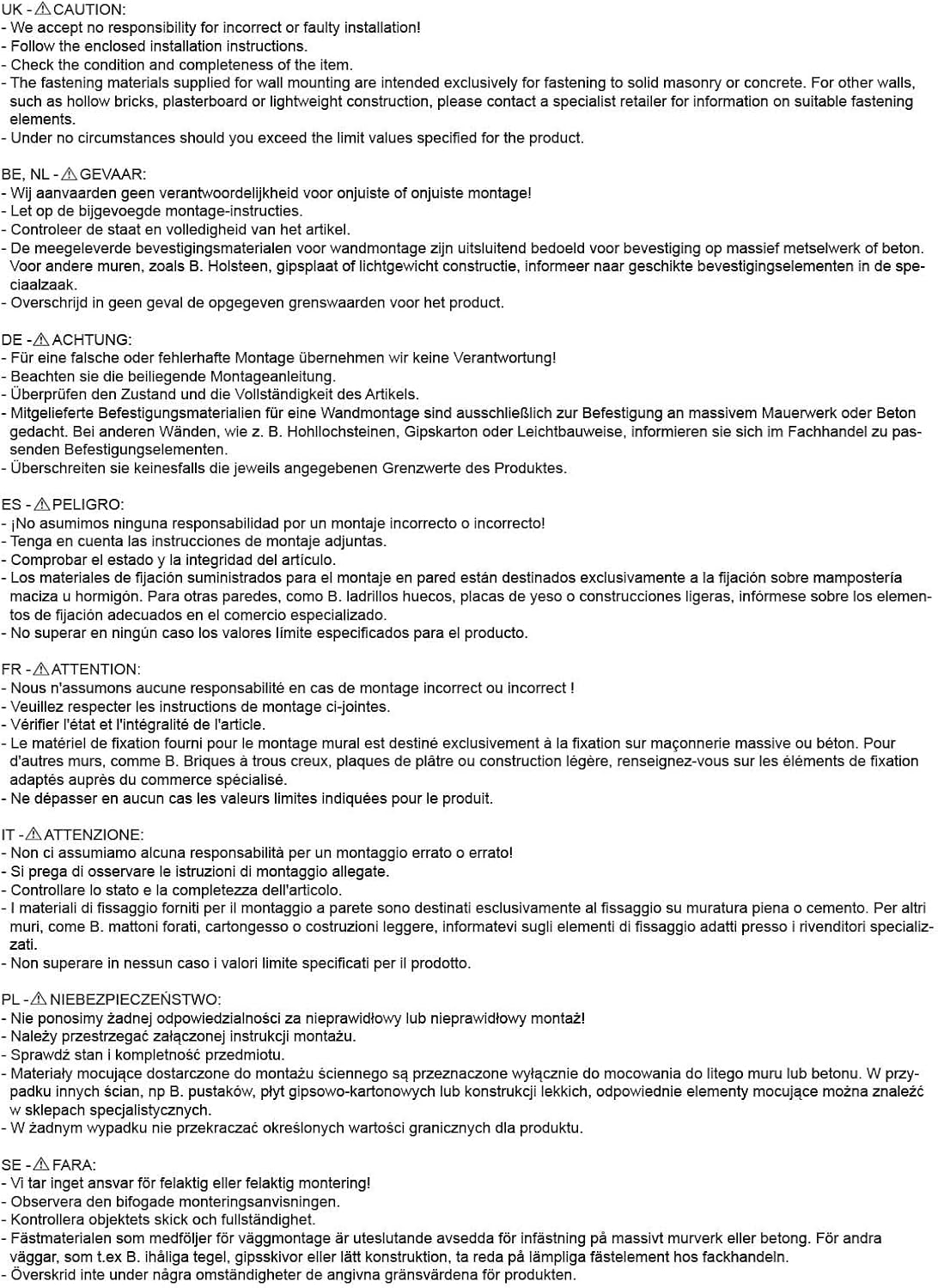
Image: Safety warnings and cautions provided in various languages. This image emphasizes the importance of adhering to installation guidelines and weight limits.
- Kun żgur li l-komponenti kollha huma preżenti u mhux imħassra qabel l-assemblaġġ.
- Taqbiżx il-kapaċità massima ta 'tagħbija ta' 40 kg (88 lbs).
- Ensure the TV size is within the recommended range of 37-70 inches.
- Always use the appropriate VESA mounting screws and spacers.
- When moving the stand, ensure the TV is securely attached and the path is clear. Lock the wheels once the stand is in its desired position.
- Keep children and pets away from the stand during assembly and adjustment.
3. Kontenut tal-Pakkett
Before beginning assembly, verify that all parts listed below are included in your package. If any parts are missing or damaged, please contact customer support.
- Main TV Stand Frame (Base, Column, TV Mount)
- Roti li jissakkru (x4)
- Power Strip with 2 Sockets and 2 USB Ports
- 3-meter Power Cable
- Standard Mounting Material for TV (various VESA screws, washers, spacers)
- Assembly Tools (e.g., Allen key, wrench - specific tools may vary)
- Manwal ta' Istruzzjoni

Immaġni: Wara view of the TV stand, illustrating the VESA mounting bracket and the central column where cables can be managed.
4. Setup u Assemblea
Follow these steps to assemble your XTRARM Proton 100 Mobile TV Stand. It is recommended to have two people for certain assembly steps, especially when mounting the TV.
4.1. Assemblaġġ tal-Bażi
- Attach the wheels to the base plate. Ensure they are securely tightened. Two of the wheels are lockable; position them for easy access.
- Secure the main column to the base plate using the provided hardware.
4.2. TV Mount Assembly
- Attach the VESA mounting brackets to the back of your television. Refer to your TV's manual for specific mounting points.
- Importanti: Verify your TV's VESA pattern and weight. This stand supports VESA patterns up to 600x400mm and TVs weighing up to 40 kg. Common VESA sizes supported include: 200x200, 200x300, 300x200, 300x300, 300x400, 400x200, 400x300, 400x400, 600x200, 600x300, 600x400 mm.

Image: Illustration of a TV mounted on the stand, highlighting supported TV sizes (32-75 inches) and maximum weight (40 kg), along with a table of compatible VESA patterns.
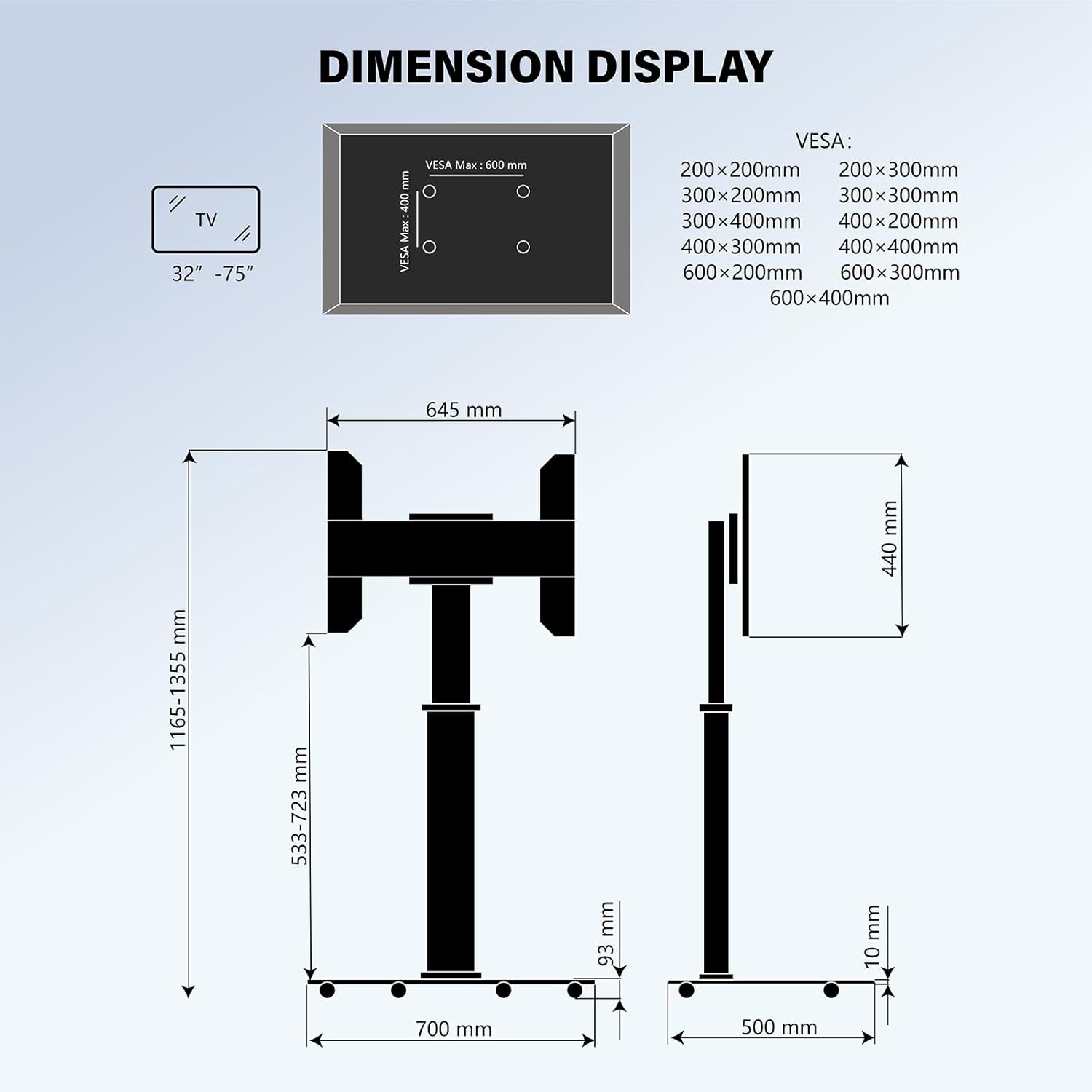
Image: Detailed dimension diagram of the TV stand, including VESA mounting specifications and overall height and width measurements.
4.3. Mounting the TV to the Stand
- Carefully lift the TV with the attached VESA brackets and hook them onto the main TV mount on the stand.
- Secure the TV to the mount using the safety screws or locking mechanisms provided.
5. Istruzzjonijiet Operattivi
5.1. Adjusting TV Height
The XTRARM Proton 100 allows for variable height adjustment. To change the TV height:
- Loosen the height adjustment mechanism on the central column.
- Carefully raise or lower the TV to the desired viewing height. The stand offers a height range up to approximately 135 cm.
- Securely tighten the height adjustment mechanism to lock the TV in place.

Image: Visual representation of the TV stand's adjustable height feature, indicating a maximum height of 1355mm and a minimum of 1165mm.
5.2. Rotating the TV
The TV can be rotated 90 degrees, allowing for both landscape and portrait vieworjentazzjonijiet tal-ing.
- Gently rotate the TV to the desired orientation (90 degrees clockwise or counter-clockwise).
- Ensure the TV is stable in its new position.

Image: Demonstration of the TV stand's 90-degree rotation capability, allowing the screen to switch between landscape and portrait modes.
5.3. Moving the Stand
To move the TV stand:
- Unlock the two lockable wheels.
- Carefully push the stand to its new location.
- Once in position, lock the wheels to prevent accidental movement.
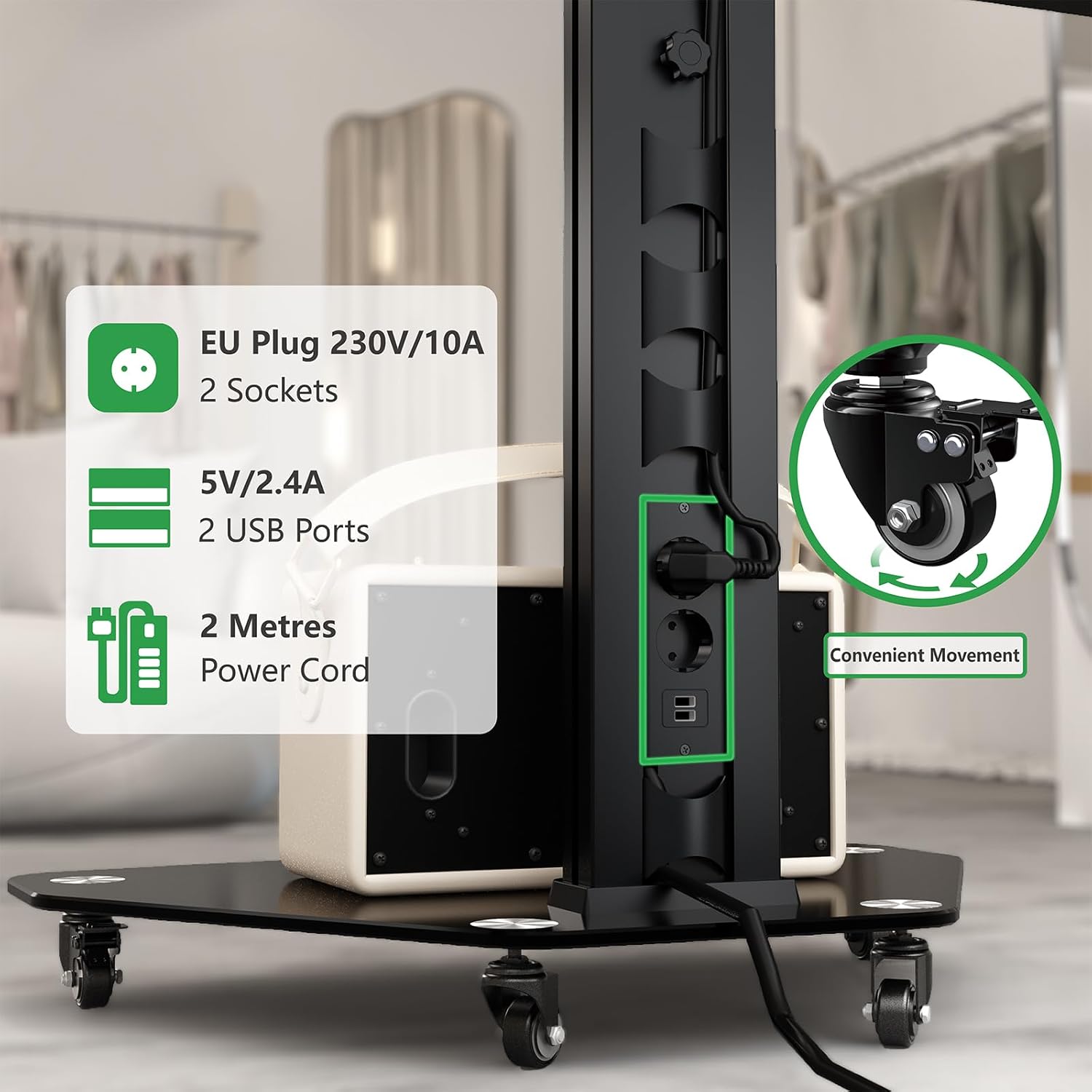
Immaġni: Close-up view of the integrated power strip with two EU 230V/10A sockets and two 5V/2.4A USB ports, along with an inset showing the design of a lockable wheel for convenient movement.
6. Karatteristiċi ewlenin
- Universal VESA Compatibility: Supports VESA patterns up to 600x400mm for a wide range of TVs.
- Għoli aġġustabbli: Variable height settings up to 135 cm for optimal viewing.
- Rotazzjoni ta' 90 Grad: Allows for easy switching between landscape and portrait TV orientations.
- Disinn Mobbli: Equipped with lockable wheels for easy relocation and stability.
- Strixxa tal-Enerġija Integrata: Features 2 x 220V sockets and 2 x USB Type-A (5V) ports with a 3-meter cable for convenient device charging and power.
- Ġestjoni tal-Kejbil: Built-in system within the central column to keep cables organized and out of sight.
- Bażi b'saħħitha: A 70 x 50 cm glass base plate provides stability and additional space for media devices, supporting up to 10 kg.

Immaġni: Dettaljata view of the TV stand's central column, highlighting the integrated cable management system and the convenient power outlet with USB ports.

Image: The base of the TV stand, demonstrating its space-saving design and the capacity to hold devices up to 10 kg on its glass shelf.
7. Speċifikazzjonijiet
| Numru tal-Mudell | XTR-FS2160 |
| Brand | XTRARM |
| Daqs tat-TV Rakkomandat | 37-70 pulzier (94-178 ċm) |
| Kapaċità massima tat-Tagħbija | 40 kg (88 lbs) |
| Kompatibilità VESA | Max 600x400 mm (e.g., 200x200, 300x300, 400x400, 600x200, 600x300, 600x400) |
| Medda ta 'Aġġustament Għoli | Approx. 116.5 cm to 135.5 cm |
| Rotazzjoni | 90 grad (Minn Pajsaġġ għal Ritratt) |
| Dimensjonijiet tal-Bażi | 70 x 50 ċm (27.56 x 19.69 pulzieri) |
| Faxxa tal-Qawwa | 2 x 220V Sockets, 2 x USB Type-A (5V/2.4A) |
| Tul tal-Kejbil tal-Enerġija | 3-il metru |
| Materjal | Aluminum, Iron, Glass |
| Kulur | Iswed |
| Piż tal-oġġett | 15 kg (33 libbra) |
| Dimensjonijiet tal-Prodott (Ġenerali) | Madwar 70 x 50 x 135 ċm (27.56 x 19.69 x 53.15 pulzieri) |
8. Manutenzjoni
- Iċċekkja regolarment il-viti u l-konnessjonijiet kollha biex tiżgura li jibqgħu ssikkati u siguri.
- Clean the stand with a soft, dry cloth. For stubborn marks, a slightly damp cloth with mild detergent can be used, followed by drying.
- Evita li tuża prodotti tat-tindif jew solventi li joborxu, għax dawn jistgħu jagħmlu ħsara lill-finitura.
- Keep the cable management system tidy to prevent cable damage or entanglement.
9 Issolvi l-problemi
| Problema | Kawża Possibbli | Soluzzjoni |
|---|---|---|
| L-istand mhux stabbli jew jitriegħed. | Loose connections; uneven floor; TV weight exceeds limit. | Check and tighten all screws. Ensure the stand is on a flat surface. Verify TV weight does not exceed 40 kg. |
| TV cannot be adjusted in height. | Height adjustment mechanism is locked or stiff. | Ensure the locking mechanism is fully disengaged. Apply gentle force while adjusting. |
| Ir-roti ma jdurux bla xkiel jew jissakkru. | Debris in wheels; locking mechanism jammed. | Clean wheels of any obstructions. Check locking levers for proper function. |
| Power strip not working. | Not plugged in; power strip switch off; faulty device. | Ensure the 3-meter power cable is securely plugged into a wall outlet. Check if the power strip has an on/off switch and it is in the 'on' position. Test with another device. |
10. Garanzija u Appoġġ
The XTRARM Proton 100 Mobile TV Stand comes with a 2-year EU spare part availability duration. For warranty claims or technical support, please contact your retailer or the XTRARM customer service department. Please have your model number (XTR-FS2160) and proof of purchase ready when contacting support.


