1. Introduzzjoni
Thank you for choosing the Diyeeni 7-Inch Portable Digital TV. This device is designed to provide entertainment on the go, featuring ATSC compliance for digital and analog TV reception, USB and memory card playback, and a rechargeable battery for portable use. This manual provides essential information for the safe and efficient operation of your new portable television.

Image: The Diyeeni portable TV is suitable for various applications, including camping, travel, and hiking, offering entertainment wherever you go.
2. Informazzjoni dwar is-Sigurtà
- Aqra l-istruzzjonijiet kollha qabel tħaddem l-apparat.
- Tesponix l-apparat għax-xita jew għall-umdità biex tevita nar jew xokk elettriku.
- Evita li tpoġġi l-apparat ħdejn sorsi tas-sħana bħal radjaturi, reġistri tas-sħana, stufi, jew apparati oħra li jipproduċu s-sħana.
- Uża biss aċċessorji/aċċessorji speċifikati mill-manifattur.
- Ipproteġi l-korda tad-dawl milli timxi fuqha jew maqrusa, partikolarment fil-plakek, ir-reċipjenti tal-konvenjenza, u l-punt fejn joħorġu mill-apparat.
- Spluggja dan l-apparat waqt maltempati tas-sajjetti jew meta ma jintużax għal perjodi twal.
- Irreferi l-manutenzjoni kollha lil persunal tas-servizz kwalifikat.
3. Kontenut tal-Pakkett
Jekk jogħġbok iċċekkja l-pakkett għall-oġġetti li ġejjin:
- Diyeeni 7-Inch Portable Digital TV
- Kontroll mill-bogħod
- Manwal għall-Utent
- Batteriji (għall-kontroll remot)
- Adapter tal-Enerġija
- Ċarġer tal-Karozza
- AV Cable
- Antenna

Image: The complete set of accessories, including the remote control, power adapter, car charger, AV cable, and antenna.

Image: A closer look at the included antenna, AV cable, and car charger for versatile power and connectivity options.
4. Prodott Aktarview
The Diyeeni portable TV features a 7-inch LCD display with a 16:9 widescreen ratio, supporting 1080P video playback. It is equipped with various ports for connectivity and media functions.

Image: The 7-inch LCD monitor supports 1080P video and offers a 16:9 widescreen experience.
Karatteristiċi ewlenin:
- ATSC Compliant: Capable of receiving analog TV, digital TV, and ATV signals.
- Multi-function Ports: Includes USB port and a small memory card slot for playing content from external drives.
- 1080P Video Support: Enjoy high-definition video playback.
- Batterija rikarikabbli: Built-in 1500mAh lithium battery for portable use.
- Sound/Video Input: Supports external audio and video sources.

Image: The multi-functionality of the TV, including USB, storage card, TV function, and sound/video input, enhances the viewing esperjenza.
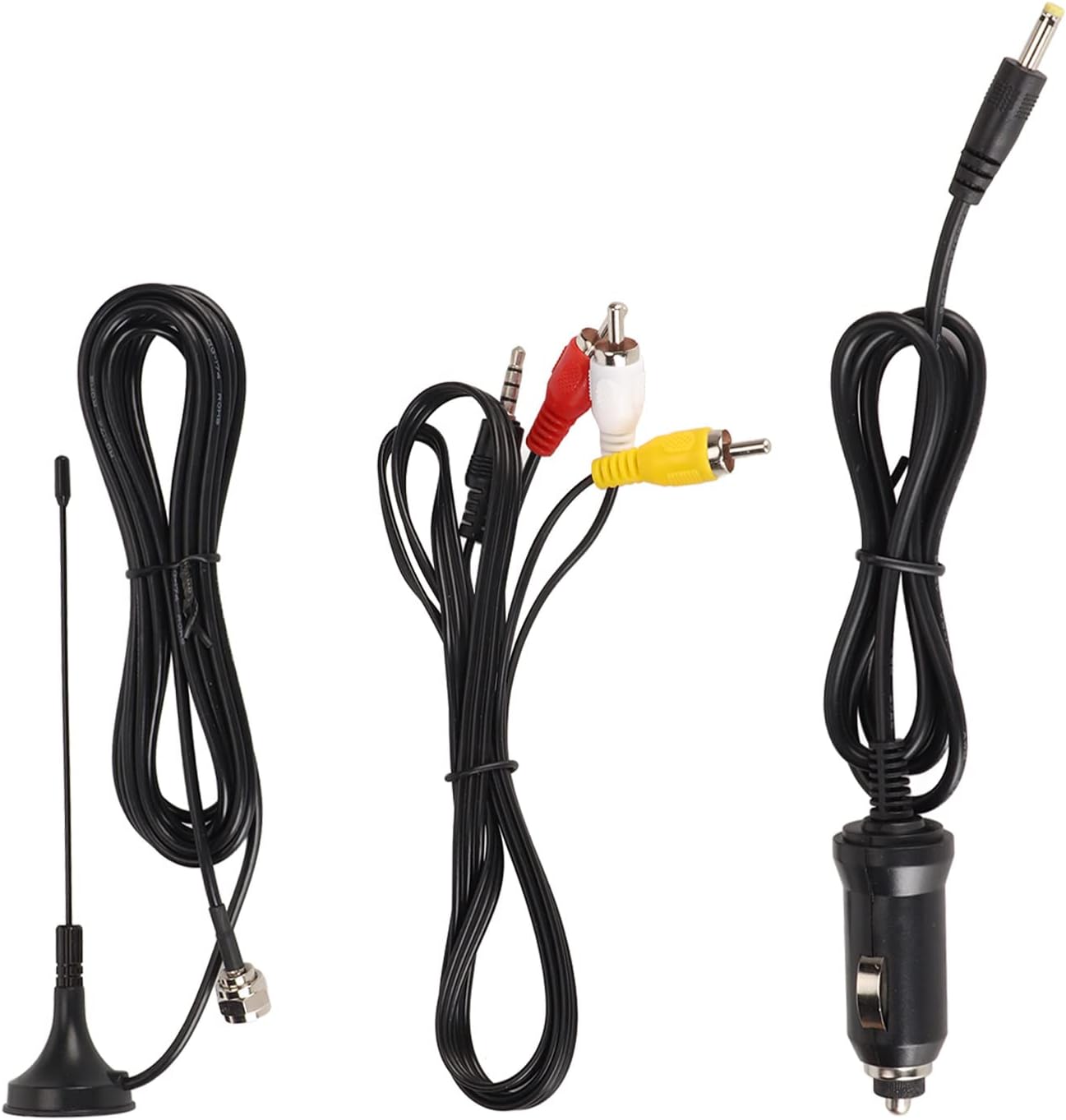
Image: The back panel of the TV, featuring DC IN, TF card slot, AV IN, headphone jack, OFF/ON switch, USB port, and antenna input.
5. Setup
5.1 Iċċarġjar inizjali
- Connect the provided power adapter to the "DC IN" port on the TV.
- Ipplaggja l-adapter tal-enerġija fi żbokk tal-ħajt standard.
- Charge the TV fully before first use. The charging indicator will typically change color or turn off when charging is complete.
5.2 Konnessjoni tal-antenna
- Locate the antenna input port on the side or back of the TV.
- Connect the included antenna to this port.
- Extend the antenna fully and position it for optimal signal reception.
5.3 Tixgħel/Jitfi
- To power on, slide the "OFF/ON" switch to the "ON" position.
- To power off, slide the "OFF/ON" switch to the "OFF" position.
6. Istruzzjonijiet Operattivi
6.1 Initial Channel Scan
- After powering on, navigate to the "Channel" menu using the remote control or the buttons on the TV.
- Select "Auto Scan" or "Auto Tuning" to search for available digital and analog channels.
- Wait for the scan to complete. This may take several minutes.
- Once complete, the TV will save the found channels.

Image: The TV is ATSC compliant, allowing reception of analog, digital, and ATV signals, easily controlled with the included remote.
6.2 Funzjonijiet Bażiċi tat-TV
- Kanal 'l fuq/'l isfel: Use the CH+/CH- buttons on the TV or remote to change channels.
- Volum 'il fuq/Niżżel: Use the VOL+/VOL- buttons on the TV or remote to adjust volume.
- Menu: Press the MENU button to access settings such as Picture, Sound, Time, Option, Lock, and Channel.
- Sors: Press the SOURCE/ENTER button to switch between TV, AV, USB, and Card inputs.

Image: The TV's menu system allows adjustment of picture mode, contrast, brightness, color, sharpness, tint, color temperature, aspect ratio, and noise reduction.
7. Media Playback (USB/SD Card)
- Insert a USB drive into the USB port or a memory card into the TF card slot.
- Press the "SOURCE" button on the remote or TV until "USB" or "Card" is selected.
- The TV will display the media browser. Navigate through your files using the directional buttons on the remote.
- Agħżel il-vidjow, l-awdjo, jew l-immaġni mixtieqa file biex tilgħab.
- Supported video formats include MKV, MOV, AVI, WMV, MP4, FLV, MPEG1-4. Supported audio format is MP3.

Image: The portable TV can be easily set up in various environments, such as a car, providing entertainment for passengers.
8. Manutenzjoni
- Tindif: Use a soft, dry cloth to clean the screen and exterior of the TV. Do not use liquid cleaners or abrasive materials.
- Kura tal-batterija: To prolong battery life, avoid fully discharging the battery frequently. Recharge the TV regularly, even if not in use for extended periods.
- Ħażna: Store the TV in a cool, dry place away from direct sunlight and extreme temperatures.
9 Issolvi l-problemi
| Problema | Kawża Possibbli | Soluzzjoni |
|---|---|---|
| Ebda qawwa | Batterija skargata; Swiċċ tal-enerġija mitfi; L-adapter tal-enerġija mhux imqabbad. | Charge the battery; Ensure power switch is ON; Connect power adapter securely. |
| No signal/Poor picture quality | Antenna not connected; Poor antenna position; No channels scanned. | Connect antenna; Adjust antenna position; Perform an auto channel scan. |
| Il-kontroll mill-bogħod ma jaħdimx | Batteries dead or incorrectly inserted; Obstruction between remote and TV. | Ibdel il-batteriji; Kun żgur li l-polarità hija korretta; Neħħi l-ostruzzjonijiet. |
| Il-karta USB/SD mhux rikonoxxuta | Il-karta/drajv mhux imdaħħla sew; Mhux appoġġjat file system; Corrupted files. | Reinsert card/drive; Ensure FAT32 format; Check files għall-korruzzjoni. |
10. Speċifikazzjonijiet
| Karatteristika | Dettall |
|---|---|
| Numru tal-Mudell | Diyeenizht6cr5f0q |
| Daqs tal-Wiri | 7 pulzieri |
| Tip ta 'Wiri | LCD |
| Proporzjon ta' l-aspett | 16:9 |
| Appoġġ għar-Riżoluzzjoni tal-Vidjo | 1080P |
| Sistema tat-TV | ATSC (Analog TV, Digital TV, ATV) |
| Konnettività | USB, Memory Card Slot (TF card), AV Input |
| Batterija | 1500mAh Lithium Battery (Rechargeable) |
| Piż tal-oġġett | 1.79 liri |
| Dimensjonijiet tal-Pakkett | 9.84 x 6.3 x 3.94 pulzieri |
11. Informazzjoni dwar Garanzija
Diyeeni products are manufactured to the highest quality standards. This product is covered by a limited warranty from the date of purchase. Please refer to the specific warranty terms provided with your purchase documentation or contact customer support for details. The warranty typically covers defects in materials and workmanship under normal use.
12. Appoġġ għall-Klijent
If you encounter any issues or have questions regarding your Diyeeni 7-Inch Portable Digital TV, please contact our customer support team. For the most up-to-date support information, including contact methods and FAQs, please visit the official Diyeeni website or refer to your purchase platform for seller contact details.
Appoġġ onlajn: Visit the Diyeeni Store on Amazon