1. Introduzzjoni
This manual provides essential information for the safe and efficient operation of your BLUETTI AC70 Portable Power Station. Please read this manual thoroughly before using the product and keep it for future reference. The BLUETTI AC70 is a versatile power solution designed for various applications, including outdoor activities, emergency backup, and mobile power needs.
2. Istruzzjonijiet tas-Sigurtà
Biex tiżgura tħaddim sikur, dejjem segwi dawn il-linji gwida:
- M'għandekx tiżżarma, tissewwa, jew timmodifika l-unità.
- Żomm l-unità 'l bogħod min-nar, l-ilma, u temperaturi estremi.
- Uża biss aċċessorji u kejbils tal-iċċarġjar approvati minn BLUETTI.
- Kun żgur li tissaħħan sew waqt l-użu u l-iċċarġjar biex tevita li jisħon iżżejjed.
- Żomm fejn ma jintlaħaqx mit-tfal u l-annimali domestiċi.
- Evita li twaqqa' l-unità jew li tissottomettiha għal impatti qawwija.
3. Kontenut tal-Pakkett
Iċċekkja li l-oġġetti kollha huma inklużi fil-pakkett tiegħek:
- BLUETTI AC70 Power Station portabbli
- 100W Solar Panel (Ships Separately)
- Cable tal-Iċċarġjar tal-AC
- Cable tal-Iċċarġjar tal-Karozza
- Cable tal-Iċċarġjar Solari
- Manwal għall-Utent

Figure 1: BLUETTI AC70 Portable Power Station with its standard accessories.
4. Prodott Aktarview
4.1 Panel ta 'Quddiem
The front panel features the main display, input/output ports, and control buttons.
- Display LCD: Juri l-livell tal-batterija, l-input/output wattage, remaining runtime, and error indicators.
- Input DC/PV: For connecting solar panels or other DC charging sources.
- Ħruġ DC (12V/10A): Standard car-style outlet.
- Portijiet USB-C (100W): Two ports for fast charging compatible devices.
- Portijiet USB-A (12W): Two ports for standard USB charging.
- AC Outlets (120V/1000W): Two standard AC outlets.
- Buttuna tal-Qawwa: Ixgħel / itfi l-unità.
- Buttuna tal-Ħruġ DC: Activates/deactivates DC output.
- Buttuna tal-Ħruġ tal-AC: Activates/deactivates AC output.

Figure 2: Front panel layout of the BLUETTI AC70.
4.2 Panel ta 'wara
The rear panel includes the AC input port and ventilation.
- Input AC: Għall-konnessjoni tal-kejbil tal-iċċarġjar AC.
- Gradilji tal-ventilazzjoni: Jiżgura fluss tal-arja xieraq għat-tkessiħ.
4.3 Panel ta 'Fuq
The top panel features a sturdy handle for portability.

Figure 3: Top handle for easy portability.
5. Setup
5.1 Iċċarġjar inizjali
Before first use, fully charge the BLUETTI AC70. Connect the AC charging cable to the AC input port on the rear of the unit and plug it into a wall outlet. The LCD display will show the charging status. A full charge from 0% to 100% typically takes about 1.5 hours.
5.2 Konnessjoni tal-Panel Solari
If using the included 100W solar panel, unfold it and position it in direct sunlight. Connect the solar charging cable to the solar panel and then to the DC/PV input port on the front of the AC70. The display will indicate solar input wattage.
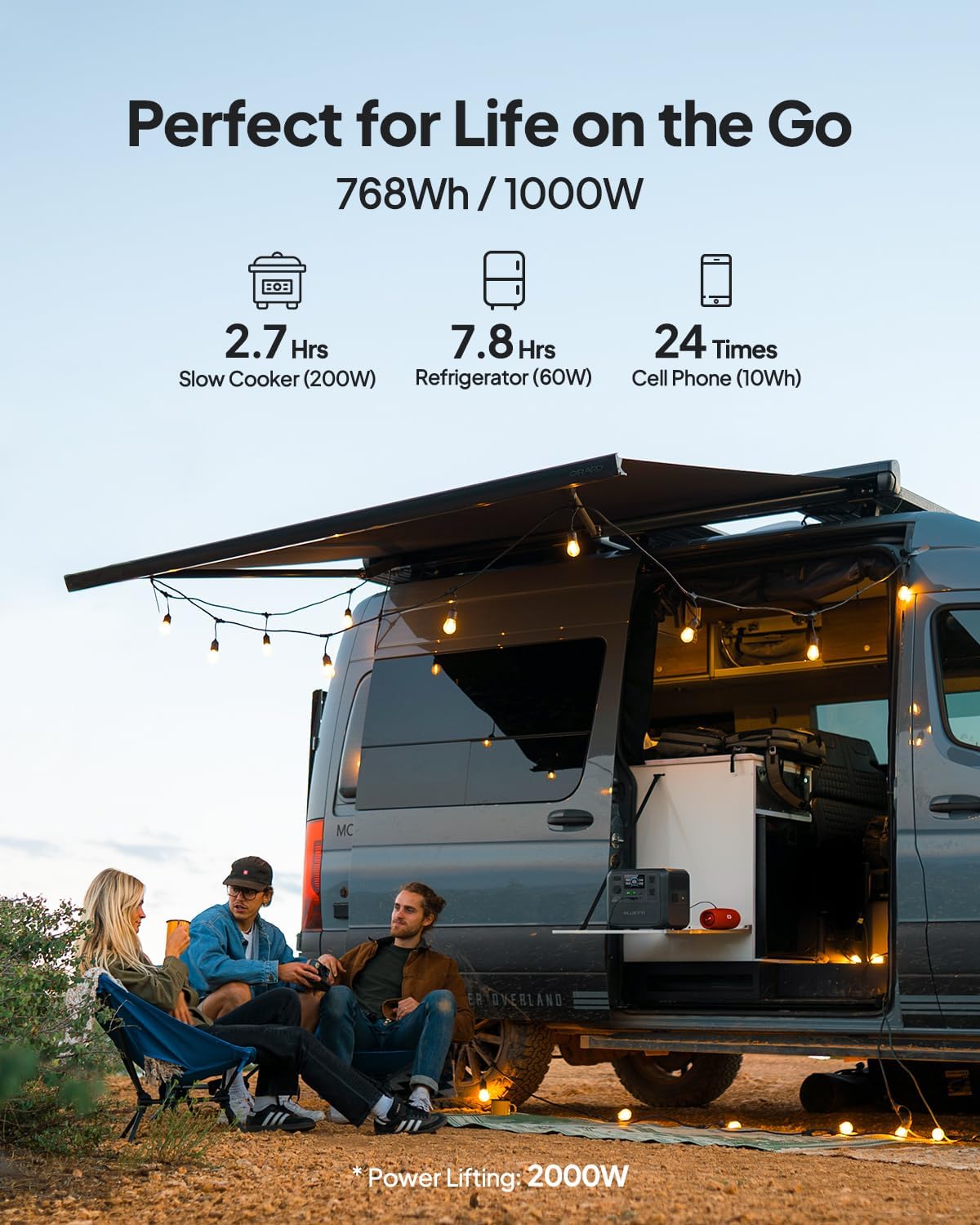
Figure 4: Connecting the BLUETTI AC70 to a solar panel.
6. Istruzzjonijiet Operattivi
6.1 Tixgħel/Jitfi
Press and hold the main Power Button for 2-3 seconds to turn the unit on or off.
6.2 Using Outputs
Press the respective DC Output Button or AC Output Button to activate the desired output ports. The corresponding icons on the LCD display will illuminate.

Figure 5: Various output ports of the BLUETTI AC70 in use.
6.3 BLUETTI APP Control
Download the BLUETTI APP from your smartphone's app store. Connect your AC70 via Bluetooth to monitor its status, adjust settings (like charging mode), and update firmware remotely.

Figure 6: Monitoring and controlling the AC70 using the BLUETTI App.
6.4 Modalità ta 'rfigħ tal-Enerġija
The Power Lifting mode allows the AC70 to handle high-power resistive loads up to 2000W, exceeding its rated 1000W output. This is particularly useful for devices like hair dryers or electric kettles. Activate this mode via the BLUETTI APP.
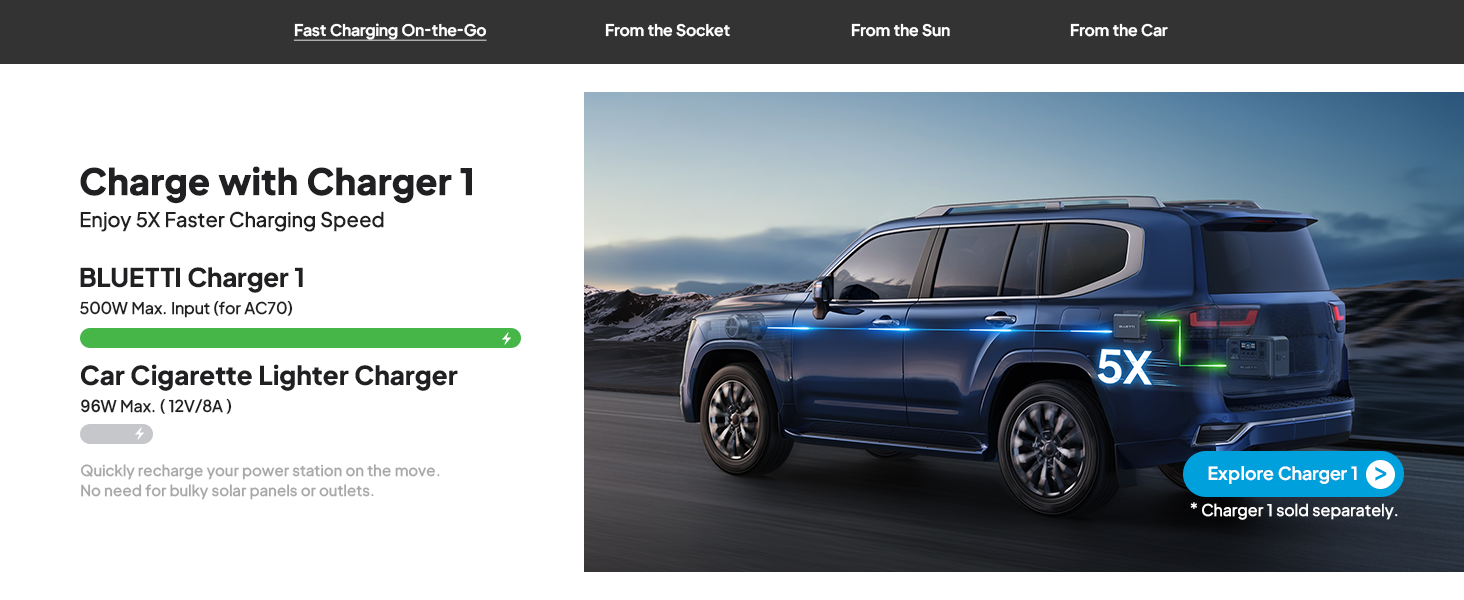
Figure 7: AC70 utilizing Power Lifting mode for higher wattagTagħmir elettroniku.
6.5 Funzjonalità tal-UPS
The AC70 features an Uninterruptible Power Supply (UPS) function with a switching time of ≤20ms. When connected to a wall outlet and powering devices, it can automatically switch to battery power in the event of a power outage, u b'hekk jiġi żgurat tħaddim kontinwu għall-elettronika konnessa.
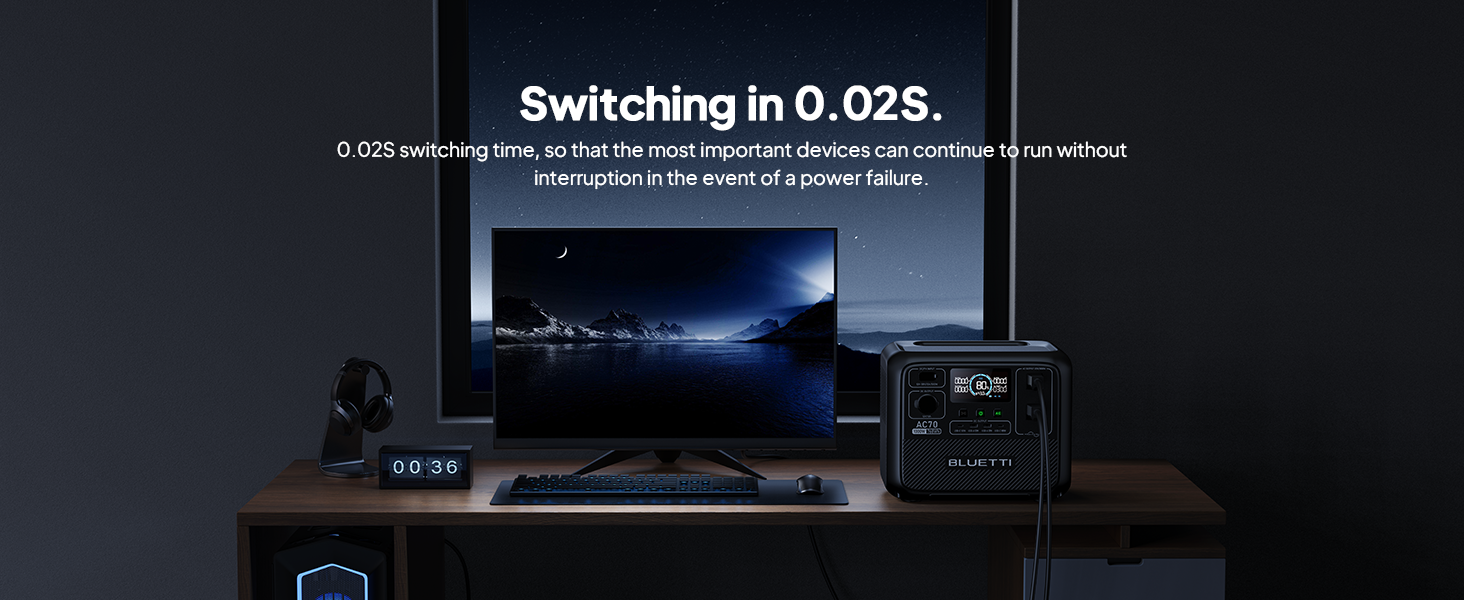
Figure 8: AC70 acting as an Uninterruptible Power Supply (UPS).
7. Iċċarġjar tal-AC70
7.1 Iċċarġjar AC
Connect the AC charging cable to the AC input port and a wall outlet. The AC70 supports up to 950W fast charging, reaching 80% in 45 minutes and 100% in 1.5 hours.

Figure 9: AC70 charging from a standard wall outlet.
7.2 Iċċarġjar Solari
Connect compatible solar panels (up to 500W) to the DC/PV input port using the solar charging cable. The AC70 can be fully charged via solar power in 1.9-2.4 hours under optimal sunlight conditions.

Figure 10: AC70 charging using solar panels.
7.3 Iċċarġjar tal-Karozzi
Use the car charging cable to connect the AC70 to your vehicle's 12V/24V cigarette lighter port. This allows for convenient charging while on the go, with a full charge taking approximately 3.2-7 hours.
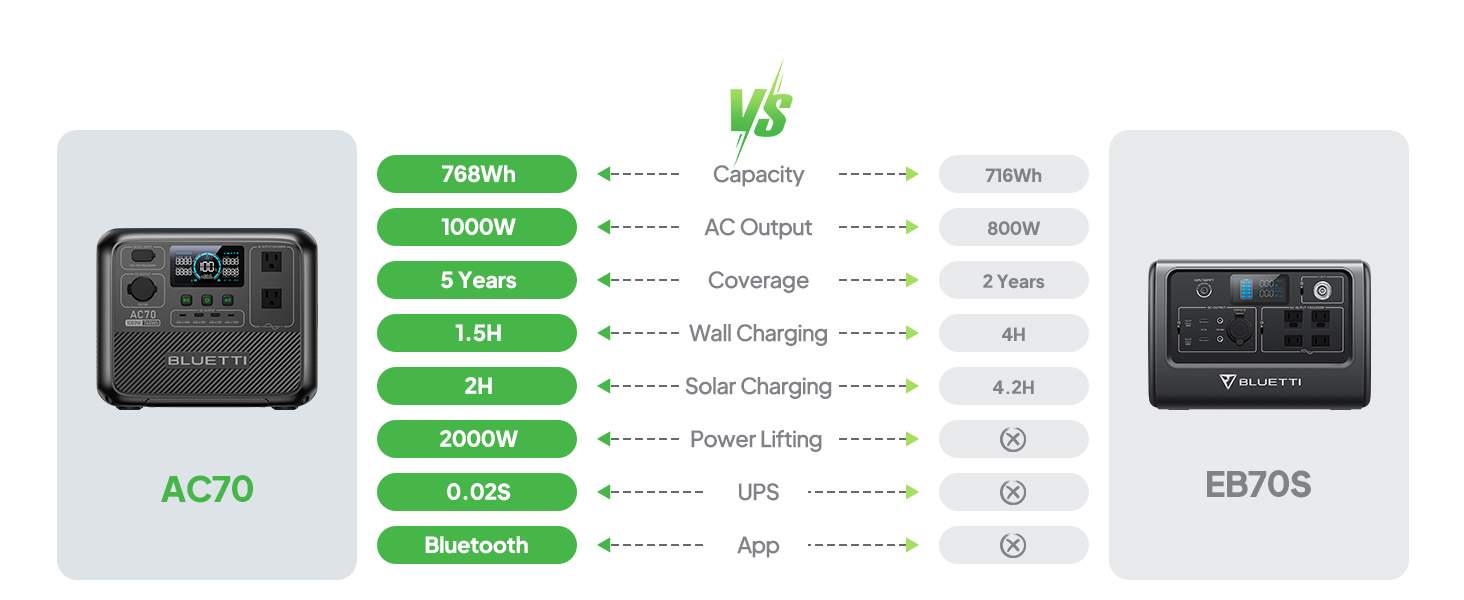
Figure 11: AC70 charging from a vehicle's 12V/24V outlet.
8. Manutenzjoni
Proper maintenance ensures the longevity and performance of your AC70:
- Aħżen l-unità f'post frisk u niexef 'il bogħod mix-xemx diretta.
- Recharge the unit every 3-6 months if not in regular use to maintain battery health.
- Clean the exterior with a dry, soft cloth. Do not use harsh chemicals or abrasives.
- Żomm il-fetħiet tal-ventilazzjoni nodfa mit-trab u l-fdalijiet.
9 Issolvi l-problemi
If you encounter issues with your AC70, refer to the following common problems and solutions:
| Problema | Kawża Possibbli | Soluzzjoni |
|---|---|---|
| L-unità ma tixgħelx | Batterija baxxa jew l-unità mitfija. | Charge the unit. Press and hold the power button for 2-3 seconds. |
| L-output AC ma jaħdimx | AC output is off or overloaded. | Press the AC output button. Reduce the load or check for short circuits. |
| L-iċċarġjar solari mhux qed jaħdem | Insufficient sunlight, incorrect connection, or incompatible panel. | Ensure direct sunlight, check cable connections, verify panel compatibility. |
| L-APP mhux qed jgħaqqad | Bluetooth is off or unit is too far. | Ensure Bluetooth is enabled on your phone and AC70. Move closer to the unit. |
10. Speċifikazzjonijiet
| Karatteristika | Dettall |
|---|---|
| Brand | BLUETTI |
| Isem tal-Mudell | AC70 |
| Kapaċità tal-batterija | 768Wh (LiFePO4) |
| Output AC | 2 x 1000W (2000W Power Lifting) |
| Produzzjoni DC | 1 x 12V/10A |
| Output USB-C | 2 x 100W Max |
| Output USB-A | 2 x 12W Max |
| Input AC | 950W Max (0-80% in 45 min, 0-100% in 1.5 hrs) |
| Input Solari | 500W Max (0-100% in 1.9-2.4 hrs) |
| Iċċarġjar tal-Karozza | 12V/24V, 10A (0-100% in 3.2-7 hrs) |
| Ċikli tal-Batteriji | 3000+ sa 80% tal-kapaċità |
| Ħin tal-Qlib tal-UPS | ≤20ms |
| Piż tal-oġġett | 22.5 lbs |
| Dimensjonijiet tal-Prodott | 12.4"T x 8.2"W x 10.1"Għ |
11. Garanzija u Appoġġ
The BLUETTI AC70 Portable Power Station comes with a 5-year warranty. For technical support, troubleshooting assistance, or warranty claims, please contact BLUETTI customer service through their official website or the BLUETTI APP.
Video 1: Official BLUETTI AC70 product overview highlighting its features and portability.