Introduzzjoni
Thank you for choosing the BENGOO Wireless Gaming Headset, Model TA80. This headset is designed to provide an immersive audio experience for gaming across multiple platforms. Please read this manual carefully to ensure proper setup, operation, and maintenance of your new headset.
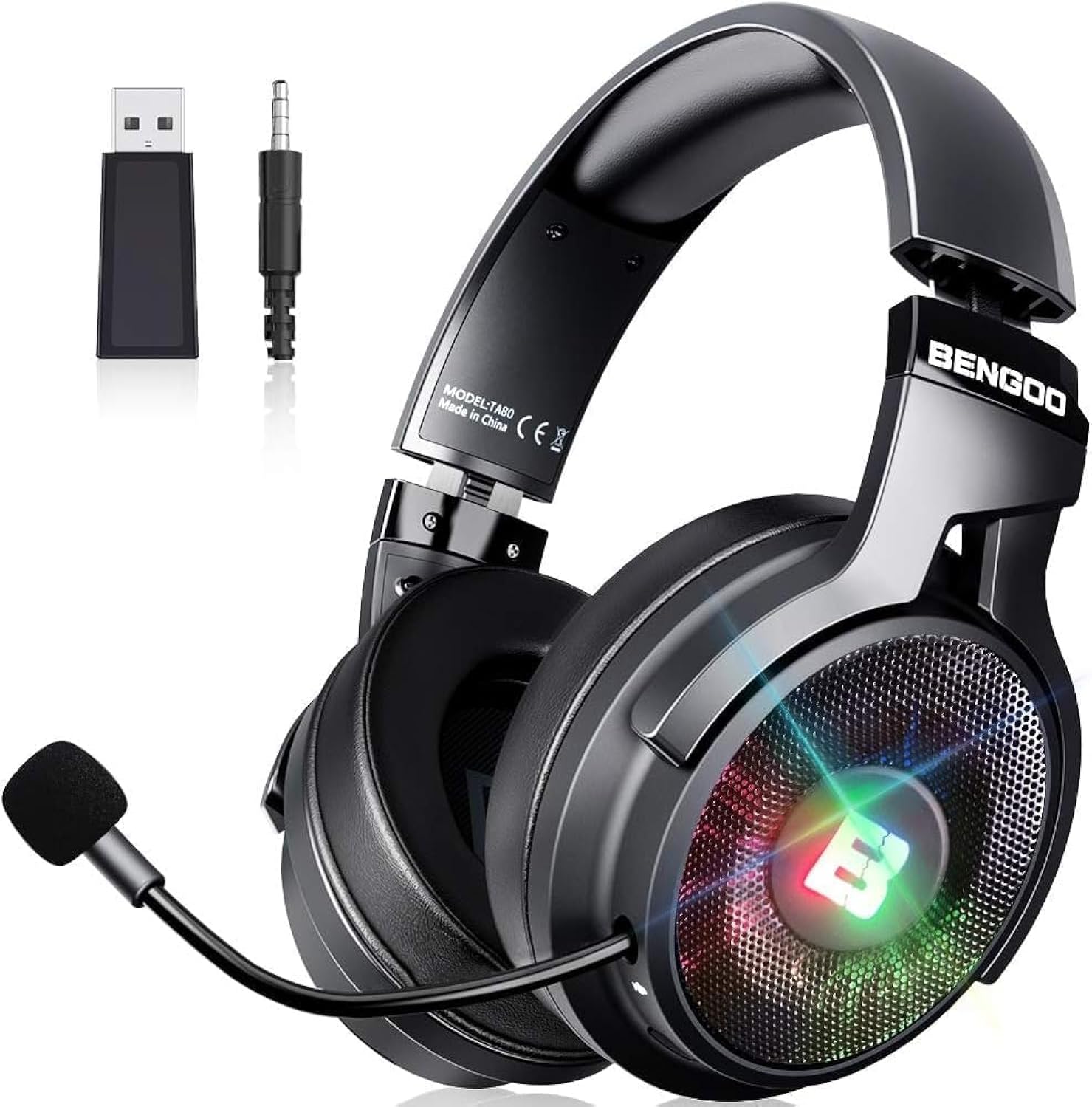
Image: The BENGOO Wireless Gaming Headset, showcasing its sleek black design, detachable microphone, and included USB wireless adapter and 3.5mm audio cable.
Setup
Komponenti Inklużi:
- BENGOO Wireless Gaming Headset (Model TA80)
- 2.4G Wireless USB Adapter
- Cable Awdjo 3.5mm
Ikkonnettja l-headset tiegħek:
The BENGOO TA80 headset offers both wireless and wired connectivity options for versatile use.
Wireless Connection (2.4G USB Adapter):
For wireless use, plug the 2.4G Wireless USB Adapter into an available USB port on your PC, Mac, PS4, or PS5. The headset will automatically pair with the adapter. Ensure the headset is powered on. This method provides full headset functionality including microphone and mute features.
Wired Connection (3.5mm Audio Cable):
For wired use, connect the 3.5mm Audio Cable to the headset's 3.5mm audio port and to the audio jack of your device (PC, Mac, Laptop, Switch, Xbox Controller, PS4/PS5 Controller, Cell Phone, Tablet). Note that for some devices like Desktop PCs, a 1-2 splitter (not included) may be required for microphone functionality. For Xbox, an old version may require an adapter (not included).

Image: Diagram illustrating the 2.4G Wireless Adapter and 3.5mm Audio Cable connections, along with compatible devices such as Switch, PS4/PS5, PC, Laptop, and Mobile.

Image: Detailed compatibility table showing which features (Headset, Mic, Mute function, Light) are supported for various devices (Desktop, MAC, Laptop, Switch, Xbox one/S/X, PS4/PS5 pro/slim, Cell Phone, Tablet, PS3) in both Wireless and Wired modes.
Istruzzjonijiet Operattivi
Earcup Controls:
The headset features intuitive controls conveniently located on the earcups for easy access during gameplay.
- Rota tal-Volum: Jaġġusta l-livell tal-ħruġ tal-awdjo.
- Mic On/Off Button: Toggles the microphone's active state.
- Buttuna tal-Qawwa: Powers the headset on or off.
- USB Charge / 3.5mm Audio Port: Used for charging the headset or connecting via the 3.5mm audio cable.

Immaġni: Close-up view of the headset earcup, highlighting the Volume Wheel, Mic On/Off Button, Power Button, and USB Charge / 3.5mm Audio Port.
Użu tal-mikrofonu:
The headset is equipped with a 720-degree retractable microphone. This design allows you to retract the microphone into the headset when it is not needed, providing convenience and protecting the microphone from damage.

Image: Illustration demonstrating the 720-degree retraction capability of the headset's microphone.
Features Awdjo:
Experience immersive sound with Virtual 7.1 surround sound and powerful 50mm audio drivers, designed to deliver highly accurate, bass-driven audio for an enhanced gaming experience.

Image: Diagram illustrating the Virtual 7.1 sound technology and the powerful 50mm audio drivers, emphasizing immersive bass-driven sound.
Manutenzjoni
Tindif:
To clean your headset, use a soft, dry cloth. Avoid using harsh chemicals or abrasive materials, as these can damage the headset's finish and components. For earcups, gently wipe with a slightly damp cloth if necessary, and ensure they are completely dry before use.
Ħażna:
When not in use, store the headset in a cool, dry place away from direct sunlight and extreme temperatures. The 90-degree rotating earcups allow for a more compact storage solution, fitting better around your neck or in a bag.

Image: Visual representation of the headset's 90-degree rotating earcups, highlighting their flexibility and durable material for comfortable wear and storage.
Ħajja tal-batterija:
The headset provides approximately 30 hours of play-time on a full charge. To maximize battery longevity, avoid fully discharging the battery frequently and store the headset with a partial charge if not used for extended periods.
Issolvi l-problemi
- Ebda Ħoss/Volum Baxx:
- Ensure the headset is powered on and fully charged.
- Check the volume wheel on the earcup and your device's volume settings.
- For wireless connection, ensure the USB adapter is securely plugged in and paired.
- For wired connection, ensure the 3.5mm cable is fully inserted into both the headset and the device. - Mikrofonu Mhux Jaħdem:
- Ensure the Mic On/Off button on the earcup is in the 'On' position.
- Check your device's audio input settings to ensure the headset microphone is selected.
- For wired connection on PC, a 1-2 splitter may be required for microphone input.
- Ensure the microphone is fully extended and not retracted. - Connectivity Issues (Wireless):
- Ensure the headset and USB adapter are within range.
- Try unplugging and re-plugging the USB adapter.
- Power cycle the headset (turn off and on again).
- Avoid interference from other 2.4Ghz devices. - Headset Not Comfortable with Glasses:
- The headset is designed for comfort, even with glasses, due to its over-ear design. Adjust the headband and earcups for optimal fit.
Speċifikazzjonijiet
| Karatteristika | Speċifikazzjoni |
|---|---|
| Brand | BENGOO |
| Isem tal-Mudell | TA80 |
| Teknoloġija tal-Konnettività | Wired, Wireless (RF) |
| Headphones Jack | 3.5 mm Jack |
| Daqs tas-Sewwieq tal-Awdjo | 50 Millimetru |
| Medda ta' Frekwenzi | 20 Hz - 20,000 Hz |
| Ħajja tal-batterija | 30 Sigħat |
| Kontroll tal-Ħoss | Kanċellazzjoni tal-Istorbju Passiv |
| Mikrofonu | Noise Canceling, 720-degree Retractable |
| Apparati Kompatibbli | PC, PS4, PS5, Mac, Nintendo Switch, Xbox (wired) |
| Tqegħid tal-widnejn | Fuq il-widnejn |
| Piż tal-oġġett | 1.76 liri |
Garanzija u Appoġġ
For warranty information and technical support, please refer to the product packaging or contact BENGOO customer service directly through their official webis-sit jew il-bejjiegħ bl-imnut minn fejn inxtara l-prodott. Żomm il-prova tax-xiri tiegħek għal kwalunkwe talba ta' garanzija.

