Introduzzjoni
This user manual provides comprehensive instructions for the setup, operation, maintenance, and troubleshooting of your Fanvil W610W Portable WiFi Phone. Please read this manual carefully before using the device to ensure proper functionality and to avoid damage.
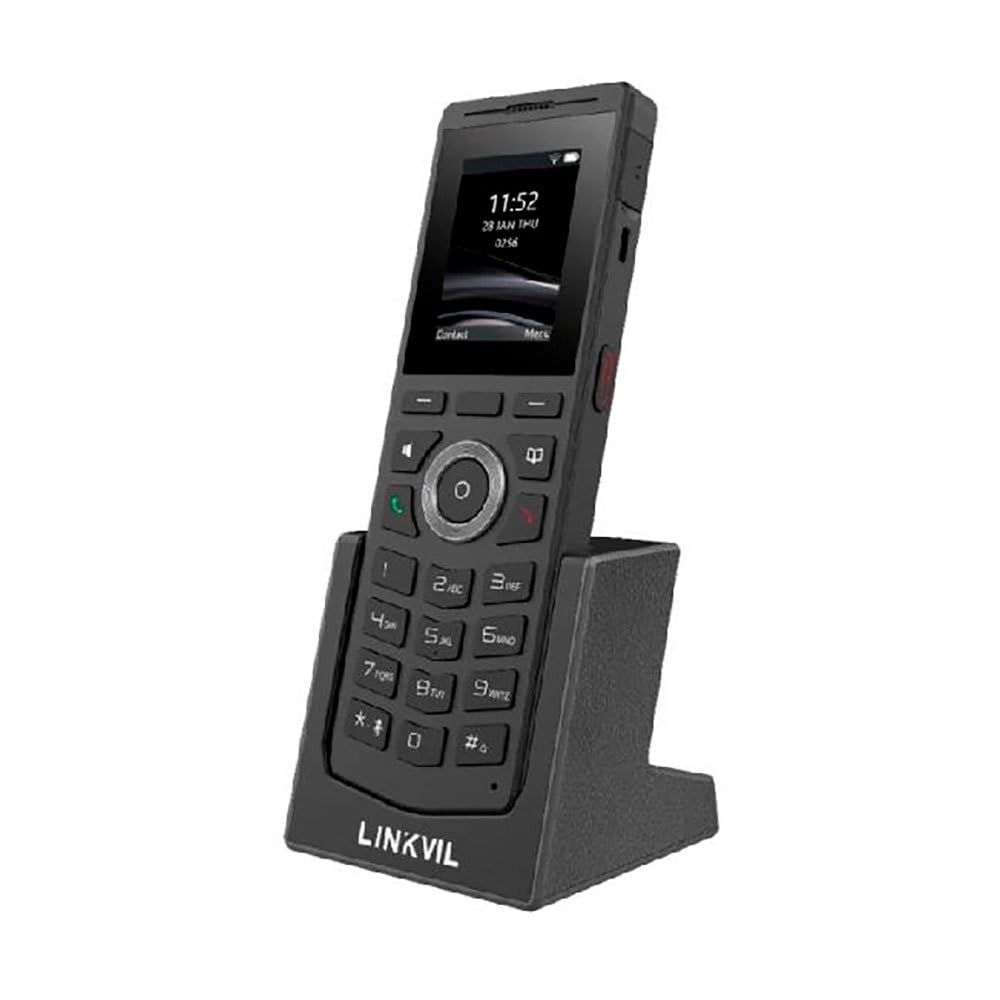
Figure 1: Fanvil W610W Portable WiFi Phone with charging cradle.
The image displays the Fanvil W610W phone, a sleek black device with a color screen showing the time (11:52) and date (23 JAN THU). Below the screen is a standard phone keypad with numerical buttons and navigation keys. The phone is seated in a matching black charging cradle, which has "LINKVIL" embossed on its front base.
The Fanvil W610W is a robust and portable WiFi phone designed for professional environments, offering reliable communication with advanced features such as dual-band Wi-Fi, Bluetooth 5.0, and support for multiple SIP lines.
Kontenut tal-Pakkett
- Fanvil W610W Portable WiFi Phone
- Benniena tal-Iċċarġjar
- Adapter tal-Enerġija
- Batterija rikarikabbli (tista' tkun installata minn qabel)
- Gwida ta' Bidu Mgħaġġel (jekk applikabbli)
Setup
1. Installazzjoni u Iċċarġjar tal-batterija
- Sib il-kompartiment tal-batterija fuq wara tat-telefon.
- Insert the provided 1900mAh rechargeable battery, ensuring correct polarity.
- Agħlaq l-għatu tal-kompartiment tal-batterija sew.
- Place the phone into the charging cradle.
- Connect the power adapter to the charging cradle and then to a power outlet.
- Allow the phone to charge fully before first use (approximately 4 hours). The battery indicator on the screen will show charging status.
2. L-Ewwel Tixgħil
Press and hold the Power button (usually on the side or top) until the screen illuminates.
3. Konfigurazzjoni tan-Netwerk (Wi-Fi)
- Innaviga lejn Settings > Netwerk > Wi-Fi.
- Enable Wi-Fi. The phone will scan for available networks.
- Select your desired 2.4GHz or 5GHz Wi-Fi network from the list.
- Daħħal il-password tal-Wi-Fi jekk tintalab.
- Confirm connection. The Wi-Fi icon will appear on the status bar.
4. Reġistrazzjoni tal-Kont SIP
The Fanvil W610W supports up to 4 SIP lines. Configuration typically requires details from your VoIP service provider or PBX administrator.
- Innaviga lejn Settings > Kontijiet > Kont SIP.
- Select an available account slot.
- Enter the following information provided by your administrator:
- Isem tal-Kont
- Indirizz tas-Server SIP
- SIP Utent ID
- Authentication Username
- Password ta 'Awtentikazzjoni
- Save the settings. The account status icon should indicate successful registration.
Istruzzjonijiet Operattivi
Nagħmlu Sejħiet
- Tisselezzjona: Daħħal in-numru tat-telefon billi tuża t-tastiera u agħfas il-buttuna Ċempel buttuna.
- Mill-Kuntatti: Innaviga lejn Kuntatti, select a contact, and press the Ċempel buttuna.
- Ċempil mill-ġdid: Agħfas il- Ċempel button to access the call history and select a number to redial.
Jirċievu Sejħiet
Meta dieħla telefonata, agħfas il-buttuna Ċempel button to answer. To reject, press the Tmiem Sejħa buttuna.
Karatteristiċi tas-Sejħa
- Żomm: Waqt sejħa, agħfas Żomm soft key.
- Trasferiment: Waqt sejħa, agħfas Trasferiment soft key, dial the new number, and press Trasferiment mill-ġdid.
- Konferenza: Waqt sejħa, agħfas Konf soft key, dial the second party, and then press Konf għal darb'oħra biex jingħaqad mal-partijiet kollha.
- Siekta: Agħfas il- Mute button to mute your microphone during a call.
- Imbotta biex Titkellem (PTT): Utilize the dedicated PTT button for one-key calling in supported environments.
Tqabbil ta' Headset Bluetooth
The W610W supports Bluetooth 5.0 for wireless headsets.
- Innaviga lejn Settings > Bluetooth.
- Ippermetti Bluetooth.
- Poġġi l-headset Bluetooth tiegħek fil-modalità ta' tqabbil.
- Select your headset from the list of available devices and confirm pairing.
Manutenzjoni
Tindif
- Use a soft, dry, lint-free cloth to clean the phone and screen.
- Tużax prodotti tat-tindif likwidi, aerosols, jew materjali li joborxu.
Kura tal-batterija
- Iċċarġja l-batterija regolarment biex iżżomm l-aħjar prestazzjoni.
- Evita temperaturi estremi, li jistgħu jnaqqsu l-ħajja tal-batterija.
- Jekk it-telefon ma se jintużax għal perjodu twil ta' żmien, iċċarġjah sa madwar 50% u aħżnu f'post frisk u niexef.
Aġġornamenti tal-Firmware
Periodically check for firmware updates to ensure your phone has the latest features and security enhancements. Updates can typically be performed via the phone's web interface or through your system administrator.
Issolvi l-problemi
| Problema | Kawża Possibbli | Soluzzjoni |
|---|---|---|
| It-telefon ma jixgħelx. | Low or depleted battery; faulty battery; power adapter issue. | Ensure battery is charged. Check power adapter connection. Try a different power outlet. |
| Ma tistax tikkonnettja mal-Wi-Fi. | Incorrect password; out of range; Wi-Fi network issues. | Verify Wi-Fi password. Move closer to the access point. Restart router/access point. |
| Ma nistax nagħmel jew nirċievi telefonati. | SIP account not registered; network connectivity issues; incorrect SIP settings. | Check SIP account status (should be registered). Verify network connection. Re-enter SIP account details. Contact your VoIP administrator. |
| Kwalità ħażina tas-sejħa (eku, statiku). | Sinjal dgħajjef tal-Wi-Fi; konġestjoni fin-netwerk; problemi bil-headset. | Ittejjeb is-saħħa tas-sinjal tal-Wi-Fi. Naqqas it-traffiku tan-netwerk. Ittestja b'headset differenti jew mingħajru. |
Speċifikazzjonijiet
- Mudell: W610W
- Dimensjonijiet: 5.91 x 5.91 x 3.15 pulzieri
- Piż: 15.1 uqija (0.43 Kilogrammi)
- Wiri: Skrin bil-Kulur ta' 2"
- Konnettività: Dual-Band Wi-Fi (2.4GHz/5GHz), Bluetooth 5.0
- Linji SIP: Supports 4 SIP lines
- Batterija: Batterija rikarikabbli ta '1900mAh
- Ħin tat-Taħdit: Sa 9 sigħat
- Ħin ta' Standby: Sa 200 sigħat
- Drop Safe: From 1.8 meters
- Karatteristiċi: 16 DSS keys, PTT one-key calling, Roaming protocols (802.11k/v/r), HD voice, Multilingual UI, Voicemail, Enhanced call features.
- Sors tal-Enerġija: Mħaddma bil-batterija
- Kulur: Iswed
- Manifattur: Fanvil
- L-Ewwel Disponibbli: 26 ta’ Ottubru, 2023
Informazzjoni dwar Garanzija
Fanvil products typically come with a standard manufacturer's warranty. For specific warranty terms and conditions, please refer to the warranty card included with your product or visit the official Fanvil websit. Żomm l-irċevuta tax-xiri tiegħek bħala prova tax-xiri għal talbiet ta' garanzija.
Appoġġ
For technical assistance, troubleshooting beyond this manual, or warranty inquiries, please contact your product vendor or Fanvil customer support. You may find contact information on the Fanvil official webis-sit jew fl-imballaġġ tal-prodott tiegħek.
Riżorsi onlajn:
- Uffiċjali ta' Fanvil Websit: www.fanvil.com (Eżampil-link, il-link attwali jista' jvarja)
- Product Support Pages: Refer to the support section on the Fanvil website for firmware, FAQs, and additional documentation.