1. Introduzzjoni
This manual provides essential information and instructions for the Daguys OEM LCD Screen with Digitizer Full Assembly, designed for the ZTE Nubia Z17 Mini, model numbers NX569J and NX569H. This replacement part is intended to restore the display functionality of your device.
The assembly includes the LCD display and touch screen digitizer, ensuring a complete replacement solution. Each unit undergoes quality checks before shipment to ensure functionality.

Figure 1: Illustration of the product preparation and packaging process, ensuring quality and safe delivery.
2. Installation Preparation and Precautions
Professional installation is highly recommended for this product. Mobile phone LCD screens are fragile and require specialized tools and expertise for proper installation.
2.1 Before Installation Notes
- Test qabel l-installazzjoni: Before proceeding with full installation, it is crucial to test the replacement screen. Do not remove any protective films or tags during this testing phase.
Pay close attention to the issue of static electricity. Before attempting any repair, ensure you ground yourself with an ESD (Electrostatic Discharge) strap. This prevents static electricity from damaging the electronic components within the phone.
Wear eye protection and exercise caution to avoid cutting your fingers with glass splinters.
- Simulated Testing: Perform a simulated test. This involves disconnecting the mobile phone, connecting the motherboard, LCD, or screen with an audio cable, and then connecting the new replacement screen. Power on the device and test its functionality.
If the test is successful, you may proceed with installation. If the screen does not display correctly, contact support immediately. Do not force the screen into the mobile phone if it is not functioning during the test.
- Immaniġġjar tal-Cable: Ensure the LCD cable is not over-bent. Bending the cable beyond 90 degrees can cause a black display or permanent damage to the screen.
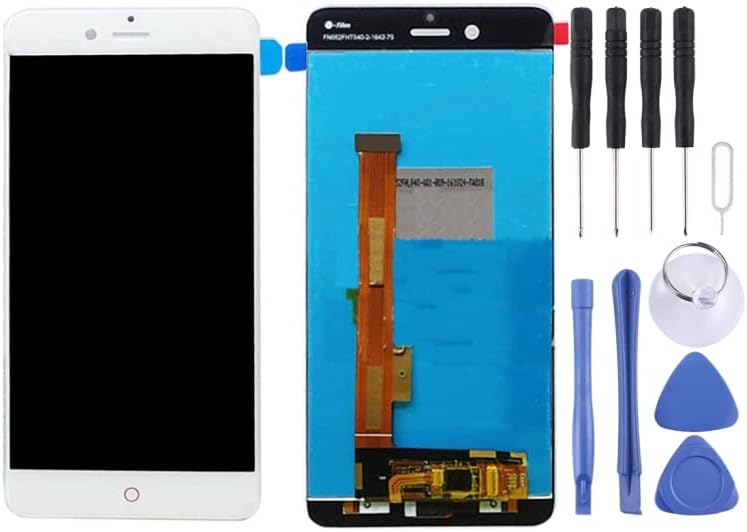
Figure 2: Daguys OEM LCD Screen with Digitizer Full Assembly, accompanied by a set of basic repair tools including screwdrivers, prying tools, and a suction cup.
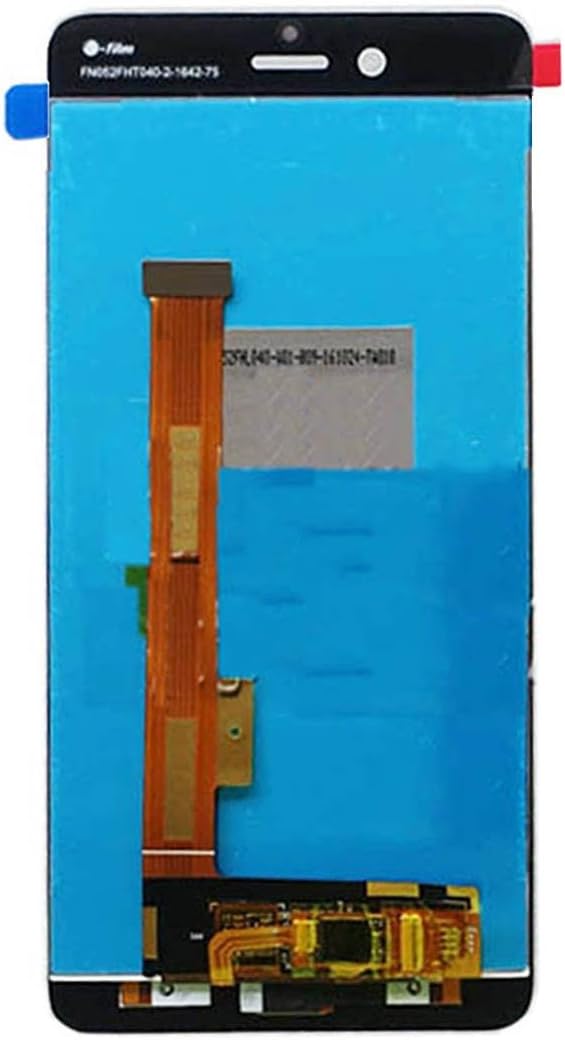
Figura 3: Quddiem view of the replacement LCD screen assembly, showing the display panel and front camera cutout.

Figura 4: Lura view of the replacement LCD screen assembly, highlighting the flex cables and connector points for the digitizer and LCD.
3. Operating and Testing
Once the screen is successfully installed, power on your device. Verify the following functionalities:
- Funzjonalità tal-Wiri: Check for proper image display, color accuracy, and absence of dead pixels or lines.
- Ir-Reazzjoni tal-Touch Screen: Test the touch screen across the entire surface to ensure accurate and consistent response.
- Aġġustament tal-luminożità: Confirm that screen brightness can be adjusted through the device settings.
- Sensor ta' Prossimità: If applicable, test the proximity sensor functionality during calls.

Figura 5: Eżample of the ZTE Nubia Z17 Mini phone, demonstrating the device for which this replacement screen is intended.
4. Manutenzjoni u Kura
To ensure the longevity and optimal performance of your new LCD screen, follow these maintenance guidelines:
- Protezzjoni tal-iskrin: Ikkunsidra li tuża protettur tal-iskrin biex tipproteġi kontra grif u impatti żgħar.
- Tindif: Clean the screen with a soft, lint-free cloth. Avoid harsh chemicals or abrasive materials.
- Evita l-Impatt: Protect your device from drops and impacts, which can damage the screen.
- Espożizzjoni għat-Temperatura: Avoid exposing the device to extreme temperatures, as this can affect screen performance.
5 Issolvi l-problemi
Jekk tiltaqa' ma' problemi wara l-installazzjoni, ikkunsidra dan li ġej:
- Skrin Iswed: If the screen remains black, recheck all flex cable connections. Ensure they are securely seated and not over-bent. Refer to "Tips 3: Do not over bend cable" in Section 2.1.
- Mess li ma jirrispondix: Verify that the digitizer flex cable is properly connected. A loose connection can lead to unresponsive touch input.
- Display Anomalies (Lines, Flickering): This could indicate a damaged flex cable or an issue with the connection to the motherboard. Disconnect and reconnect the cables carefully.
- Elettriku Statiku: Ensure proper ESD precautions were taken during installation. Static discharge can damage sensitive components.
If troubleshooting steps do not resolve the issue, it is recommended to seek assistance from a qualified technician or contact the product support.
6. Speċifikazzjonijiet tal-Prodott
| Tip ta' Prodott | OEM LCD Screen with Digitizer Full Assembly |
| Kompatibilità | ZTE Nubia Z17 Mini / NX569J / NX569H |
| Brand | Daguys |
| Piż tal-oġġett | 4.2 uqija |
| ASIN | B0CLNJ74H9 |
| Manifattur | Spare Parts |
7. Appoġġ u Garanzija
For technical assistance or warranty inquiries, please refer to the seller's contact information provided at the point of purchase. Ensure you retain your proof of purchase for any warranty claims.
Each item has been checked and is in good condition before shipping. If you encounter any issues, please contact the seller for support.


