1. Introduzzjoni
Thank you for choosing the Baseus E13 TWS Bowie Headphones. This manual provides essential information for setting up, operating, and maintaining your new wireless earbuds. Please read it carefully before use to ensure optimal performance and longevity of your device.
2. Kontenut tal-Pakkett
Ivverifika li l-oġġetti kollha huma preżenti fil-pakkett tiegħek:
- Baseus E13 TWS Bowie Headphones (Left and Right Earbuds)
- Kawża tal-Iċċarġjar
- Cable tal-Iċċarġjar tal-USB
- Kuxxini tal-widnejn (daqsijiet varji)
- Manwal għall-Utent (dan id-dokument)

Image: The Baseus E13 TWS Bowie Headphones, including the earbuds, charging case, and the included USB charging cable.
3. Prodott Aktarview
The Baseus E13 TWS Bowie Headphones feature a compact design with a charging case for portability and extended battery life.

Image: The Baseus E13 TWS Bowie Headphones, showing both earbuds resting in their open charging case.
4. Setup
4.1 Iċċarġjar tal-Earbuds u l-Kaxxa
- Ħlas Inizjali: Qabel l-ewwel użu, iċċarġja l-earbuds u l-kaxxa tal-iċċarġjar kompletament.
- Iċċarġjar tal-Każ: Connect the provided USB charging cable to the charging port on the case and a compatible USB power source. The indicator light on the case will show charging status.
- Iċċarġjar tal-Earbuds: Place the earbuds into the charging case. Ensure they are correctly seated; the indicator lights on the earbuds will confirm charging.
Ċarġ sħiħ jipprovdi sa 30 siegħa ta' ħin totali ta' daqq bil-kaxxa tal-iċċarġjar.
4.2 Tqabbil tal-Bluetooth
- Qawwa Mixgħul: Iftaħ il-kaxxa tal-iċċarġjar. Il-earbuds jinxtegħlu awtomatikament u jidħlu fil-modalità ta' tqabbil.
- Attiva l-Bluetooth: Fuq l-apparat tiegħek (smartphone, tablet, eċċ.), attiva l-Bluetooth.
- Agħżel Apparat: Fittex għal "Baseus E13" in the list of available Bluetooth devices and select it to connect.
- Konferma: Messaġġ bil-vuċi jikkonferma li t-tqabbil b'suċċess.
Il-earbuds jerġgħu jikkonnettjaw awtomatikament mal-aħħar apparat imqabbad meta joħorġu mill-kaxxa, jekk il-Bluetooth ikun attivat fuq l-apparat.
4.3 App Control
Enhance your experience by downloading the official Baseus app. The app allows for customizable controls, EQ settings, and other features.
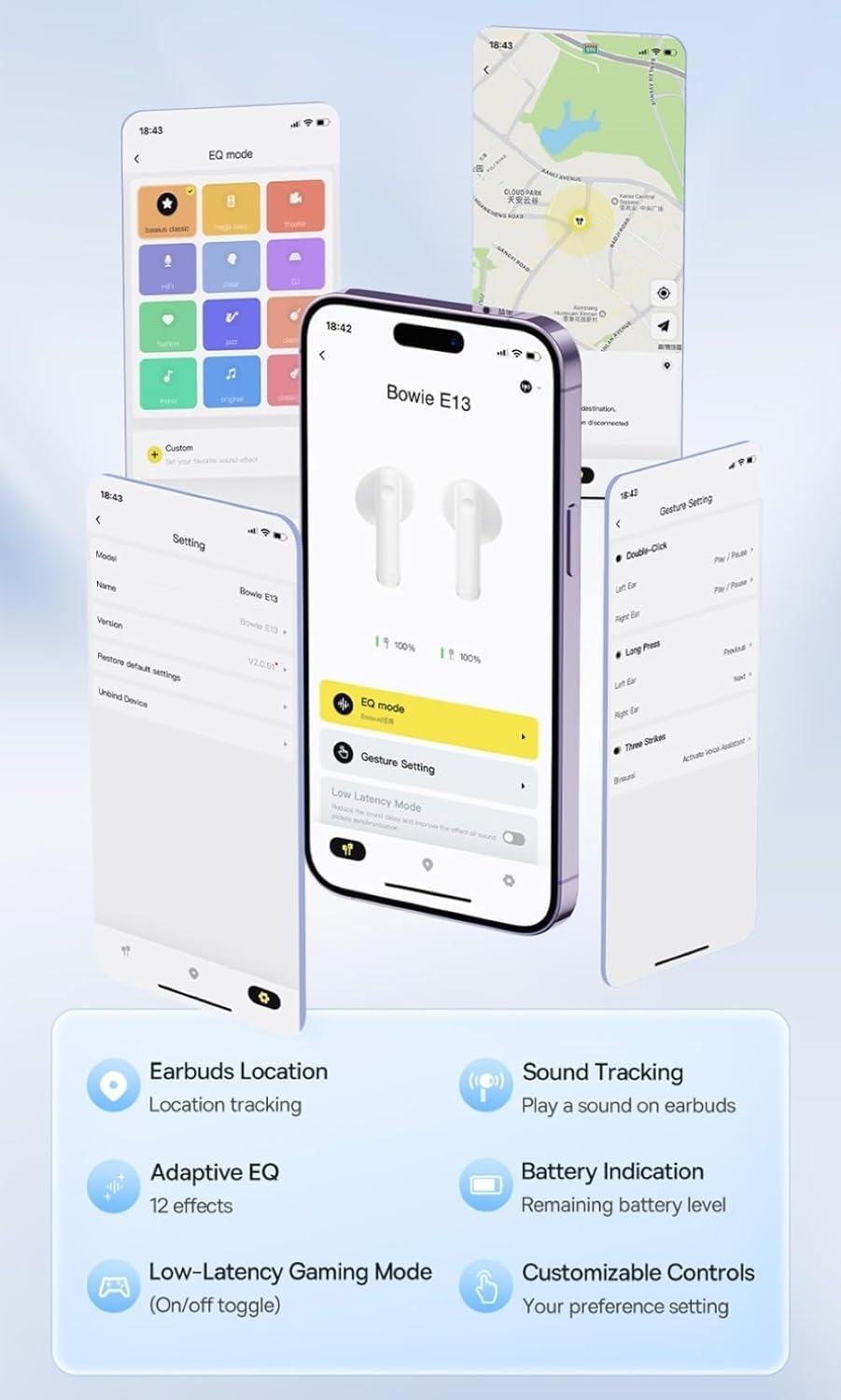
Image: Multiple smartphone screens displaying the Baseus app interface, highlighting features such as EQ mode, gesture settings, low-latency gaming mode, earbud location tracking, sound tracking, adaptive EQ with 12 effects, battery indication, and customizable controls.
5. Operazzjoni
5.1 Kontrolli Bażiċi
The Baseus E13 TWS Bowie Headphones feature touch controls for easy management of audio and calls. Specific gestures can be customized via the Baseus app.
- Play/Pawsa: Tektek wieħed fuq kull earbud.
- Track li jmiss: Tektek darbtejn fuq il-earbud tal-lemin.
- Track preċedenti: Tektek darbtejn fuq il-earbud tax-xellug.
- Tweġiba/Tmiem Sejħa: Tektek wieħed fuq kull earbud.
- Irrifjuta Sejħa: Agħfas fit-tul fuq kwalunkwe earbud.
- Attiva l-Assistent tal-Vuċi: Tektek tliet darbiet fuq kull earbud.
5.2 Low-Latency Gaming Mode
For an optimized gaming experience, activate the 0.06s ultra-low latency gaming mode through the Baseus app. This reduces audio delay, providing faster response times.
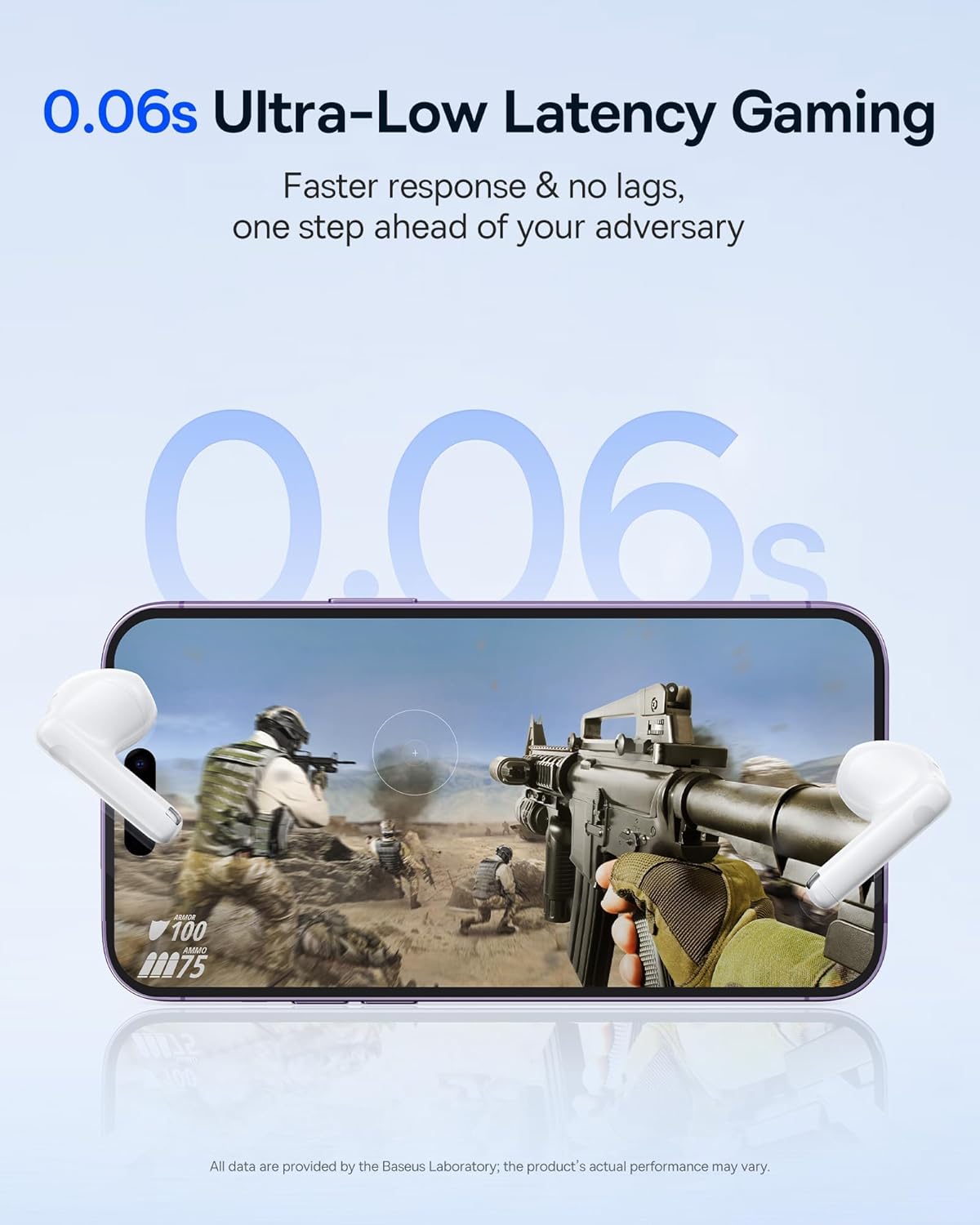
Image: The Baseus E13 TWS Bowie Headphones positioned near a smartphone screen displaying a fast-paced first-person shooter game, emphasizing the 0.06s ultra-low latency feature for gaming.
5.3 Daqq tal-Awdjo
Enjoy up to 30 hours of continuous audio playback with the assistance of the charging case. Each earbud provides several hours of playback on a single charge, with the case offering multiple recharges.

Image: The Baseus E13 TWS Bowie Headphones and their charging case, overlaid with a graphic prominently displaying '30H', signifying the total audio playback time achievable with the case.
5.4 Kwalità tal-Ħoss
The earbuds are equipped with a large 12mm diaphragm, designed to restore each note with remarkable depth and accuracy, providing a powerful low-frequency audio experience.

Image: A detailed cutaway diagram of a Baseus E13 TWS earbud, focusing on the internal structure of the large 12mm diaphragm and its contribution to sound quality.
5.5 Konnettività
Utilizing Bluetooth 5.3 technology, the headphones offer a faster and more stable wireless connection, ensuring smooth audio transmission and enhanced sound quality.

Immaġni: Trasparenti view of a Baseus E13 TWS earbud, revealing its internal circuitry and specifically highlighting the integrated Bluetooth 5.3 chip for advanced wireless connectivity.
6. L-ilbies tal-Earbuds
The earbuds are designed with a mini stem and a lightweight profile, featuring a 45° wearing angle for a comfortable and secure fit.

Image: A woman wearing a Baseus E13 TWS earbud, illustrating the ergonomic design with a mini stem and lightweight construction for a comfortable user experience.
7. Manutenzjoni
- Tindif: Naddaf il-earbuds u l-kaxxa tal-iċċarġjar regolarment b'ċarruta ratba, niexfa u mingħajr suf. Tużax kimiċi ħarxa jew materjali li joborxu.
- Reżistenza għall-Ilma: The earbuds are water resistant. Avoid submerging them in water or exposing them to excessive moisture. Dry thoroughly if they come into contact with liquids.
- Ħażna: Meta ma tkunx qed tużahom, aħżen il-earbuds fil-kaxxa tal-iċċarġjar tagħhom biex tipproteġihom u żżommhom iċċarġjati. Aħżen f'post frisk u niexef 'il bogħod minn temperaturi estremi.
- Kura tal-batterija: Biex tippreserva l-ħajja tal-batterija, evita li tiċċarġja kompletament il-earbuds u l-kaxxa ta' spiss. Iċċarġjahom regolarment, anke jekk ma tkunx qed tużahom kontinwament.
8 Issolvi l-problemi
If you encounter issues with your Baseus E13 TWS Bowie Headphones, refer to the following common solutions:
- Ebda Ħsejjes:
- Kun żgur li l-earbuds huma ċċarġjati.
- Iċċekkja l-konnessjoni Bluetooth mat-tagħmir tiegħek.
- Aġġusta l-volum kemm fuq il-earbuds kif ukoll fuq l-apparat konness.
- Earbuds Mhux Tqabbil:
- Poġġi l-earbuds lura fil-kaxxa, agħlaqhom, imbagħad erġa’ iftaħhom biex terġa’ tidħol fil-modalità ta’ tqabbil.
- Forget "Baseus E13" from your device's Bluetooth list and attempt to pair again.
- Kun żgur li l-earbuds jinsabu fil-firxa tat-tagħmir tiegħek.
- Kwistjonijiet ta' Iċċarġjar:
- Iċċekkja li l-kejbil tal-iċċarġjar huwa konness sew kemm mal-kaxxa kif ukoll mas-sors tal-enerġija.
- Ipprova port USB differenti jew adapter tal-enerġija.
- Ensure charging contacts on earbuds and in case are clean and free of debris.
- Earbud wieħed mhux jaħdem:
- Kun żgur li ż-żewġ earbuds huma ċċarġjati.
- Try resetting the earbuds (refer to app or Baseus support for specific instructions).
9. Speċifikazzjonijiet
| Brand | Baseus |
| Isem tal-Mudell | E13 TWS |
| Teknoloġija tal-Konnettività | Mingħajr fili (Bluetooth 5.3) |
| Tqegħid tal-widnejn | Fil-widnejn |
| Fattur tal-Formola | Veru Wireless |
| Impedenza | 32 Ohm |
| Tip ta' Kontroll | Touch controls, App |
| Materjal | Plastik |
| Piż tal-oġġett | 0.07 Kilogrammi |
| Livell ta 'Reżistenza għall-Ilma | Reżistenti għall-Ilma |
| Distanza Operattiva Massima | 10 Meters |
| Ħajja Medja tal-Batterija | Sa 30 siegħa (b'kaxxa tal-iċċarġjar) |
| Karatteristiċi Speċjali | 0.06s ultra-low latency, Faster and more stable 5.3 wireless chip, Lightweight and Mini Design, Powerful low frequency controller |
10. Garanzija u Appoġġ
Baseus products are designed for reliability and performance. For warranty information, please refer to the warranty card included with your purchase or visit the official Baseus website. For technical support or further assistance, please contact Baseus customer service or visit the Ħanut Baseus fuq Amazon.


