1. Introduzzjoni
Thank you for choosing the HICON Mondo Gaming Chair. This manual provides essential information for the assembly, operation, maintenance, and troubleshooting of your new gaming chair. Please read this manual thoroughly before assembly and use to ensure proper function and safety. The HICON Mondo Gaming Chair is designed to provide superior comfort and ergonomic support for both gaming and office environments, promoting a healthy posture during extended periods of use.

Figure 1: HICON Mondo Gaming Chair. The HICON Mondo Gaming Chair features a sleek black and grey design, combining ergonomic support with a racing-style aesthetic. It includes a headrest pillow and lumbar support cushion.
2. Istruzzjonijiet tas-Sigurtà
- Always assemble the chair according to the instructions. Ensure all screws and bolts are securely tightened before use.
- Toqgħodx bilwieqfa fuq is-siġġu u lanqas tużah bħala banketta.
- Teċċedix il-kapaċità massima tal-piż ta' 150 kg (330 lbs).
- Żomm it-tfal u l-annimali domestiċi 'l bogħod mis-siġġu waqt l-assemblaġġ.
- Avoid exposing the chair to direct sunlight or extreme temperatures, as this may damage the materials.
- Iċċekkja regolarment il-komponenti kollha għal xedd u kedd. Ibdel il-partijiet bil-ħsara immedjatament.
- Uża s-siġġu fuq wiċċ ċatt u stabbli biex tevita li jinqaleb.
3. Lista tal-Komponenti
Before assembly, ensure all parts are present and undamaged. While specific part names may vary, a typical HICON Mondo Gaming Chair package includes:
- Serħ id-dahar
- Bażi tas-Sedil
- Armrests (2)
- Ċilindru tal-Lift tal-Gass
- Star Base (5-star)
- Xandara (5)
- Mechanism/Tilt Control Unit
- Headrest Pillow
- Lumbar Support Cushion (with USB massage function)
- Footrest (retractable)
- Ħardwer tal-Assemblaġġ (viti, woxers, ċavetta Allen)
4. Setup u Assemblea
Assembly typically requires one person and takes approximately 30-60 minutes. Follow the step-by-step instructions provided in the separate assembly guide included with your chair. General steps include:
- Waħħal ir-roti mal-bażi tal-istilla.
- Daħħal iċ-ċilindru tal-irfigħ tal-gass fit-toqba taċ-ċentru tal-bażi tal-istilla.
- Attach the mechanism/tilt control unit to the underside of the seat base using the provided screws. Ensure the front of the mechanism faces the front of the seat.
- Waħħal id-dirgħajn mal-bażi tas-sedil.
- Connect the backrest to the seat base and armrests, securing with screws.
- Poġġi s-sedil u d-dahar immuntati fuq iċ-ċilindru tal-irfigħ tal-gass.
- Attach the headrest pillow and lumbar support cushion.
- Kun żgur li l-viti kollha huma ssikkati, iżda tissikkax iżżejjed.

Figure 2: Robust Metal Frame. Underneath its durable exterior, the HICON Mondo Gaming Chair is built with a robust metal frame, ensuring high stability, safety, and long-term durability. The wide backrest frame supports multiple sitting postures.
5. Istruzzjonijiet Operattivi (Aġġustamenti)
The HICON Mondo Gaming Chair offers multiple adjustment options to customize your seating experience for optimal comfort and ergonomic support.
5.1. Aġġustament tal-Għoli tas-Sedil
To adjust the seat height, locate the lever on the right side, beneath the seat.
- To raise the seat: Lift the lever while taking your weight off the seat. The seat will rise automatically.
- To lower the seat: Lift the lever while remaining seated. The seat will lower under your weight.
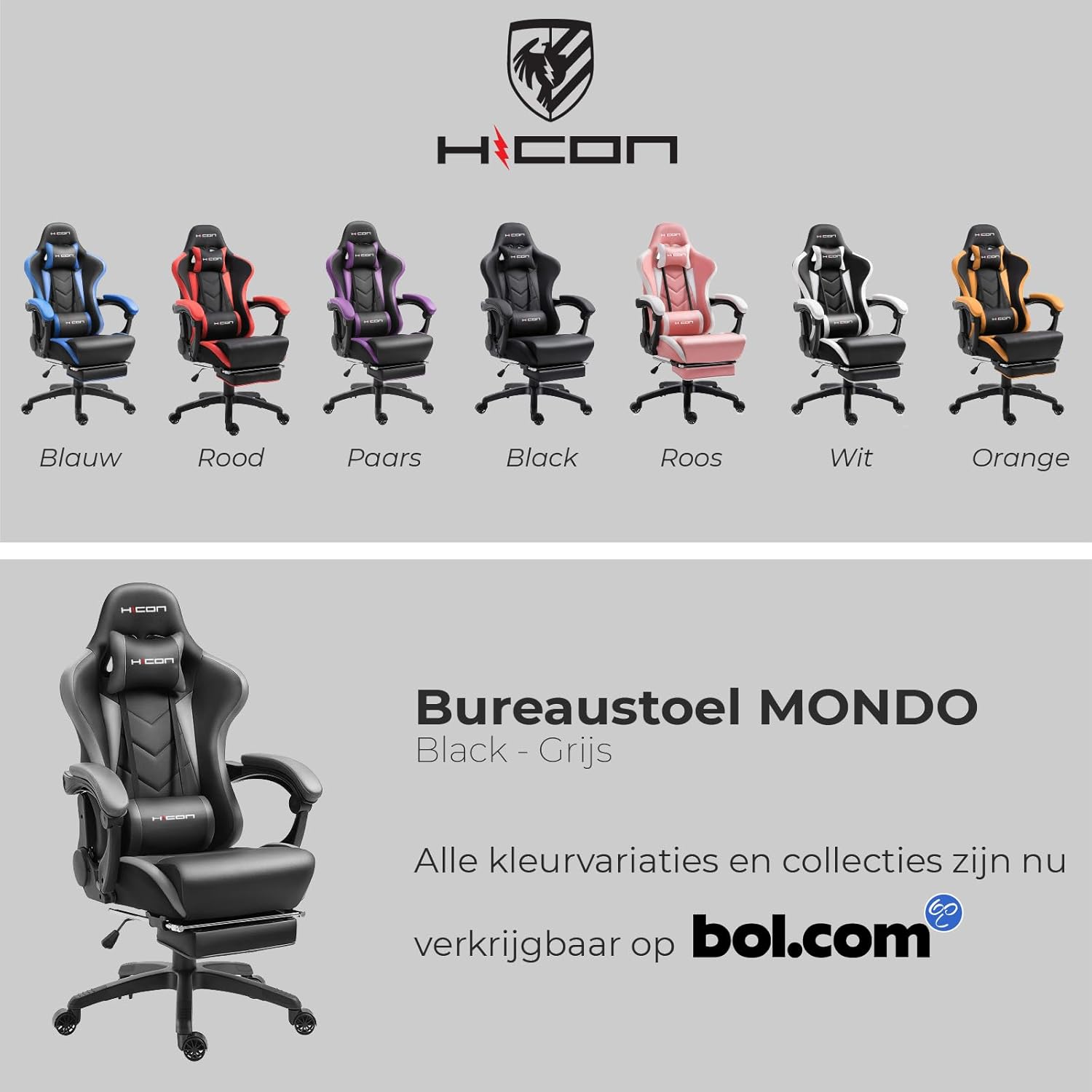
Figure 3: Adjustable Seat Height and Massage Function. The HICON Mondo Gaming Chair features a mechanical gas spring system with a heavy-duty Class 4 gas lift for smooth and reliable height adjustment. The lumbar cushion includes a USB-powered massage function, providing comfort during long sitting periods.
5.2. Inklinazzjoni tad-dahar
The backrest can be reclined from 90° to 165°. Locate the recline lever on the right side of the chair, near the seat base.
- To recline: Pull the lever upwards and lean back to the desired angle. Release the lever to lock the backrest in place.
- To return to upright position: Pull the lever upwards and lean forward. The backrest will return to its upright position.

Figure 4: Backrest Recline. The HICON Mondo Gaming Chair offers a versatile recline function, allowing the backrest to adjust from 90 degrees (working position) to a near-flat 165 degrees (rest position), providing flexibility for various activities.
5.3. Aġġustament tad-Dirgħajn
The armrests are designed to move with the chair's recline, providing continuous support. While they are not independently height-adjustable, their linkage design ensures comfort across various recline angles. Ensure your forearms rest comfortably on the armrests, ideally at the same height as your desk.

Figure 5: Soft Padded Linkage Armrest. The chair features soft, padded armrests with a patented linkage structure from HICON, designed to move smoothly with the chair's recline, ensuring continuous arm support and stability.
5.4. Lumbar Support and Headrest
The chair includes a removable headrest pillow and a lumbar support cushion.
- Headrest Pillow: Can be adjusted vertically by sliding the straps along the backrest. Position it to support your neck and head comfortably.
- Lumbar Support Cushion: Can also be adjusted vertically. Position it so the support falls into the natural curve of your lower back.

Figure 6: Memory Foam Headrest and Lumbar Cushion. The HICON Mondo Gaming Chair comes with a memory foam headrest and a lumbar cushion. The lumbar cushion features a built-in massager, powered via a USB cable, designed to alleviate lower back fatigue during extended use.
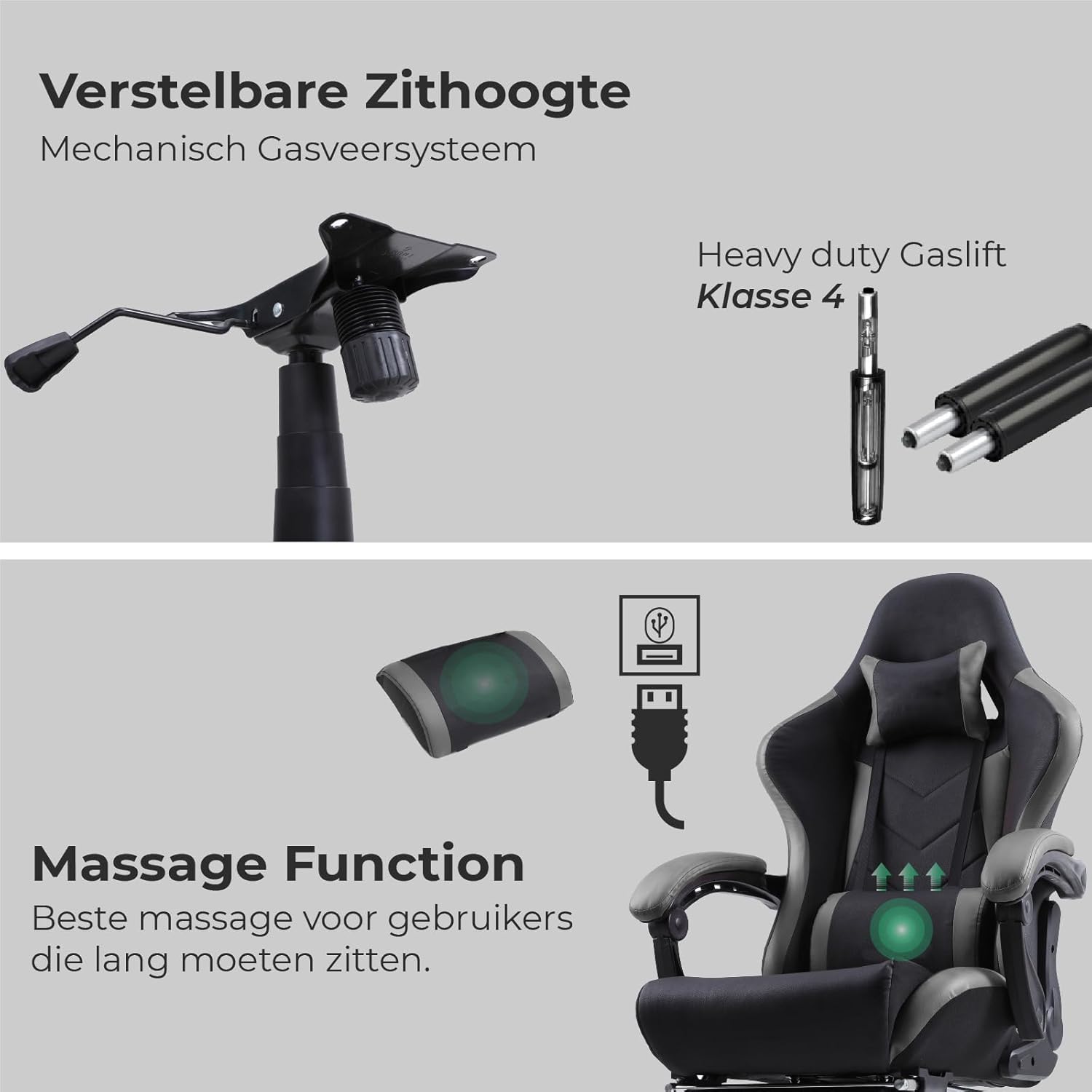
Figure 7: Better Lumbar Support and Updated PU Wheels. The chair includes a robust and flexible foam lumbar cushion for enhanced lower back support. It is also equipped with updated, floor-friendly PU wheels, designed for smooth movement and to prevent scratching floors.
5.5. Massage Function (Lumbar Cushion)
The lumbar support cushion features a built-in massage function.
- To activate: Connect the USB cable from the lumbar cushion to any standard USB power source (e.g., computer USB port, USB wall adapter, power bank).
- To deactivate: Disconnect the USB cable.
5.6. Serħan tas-Saqajn li Jinġibed 'il Quddiem
The HICON Mondo Gaming Chair includes a retractable footrest for added comfort, especially when reclining.
- To extend: Pull the footrest out from underneath the seat.
- To retract: Push the footrest back underneath the seat until it is fully stored.
6. Ergonomic Guidelines
Proper ergonomic setup is crucial for long-term comfort and health. Follow these guidelines for optimal posture:
- Għoli tas-Sedil: Adjust so your feet are flat on the floor or on a footrest, and your knees are at a 90-110 degree angle.
- Fond tas-Sedil: Ensure there is a gap of about four fingers (a clenched fist) between the front edge of the seat and the back of your knees. This prevents pressure on blood vessels and nerves.
- Serħ tad-dahar: Sit as far back as possible in the chair. Adjust the lumbar support to fit the natural curve of your lower back, providing firm but comfortable support. The backrest should support your entire back.
- Pulzieri: Adjust armrests so your elbows are at a 90-degree angle when typing, keeping your shoulders relaxed. Your forearms should rest mostly on your desk, with armrests providing additional support.
- Pożizzjoni tal-Monitor: Position your monitor at arm's length, with the top of the screen at or slightly below eye level.

Figure 8: Ergonomic Design. This diagram illustrates the ergonomic design of the HICON Mondo Gaming Chair, highlighting key support areas for the neck, shoulders, back, and lumbar region to promote a healthy posture and reduce strain.
7. Manutenzjoni
Regular maintenance will extend the life and appearance of your HICON Mondo Gaming Chair.
- Tindif:
- For PU leather surfaces, wipe with a soft, damp cloth. For stubborn stains, use a mild soap solution and wipe dry immediately.
- Avoid harsh chemicals, abrasive cleaners, or solvents, as these can damage the material.
- Vacuum fabric areas (if any) regularly to remove dust and debris.
- Iċċekkja tal-Hardware: Iċċekkja l-viti u l-boltijiet kollha perjodikament biex tiżgura li huma ssikkati sew. Erġa' ssikka jekk meħtieġ, imma tissikkax iżżejjed.
- Xandara: Clean casters regularly to remove hair and debris that can impede movement.
- Lift tal-gass: Do not lubricate the gas lift cylinder. If it malfunctions, contact customer support.
8 Issolvi l-problemi
| Problema | Kawża Possibbli | Soluzzjoni |
|---|---|---|
| Chair does not stay at desired height. | Gas lift cylinder malfunction or loose connection. | Ensure the gas lift is properly seated in the mechanism and base. If the issue persists, the gas lift may need replacement. Contact customer support. |
| Is-siġġu jgħajjat jew jitriegħed. | Viti jew komponenti maħlula. | Check and tighten all assembly screws. Ensure the star base and casters are securely attached. |
| Ir-roti ma jdurux bla xkiel. | Debris (hair, lint) caught in casters. | Remove casters and clean any debris from the wheels and axles. |
| Id-dahar tas-serħan ma jimteddx jew jissakkar. | Recline mechanism issue or obstruction. | Check if the recline lever is fully engaged. Ensure no obstructions are preventing movement. If the mechanism is faulty, contact customer support. |
| Il-massaġġi lumbari mhux qed jaħdem. | USB power issue or cable damage. | Ensure the USB cable is securely connected to a working power source. Try a different USB port or power adapter. Check for visible damage to the cable. |
9. Speċifikazzjonijiet
| Karatteristika | Dettall |
|---|---|
| Isem tal-Mudell | HICON Mondo |
| Brand | HICON |
| Materjal | Durable PU Leather, High-Density Foam, Metal Frame |
| Kapaċità tal-piż | Sa 150 kg (330 lbs) |
| Piż tal-President | 23 kg (50.7 lbs) |
| Angolu ta' Mimdud | 90° sa 165° |
| Klassi tal-Irfigħ tal-Gass | Class 4 (SGS Certified) |
| Roti | Floor-friendly PU Wheels (BIFMA Authenticated Wheelbase) |
| Karatteristiċi Speċjali | Ergonomic Design, Retractable Footrest, USB-Powered Lumbar Massage, Adjustable Headrest & Lumbar Cushions, Padded Linkage Armrests |

Figure 9: Enlarged Backrest and Seat. The HICON Mondo Gaming Chair boasts an oversized design for its backrest, seat, and armrests, providing a more spacious and comfortable experience compared to standard gaming chairs, accommodating a wider range of users.
10. Garanzija u Appoġġ
HICON stands behind the quality of its products. For specific warranty details, including coverage period and terms, please refer to the warranty card included with your purchase or visit the official HICON website. If you encounter any issues or require assistance with your HICON Mondo Gaming Chair, please contact our customer support team. Have your purchase receipt and model number ready for faster service.
Appoġġ għall-Klijent: Please refer to the contact information provided on your product packaging or the official HICON websit.