Introduzzjoni
This manual provides essential instructions for the safe and effective use of your LITEON PA-1300-04 AC Adapter Charger. This power supply is designed to provide reliable power to compatible DELL Latitude 10 ST, ST2, T03G, and T07G tablets. Please read this manual thoroughly before using the product and retain it for future reference.
Informazzjoni dwar is-Sigurtà
- Sors tal-Enerġija: Use only with appropriate AC power outlets (100-240V AC, 50/60Hz).
- Ventilazzjoni: Ensure adequate ventilation around the adapter. Do not cover the adapter or place it in an enclosed space during operation.
- Umdità: Keep the adapter away from water, high humidity, and extreme temperatures. Do not operate with wet hands.
- Ħsara: Do not use the adapter if the cable or housing is damaged. Contact qualified service personnel for repairs.
- Tfal: Żomm fejn ma jintlaħaqx mit-tfal.
- Żarmar: Tippruvax tiżżarma jew timmodifika l-adapter. Dan jannulla l-garanzija u jista' jikkawża xokk elettriku jew nar.
- Kompatibilità: Use only with specified compatible devices (DELL Latitude 10 ST, ST2, T03G, T07G tablets).
Setup
- Ippakkja: Neħħi l-adapter tal-AC mill-imballaġġ tiegħu bir-reqqa.
- Spezzjona: Check the adapter and cable for any visible damage. If damage is found, do not use the product.
- Qabbad mal-Power Outlet: Plug the AC power cord (if detachable) into the adapter, then plug the adapter's AC plug into a standard wall outlet.
- Qabbad mal-Apparat: Insert the specialized multi-pin connector of the adapter into the charging port of your compatible DELL Latitude tablet. Ensure a firm and secure connection.
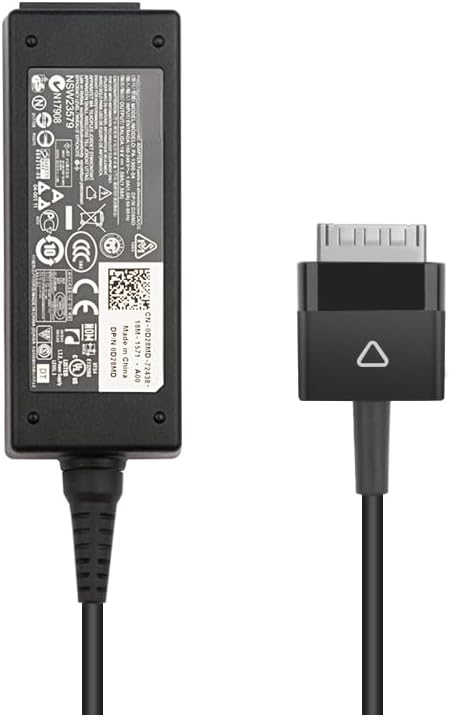
Image: The LITEON PA-1300-04 AC Adapter showing the main power brick and the specialized multi-pin connector for DELL Latitude tablets.
Istruzzjonijiet Operattivi
Once properly connected, the adapter will begin charging your DELL Latitude tablet. The charging status is typically indicated by an LED on your tablet or on the adapter itself (if present). Refer to your tablet's user manual for specific charging indicators.
- Iċċarġjar: The adapter provides a stable 19V DC output at 1.58A, totaling 30W, suitable for your tablet's power requirements.
- Skonnettjar: To disconnect, first unplug the connector from your tablet, then unplug the adapter from the wall outlet.
- Ħażna: When not in use, store the adapter and cable neatly. Avoid tightly coiling the cable to prevent damage.
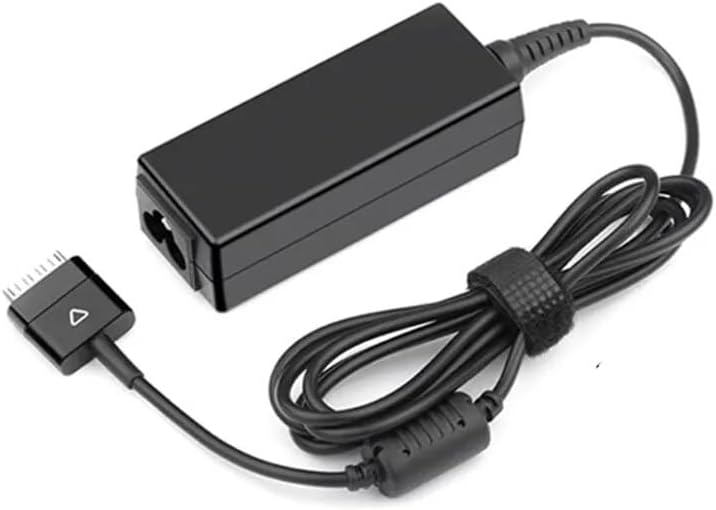
Image: The LITEON PA-1300-04 AC Adapter with its cable coiled, demonstrating proper storage.
Manutenzjoni
- Tindif: Disconnect the adapter from all power sources before cleaning. Use a soft, dry cloth to wipe the surface. Do not use liquid cleaners or solvents.
- Kura tal-Cable: Avoid bending or crimping the cable excessively, especially near the connectors. This can lead to internal wire damage.
- Ħażna: Aħżen l-adapter f'post frisk u niexef meta ma jkunx qed jintuża.
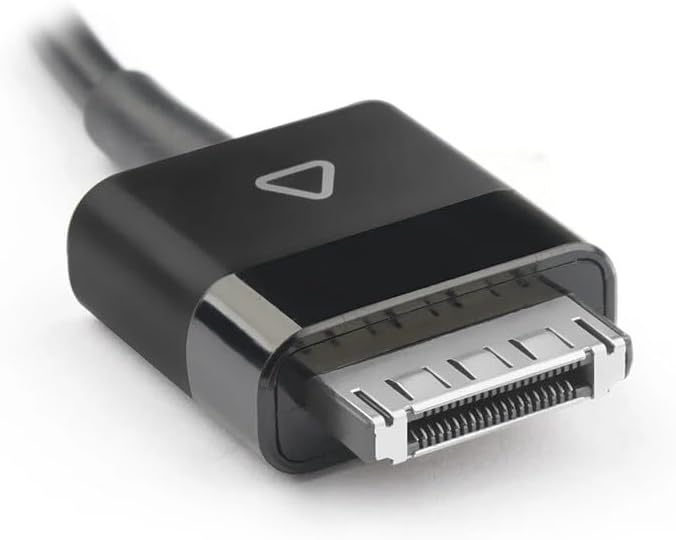
Immaġni: Dettaljata view of the specialized multi-pin connector, highlighting its design for DELL Latitude tablets.
Issolvi l-problemi
| Problema | Kawża Possibbli | Soluzzjoni |
|---|---|---|
| It-tablet mhux qed jiċċarġja. |
|
|
| L-adapter iħoss jaħraq. |
|
|
Speċifikazzjonijiet
- Mudell: PA-1300-04 / AD065G2Uz
- Input: 100-240V AC, 50/60Hz (Standard AC input for power adapters)
- Ħruġ Voltage: 19V DC
- Kurrent tal-Ħruġ: 1.58A
- Output tal-Enerġija: 30W
- Tip ta' Konnettur: Specialized multi-pin connector for DELL Latitude tablets
- Apparati Kompatibbli: DELL Latitude 10 ST, DELL Latitude ST2, DELL Latitude T03G, DELL Latitude T07G tablets
- Oriġini: Iċ-Ċina kontinentali
Garanzija u Appoġġ
For warranty information and technical support, please refer to the documentation provided with your purchase or contact the vendor directly. Keep your proof of purchase for warranty claims.


