1. Introduzzjoni
Thank you for choosing the Lefant LS1 Lidar Robot Vacuum Cleaner. This manual provides essential information for the safe operation, maintenance, and optimal performance of your device. Please read it thoroughly before use and retain it for future reference.
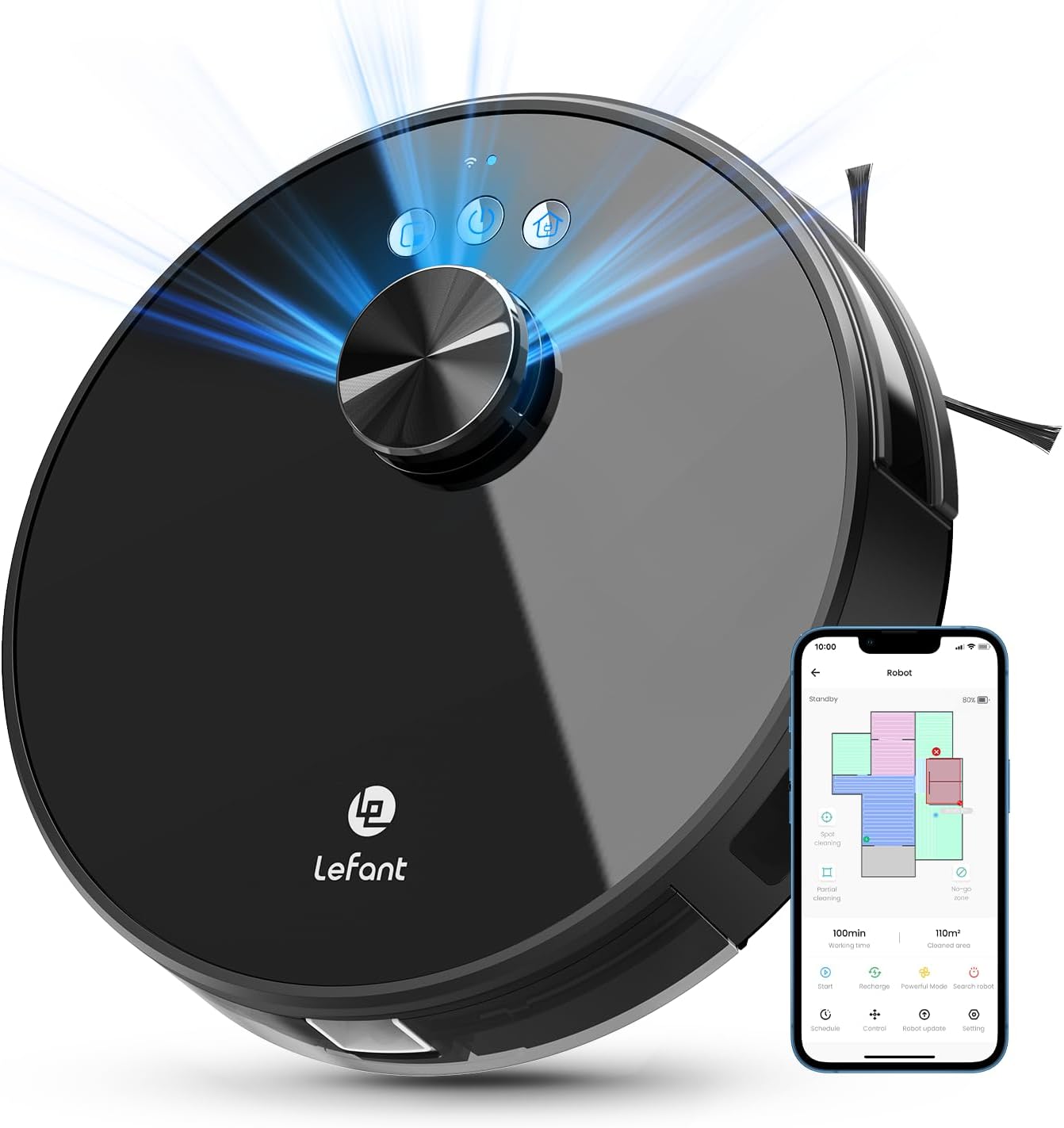
Image 1.1: The Lefant LS1 Lidar Robot Vacuum Cleaner, showcasing its sleek design and the accompanying mobile application interface.
2. Kontenut tal-Pakkett
Ensure all items are present and in good condition upon unpacking.
- LS1 Robot Vacuum x 1
- Baċir tal-Iċċarġjar x 1
- Adapter tal-Enerġija x 1
- 520 ml Dust Box x 1 (pre-installed or separate)
- Filtri HEPA x 2
- Xkupilji tal-ġenb x 4
- Manwal għall-Utent x 1
3. Prodott Aktarview
The Lefant LS1 is a Lidar-equipped robot vacuum designed for efficient floor cleaning. It features advanced navigation, app control, and powerful suction.
Karatteristiċi ewlenin:
- Lidar Navigation & Real-time Mapping: Utilizes LDS (Lidar Distance Sensor) for precise mapping and navigation, allowing for real-time tracking and efficient cleaning paths.
- Żoni Mhux Aċċettati u Ħitan Virtwali: Define restricted areas via the mobile application to prevent the robot from entering specific spaces.
- Disinn kompatt: With a reduced thickness and size, the LS1 can access more areas, including under furniture.
- Operazzjoni kwieta: Equipped with a brushless motor for reduced noise during cleaning cycles.
- Kontroll intelliġenti: Compatible with the Lefant App, Alexa, and Google Assistant for scheduling, mode selection, and voice commands (2.4GHz Wi-Fi required).
- Ġbid qawwi: Offers 3200Pa suction power with three adjustable levels, suitable for various floor types including hard floors, tiles, wood, marble, and low-pile carpets.
- Long Runtime & Auto-Recharge: Features a 4000mAh Lithium Iron Phosphate battery providing up to 150 minutes of cleaning time. Automatically returns to the charging dock when the battery is low.
- Trashbin Kbir: Includes a 520ml visible dustbin to minimize frequency of emptying.
- Freemove 3.0 Technology: Incorporates anti-fall and anti-collision sensors for safe operation around obstacles and stairs.

Image 3.1: The compact design of the Lefant LS1 allows it to clean under furniture, demonstrating its ability to cover more areas.

Image 3.2: An internal diagram highlighting the durable brushless motors and the long-lasting lithium iron phosphate battery of the LS1.

Image 3.3: The LS1 utilizing its LDS navigation system to detect its surroundings, with a detectable radius of 12 meters.
4. Setup
4.1 Iċċarġjar inizjali
- Place the charging dock against a wall in an open area, ensuring there are no obstacles within 1 meter to either side and 2 meters in front.
- Qabbad l-adapter tal-enerġija mal-baċir tal-iċċarġjar u plaggha fi żbokk tad-dawl.
- Place the robot vacuum onto the charging dock. Ensure the charging contacts on the robot align with those on the dock. The indicator lights on the robot will illuminate to confirm charging.
- Allow the robot to fully charge before its first use.
4.2 Konnessjoni mal-App Lefant
The Lefant App allows for advanced control and scheduling of your robot vacuum.
- Download the 'Lefant' app from your mobile device's app store.
- Iftaħ l-app u rreġistra jew idħol fil-kont tiegħek.
- Add your LS1 robot vacuum to the app by following the on-screen instructions.
- Turn on the robot's red button switch (usually located on the side or bottom).
- Press and hold the start button on the robot for 3 seconds until the Wi-Fi indicator light flashes.
- Connect your mobile device to a 2.4GHz Wi-Fi network. The robot only supports 2.4GHz Wi-Fi.
- Select and connect to the Wi-Fi network named 'Smart life-XXX' or similar, as prompted by the app.
- Wait for the robot to pair successfully with the app.

Image 4.1: Visual instructions for connecting the Lefant LS1 to the mobile application, detailing the pairing process.
4.3 Konnessjoni ma' Alexa
Integrate your LS1 with Amazon Alexa for voice control.
- Open the 'Lefant' app. Navigate to 'Mine' -> 'Voice third-party access service'.
- Record your voice account and password as instructed.
- Open the 'Alexa' app. Navigate to 'More' -> 'Skills & Games'.
- Fittex għal 'Ħajja Intelliġenti'.
- Click 'ENABLE TO USE'.
- Select your region and enter the voice account password from step 2.
- Wait for Alexa to connect successfully.

Image 4.2: Instructions for linking the Lefant LS1 with Amazon Alexa for voice command functionality.
5. Istruzzjonijiet Operattivi
5.1 Modi tat-Tindif
The Lefant LS1 offers various cleaning modes accessible via the Lefant App:
- Tindif Skedat: Set specific times for the robot to automatically clean.
- Partial Cleaning: Direct the robot to clean a specific area.
- Tindif tal-Post: Focuses on a concentrated dirty area.
- Tindif f'Żona: Define custom zones on the map for targeted cleaning.

Image 5.1: The Lefant app interface, displaying options for cleaning schedules, suction control, real-time mapping, and defining cleaning areas or no-go zones.
5.2 Aġġustament tal-Qawwa tal-Ġbid
You can switch between three different suction power levels via the app to suit various cleaning needs and floor types.
5.3 Żoni Mhux Permessi u Ħitan Virtwali
Use the app to draw virtual boundaries or no-go zones on the map to prevent the robot from entering specific areas or disturbing delicate items.
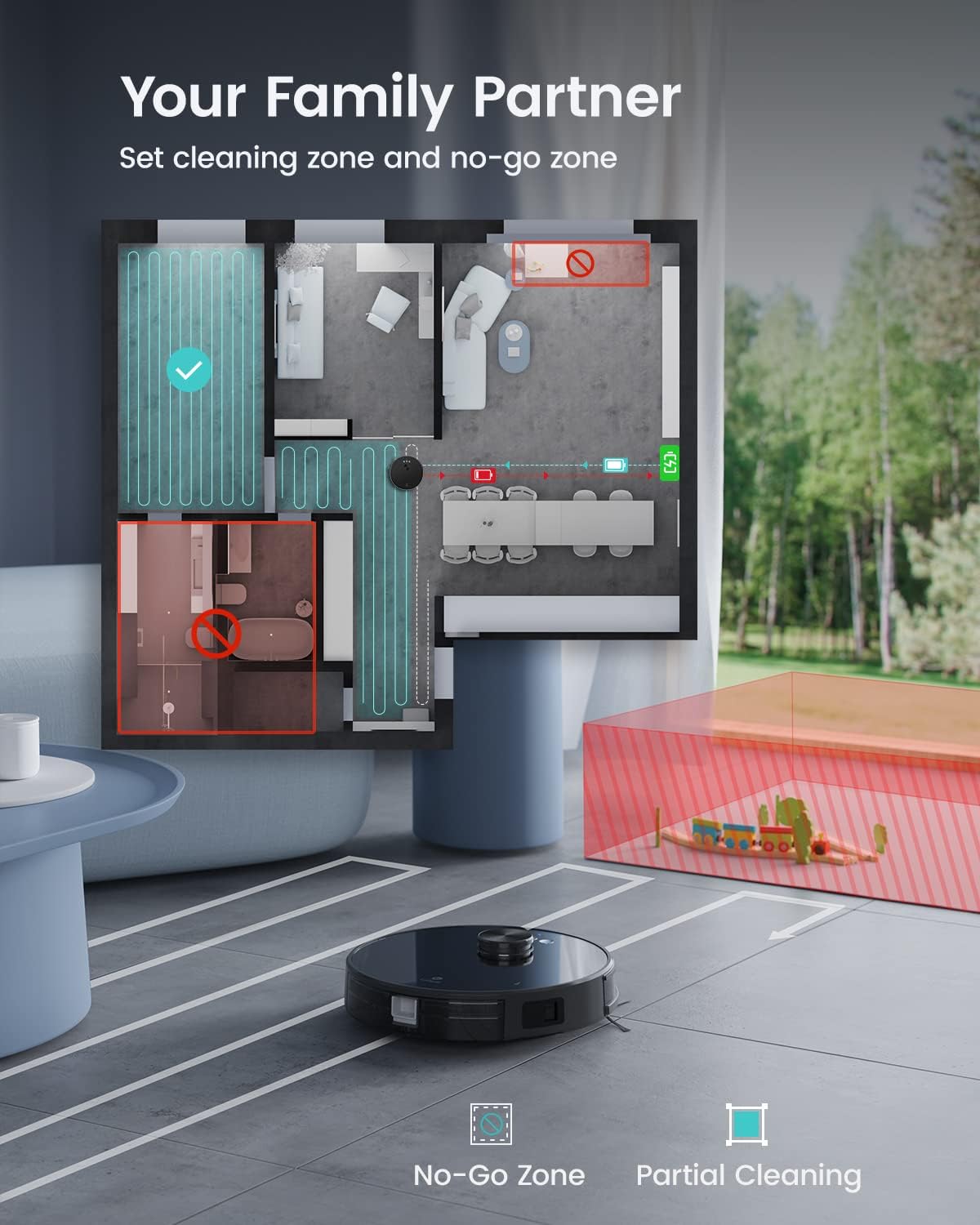
Image 5.2: The app's mapping feature, illustrating how to set no-go zones and designate areas for partial cleaning on a floor plan.
5.4 Kontroll tal-Vuċi
Once connected to Alexa or Google Assistant, you can use voice commands for basic operations:
- "Alexa, turn on LS1."
- "Alexa, turn on seek on the LS1."
- "Alexa, what's the LS1 Residual Electricity?"
- "Alexa, pause LS1."

Image 5.3: The LS1 demonstrating compatibility with voice assistants like Alexa, with examples of common voice commands.
6. Manutenzjoni
Regular maintenance ensures the longevity and optimal performance of your robot vacuum.
6.1 Tbattil tal-landa taż-żibel
The 520ml dustbin should be emptied regularly, especially after each cleaning cycle, to maintain suction power.
- Agħfas il-buttuna tal-ftuħ tal-kontenitur tat-trab u iġbed il-kontenitur tat-trab 'il barra.
- Open the dustbin lid and empty its contents into a trash receptacle.
6.2 Tindif tal-Filtri
The HEPA filters and sponge filter should be cleaned periodically. The sponge filter is washable.
- Neħħi l-filtri mill-kontenitur tat-trab.
- Tap the HEPA filter gently to remove dust. Do not wash the HEPA filter.
- Rinse the sponge filter under running water until clean. Ensure it is completely dry before re-installing.
- Replace filters as recommended (typically every 3-6 months, depending on usage).
6.3 Tindif tal-Pniezel tal-Ġenb
Check side brushes for tangled hair or debris and clean them as needed. Replace worn brushes to ensure effective edge cleaning.
6.4 Tindif tas-Sensuri u l-Kuntatti tal-Iċċarġjar
Wipe the Lidar sensor, anti-drop sensors, anti-collision sensors, and charging contacts on both the robot and the dock with a clean, dry cloth to ensure proper function.
7 Issolvi l-problemi
If you encounter issues with your Lefant LS1, refer to the following common problems and solutions:
| Problema | Kawża Possibbli | Soluzzjoni |
|---|---|---|
| Robot ma jixgħelx. | Batterija baxxa; Mitfi l-iswiċċ tal-enerġija. | Charge the robot; Ensure the red power switch is ON. |
| Robot ma jistax jikkonnettja mal-Wi-Fi. | Incorrect Wi-Fi band (not 2.4GHz); Incorrect password; Router too far. | Ensure 2.4GHz Wi-Fi is used; Verify password; Move robot closer to router. |
| Ir-robot jeħel spiss. | Obstacles (cables, rugs); Sensors dirty. | Clear obstacles; Clean sensors. |
| Prestazzjoni fqira tat-tindif. | Full dustbin; Clogged filters; Worn side brushes. | Empty dustbin; Clean/replace filters; Replace side brushes. |
| Robot ma jerġax lura għall-baċir tal-iċċarġjar. | Dock obstructed; Dock not powered; Dirty charging contacts. | Ensure clear path to dock; Check power connection; Clean charging contacts. |
For further assistance, please contact Lefant customer support.
8. Speċifikazzjonijiet
Detailed technical specifications for the Lefant LS1 Lidar Robot Vacuum Cleaner.
| Karatteristika | Speċifikazzjoni |
|---|---|
| Brand | Lefant |
| Isem tal-Mudell | LS1 |
| Kulur | Iswed |
| Dimensjonijiet tal-Prodott | 32L x 32W x 9.4H Ċentimetri |
| Piż tal-oġġett | 3 kg |
| Kapaċità ta 'Dustbin | 520 ml |
| Voltage | 19 Volts (DC) |
| Numru ta' Veloċitajiet | 3 |
| Livell ta' Storbju | 65 dB |
| Runtime | Sa 150 minuta |
| Tip ta 'batterija | 4000mAh Lithium Iron Phosphate |
| Mudelli Kompatibbli | Alexa, Google Home |
| Karatteristiċi Speċjali | LiDAR Navigation, No-Go Zone, Smart Mapping, Self-Charging, Anti-Fall, Anti-Collision, Washable Filter |
| Rakkomandazzjoni tal-wiċċ | Hard Floor, Carpet, Tile, Wood, Marble, Glass |
| Tip ta' Kontrollur | Kontroll tal-App, Kontroll tal-Vuċi |
| Tip ta 'filtru | Sponża |
9. Garanzija u Appoġġ
For warranty information and customer support, please refer to the warranty card included in your package or contact Lefant customer service directly. Details can typically be found on the official Lefant webis-sit jew permezz tal-pjattaforma tax-xiri tiegħek.


