1. Prodott Aktarview
The DEPSTECH Wireless Endoscope is a high-definition 5.0MP video inspection camera designed for examining hard-to-reach areas. It features a semi-rigid snake cable, adjustable LED lights, and wireless connectivity for use with smartphones and tablets.
Karatteristiċi Ewlenin
- Revolutionary HD 5.0MP Endoscope: High-efficient third-generation chip, 2592x1944 resolution, copper core for semi-ridged cable, envisions hard-to-reach places exquisitely clearly.
- Newest Top Technologies for Inspection Camera: Adjustable 6 LED lights with Bluart tech, illuminate darkness and reduce overexposure. Camtele expands the usual focal distance from 3 inch to 16 inch, reducing inconvenience during use.
- 2200 mAh Battery, Longer Using Time: Larger battery capacity for the WiFi box prolongs inspection time, reducing the annoyance of insufficient working period.
- WiFi Connection, Wider Compatibility: Features a WiFi box broadcasting a WiFi signal, pushing the boundaries of compatibility. Compatible with iPad, iOS 9.0+ and Android 9.0+ devices.
- IP67 Waterproof & Semi-ridged Cable: Equipped with a 16.5ft snake cable that can bend and hold its shape to access a wide variety of confined places, such as curved holes or pipes. Water-resistant design applies to usage in water tanks, tubes, etc.
2. Gwida ta' Setup
Kontenut tal-Pakkett
Qabel tibda, kun żgur li l-komponenti kollha huma preżenti fil-pakkett:
- DEPSTECH Wireless Endoscope (Camera with semi-rigid cable and WiFi box)
- Cable tal-Iċċarġjar tal-USB
- Manwal għall-Utent
- Accessories (e.g., hook, magnet, side mirror)
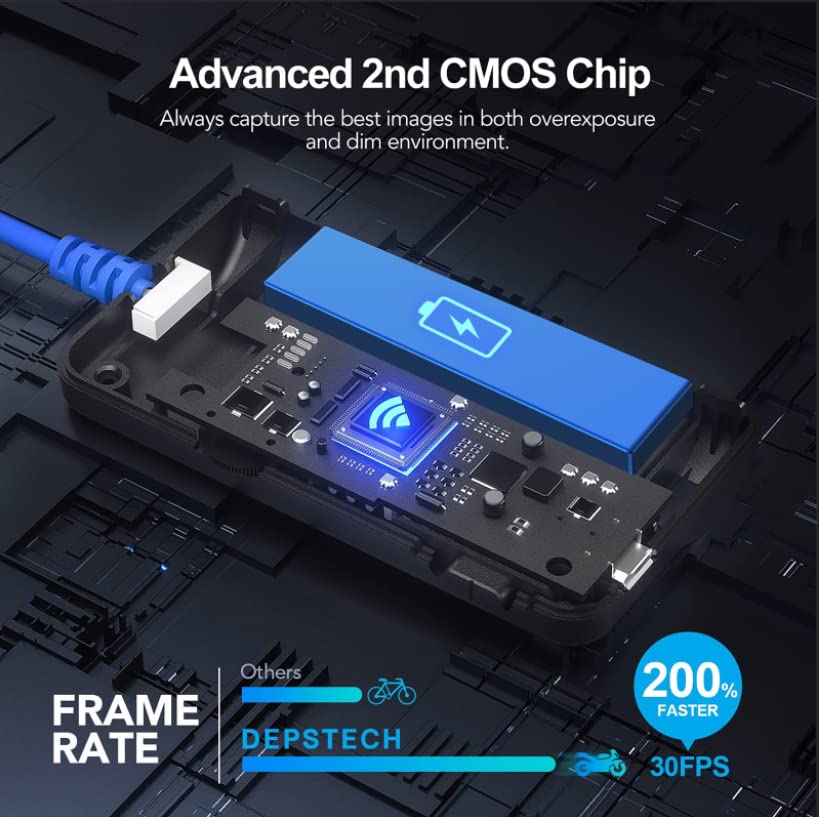
Image: Complete package contents of the DEPSTECH Wireless Endoscope.
Konnessjoni mat-Tagħmir Tiegħek
Follow these steps to connect your endoscope to your smartphone or tablet:
- Niżżel l-APP: Fittex għal "DEPSTECH-View" in the App Store (iOS) or Google Play Store (Android) and download the application.
- Charge and Power On: Ensure the WiFi box is fully charged. Press and hold the power button on the WiFi box to turn it on. It will generate a WiFi signal.
- Qabbad mal-WiFi: Go to your phone's WLAN (Wi-Fi) settings. Find the WiFi network named "DEPSTECH-XXXX" (where XXXX is a unique identifier) and connect to it. The default password is usually 12345678.
- Ibda l-App: Open the "DEPSTECH-View" app. If prompted, allow the app to find and connect to devices on your local network. This is essential for real-time image access.

Image: Step-by-step connection method for the DEPSTECH Wireless Endoscope.
Identifikazzjoni tal-Komponent

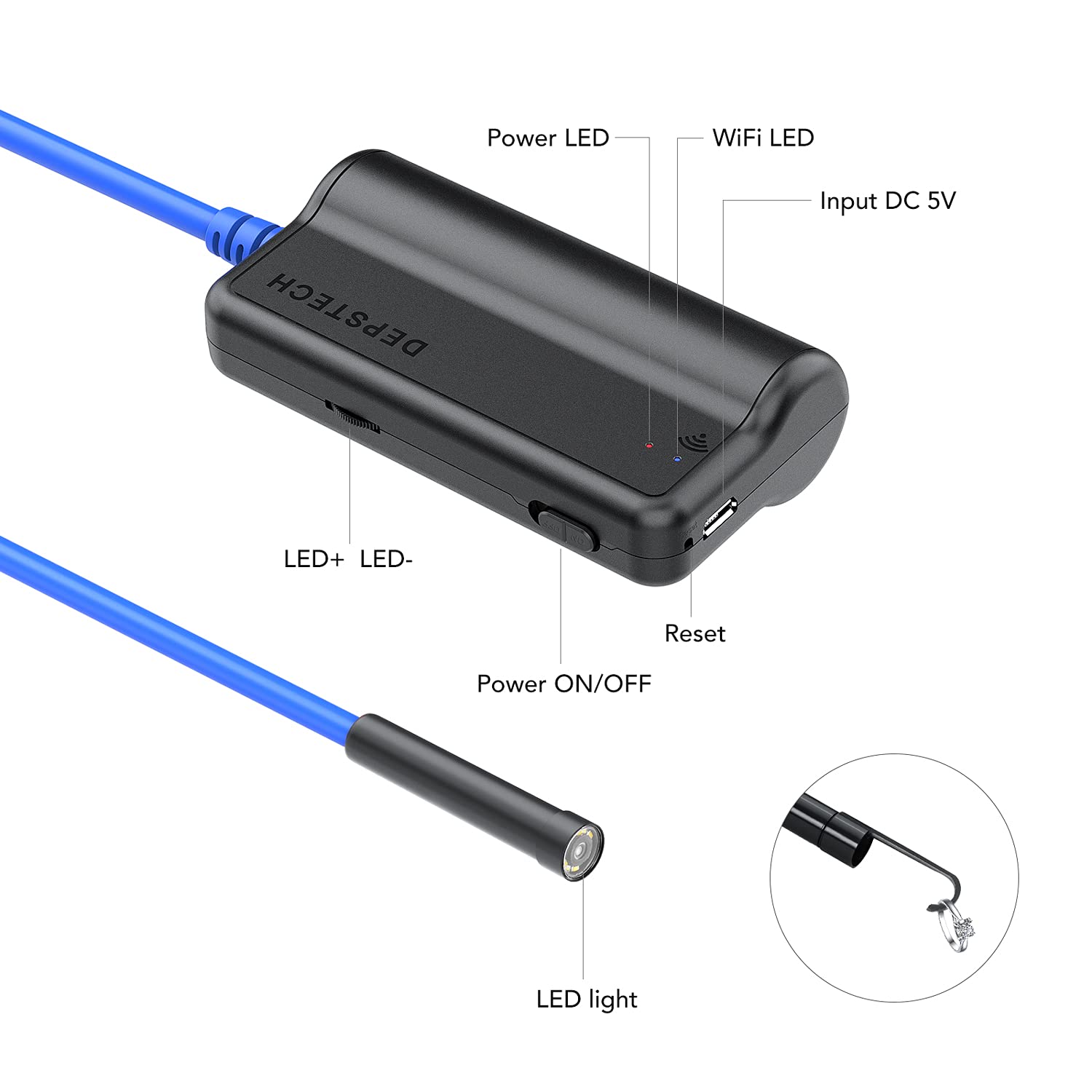
Image: Labeled diagram of the endoscope's WiFi box and camera head, indicating power, WiFi, LED controls, and charging port.
3. Istruzzjonijiet tat-Tħaddim
Karatteristiċi tal-Kamera
The endoscope is equipped with advanced imaging technology for clear inspections:
- 5.0 MP HD Camera: Captures high-resolution images and videos (2592x1944) for detailed inspection.
- Bluart 2.0 Technology: Enhances image clarity and reduces overexposure in various lighting conditions.

Image: Visual comparison highlighting the clarity provided by the 5.0 MP camera with Bluart 2.0 technology.
- Dwal LED aġġustabbli: Six integrated LED lights provide illumination in dark environments. Brightness can be adjusted via controls on the WiFi box.

Image: The IP67 waterproof camera head and its adjustable LED light settings.
- Camtele 2.0 Focal Distance: The camera offers an extended focal range of 1.2 inches to 15.7 inches (3cm to 40cm), allowing for clear images at varying distances without constant adjustment.
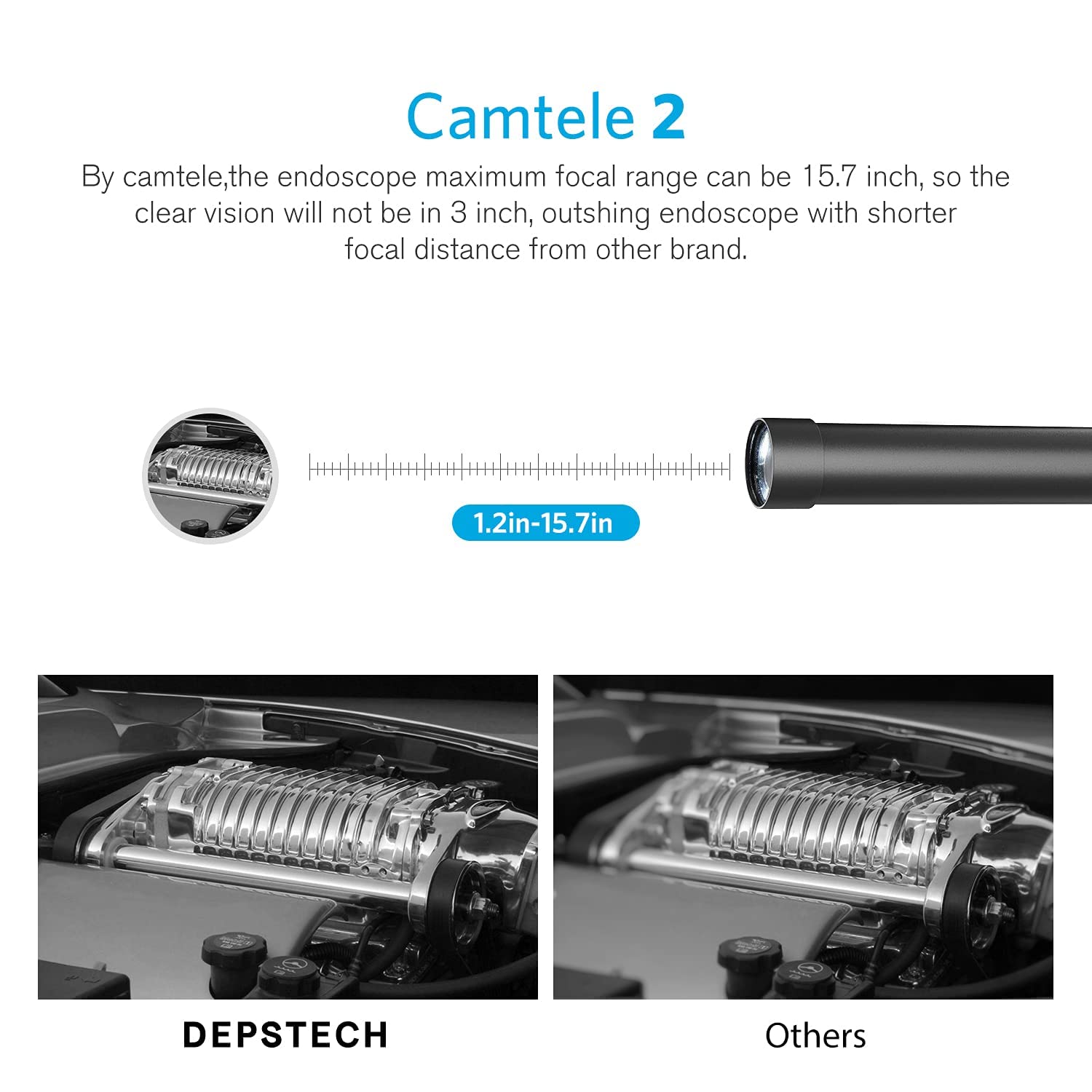
Image: Illustration of the Camtele 2.0 extended focal range for clear imaging.
Applikazzjonijiet Prattiċi
The semi-rigid cable and waterproof design make this endoscope suitable for various inspection tasks:
- Plumbing inspections (sinks, pipes)
- Automotive maintenance (engine, car parts)
- Home appliance checks (dryers, washing machines)
- Wall and ceiling inspections
Immaġni: Eżamples of the endoscope in use for household and automotive inspections.
4. Manutenzjoni u Kura
Tindif tal-Lenti
To ensure optimal image clarity, regularly clean the camera lens:
- Before each use, check if the lens is dirty.
- Gently wipe the lens with a clean, soft, dust-free cloth.
- Avoid using abrasive materials or harsh chemicals that could scratch or damage the lens.
For a visual guide on cleaning and maintaining focus, refer to the troubleshooting video below.
Kura tal-batterija
- Always use the endoscope after it is fully charged to ensure stable connection and performance.
- Aħżen l-apparat f'post frisk u niexef meta ma jkunx qed jintuża.
- Avoid extreme temperatures that can affect battery life.
5 Issolvi l-problemi
Kwistjonijiet Komuni u Soluzzjonijiet
If you encounter issues with your DEPSTECH Wireless Endoscope, consider the following:
Video: Troubleshooting guide for out-of-focus, unclear, or blurred pictures with the WF028 Borescope Camera. This video provides visual steps to resolve common image quality issues.
- Out of Focus/Unclear/Blurred Picture:
- Ensure the object being inspected is within the appropriate focal length range (1.2-15.7 inches or 3-40 cm). Manual focus is required by positioning the camera correctly.
- Check if the lens is dirty and wipe it with a clean, dust-free cloth before use.
- Check if there are any abnormalities inside the lens (such as fog or water droplets). If so, contact customer service.
- In a dark environment, ensure that the lens LED light is in the brightest setting.
- Connection Issues (e.g., disconnection, failure to connect):
- Ensure the WiFi box is fully charged. Low battery can cause connection instability.
- Verify that you have selected the correct WiFi network (DEPSTECH-XXXX) and entered the correct password (12345678).
- Ensure your phone's "local network" and "Cellular data" settings are enabled for the "DEPSTECH-View"app.
- Erġa' ibda kemm l-endoskopju kif ukoll l-apparat intelliġenti tiegħek.
- Kwistjonijiet ta' Funzjonalità tal-App:
- If modifying the WiFi password in the app, note that it only accepts numbers or letters; special characters are not supported.
- System video recording may not be supported on iOS 9.0 or lower systems.
6. Speċifikazzjonijiet tal-Prodott
| Karatteristika | Speċifikazzjoni |
|---|---|
| Numru tal-Mudell | WF028-5M-B-US |
| Riżoluzzjoni tal-Kamera | 5.0MP (2592x1944) |
| Distanza Fokali | 1.2 - 15.7 pulzier (3 - 40 ċm) |
| Tul tal-Cable | 16.5 FT |
| Tip ta' Cable | Semi-Rigid Snake Cable |
| Klassifikazzjoni li ma jgħaddix ilma minnha | IP67 |
| Kapaċità tal-batterija | 2200mAh Lithium Ion |
| Konnettività | WiFi |
| Kompatibilità | iOS 9.0+ and Android 9.0+ devices |
| Manifattur | DEPSTECH |
| Kulur | Blu Skur |
7. Garanzija u Appoġġ
Appoġġ għall-Klijent
For further assistance, product issues, returns, or exchanges, please contact DEPSTECH customer service. You can also refer to the official troubleshooting guide:
- Gwida għas-Soluzzjoni tal-Problemi (PDF): Niżżel PDF
For the latest information and support, visit the official DEPSTECH webis-sit jew ikkuntattja lit-tim tas-servizz tal-konsumatur tagħhom direttament.


