1. Introduzzjoni
Thank you for choosing the RadioShack TWS Bluetooth Wireless Earbuds, Model 100128651 (Snow). These earbuds are designed to provide a high-quality, wireless audio experience with convenience and comfort. This manual will guide you through the setup, operation, and maintenance of your new earbuds.
2. Kontenut tal-Pakkett
Jekk jogħġbok kun żgur li l-oġġetti kollha huma preżenti fil-pakkett tiegħek:
- RadioShack TWS Bluetooth Wireless Earbuds (Left and Right)
- Kawża tal-Iċċarġjar
- Cable tal-Iċċarġjar tal-USB tat-Tip-Ċ
- Daqsijiet Multipli ta' Ponot tal-Widnejn

3. Prodott Aktarview
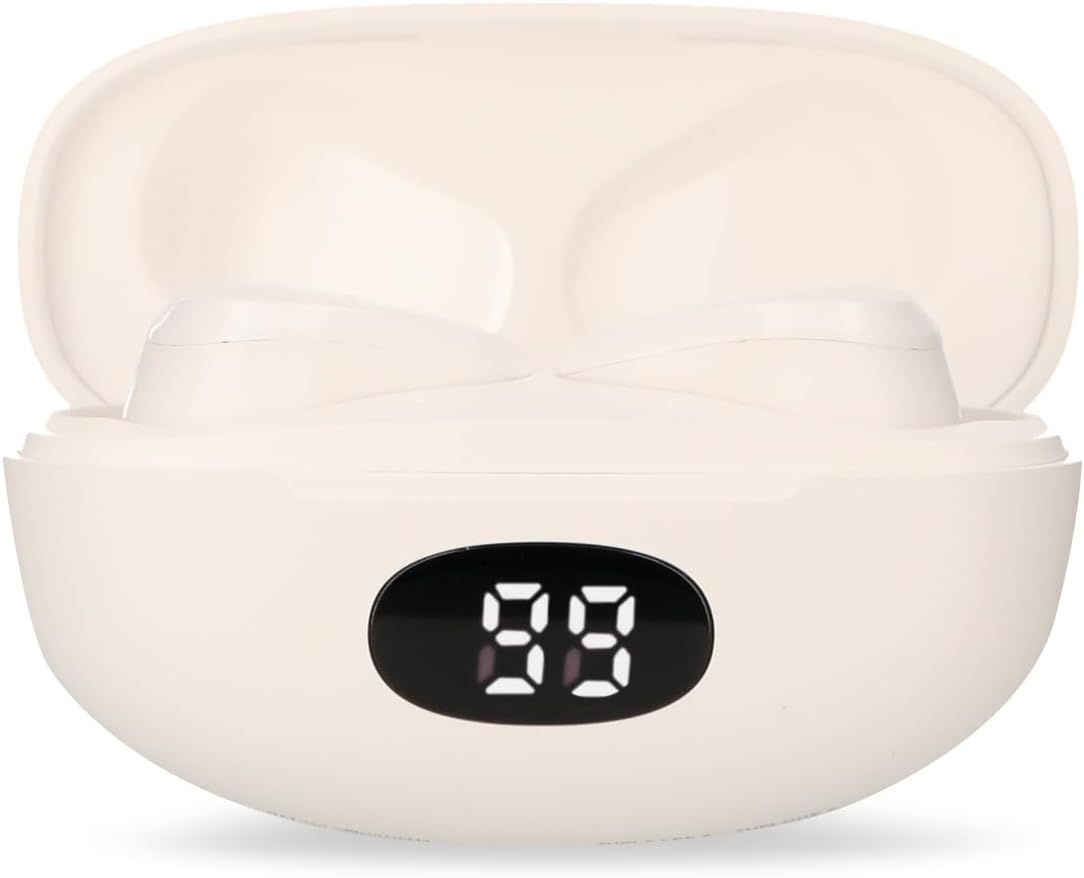
Familiarize yourself with the components of your RadioShack TWS Bluetooth Wireless Earbuds.


4. Setup
4.1 Iċċarġjar tal-Earbuds u l-Kaxxa
- Ħlas Inizjali: Qabel l-ewwel użu, iċċarġja l-earbuds u l-kaxxa tal-iċċarġjar kompletament.
- Iċċarġjar tal-Każ: Connect the provided USB Type-C cable to the charging port on the case and the other end to a USB power source (e.g., computer, wall adapter). The LED display on the case will indicate charging status.
- Iċċarġjar tal-Earbuds: Place the earbuds into the charging case. Ensure they are correctly seated; the earbuds will automatically begin charging. The LED display on the case will show the earbuds' charging status.
- Ħin tal-Iċċarġjar: A full charge for both the earbuds and case typically takes up to 1.5 hours.
4.2 Tqabbil tal-Bluetooth
- Qawwa Mixgħul: Open the charging case. The earbuds will automatically power on and enter pairing mode. You may hear an audible prompt.
- Attiva l-Bluetooth: Fuq l-apparat mobbli tiegħek (smartphone, tablet, eċċ.), mur fis-settings tal-Bluetooth u kun żgur li l-Bluetooth huwa attivat.
- Agħżel Apparat: Fittex għal available Bluetooth devices. Select "RadioShack Snow" or a similar name from the list.
- Qabbad: Once selected, your device should connect to the earbuds. A confirmation sound or message may indicate successful pairing.
- Ikkonnettja mill-ġdid: After initial pairing, the earbuds will automatically connect to the last paired device when removed from the charging case and Bluetooth is active on your device.
5. Istruzzjonijiet Operattivi
The RadioShack TWS Earbuds feature a multifunction touch button for easy control.
5.1 Power On/Off
- Qawwa Mixgħul: Open the charging case, and the earbuds will power on automatically. Alternatively, press and hold the touch area on both earbuds for approximately 3 seconds.
- Itfi: Place the earbuds back into the charging case and close the lid. They will power off automatically. Alternatively, press and hold the touch area on both earbuds for approximately 5 seconds.
5.2 Daqq tal-Mużika
- Play/Pawsa: Tap the touch area on either earbud once.
- Track li jmiss: Tektek darbtejn iż-żona tal-mess fuq il-earbud tal-lemin.
- Track preċedenti: Tektek darbtejn iż-żona tal-mess fuq il-earbud tax-xellug.
5.3 Ġestjoni tas-Sejħiet
- Tweġiba/Tmiem Sejħa: Tap the touch area on either earbud once.
- Irrifjuta Sejħa: Press and hold the touch area on either earbud for approximately 2 seconds.
5.4 Kontroll tal-Volum
- Żid il-Volum: Tektek tliet darbiet iż-żona tat-touch fuq il-widna tal-lemin.
- Naqqas il-Volum: Tektek tlieta l-erja tat-touch fuq il-widna tax-xellug.
5.5 Assistent tal-Vuċi
- Attiva l-Assistent tal-Vuċi: Press and hold the touch area on either earbud for approximately 2 seconds (when not on a call).
6. Manutenzjoni
Biex tiżgura l-lonġevità u l-prestazzjoni ottimali tal-earbuds tiegħek, segwi dawn il-linji gwida ta' manutenzjoni:
- Tindif: Uża drapp artab, niexef u mingħajr suf biex tnaddaf il-earbuds u l-kaxxa tal-iċċarġjar. Tużax prodotti tat-tindif li joborxu, alkoħol, jew solventi kimiċi.
- Tips tal-widnejn: Neħħi u naddaf il-ponot tal-widnejn regolarment b'adamp drapp. Kun żgur li jkunu niexfa għalkollox qabel ma terġa’ twaħħalhom.
- Kuntatti tal-Iċċarġjar: Jekk iseħħu problemi fl-iċċarġjar, naddaf bil-mod il-kuntatti tal-iċċarġjar kemm fuq il-earbuds kif ukoll ġewwa l-kaxxa b'tajjara niexfa tal-qoton.
- Ħażna: Meta ma tkunx qed tużahom, aħżen il-earbuds fil-kaxxa tal-iċċarġjar tagħhom biex tipproteġihom mit-trab u l-ħsara. Aħżen f'post frisk u niexef.
- Evita l-Ilma: These earbuds are not waterproof. Avoid exposure to water, moisture, or extreme temperatures.
7 Issolvi l-problemi
Jekk tiltaqa' ma' xi problemi bil-earbuds tiegħek, irreferi għall-problemi u s-soluzzjonijiet komuni li ġejjin:
| Problema | Kawża Possibbli | Soluzzjoni |
|---|---|---|
| Earbuds ma jingħaqdux | Earbuds are not in pairing mode or Bluetooth is off on device. | Ensure earbuds are out of the case and Bluetooth is enabled on your device. Forget previous pairings and try again. |
| L-ebda ħoss mill-earbuds | Volum baxx wisq, earbuds mhux konnessi, jew il-midja waqfet. | Increase volume on both earbuds and device. Check Bluetooth connection. Ensure media is playing. |
| Earbud wieħed mhux jaħdem | Low battery, connection issue, or earbud not properly seated in case. | Place both earbuds back in the case, close, then reopen. Ensure both are charged. Re-pair if necessary. |
| Każ tal-iċċarġjar mhux iċċarġjar | Faulty cable, power source, or dirty charging port. | Try a different USB-C cable and power adapter. Clean the charging port. |
| Kwalità fqira tal-awdjo | Distanza mill-apparat, interferenza, jew batterija baxxa. | Move closer to your device. Avoid environments with strong Wi-Fi or other Bluetooth signals. Charge earbuds. |
8. Speċifikazzjonijiet
Detailed technical specifications for the RadioShack TWS Bluetooth Wireless Earbuds, Model 100128651 (Snow):
- Isem tal-Mudell: Borra
- Numru tal-Mudell: 100128651
- Konnettività: Wireless, Bluetooth
- Verżjoni Bluetooth: 5.1
- Medda bla fili: Sa 10 metri (33 pied)
- Batterija tal-Earbud: 3.7V DC, 30 mAh (each)
- Kawża tal-Iċċarġjar tal-batterija: 3.7V DC, 250 mAh
- Charging Input (Earbuds): 5V DC, 30 mA
- Charging Input (Case): 5V DC, 220 mA
- Port tal-Iċċarġjar: USB Tip-Ċ
- Ħin ta' Ċarġ sħiħ: Madwar sagħtejn
- Ħin tal-Daqq tal-Earbud: Sa 4 sigħat (kontinwi)
- Total Playback Time (with case): Sa 12 sigħat
- Metodu ta' Kontroll: Mess
- Mikrofonu: Included (for hands-free calls)
- Karatteristiċi Speċjali: Voice Assistant support, Ergonomic Design, Passive Noise Cancellation
- Kompatibilità: Apparat iOS u Android
- UPC: 7503038212252
- Dimensjonijiet tal-pakkett: 17.7 x 8.5 x 4.7 ċm
- Piż tal-Pakkett: 150 g
9. Garanzija u Appoġġ
RadioShack products are manufactured with quality and reliability in mind. For warranty information, please refer to the documentation provided at the time of purchase or visit the official RadioShack websit għar-reġjun tiegħek.
For technical support or customer service, please contact:
- Websit: www.radioshack.com.mx
- Telefon: 55 2582 0999
Jekk jogħġbok żomm in-numru tal-mudell tiegħek (100128651) u l-prova tax-xiri lesti meta tikkuntattja l-appoġġ.


