1. Introduzzjoni
Welcome to the user manual for your Sonos Move 2 Portable Speaker. This guide provides essential information for setting up, operating, maintaining, and troubleshooting your device. The Sonos Move 2 is a versatile portable speaker designed for high-quality audio playback, featuring both WiFi and Bluetooth connectivity, a long-lasting battery, and a durable, weather-resistant design.

Figura 1: Quddiem angolat view of the Sonos Move 2 Portable Speaker.
2. Setup
2.1 Il-Ftuħ tal-Kaxxa u l-Iċċarġjar Inizjali
Carefully remove the Sonos Move 2 and its accessories from the packaging. Before first use, it is recommended to fully charge the speaker. Place the Move 2 onto the included Wireless Charging Base. The LED indicator on the speaker will show charging status.
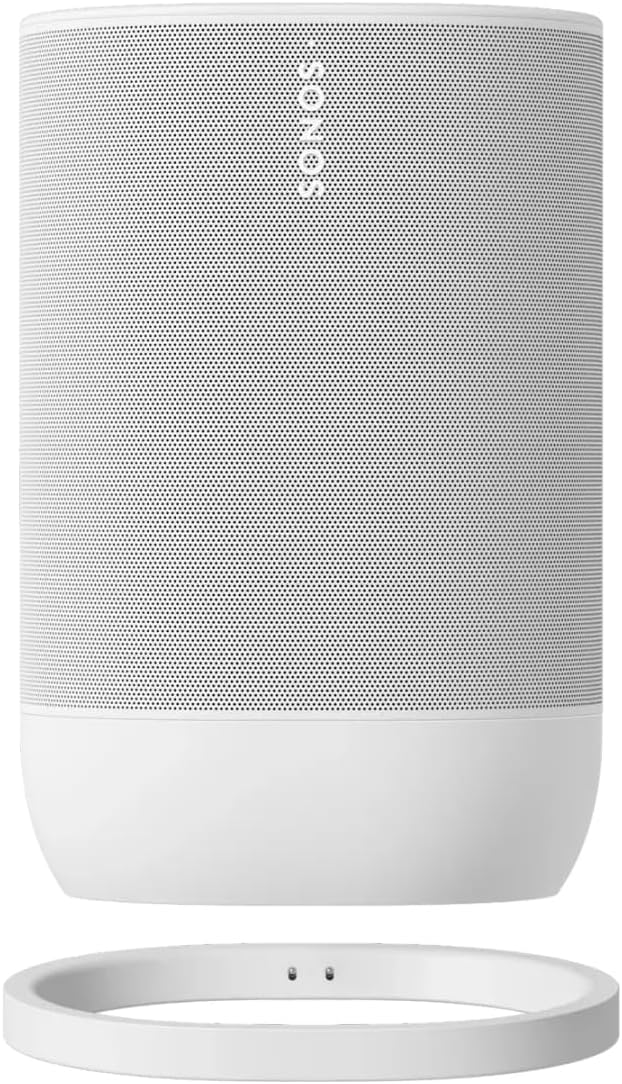
Figure 2: Sonos Move 2 positioned on its wireless charging base.
2.2 Connecting to the Sonos App (WiFi Setup)
- Download the Sonos app from your device's app store.
- Open the Sonos app and follow the on-screen instructions to set up your new Move 2 speaker. This process will guide you through connecting the speaker to your home WiFi network.
- The app will also help you configure Automatic Trueplay for optimal sound in any environment.
2.3 Tqabbil tal-Bluetooth
Biex tuża l-Bluetooth:
- Press and hold the Bluetooth button on the back of the Move 2 until you hear a tone and the status light flashes blue.
- On your mobile device, go to Bluetooth settings and select 'Sonos Move 2' from the list of available devices.
- Once paired, the status light will turn solid blue.
3. Operating the Sonos Move 2
3.1 Tixgħel/Jitfi
The Sonos Move 2 automatically enters a low-power sleep mode when not in use to conserve battery. To fully power off, press and hold the power button on the back of the speaker for approximately 5 seconds until the status light turns off.
3.2 Kontrolli touch
The top surface of the Move 2 features intuitive touch controls:
- Play/Pawsa: Tap the play/pause icon.
- Volum 'il fuq/Niżżel: Tap the '+' or '-' icons.
- Aqbeż Track: Swipe right across the play/pause icon.
- Track preċedenti: Swipe left across the play/pause icon.

Figura 3: Fuq view of the Sonos Move 2, highlighting the touch control panel.
3.3 Daqq tal-Awdjo
The Move 2 supports audio playback via:
- WiFi: Stream music directly from your Sonos app, Apple AirPlay 2, or other compatible services.
- Bluetooth: Connect to any Bluetooth-enabled device for direct audio streaming.
- Line-in: Use a USB-C to 3.5mm audio cable (sold separately) to connect external audio sources.
3.4 Kontroll tal-Vuċi
The Sonos Move 2 is voice-enabled. Follow the instructions in the Sonos app to set up your preferred voice assistant for hands-free control of music and other functions.

Figura 4: Wara view of the Sonos Move 2, showing the power button, Bluetooth button, and USB-C port.
4. Manutenzjoni
4.1 Tindif
The Sonos Move 2 has an IP56 rating for dust and water resistance. To clean, gently wipe the speaker with a soft, damp cloth. Avoid using harsh chemicals or abrasive materials. Ensure the USB-C port cover is securely closed when exposed to water or dust.
4.2 Kura tal-Batterija
The Move 2 features a 22-hour battery life. For optimal battery longevity, avoid fully discharging the battery frequently. Store the speaker in a cool, dry place when not in use for extended periods. If the speaker will not be used for several months, charge it to approximately 50% before storage.
5 Issolvi l-problemi
5.1 Kwistjonijiet Komuni
- Ebda Qawwa: Ensure the speaker is charged. Place it on the charging base or connect a USB-C charger.
- Ebda Ħsejjes: Check volume levels on both the speaker and your source device. Verify correct input source (WiFi, Bluetooth, Line-in).
- Kwistjonijiet ta' Konnettività: For WiFi, ensure your router is working and the speaker is within range. For Bluetooth, ensure the speaker is in pairing mode and your device's Bluetooth is enabled. Try restarting both the speaker and your source device.
5.2 Irrisettja l-Fabbrika
A factory reset will erase all settings and data from your speaker. This should only be performed as a last resort after other troubleshooting steps have failed. Refer to the Sonos support website for detailed instructions on how to perform a factory reset for your specific model.
6. Speċifikazzjonijiet
| Karatteristika | Speċifikazzjoni |
|---|---|
| Numru tal-Mudell | MOVE2UK1R2 |
| Dimensjonijiet (H x W x D) | 24 x 12.5 x 16 ċm |
| Piż | 4.3 kg |
| Tip ta 'batterija | 1 Lithium Ion (inkluż) |
| Konnettività | Wi-Fi, Bluetooth |
| Modalità tal-Ħruġ tal-Awdjo | Stereo |
| Tip ta' Kelliem | Portabbli |
| Karatteristiċi Speċjali | Portable, Water resistant (IP56), Drop resistant |
| Apparati Kompatibbli | Laptop, Smartphone, Tablet |
| Manifattur | Sonos |
7. Informazzjoni dwar Garanzija
Your Sonos Move 2 Portable Speaker comes with a standard manufacturer's warranty. Details regarding the duration and terms of this warranty are typically included with your product packaging or can be found on the official Sonos websit. Jekk jogħġbok żomm il-prova tax-xiri tiegħek għal talbiet ta' garanzija.
Extended warranty and accidental damage protection plans may be available for purchase separately. Refer to your retailer for more information on these additional coverage options.
8. Appoġġ
For further assistance, technical support, or to explore additional features and accessories, please visit the official Sonos support websit:
You can also visit the Sonos brand store for product information and updates:


