1. Introduzzjoni
This manual provides detailed instructions for the proper setup, operation, and maintenance of your Takstar UHF-938 Tour Guide System. Please read this manual thoroughly before using the system to ensure optimal performance and longevity. The UHF-938 is designed for reliable wireless audio transmission in tour guiding, simultaneous interpretation, and other group communication scenarios.
2. Prodott Aktarview
2.1 Karatteristiċi ewlenin
- UHF radio frequency for interference-free reception.
- Frequency synthesized PLL circuitry for stable signal transmission.
- Two jacks for microphone and line-in, ensuring variable utilization.
- Automatic mute control for silent standby.
- Individual volume control on each receiver.
2.2 Komponenti
The Takstar UHF-938 Tour Guide System typically includes:
- UHF-938 Transmitter unit
- UHF-938 Receiver unit(s)
- Headset Microphone for the transmitter
- Earphones for the receiver(s) (may vary by package)
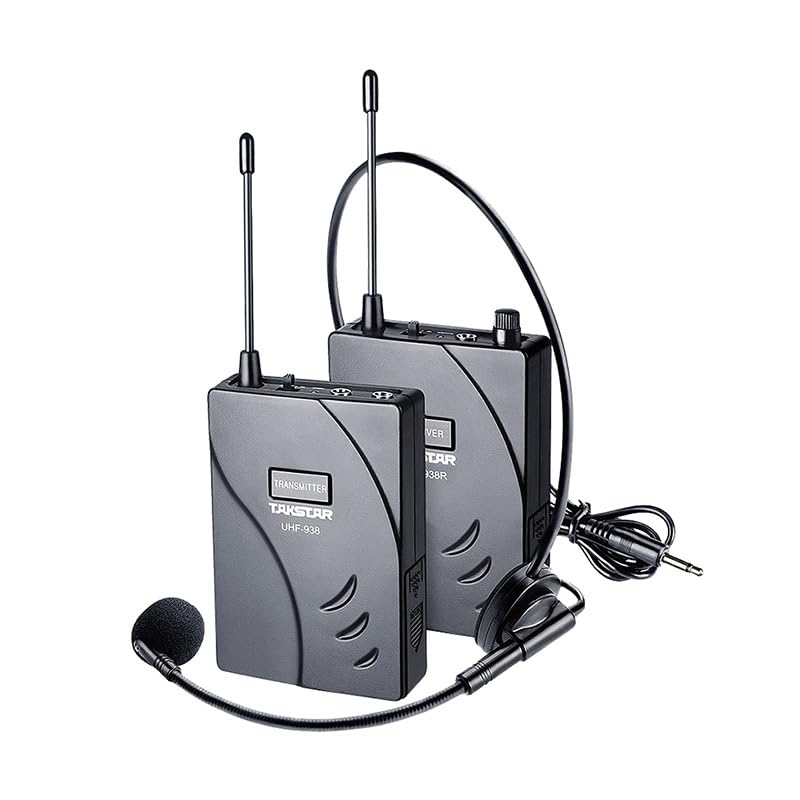
Figure 1: The Takstar UHF-938 Tour Guide System, showing the transmitter, receiver, and a headset microphone.
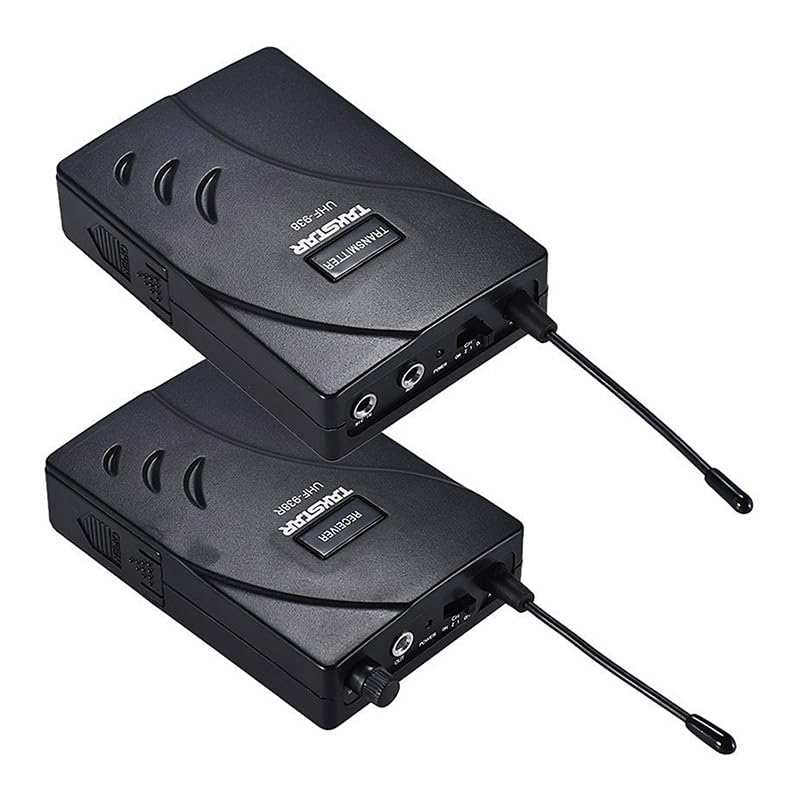
Figura 2: Fuq view of the UHF-938 Transmitter and Receiver units, highlighting their controls and ports.
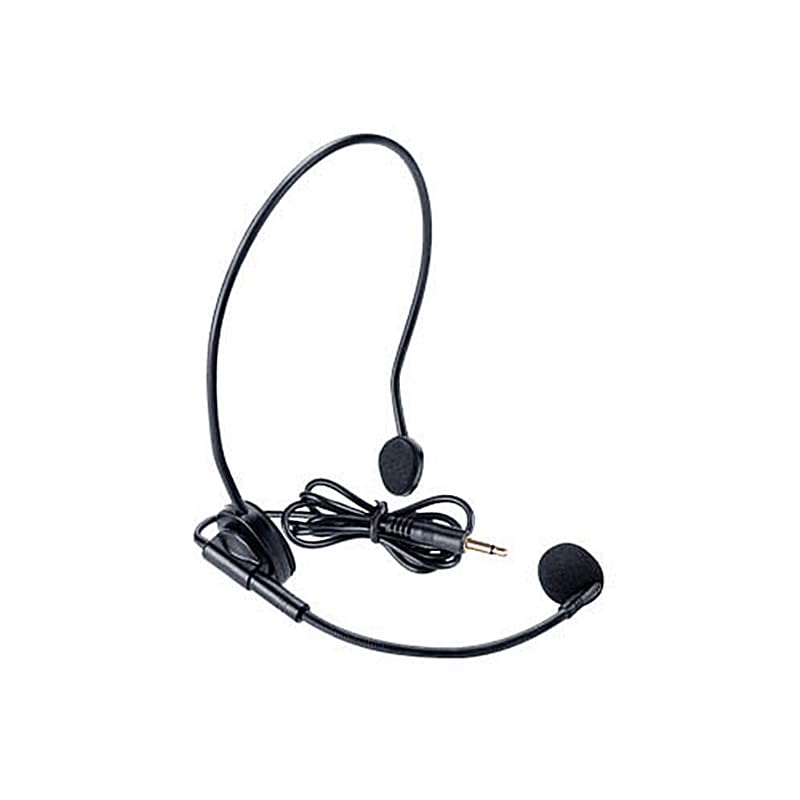
Figure 3: The headset microphone, typically included with the UHF-938 system for hands-free operation.
3. Setup
3.1 Installazzjoni tal-batterija
Both the transmitter and receiver units require two 1.5V AA alkaline batteries for operation. Ensure correct polarity when inserting batteries.
- Locate the battery compartment cover on the back of the transmitter/receiver unit.
- Żerżaq jew neħħi l-għatu biex tiftaħ il-kompartiment.
- Daħħal żewġ batteriji AA, billi tqabbel l-indikaturi (+) u (-) ġewwa l-kompartiment.
- Agħlaq l-għatu tal-kompartiment tal-batterija sew.
Nota: For optimal performance, use fresh alkaline batteries. Transmitter playtime is approximately 12 hours, and receiver playtime is approximately 25 hours with fresh batteries.
3.2 Aċċessorji tal-Konnessjoni
- Trasmettitur: Connect the headset microphone to the designated microphone input jack on the transmitter. If using a line-in audio source, connect it to the line-in jack.
- Riċevitur: Connect the earphones to the earphone output jack on the receiver.
4. Istruzzjonijiet Operattivi
4.1 Tixgħel/Jitfi
To power on each unit (transmitter and receiver), locate the power switch and slide it to the 'ON' position. To power off, slide the switch to the 'OFF' position.
4.2 Channel Selection (Transmitter)
The UHF-938 system utilizes PLL synthesized frequency control. Refer to the unit's display or controls to select the desired operating channel. Ensure all receivers are set to the same channel as the transmitter for proper communication.
4.3 Volume Control (Receiver)
Each receiver unit features an individual volume control knob. Rotate the knob to adjust the listening volume to a comfortable level.
4.4 Automatic Mute Control
The system incorporates automatic mute control. If the transmitter signal is lost or too weak, the receiver will automatically mute to prevent static noise, ensuring silent standby.
4.5 Medda operattiva
The typical operating range for the UHF-938 system is approximately 50 meters (164 feet) in open areas. Environmental factors such as obstacles, walls, and electromagnetic interference can affect this range.
5. Manutenzjoni
5.1 Sostituzzjoni tal-batterija
Replace batteries when the low battery indicator appears or when audio quality degrades. Always replace both batteries in a unit simultaneously with new ones.
5.2 Tindif
Wipe the units with a soft, dry cloth. Do not use liquid cleaners or solvents, as they may damage the finish or internal components.
5.3 Ħażna
When not in use for extended periods, remove batteries from both the transmitter and receiver units to prevent leakage and damage. Store the system in a cool, dry place away from direct sunlight and extreme temperatures.
6 Issolvi l-problemi
6.1 No Sound from Receiver
- Ensure the receiver is powered on and has fresh batteries.
- Check that the earphones are properly connected and functional.
- Verify the receiver's volume is turned up.
- Confirm the receiver is tuned to the same channel as the transmitter.
- Ensure the transmitter is powered on, has fresh batteries, and its microphone/line-in source is active.
6.2 Interference or Poor Audio Quality
- Change the operating channel on both the transmitter and receivers to avoid interference from other wireless devices.
- Ensure the operating range of 50 meters is not exceeded.
- Minimize obstacles between the transmitter and receivers.
- Check for strong electromagnetic fields nearby.
- Verify microphone connection and functionality.
6.3 Short Operating Range
- Replace batteries in both transmitter and receiver units.
- Ensure there are no significant physical obstructions (e.g., thick walls, metal structures) between the transmitter and receivers.
- Avoid operating in environments with high levels of radio frequency interference.
7. Speċifikazzjonijiet
| Karatteristika | Speċifikazzjoni |
|---|---|
| Brand | Takstar |
| Mudell | UHF-938 |
| Kontroll tal-Frekwenza | PLL synthesized function |
| Frekwenza tat-Trasportatur | 433MHz |
| Modalità ta' Modulazzjoni | FM |
| Rispons ta' Frekwenza | 60Hz-15kHz |
| Proporzjon S/N | >45dB (at 1kHz) |
| Distorsjoni Armonika Totali | <1% |
| Trasmetti l-Qawwa | ≤10mW |
| Livell ta' Input | Virtual Value 500mV |
| Provvista tal-Enerġija tat-Trasmettitur | 2 x 1.5V AA Alkaline Battery |
| Transmitter Playtime | Appross. 12hrs |
| Provvista tal-Enerġija tar-Riċevitur | 2 x 1.5V AA Battery |
| Receiver Playtime | Appross. 25hrs |
| Medda Operattiva | Appross. 50m |
| Teknoloġija Tuner | UHF |
| Apparati Kompatibbli | External microphones, line-in devices, other UHF two-way radios |
| Karatteristiċi Speċjali | Automatic Mute Control, Individual Volume Control, Dual Microphone/Line Jacks |
| Dimensjonijiet tal-Prodott | 21 x 15 x 10 ċm |
| Piż tal-oġġett | 1.4 kg |
| Batteriji Meħtieġa | Iva (AA) |
| Numru ta 'Kanali | 128 |
8. Garanzija u Appoġġ
For warranty information and technical support, please refer to the documentation provided with your purchase or visit the official Takstar websit. Tista' wkoll tikkuntattja lid-distributur jew lill-bejjiegħ bl-imnut lokali tiegħek għall-għajnuna.
Official Takstar Store: Żur il-Ħanut Takstar fuq Amazon


