1. Introduzzjoni
Welcome to the user manual for your Lenovo ThinkPad P17 Gen 2 Workstation. This document provides essential information for setting up, operating, maintaining, and troubleshooting your new device. The ThinkPad P17 Gen 2 is a high-performance mobile workstation designed for demanding professional tasks, featuring an Intel i7-11850H vPro processor, NVIDIA RTX A2000 graphics, a 17.3-inch 4K UHD IPS display, and Windows 11 Pro.
Please read this manual thoroughly to ensure optimal performance and longevity of your workstation.
2. Prodott Aktarview
The Lenovo ThinkPad P17 Gen 2 is engineered for power and reliability. Familiarize yourself with its components and features.
2.1. Quddiem View

Image: The Lenovo ThinkPad P17 Gen 2 Workstation open, showcasing its 17.3-inch display and full-sized keyboard. The screen displays a complex data analysis application, highlighting its capability for demanding tasks.

Immaġni: Minn fuq għal isfel view of the Lenovo ThinkPad P17 Gen 2, showing the keyboard with a numeric keypad, the TrackPoint pointing device, and the large display.
2.2. Side and Rear Views (Ports and Connectors)

Immaġni: Naħa waħda view of the ThinkPad P17 Gen 2, illustrating various ports such as USB, HDMI, and the SD Card Reader, essential for connectivity.

Immaġni: In-naħa ta' wara view of the ThinkPad P17 Gen 2, highlighting additional ports and cooling vents, designed for efficient heat dissipation during intensive use.
Il-portijiet ewlenin jinkludu:
- 2 x Thunderbolt 4 (Type-C)
- 1 x HDMI 2.1
- USB 3.2 Tip-Ċ
- SD Card Reader
- LAN Ethernet (RJ-45)
- Headphone/Mikrofonu Combo Jack
2.3. Dockztorm Portable USB Hub

Image: The compact blue Dockztorm Portable USB Hub, designed for expanding connectivity options.
Your workstation includes a Dockztorm Portable USB Hub for additional connectivity. This hub provides super speedy data sync rates up to 5Gbps, allowing you to connect more peripherals.
3. Setup
Follow these steps to set up your Lenovo ThinkPad P17 Gen 2 Workstation.
3.1. Spakkjar
- Neħħi l-istazzjon tax-xogħol u l-aċċessorji kollha mill-imballaġġ bir-reqqa.
- Verify that all components are present: laptop, power adapter, power cord, and the Dockztorm Portable USB Hub.
3.2. Qawwa tal-Konnessjoni
- Qabbad il-korda tal-enerġija mal-adapter tal-enerġija.
- Plug the power adapter into the workstation's power input port.
- Ipplaggja l-korda tad-dawl fi żbokk elettriku ertjat.
- Ħalli l-batterija tiċċarġja kompletament qabel l-ewwel użu, għalkemm tista' tibda tuża l-laptop waqt li jkun qed jiċċarġja.
3.3. Initial Boot-Up and Windows 11 Pro Setup
- Iftaħ l-għatu tal-laptop u agħfas il-buttuna tal-qawwa.
- Follow the on-screen instructions to complete the Windows 11 Pro initial setup, including language selection, network connection, user account creation, and privacy settings.
3.4. Konnessjoni Periferali
- Dockztorm Hub: Connect the Dockztorm Portable USB Hub to an available USB port on your workstation to expand your connectivity options for additional USB devices.
- Display Estern: Use the HDMI 2.1 or Thunderbolt 4 (Type-C) ports to connect an external monitor.
- Netwerk: For wired network access, connect an Ethernet cable to the RJ-45 port.
4. Joperaw
This section covers basic operation and key features of your ThinkPad P17 Gen 2 Workstation.
4.1. Tastiera u Trackpad
- The workstation features a full-sized backlit keyboard with a numeric keypad for enhanced productivity.
- Utilize the Trackpad for precise cursor control. The TrackPoint pointing device in the center of the keyboard offers an alternative navigation method.
- The integrated Fingerprint Security System allows for secure and quick login.
4.2. Display Settings
Your workstation features a 17.3-inch 4K Ultra HD (3840x2160) IPS display. To adjust display settings:
- Right-click on the desktop and select "Display settings."
- Adjust resolution, scaling, and multiple display configurations as needed.
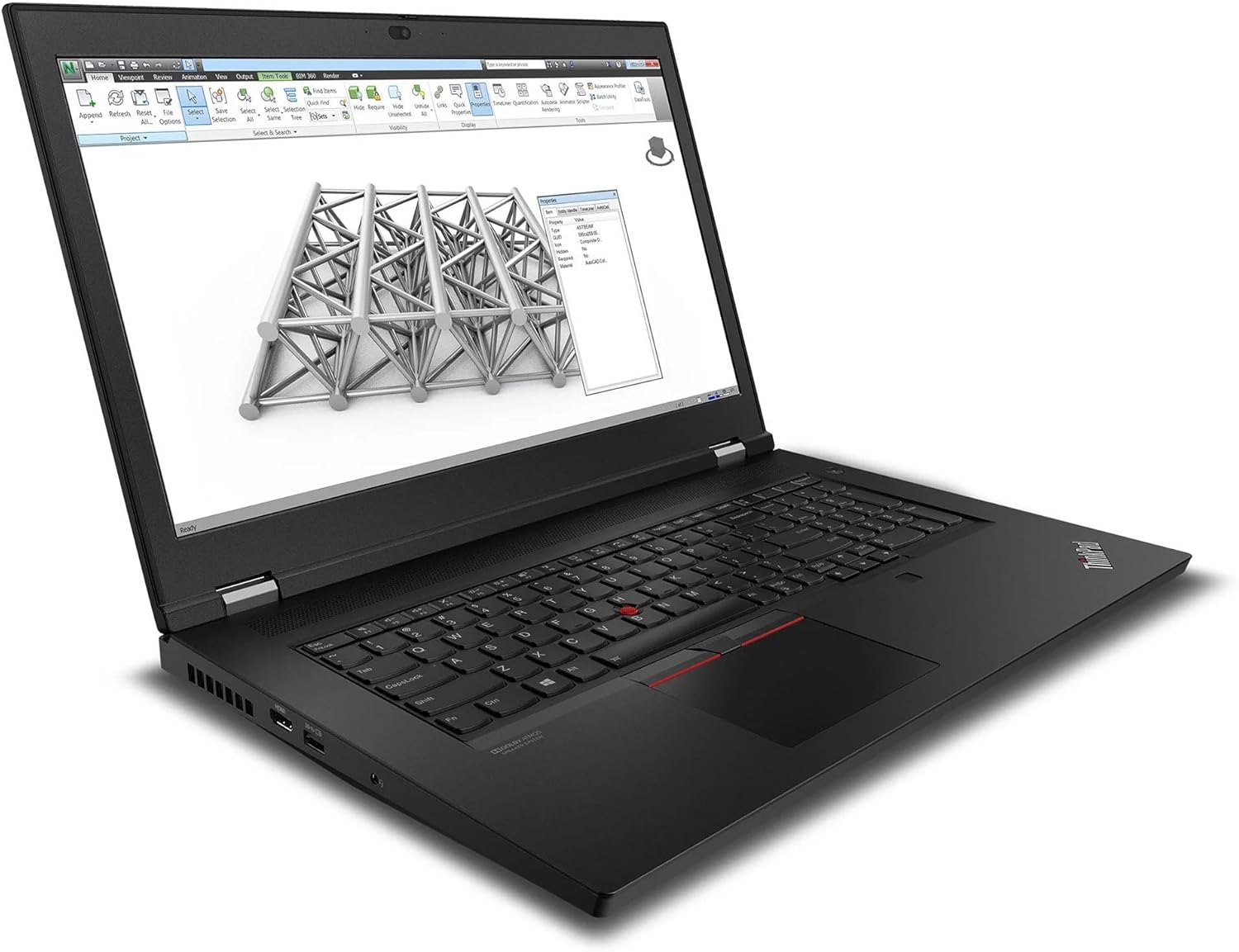
Image: The ThinkPad P17 Gen 2 displaying a detailed 3D model, demonstrating its high-resolution screen and graphics capabilities for design and engineering applications.
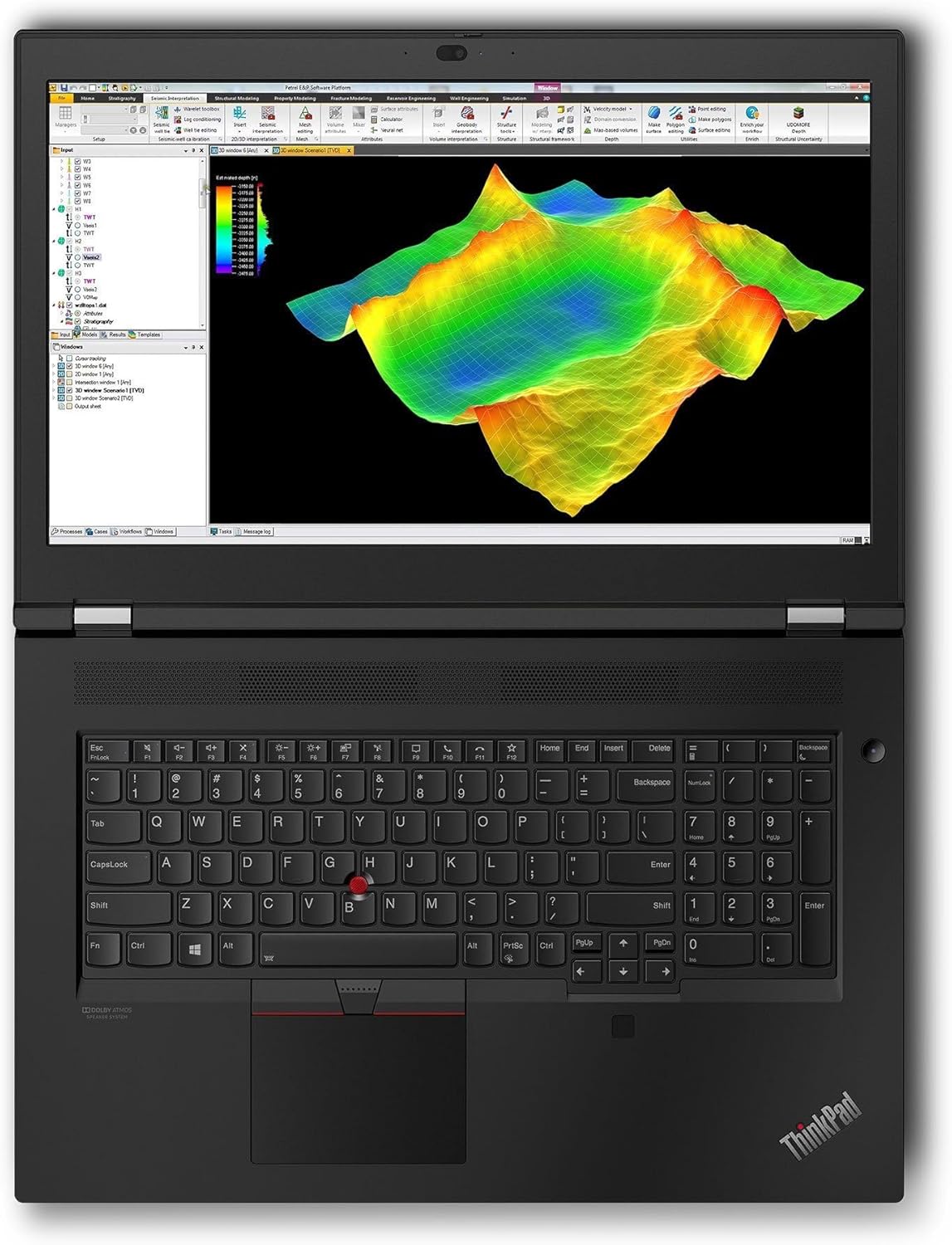
Image: The workstation screen showing complex geological data, illustrating its suitability for scientific visualization and analysis.
4.3. Konnettività
- Wi-Fi 6E: Connect to high-speed wireless networks. Access Wi-Fi settings via the Windows taskbar.
- Bluetooth 5.3: Pair with Bluetooth devices such as headphones, mice, or keyboards. Manage Bluetooth devices in Windows Settings > Bluetooth & devices.
- Thunderbolt 4: These versatile ports support high-speed data transfer, video output, and power delivery.
5. Manutenzjoni
Proper maintenance ensures the longevity and optimal performance of your workstation.
5.1. Tindif
- Skrin: Uża ċarruta ratba u mingħajr ħelu dampImlaħlaħ bl-ilma jew b'soluzzjoni għat-tindif tal-iskrin. Tisprejjax likwidu direttament fuq l-iskrin.
- Chassis u Tastiera: Uża drapp artab. Għal ħmieġ iebes, neħħi ftit drapp.amp Jista' jintuża drapp b'sapun ħafif, u jiżgura li l-ebda likwidu ma jidħol fil-fetħiet.
- Ventijiet: Naddaf il-ventijiet tat-tkessiħ perjodikament b'arja kkompressata biex tevita l-akkumulazzjoni tat-trab, li jista' jaffettwa l-prestazzjoni.
5.2. Kura tal-batterija
- Evita li tiċċarġja l-batterija kompletament ta' spiss.
- Aħżen il-laptop f'post frisk u niexef jekk ma tużahx għal perjodi twal.
- Għal saħħa ottimali tal-batterija, evita li tesponi l-laptop għal temperaturi estremi.
5.3. Aġġornamenti tas-Software
- Regularly update Windows 11 Pro through Windows Update to ensure security and performance.
- Check for driver updates for your NVIDIA RTX A2000 graphics card and other components from the Lenovo support website or NVIDIA's official site.
6 Issolvi l-problemi
Din it-taqsima tipprovdi soluzzjonijiet għal kwistjonijiet komuni li tista’ tiltaqa’ magħhom.
6.1. No Power / Does Not Turn On
- Kun żgur li l-adapter tal-enerġija huwa konness sew kemm mal-laptop kif ukoll ma' sokit elettriku li jaħdem.
- Iċċekkja jekk is-sokit tal-enerġija hux qed jaħdem billi tqabbad apparat ieħor.
- Jekk il-batterija tkun ixxotta kompletament, jista' jieħu ftit minuti ta' ċċarġjar qabel ma l-laptop ikun jista' jixgħel.
6.2. Kwistjonijiet tal-Wiri
- L-ebda immaġni fuq l-iskrin: Kun żgur li l-laptop huwa mixgħul. Jekk monitor estern huwa konness, ipprova skonnettjah jew agħfas Fn + F7 (or the appropriate function key) to cycle display outputs.
- Immaġni teptip jew mgħawġa: Update your graphics drivers. Try adjusting the display resolution in Windows settings.
6.3. Connectivity Problems (Wi-Fi / Bluetooth)
- Wi-Fi: Ensure Wi-Fi is enabled in Windows settings. Restart your router and modem. Run the Windows Network Troubleshooter.
- Bluetooth: Ensure Bluetooth is enabled. Try unpairing and re-pairing the device. Update Bluetooth drivers.
6.4. System Performance Issues
- Prestazzjoni bil-mod: Check Task Manager for processes consuming high CPU or RAM. Ensure Windows and drivers are up to date. Clear temporary files.
- Is-sħana żejda: Ensure cooling vents are clear. Consider using a cooling pad for extended heavy workloads.
7. Speċifikazzjonijiet
Detailed technical specifications for the Lenovo ThinkPad P17 Gen 2 Workstation (B0CKD2N4PJ configuration):
| Karatteristika | Speċifikazzjoni |
|---|---|
| Proċessur | Intel i7-11850H vPro (11th Gen, 2.50GHz, up to 4.8 GHz, 8-Cores, 16-Threads) |
| Sistema Operattiva | Windows 11 Pro-64 |
| Wiri | 17.3-inch IPS 4K Ultra HD (3840x2160) 60Hz 16:9 |
| Grafika | NVIDIA RTX A2000 4GB GDDR6 (Dedicated) |
| RAM | 64GB DDR4 SO-DIMM |
| Ħażna | SSD PCIe NVMe ta' 2TB |
| Konnettività | Wi-Fi 6E AX210, Bluetooth 5.3, Ethernet LAN (RJ-45) |
| Portijiet | 2x Thunderbolt 4 (Type-C), 1x HDMI 2.1, USB 3.2 Type-C, SD Card Reader, Headphone/Microphone Combo Jack |
| Sigurtà | Sistema ta' Sigurtà tal-Marki tas-Swaba' |
| Batterija | Batterija ta' 6 ċelluli u 94 WHr |
| Provvista tal-Enerġija | 170W |
| Dimensjonijiet (WxLxH) | 16.3 x 11 x 1.3 pulzieri |
| Piż | 7.8 liri |
8. Garanzija u Appoġġ
Your Lenovo ThinkPad P17 Gen 2 Workstation comes with a 1-Year Manufacturer warranty from GreatPriceTech. This warranty covers defects in materials and workmanship under normal use.
For warranty claims, technical assistance, or support inquiries, please contact GreatPriceTech directly. Refer to the documentation provided with your purchase for specific contact information.
For general information and driver downloads, you may also visit the official Lenovo support websit.


