1. Introduzzjoni
This manual provides detailed instructions for the installation, operation, and maintenance of your Agunto AGU-OC1 & AGU-IC1 Security Camera Set. Please read this manual thoroughly before using the product to ensure proper functionality and safety.
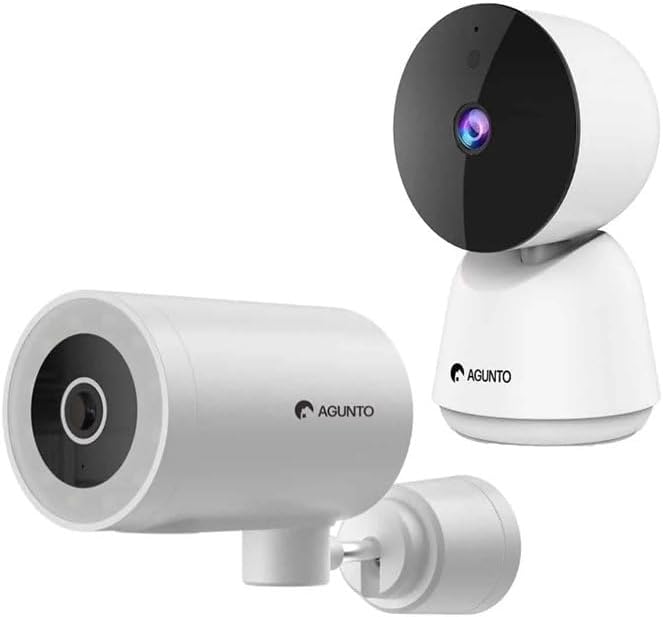
Image: The Agunto AGU-OC1 outdoor camera (left) and AGU-IC1 indoor camera (right), forming the complete security camera set.
2. Prodott Aktarview
The Agunto Security Camera Set includes two primary components: the AGU-OC1 outdoor camera and the AGU-IC1 indoor camera. This system is designed to provide comprehensive surveillance for both indoor and outdoor environments.
2.1. AGU-OC1 Outdoor Camera
- Riżoluzzjoni: 1080P
- Lenti: 180-degree rotatable lens
- Reżistenza għat-temp: IP66 reżistenti għall-ilma u għat-trab
- Viżjoni bil-lejl: Infrared night vision and color night vision (due to built-in lamp)
- Sejbien: Sejbien ta' moviment u ħsejjes
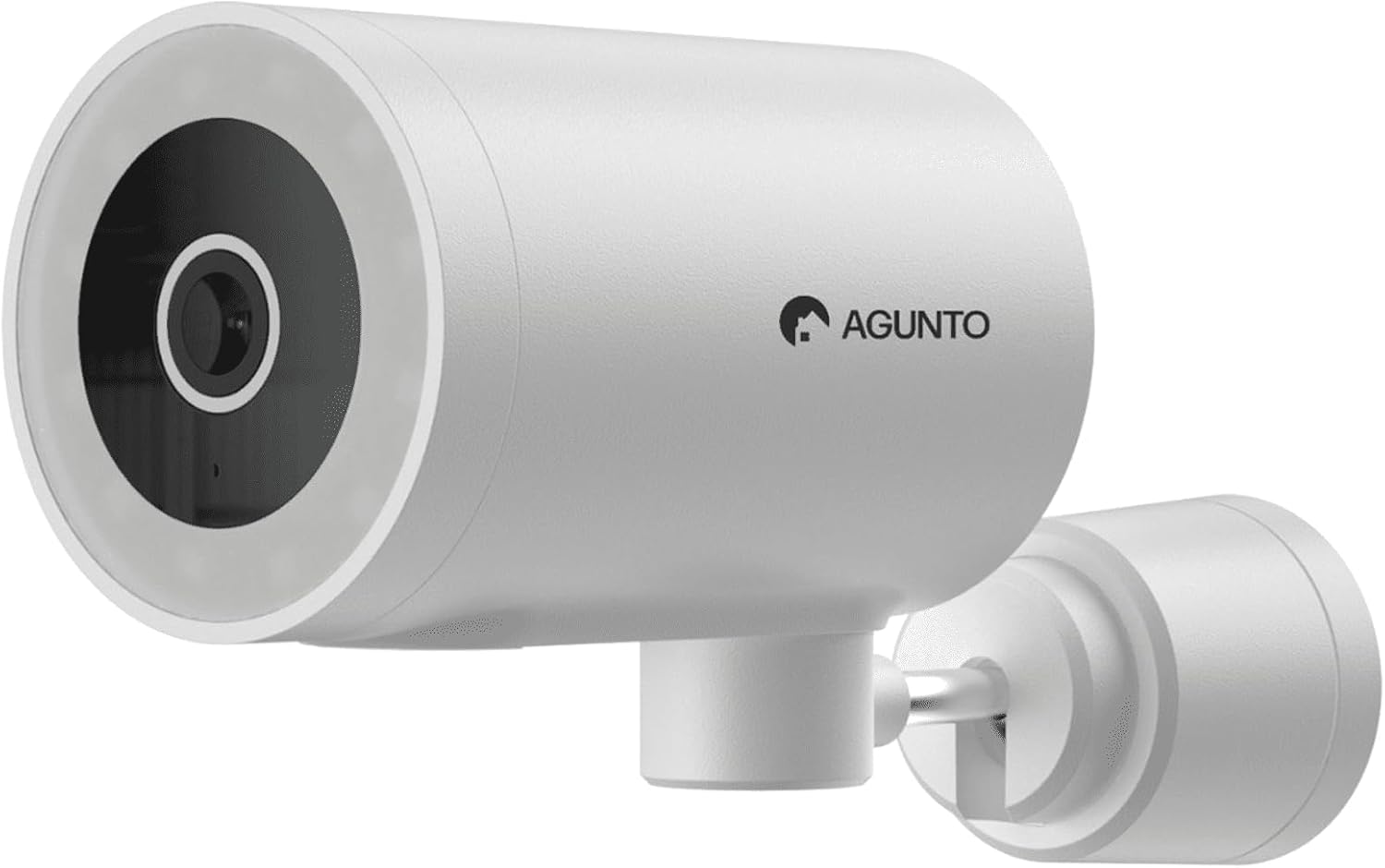
Immaġni: Dettaljata view of the Agunto AGU-OC1 outdoor camera, highlighting its robust design and lens.
2.2. AGU-IC1 Indoor Camera
- Riżoluzzjoni: 1080P
- Lenti: 359-degree rotatable lens
- Viżjoni bil-lejl: Viżjoni bil-lejl infra-aħmar
- Sejbien: Sejbien ta' moviment u ħsejjes

Image: The Agunto AGU-IC1 indoor camera, shown with its product packaging, indicating Wi-Fi connectivity and Google Assistant compatibility.
3. Setup u Installazzjoni
3.1. Qabel ma Tibda
- Ensure you have a stable Wi-Fi connection.
- Download the free Agunto app from the App Store (iOS) or Google Play Store (Android).
- Unpack all components and verify contents against the packing list.

Image: A screenshot of the Agunto mobile application interface, demonstrating remote control capabilities and links to download the app from the App Store and Google Play.
3.2. Installazzjoni tal-App u Ħolqien ta' Kont
- Fittex għal "Agunto" in your device's app store and install the application.
- Open the Agunto app and follow the on-screen prompts to create a new account or log in if you already have one.
3.3. Pożizzjonament u Immuntar tal-Kamera
AGU-OC1 Outdoor Camera:
- Agħżel post b'ċar view taż-żona li tixtieq tissorvelja.
- Kun żgur li l-kamera tkun fil-medda tan-netwerk Wi-Fi tiegħek.
- Mount the camera securely to a wall using the provided mounting hardware. The camera supports wall mounting.
AGU-IC1 Indoor Camera:
- Place the camera on a flat surface or mount it to a wall/ceiling in a central location for optimal coverage.
- Ensure it is within Wi-Fi range.
3.4. Connecting Cameras to the App
- Open the Agunto app.
- Tektek l-ikona "+" biex iżżid apparat ġdid.
- Select the appropriate camera model (AGU-OC1 or AGU-IC1).
- Follow the in-app instructions to connect each camera to your Wi-Fi network. This typically involves scanning a QR code displayed on your phone with the camera's lens or entering Wi-Fi credentials.
- Once connected, you can name each camera for easy identification.
4. Istruzzjonijiet Operattivi
4.1. Ħaj View u Kontroll mill-Bogħod
- Open the Agunto app.
- Select the desired camera from the device list to view l-għalf dirett tiegħu.
- For AGU-OC1, use the app to rotate the 180-degree lens.
- For AGU-IC1, use the app to control the 359-degree pan/tilt function.
4.2. Reġistrazzjoni u Ħażna
The camera set supports two storage options:
- Karta Micro SD: Insert a Micro SD card (not included) into the designated slot on each camera for local storage of recordings.
- Ħażna Cloud: Utilize the cloud storage options provided through the Agunto app (subscription may be required).
4.3. Viżjoni bil-lejl
- Both cameras feature infrared night vision for clear images in low-light conditions.
- The AGU-OC1 outdoor camera also has a built-in lamp for color night vision, providing enhanced visibility at night.
4.4. Sejbien tal-Mozzjoni u l-Ħoss
- Enable motion and sound detection in the Agunto app settings for each camera.
- Receive real-time alerts on your smartphone when motion or sound is detected.
- Adjust sensitivity settings to minimize false alarms.
5. Manutenzjoni
- Tindif: Gently wipe the camera lenses and body with a soft, dry cloth. Do not use harsh chemicals or abrasive cleaners.
- Aġġornamenti tal-Firmware: Regularly check the Agunto app for available firmware updates to ensure optimal performance and security.
- Stabbiltà tan-Netwerk: Ensure your Wi-Fi network remains stable for uninterrupted camera operation.
6 Issolvi l-problemi
6.1. Il-Kamera Mhux Qed Tikkonnettja mal-Wi-Fi
- Kun żgur li l-password tal-Wi-Fi tiegħek iddaħħlet b'mod korrett.
- Mexxi l-kamera eqreb lejn ir-router tal-Wi-Fi tiegħek.
- Erġa' ibda r-router u l-kamera tiegħek.
- Verify that your Wi-Fi network is 2.4GHz, as these cameras may not support 5GHz networks.
6.2. L-ebda Live View / Offline Camera
- Iċċekkja l-konnessjoni tal-internet tiegħek.
- Kun żgur li l-kamera tkun mixgħula.
- Restart the camera from its power source.
- If the issue persists, try re-pairing the camera with the app.
6.3. Is-Sejbien tal-Mozzjoni Mhux Jaħdem
- Ivverifika li d-detezzjoni tal-moviment hija attivata fis-settings tal-app.
- Aġġusta l-livell tas-sensittività.
- Kun żgur li m'hemm l-ebda ostaklu li jimblokka l-kamera view.
6.4. Kwalità Fqira tal-Immaġni
- Naddaf il-lenti tal-kamera.
- Kun żgur li hemm dawl adegwat fiż-żona mmonitorjata.
- Check your internet speed, as low bandwidth can affect streaming quality.
7. Speċifikazzjonijiet
| Karatteristika | Dettall |
|---|---|
| Brand | Agunto |
| Isem tal-Mudell | AGU-OC1IC1 |
| Protokoll tal-Konnettività | Wi-Fi |
| Apparati Kompatibbli | Smartphone |
| Tip ta 'Immuntar | Mount Wall |
| Materjal | Plastik |
| Product Dimensions (L x B x H) | 10 x 4.4 x 7.3 ċm |
| Piż tal-oġġett | 78 Gramm |
| Batteriji Meħtieġa | Nru |
| Outdoor Camera (AGU-OC1) Features | 1080P, 180-degree rotatable lens, IP66 waterproof/dustproof, Infrared & Color Night Vision |
| Indoor Camera (AGU-IC1) Features | 1080P, 359-degree rotatable lens, Infrared Night Vision |
| Għażliet ta' Ħażna | Micro SD card (local), Cloud storage |
8. Garanzija u Appoġġ
For warranty information and technical support, please refer to the official Agunto website or contact their customer service. The product is designed for long-term use with proper care and maintenance.
Politika ta' Ritorn: The buybox winner indicates a 30-day return policy for refund/replacement.
Manifattur: Agunto
Bejjiegħ: Homevitaal (via Amazon.nl)
Għal aktar għajnuna, tista' żżur il- Agunto Store on Amazon.


