1. Introduzzjoni
This manual provides essential instructions for the safe and efficient operation of your Motorola Solutions R2 Two-Way Radio, model AAH11JDC9JA2N. Please read this manual thoroughly before using the radio to ensure proper functionality and to understand all features.
The Motorola Solutions R2 is a digital two-way radio designed for reliable communication, featuring 64 channels and operating in the VHF 136-174MHz frequency range. It is built for durability and clear audio performance in various environments.

Figura 1: Quddiem view of the Motorola Solutions R2 Two-Way Radio.
2. Kontenut tal-Pakkett
Ivverifika li l-pakkett tiegħek fih l-oġġetti li ġejjin:
- Motorola Solutions R2 Two-Way Radio (Model AAH11JDC9JA2N)
- Mikrofonu
- (Note: Battery, antenna, and charger may be sold separately or included depending on specific package configuration.)
3. Setup
3.1. It-twaħħil tal-Antenna
- Align the threaded end of the antenna with the antenna connector on top of the radio.
- Turn the antenna clockwise until it is finger-tight. Do not overtighten.
3.2. Installing the Battery (if applicable)
- Kun żgur li r-radju jkun mitfi.
- Allinja l-batterija mal-kompartiment tal-batterija fuq wara tar-radju.
- Żerżaq il-batterija fil-post sakemm tikklikkja sew.
3.3. Iċċarġjar tal-batterija
Before initial use, fully charge the radio's battery. Use only Motorola Solutions approved chargers.
- Poġġi r-radju (bil-batterija installata) fit-trej tal-iċċarġjar.
- Ensure the charging indicator light illuminates, indicating proper charging.
- A full charge typically takes several hours. Refer to your charger's manual for specific charging times.
4. Operazzjoni
4.1. Mixgħul/Mitfi u Kontroll tal-Volum
- To power on the radio, rotate the On/Off/Volume knob clockwise until you hear a click.
- Continue rotating the knob clockwise to increase the volume, and counter-clockwise to decrease it.
- Biex titfi, dawwar il-pum kontra l-arloġġ sakemm tikklikkja.
4.2. Għażla tal-Kanal
The R2 radio supports 64 channels. To select a channel:
- Rotate the Channel Selector knob (typically located next to the On/Off/Volume knob) to choose the desired channel.
- The radio may announce the channel number or display it if equipped with a screen.
4.3. Trażmissjoni u Riċeviment
- To transmit, press and hold the Push-to-Talk (PTT) button located on the side of the radio. Speak clearly into the microphone.
- Itlaq il-buttuna PTT biex twaqqaf it-trażmissjoni u terġa' lura għall-modalità ta' riċeviment.
- When receiving a transmission, the radio's speaker will output the audio.

Figure 2: The Push-to-Talk (PTT) button is designed for easy activation.
4.4. Karatteristiċi u Funzjonijiet Ewlenin
The Motorola Solutions R2 incorporates several features to enhance communication:
- SINC+ Noise Suppression: Utilizes advanced algorithms to reduce background noise for clearer audio.
- Avviż bil-Vuċi: Provides audible feedback for channel changes or feature activation.
- Buttuni programmabbli: The radio features two programmable buttons that can be customized for quick access to frequently used functions (e.g., priority scan, home channel reminder). Refer to your dealer for programming options.
- Extended Range Direct Mode: Allows for communication without a repeater, extending direct radio-to-radio range.
- Dual Capacity Direct Mode: Doubles the capacity of your 12.5 kHz channel without a repeater.
- Transmit Interrupt: Enables a high-priority user to interrupt another conversation for critical messages.
- Dual Priority Scan: Monitors two priority channels more frequently while scanning other channels.
- Lock tat-tastiera: Jipprevjeni l-ippressar aċċidentali tal-buttuni.
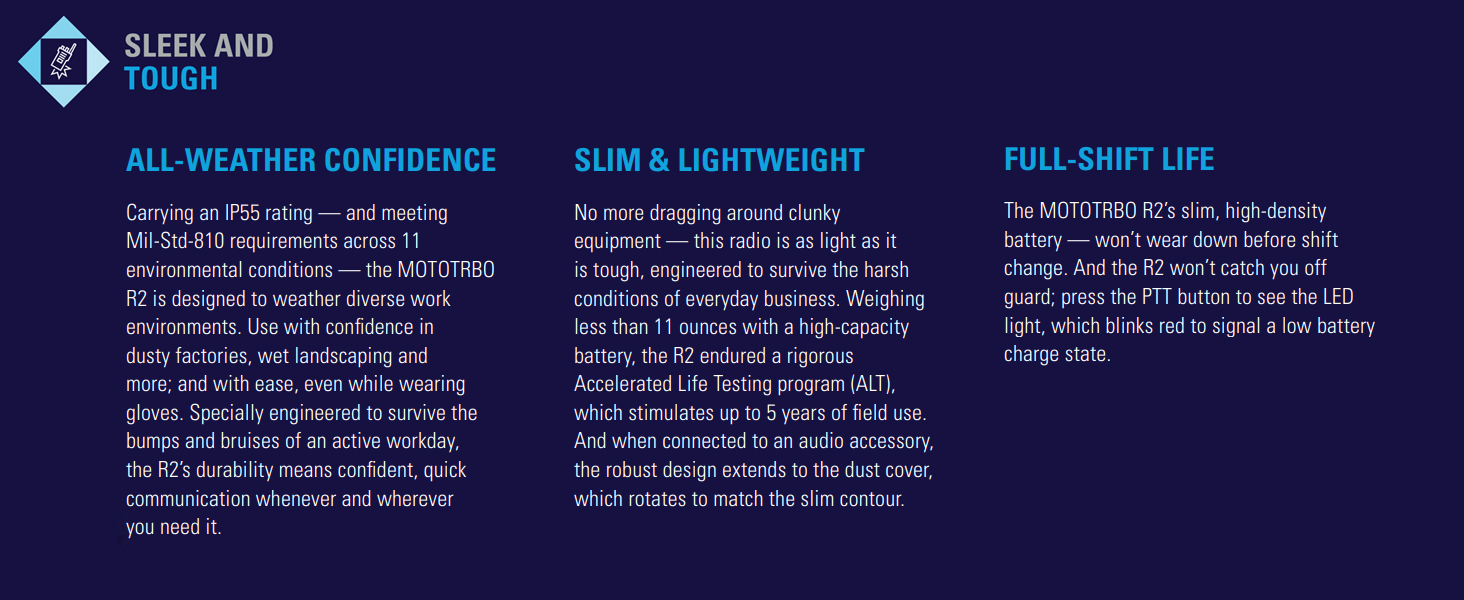
Figure 3: The R2 radio features SINC+ noise suppression for clear communication in noisy environments.
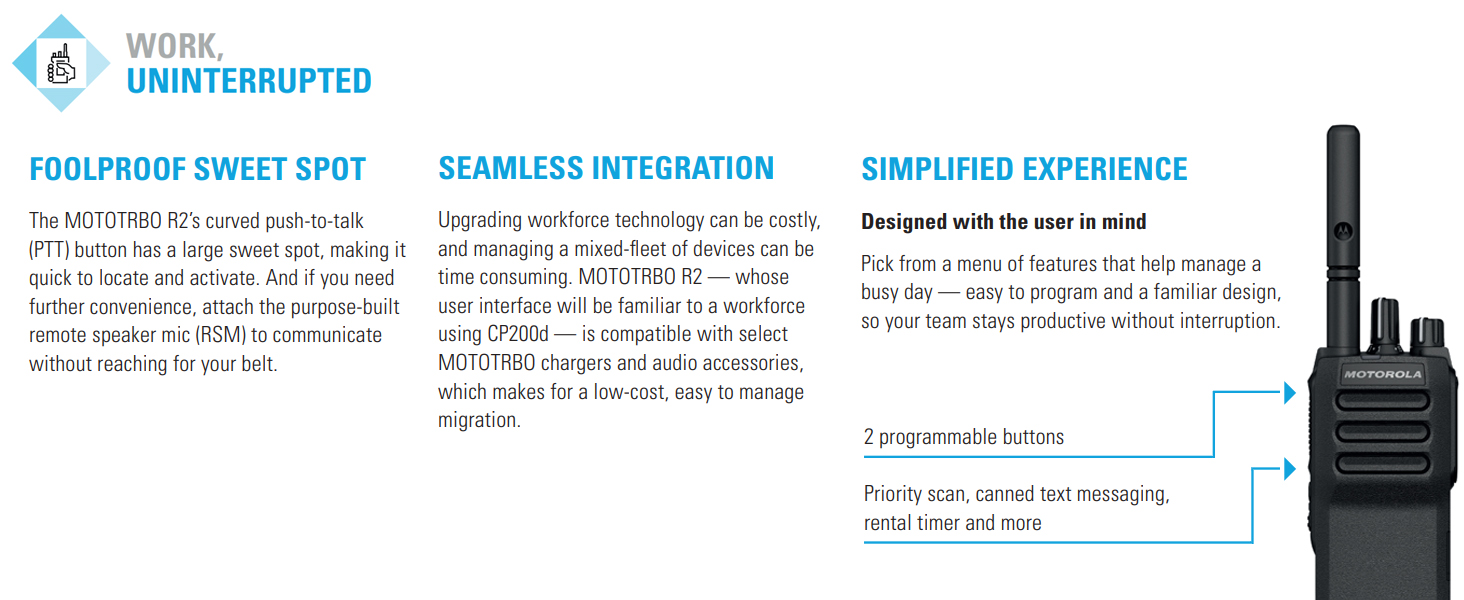
Figure 4: The R2 radio offers programmable buttons for a simplified user experience.
5. Manutenzjoni
5.1. Tindif tar-Radju
- Imsaħ il-barra tar-radju b'ċarruta ratba uamp drapp.
- Tużax kimiċi ħarxa, solventi, jew prodotti tat-tindif li joborxu.
- Ensure the radio is powered off and the battery is removed before cleaning.
5.2. Kura tal-batterija
- Always use genuine Motorola Solutions batteries and chargers.
- Evita li tesponi l-batteriji għal temperaturi estremi.
- M'għandekx short-circuit terminals tal-batterija.
- Armi l-batteriji qodma skont ir-regolamenti lokali.
5.3. Kura Ġenerali
- Protect the radio from dust, moisture, and extreme temperatures.
- The radio is rated IP55 for dust and water ingress protection, but it is mhux reżistenti għall-ilma. Avoid submerging the radio in water.
- Avoid dropping the radio or subjecting it to severe impacts.
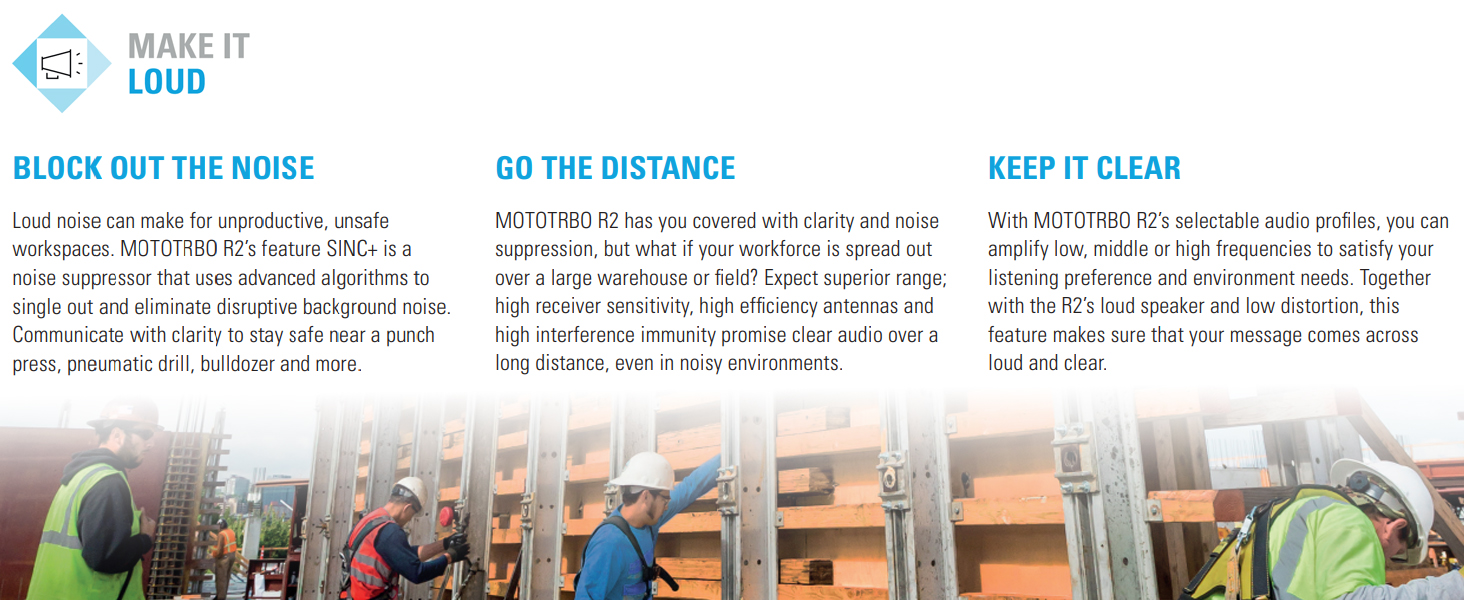
Figure 5: The R2 radio is designed to be sleek and tough, meeting Mil-Std-810 requirements and featuring an IP55 rating for dust and water ingress protection.
6 Issolvi l-problemi
| Problema | Kawża Possibbli | Soluzzjoni |
|---|---|---|
| Ir-radju ma jixgħelx. | Il-batterija hija eżawrita jew mhux installata sew. | Charge the battery or ensure it is securely installed. |
| Ma jistax jittrażmetti jew jirċievi. | Incorrect channel selected, out of range, or antenna not attached. | Verify channel, move closer to other radios/repeater, check antenna connection. |
| L-awdjo mhux ċar jew distort. | Volume too low/high, SINC+ noise suppression settings, or interference. | Adjust volume, check audio profile settings, move away from sources of interference. |
| Il-ħajja tal-batterija hija qasira. | Il-batterija hija qadima jew mhux iċċarġjata għalkollox. | Replace battery if old, ensure full charge before use. |
If the problem persists after attempting these solutions, contact Motorola Solutions customer support or your authorized dealer.
7. Speċifikazzjonijiet
- Mudell: AAH11JDC9JA2N
- Ditta: Soluzzjonijiet Motorola
- Medda ta' Frekwenzi: 136 - 174 MHz (VHF)
- Numru ta' kanali: 64
- Medda ta' Taħdit Massimu: 5 Miles (approximate, varies with terrain and conditions)
- Voltage: 7.2 Volts (DC)
- Piż tal-oġġett: Approximately 3 pounds (with standard battery)
- Dimensjonijiet tal-pakkett: 12 x 9 x 3 pulzieri
- Livell ta' Reżistenza għall-Ilma: Not Water Resistant (IP55 rated for dust and water ingress protection)
- Karatteristiċi Speċjali: Keypad Lock, Portable, SINC+ Noise Suppression, Voice Announcement, Programmable Buttons, Extended Range Direct Mode, Dual Capacity Direct Mode, Transmit Interrupt, Dual Priority Scan, Home Channel Reminder.
- Standards Ambjentali: Meets Mil-Std-810 requirements.
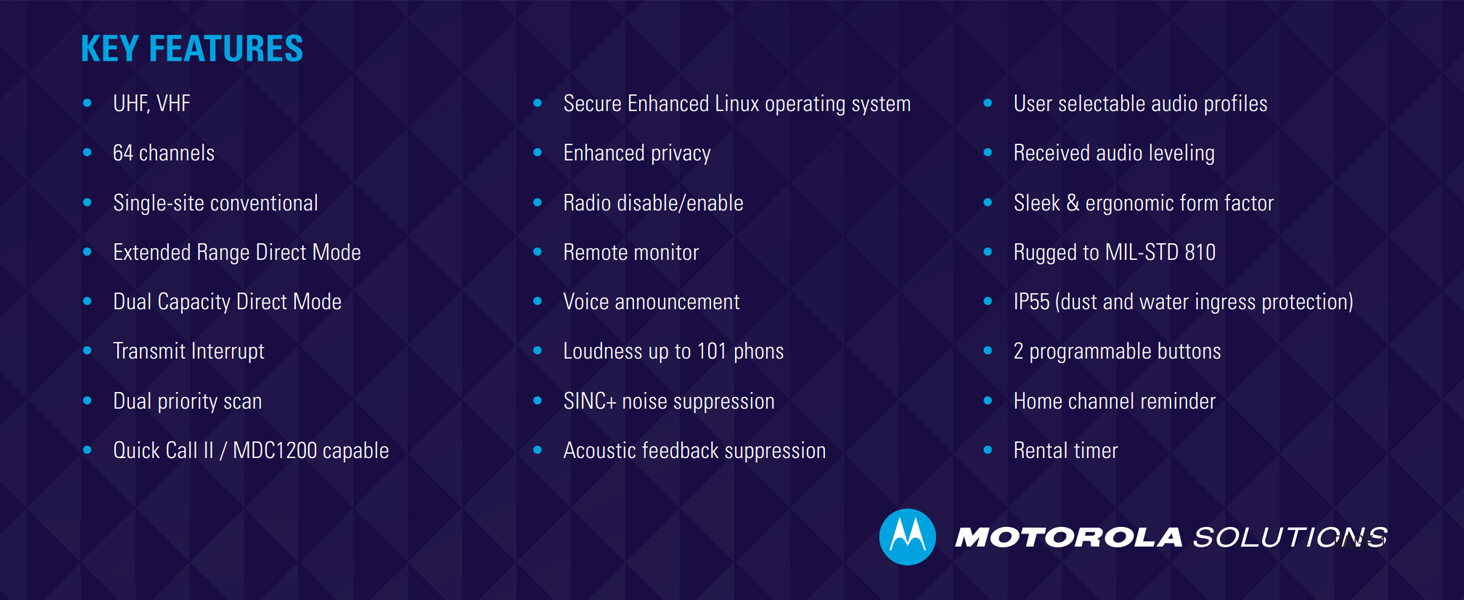
Figura 6: Aktarview of key features including frequency bands, channel capacity, and ruggedness standards.
8. Garanzija u Appoġġ
For warranty information, please refer to the warranty card included with your product or visit the official Motorola Solutions website. Technical support and service are available through authorized Motorola Solutions dealers.
Riżorsi onlajn: For additional information, FAQs, and software updates, visit the Motorola Solutions official websit.


