1. Prodott Aktarview
The AFEXOA Multi-functional Smart Device is an all-in-one solution designed to enhance your daily routine and sleep environment. It integrates a dimmable multi-color night light, a sound machine with 30 soothing sounds, an alarm clock, a Bluetooth speaker, and an MP3 player. Its compact and versatile design makes it suitable for various settings, including bedrooms, living rooms, offices, and for travel.
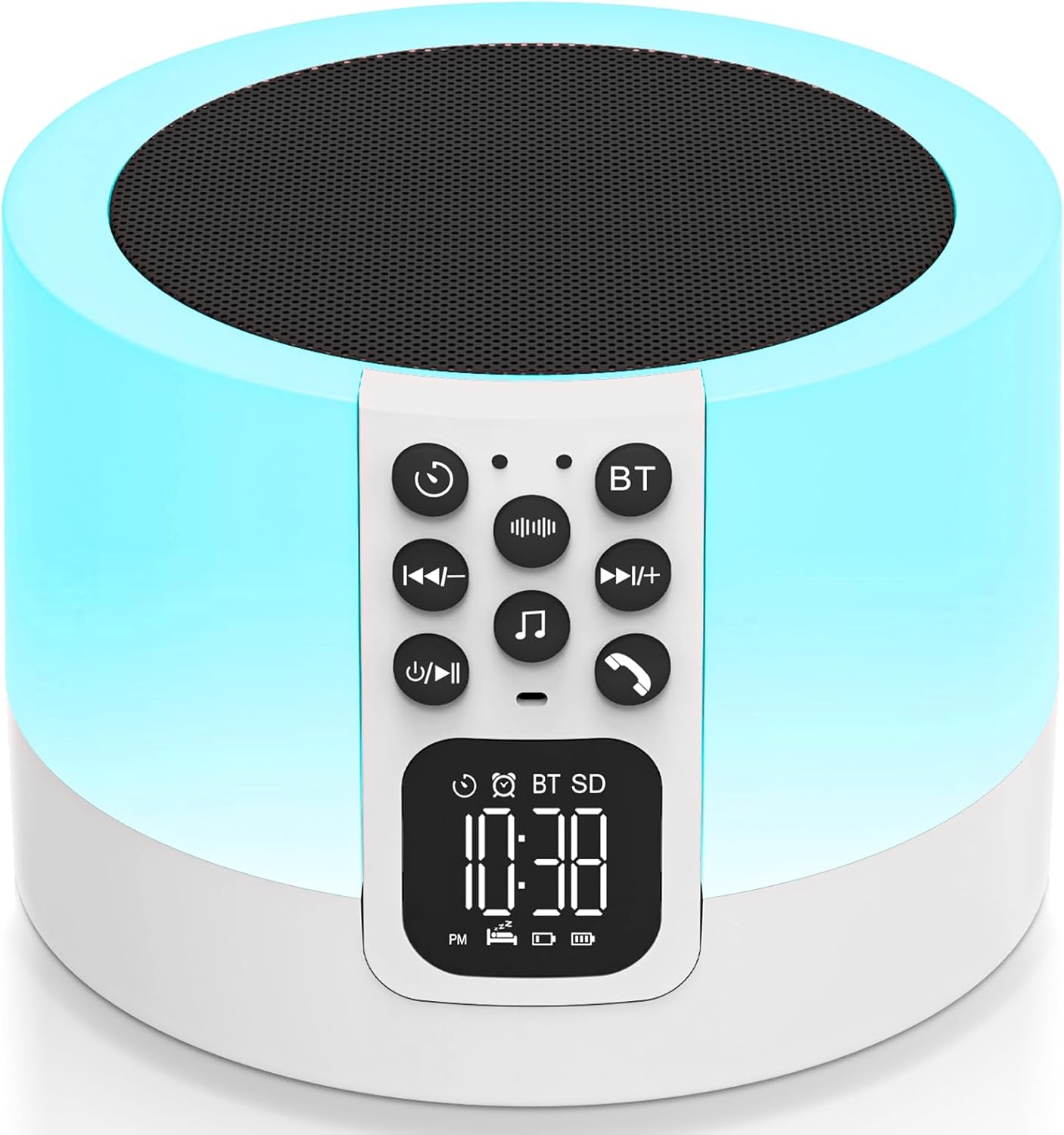
Image: The AFEXOA Multi-functional Smart Device, a white cylindrical unit with a control panel and digital display, emitting a soft blue light. It features a top speaker grille and a front control panel with buttons and a digital clock display.
Karatteristiċi ewlenin:
- Multi-color Night Light: Dimmable touch control with 3-level warm white brightness and 7 solid RGB color options, plus a multi-color cycle mode.
- Magna tal-Ħoss: Features 30 built-in soothing sounds, including white noise, fan noise, pink noise, nature sounds (insect, flowing water, bonfire, bird singing, wind, waves, raining), and lullabies. Includes sleep timer options (15, 30, 60, 90 minutes).
- Arloġġ ta 'allarm: LED display with 12/24 hour mode switching. Allows custom alarm ringtones from USB flash drive or Micro SD card. Features a 9-minute snooze function.
- Speaker Bluetooth: Hi-Fi stereo sound with powerful bass, compatible with all Bluetooth devices for wireless audio streaming.
- Mp3 plejer: Supports playback from USB Flash Drive or Micro SD Card.

Image: A visual representation highlighting the five main functions of the device: Sound Machine, MP3 Player, Night Light, Alarm Clock, and Bluetooth Speaker.
2. Informazzjoni dwar is-Sigurtà
Please read all safety instructions carefully before using the device to ensure safe and proper operation.
- Use only the correct type and number of batteries as specified.
- Keep small parts, such as the Micro SD card, out of reach of children to prevent choking hazards.
- Avoid covering the device during operation to prevent overheating.
- Tesponix l-apparat għal dawl tax-xemx dirett, temperaturi estremi, jew umdità għolja.
- Do not disassemble, repair, or modify the device yourself. Contact customer support for assistance.
- Ensure the device is placed on a stable, flat surface to prevent it from falling.
3. Gwida ta' Setup
3.1 Iċċarġjar tal-Apparat
Before first use, fully charge the device using the provided Type-C cable. The charging port is located at the back of the unit.

Image: The device with a USB flash drive inserted into the USB host port and a Type-C cable connected to the charging port, illustrating its MP3 playback and charging capabilities.
3.2 Issettjar tal-Ħin
To adjust the time display on the LED screen:
- Agħfas u żomm il- L-issettjar tal-ħin button (usually indicated by a clock icon) on the control panel.
- Uża l- Trekk ta 'qabel / li jmiss buttuni biex taġġusta s-sigħat u l-minuti.
- Agħfas il- L-issettjar tal-ħin button again to confirm and move to the next setting (e.g., 12/24 hour mode).
- Agħfas il- L-issettjar tal-ħin Agħfas il-buttuna għal darb'oħra biex issalva u toħroġ.
Video: Demonstrates how to adjust the time display on the device's LED screen using the control buttons.
3.3 Konnessjoni permezz tal-Bluetooth
To connect your mobile device to the speaker via Bluetooth:
- Kun żgur li l-kelliem ikun mixgħul.
- Agħfas il- BT button on the control panel to enter Bluetooth pairing mode. The display will show "BT" and an icon indicating pairing.
- On your mobile device, go to Bluetooth settings and search for "DY29Z" or "AFEXOA Speaker".
- Select the device to pair. A confirmation sound will indicate successful connection.
Video: Shows the process of connecting a mobile device to the speaker via Bluetooth.
3.4 Using MP3 Player Mode
To play music directly from a USB flash drive or Micro SD card:
- Daħħal USB flash drive fil- USB HOST port jew kard Micro SD fil- Mikro SD / TF card slot at the back of the device.
- The device will automatically switch to MP3 player mode and begin playing supported audio files.
- Uża l- Trekk ta 'qabel / li jmiss buttons to navigate through songs and the Volum 'il fuq/'l isfel buttuni biex taġġusta l-volum.
Video: Illustrates how to enter and use the MP3 player mode by inserting a USB drive.
4. Istruzzjonijiet Operattivi
4.1 Tħaddim tad-Dawl bil-Lejl
The night light offers various modes and brightness levels:
- Dawl abjad sħun: Lightly tap the top mesh of the device to cycle through 3 levels of warm white brightness (30%, 60%, 100%).
- Modalità tal-Bidla tal-Kulur: Continue tapping the top mesh to activate the ambient light multi-color cycle.
- Fixed Color Night Light: To select a specific color, long press the top mesh and release when your desired color appears. There are 7 different nightlight colors to choose from.
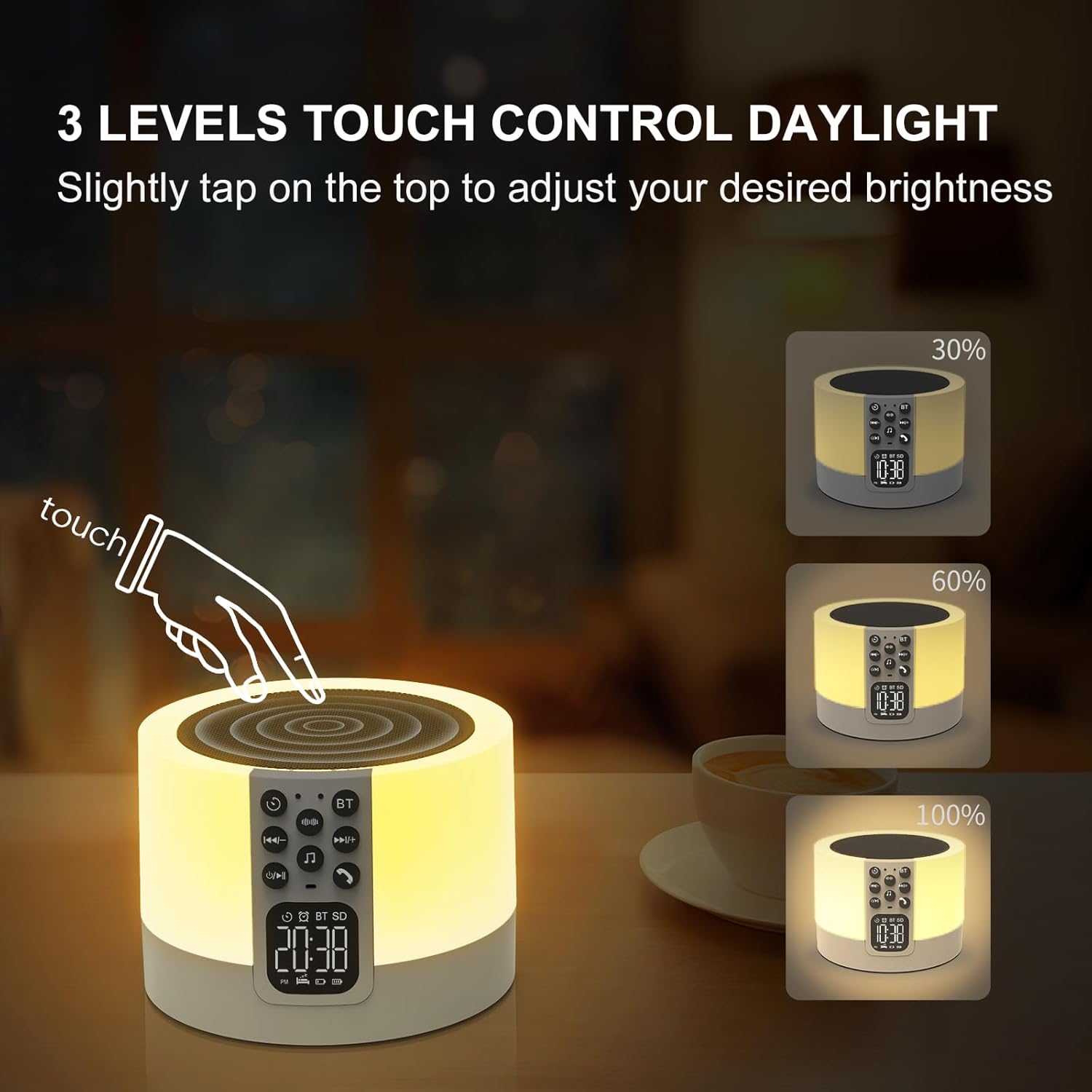
Image: A hand tapping the top of the device, demonstrating the touch control for adjusting warm white light brightness levels (30%, 60%, 100%).
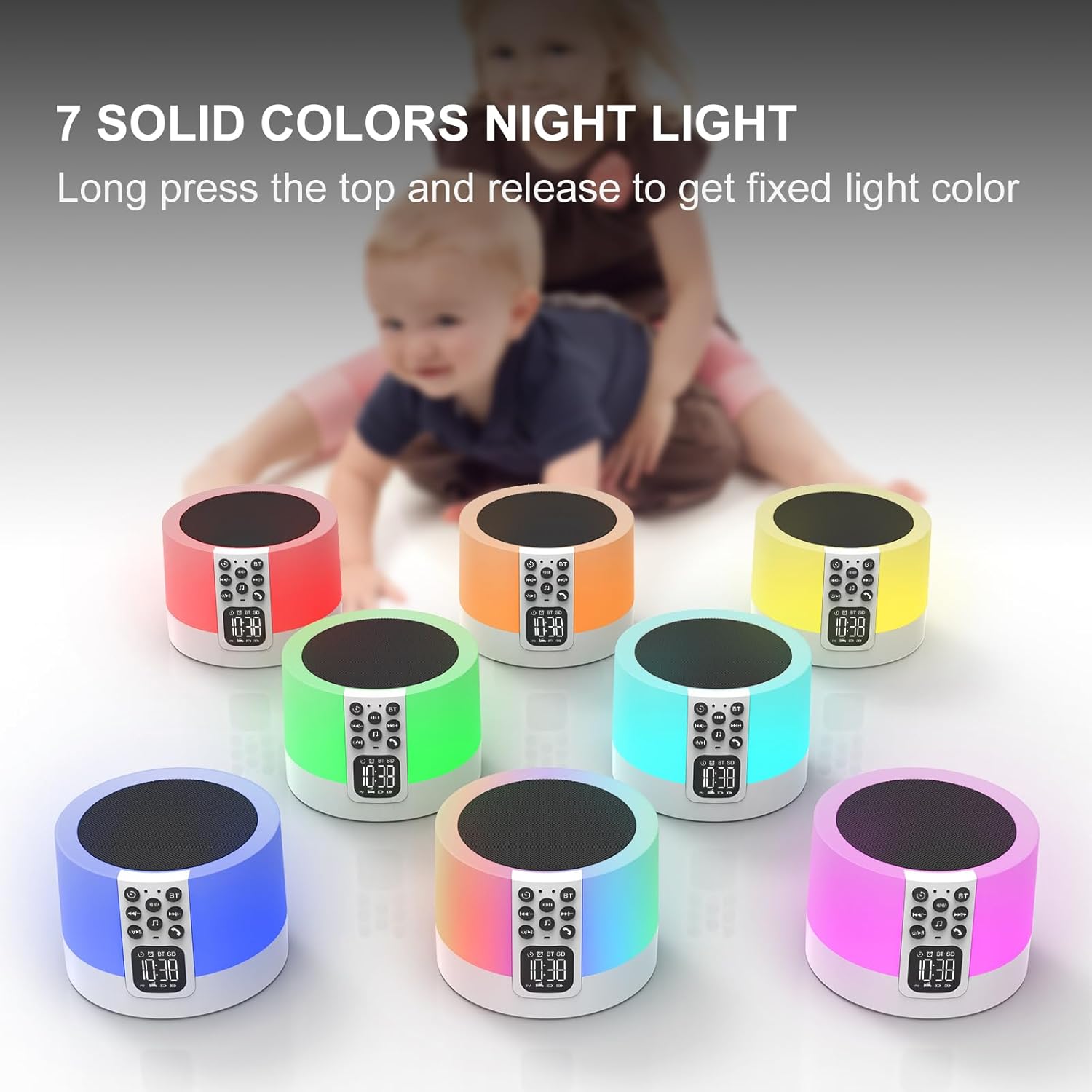
Image: Seven identical devices, each displaying a different solid color night light (red, orange, yellow, green, light blue, dark blue, purple), illustrating the fixed color options.
Video: Demonstrates how to switch between different light modes and colors by tapping and holding the top of the device.
4.2 Tħaddim tal-Magna tal-Ħoss
The device features 30 built-in soothing sounds for relaxation and sleep:
- Agħfas il- Ħoss tal-Ħoss abjad button (indicated by sound waves icon) to cycle through white noise and fan sounds.
- Agħfas il- Natural Sound & Lullaby button (indicated by a music note icon) to cycle through nature sounds and lullabies.
- Aġġusta l-volum billi tuża Volum 'il fuq/'l isfel buttuni.
- Set a sleep timer (15, 30, 60, or 90 minutes) by pressing the Timer button (indicated by a clock with an arrow icon). The sound will automatically turn off when the timer expires.

Image: A graphic illustrating the 30 soothing sounds available (natural sounds, white noise, fan sounds, lullabies) and the sleep timer options (15/30/60/90 minutes).
Video: Demonstrates how to choose and cycle through the various built-in sound options on the device.
4.3 Alarm Clock Functionality
To set and manage alarms:
- Agħfas il- Setup tal-allarm button (indicated by an alarm clock icon) to enter alarm setting mode.
- Uża l- Trekk ta 'qabel / li jmiss buttuni biex tissettja l-ħin tal-allarm mixtieq.
- Agħfas il- Setup tal-allarm buttuna għal darb'oħra biex tikkonferma.
- You can set your favorite music from a USB Flash Drive or Micro SD Card as your alarm ringtone.
- When the alarm sounds, tap the top mesh to activate the 9-minute snooze function. You can snooze an unlimited number of times.
- Press any other button to stop the alarm from sounding.
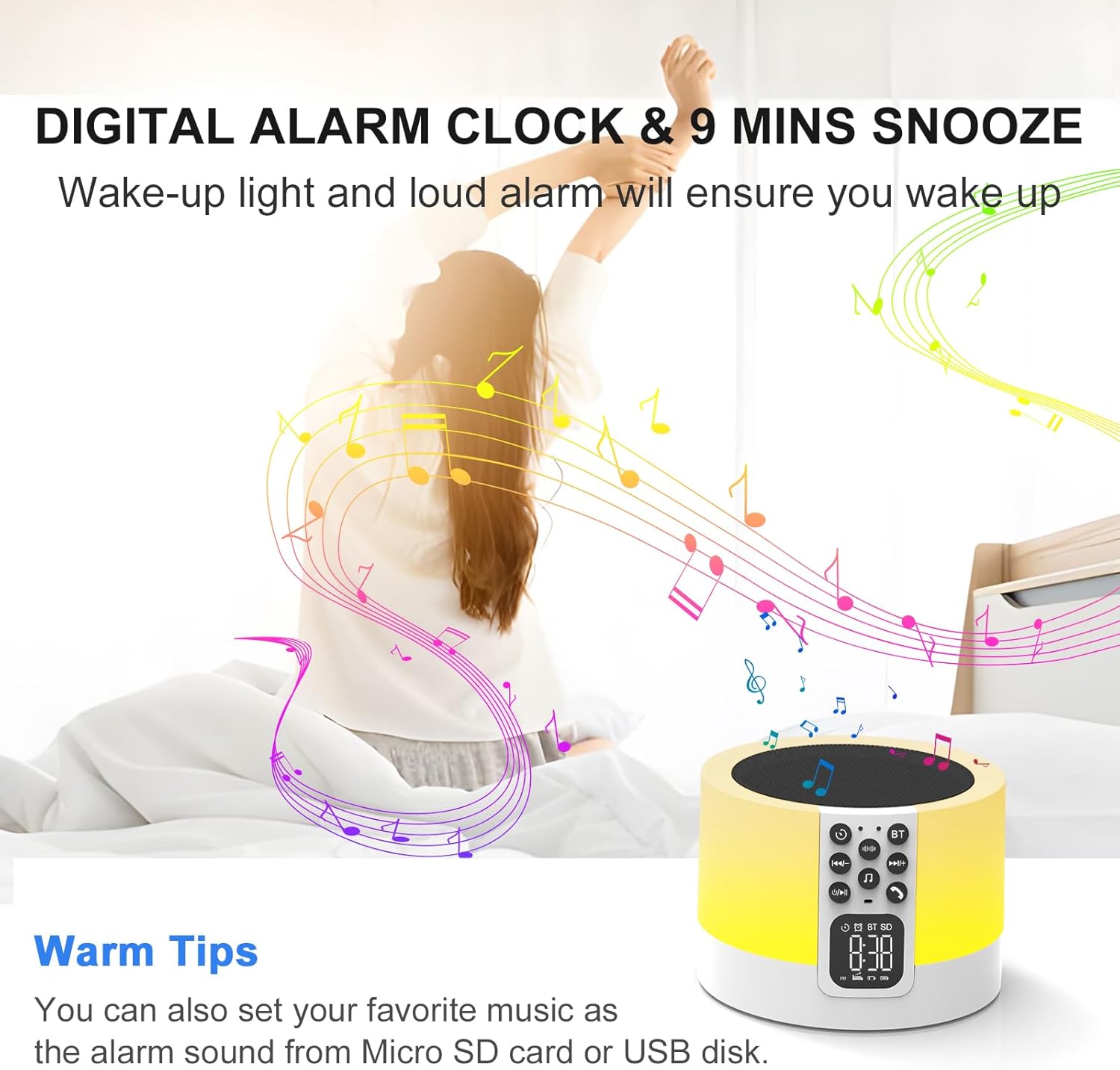
Image: A person stretching in bed as the device emits light and music, illustrating the digital alarm clock and snooze function.
5. Manutenzjoni u Kura
To ensure the longevity and optimal performance of your AFEXOA Smart Device, follow these maintenance guidelines:
- Tindif: Uża drapp artab u niexef biex timsaħ il-barra tal-apparat. Tużax prodotti tat-tindif, xama', jew solventi li joborxu għax jistgħu jagħmlu ħsara lill-finitura.
- Ħażna: Meta ma tkunx qed tużah għal perjodi twal, aħżen l-apparat f'post frisk u niexef 'il bogħod mix-xemx diretta u minn temperaturi estremi.
- Kura tal-batterija: To maintain battery health, avoid fully discharging the battery frequently. Recharge the device regularly, even if not in constant use.
- Evita l-umdità: Żomm l-apparat 'il bogħod mill-ilma u likwidi oħra. Mhuwiex reżistenti għall-ilma.
- Immaniġġja b'Kura: Avoid dropping or subjecting the device to strong impacts, which can damage internal components.
6 Issolvi l-problemi
Jekk tiltaqa' ma' xi problemi bit-tagħmir tiegħek, jekk jogħġbok irreferi għall-problemi u s-soluzzjonijiet komuni li ġejjin:
| Problema | Kawża Possibbli | Soluzzjoni |
|---|---|---|
| L-apparat ma jixgħelx. | Batterija baxxa jew is-swiċċ tal-enerġija huwa mitfi. | Ensure the power switch is in the "ON" position. Charge the device using the provided Type-C cable. |
| L-ebda ħoss mill-ispiker. | Volume too low, incorrect mode, or faulty wiring. | Increase volume. Ensure correct mode (Bluetooth, MP3, Sound Machine) is selected. If still no sound, contact customer support. |
| Il-Bluetooth mhux qed jikkonnettja. | Device not in pairing mode, too far from source, or interference. | Press the BT button to enter pairing mode. Ensure devices are within 10 meters. Turn off other Bluetooth devices to reduce interference. |
| Night light not working or stuck on one color. | Incorrect touch input or internal issue. | Lightly tap the top mesh to cycle modes. Long press to select a fixed color. If unresponsive, try resetting the device (if a reset button is available) or contact support. |
| L-allarm ma jdoqqx. | Alarm not set, volume too low, or device powered off. | Verify alarm settings. Increase alarm volume. Ensure device is powered on and charged. |
If the problem persists after trying these solutions, please contact AFEXOA Customer Support for further assistance.
7. Speċifikazzjonijiet
| Karatteristika | Dettall |
|---|---|
| Dimensjonijiet tal-Prodott | 3.54 x 3.54 x 2.36 pulzieri |
| Piż | 1.08 Liri |
| Numru tal-Mudell | DY29Z-01 |
| Batteriji | 1 batterija tal-jone tal-litju (inkluża) |
| Kulur | Abjad |
| Materjal | Plastik |
| Sors tal-Enerġija | Mħaddma bil-batterija |
| Manifattur | AFEXOA |
| ASIN | B0CJY74P1H |
8. Garanzija u Appoġġ
For warranty information, technical support, or any inquiries regarding your AFEXOA Multi-functional Smart Device, please contact the manufacturer directly through their official channels or the retailer where the product was purchased.
Żur il- AFEXOA Store on Amazon għal aktar informazzjoni u dettalji ta' kuntatt.


