1. Prodott Aktarview
The VENTION 15-in-1 USB-C MST Docking Station is a versatile and powerful solution designed to expand the connectivity of your USB-C enabled laptop or other compatible devices. It transforms a single USB-C port into a comprehensive workstation, offering multiple display outputs, high-speed data transfer ports, network connectivity, power delivery, and audio capabilities.
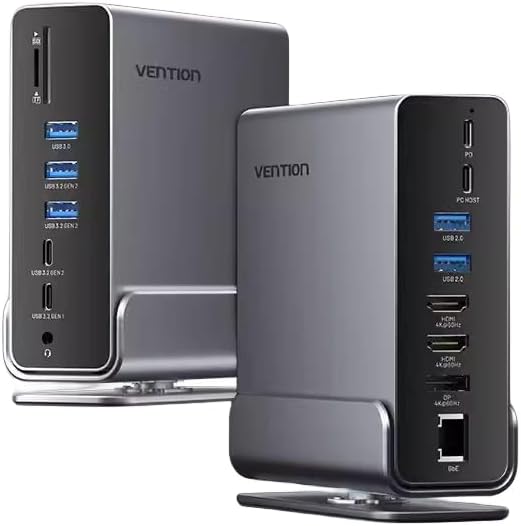
Immaġni 1.1: Quddiem u wara view of the Vention 15-in-1 USB-C MST Docking Station, showcasing id-disinn kompatt tiegħu u l-portijiet varji tiegħu.
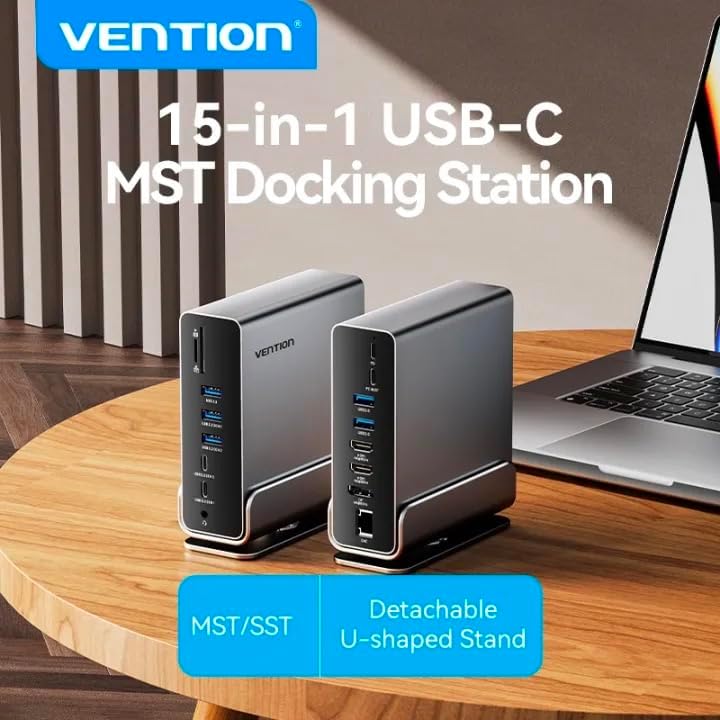
Image 1.2: The Vention 15-in-1 USB-C MST Docking Station connected to a laptop, illustrating its role as a central hub for multiple peripherals.
2. Karatteristiċi ewlenin
- 15-in-1 Multi-Ports: Comprehensive connectivity including DP, HDMI, USB-A, USB-C, RJ45, SD/TF card slots, and 3.5mm audio jack.
- Trasferiment tad-Dejta b'Veloċità Għolja: Up to 10Gbps via USB 3.2 Gen 2 ports, 5Gbps via USB 3.2 Gen 1 and USB 3.0, and 480Mbps via USB 2.0.
- 4K@60Hz HD Display: Supports high-resolution video output for single, dual, or triple monitor setups.
- MST/SST Modes: Enables extended or mirrored display configurations for Windows and macOS systems.
- Kunsinna tal-Enerġija 100W: Provides pass-through charging for your host device.
- Gigabit-Ethernet: Integrated RJ45 port for stable 1000Mbps wired network connection.
- Qarrej tal-Karta SD / TF: Simultaneously read and write from SD and TF cards.
- Detachable U-shaped Stand: Allows for vertical docking and efficient space utilization.

Image 2.1: Detailed diagram illustrating all 15 ports and their functions on the docking station, highlighting its comprehensive connectivity.
3. Kontenut tal-Pakkett
Jekk jogħġbok ivverifika li l-oġġetti kollha huma preżenti u f'kundizzjoni tajba malli tiftaħ il-pakkett:
- Vention 15-in-1 USB-C MST Docking Station
- Detachable U-shaped Stand
- Manwal għall-Utent (dan id-dokument)
4. Gwida ta' Setup
4.1 Attaching the U-shaped Stand
The docking station comes with a detachable U-shaped stand for vertical placement, optimizing desk space and improving heat dissipation.
- Align the grooves on the bottom of the docking station with the rails on the U-shaped stand.
- Gently slide the docking station onto the stand until it clicks securely into place.
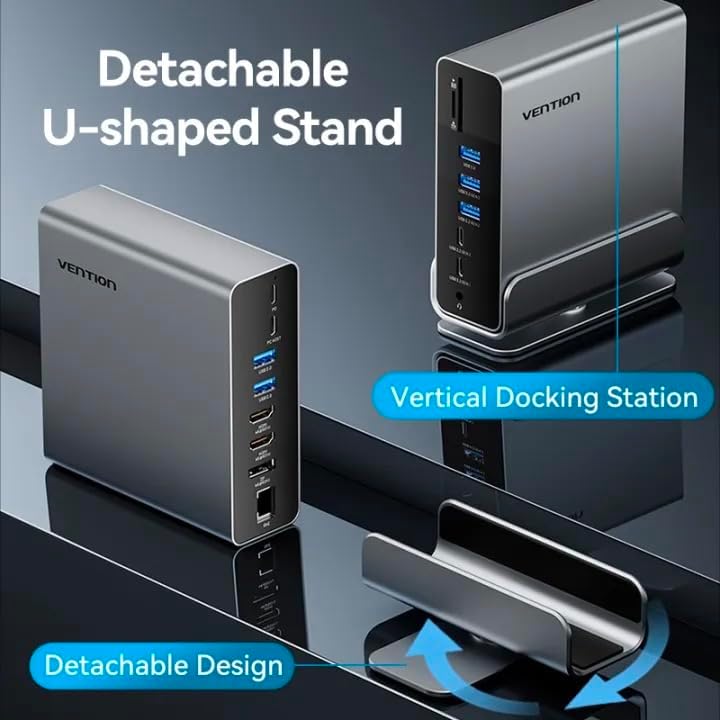
Image 4.1: Illustration of the detachable U-shaped stand and how it supports the docking station in a vertical orientation.
4.2 Konnessjoni mat-Tagħmir Ospitanti Tiegħek
Ensure your host device (laptop, smartphone, etc.) has a full-featured USB-C port that supports video output (DisplayPort Alternate Mode), data transfer, and power delivery.
- Connect the USB-C cable from the docking station's Port Ospitanti to the USB-C port on your laptop or compatible device.
- For power delivery to your host device, connect your laptop's original USB-C power adapter to the Kunsinna tal-Enerġija (PD) port on the docking station. The docking station supports up to 100W power pass-through.
5. Istruzzjonijiet Operattivi
5.1 Display Connections (HDMI & DisplayPort)
The docking station supports single, dual, and triple display setups with resolutions up to 4K@60Hz. It supports both MST (Multi-Stream Transport) and SST (Single-Stream Transport) modes.
- Connect your monitors to the HDMI u/jew DP ports on the docking station using appropriate cables.
- MST Mode: Allows for extended desktop across multiple displays (Windows) or mirrored/extended displays (macOS, depending on specific model/chipset limitations).
- SST Mode: Mirrors the display across all connected monitors.
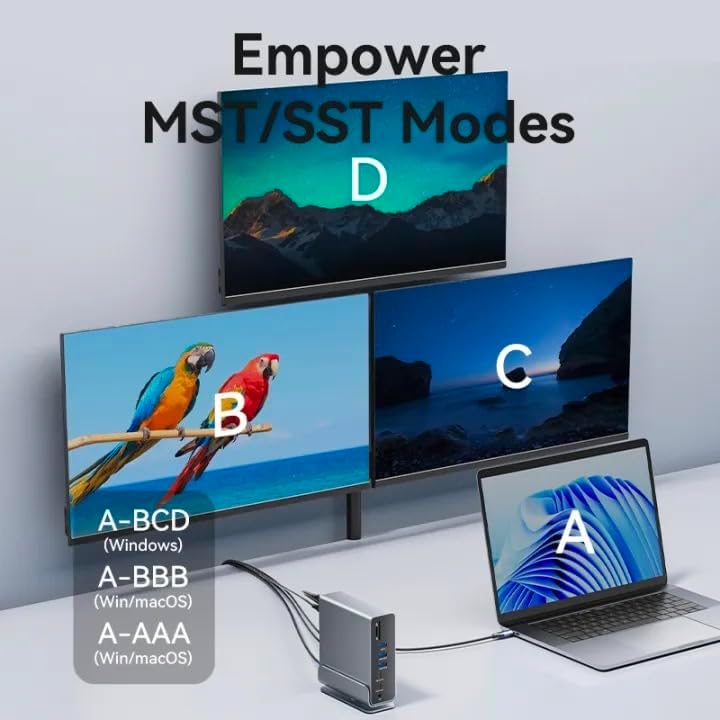
Image 5.1: Visual representation of MST (Multi-Stream Transport) and SST (Single-Stream Transport) display modes, demonstrating how the docking station can extend or mirror your desktop across multiple screens.

Immaġni 5.2: Eż.amples of various display configurations (A-BCD, A-BBB, A-AAA) achievable on both Windows and macOS systems using the docking station.

Image 5.3: Table detailing the maximum resolution performance for single, dual, and triple display setups on Windows and macOS systems, including MST/SST support.
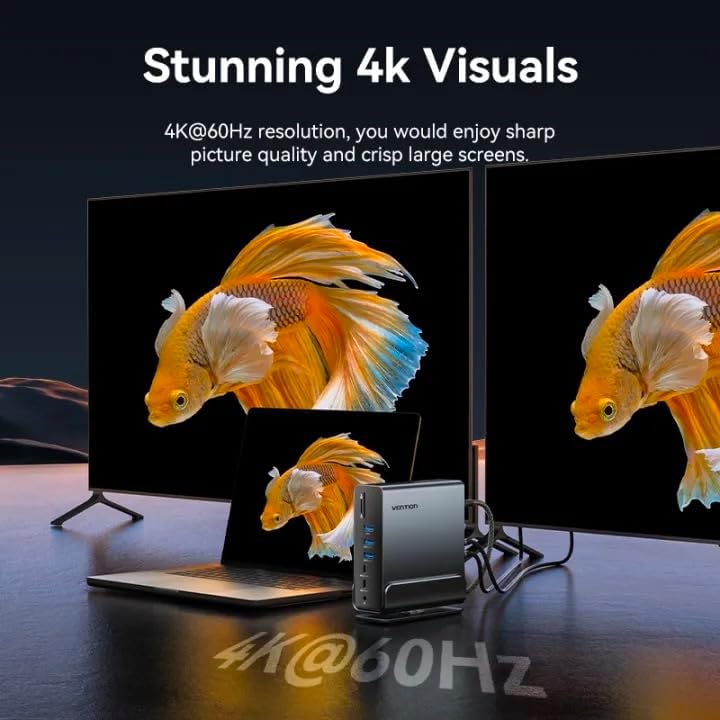
Image 5.4: A visual demonstrating the crisp 4K@60Hz resolution output achievable when connecting displays through the docking station.
5.2 Portijiet tat-Trasferiment tad-Data
Connect your USB devices (external hard drives, flash drives, keyboards, mice, etc.) to the available USB ports:
- USB 3.2 Gen 2-C (10Gbps): For high-speed USB-C peripherals.
- USB 3.2 Gen 2-A (10Gbps): For high-speed USB-A peripherals.
- USB 3.2 Gen 1-C (5Gbps): For standard USB-C peripherals.
- USB 3.0-A (5Gbps): For standard USB-A peripherals.
- USB 2.0-A (480Mbps): For peripherals like keyboards, mice, or printers.
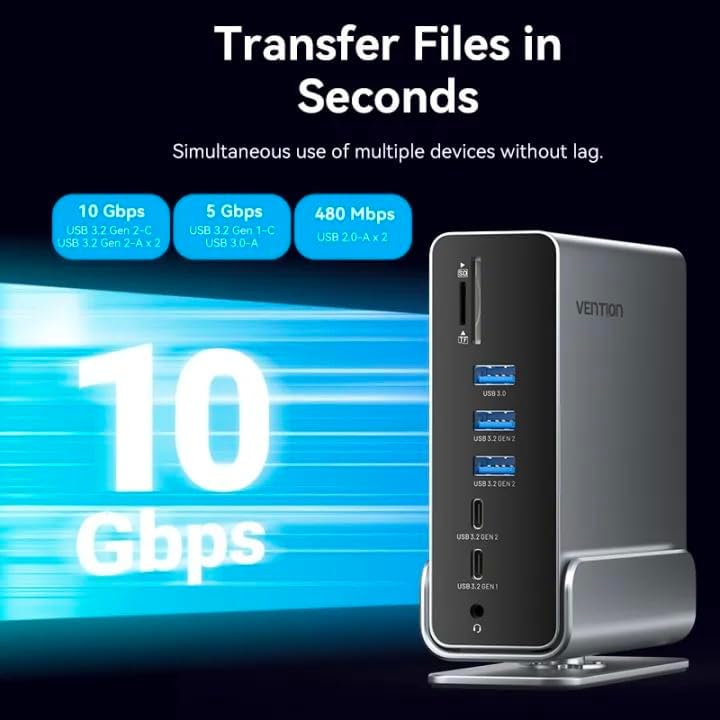
Image 5.5: Illustration highlighting the various data transfer speeds supported by the docking station's USB ports, including 10Gbps, 5Gbps, and 480Mbps.
5.3 Network Connection (RJ45)
For a stable and fast wired internet connection:
- Qabbad kejbil Ethernet mir-router jew il-modem tiegħek mal- RJ45 port fuq l-istazzjon tad-docking.
- The docking station supports Gigabit Ethernet (1000Mbps).
5.4 Audio Connection (3.5mm TRRS)
Connect your headphones, speakers, or microphone to the 3.5mm TRRS jack for audio input/output.
Qarrej tal-Kards SD/TF 5.5
Insert your SD or TF (microSD) cards into the respective slots. The docking station supports simultaneous reading and writing of two cards.
6 Issolvi l-problemi
- L-ebda Output tal-Wiri:
- Kun żgur li l-port USB-C tat-tagħmir ospitanti tiegħek jappoġġja l-Modalità Alternattiva DisplayPort.
- Iċċekkja l-konnessjonijiet tal-kejbil kollha (USB-C għall-host, HDMI/DP għall-monitors).
- Try updating your graphics drivers on your host device.
- Restart your host device and reconnect the docking station.
- Ebda Kunsinna ta' Enerġija:
- Ensure your power adapter is connected to the PD port on the docking station.
- Verify your power adapter meets the required wattage for your laptop (e.g., 65W, 100W).
- Apparati USB Mhux Rikonoxxuti:
- Ipprova qabbad l-apparat USB ma' port differenti fuq l-istazzjon tad-docking.
- Ensure the device drivers are installed on your host system.
- Skonnettja u erġa' qabbad l-istazzjon tad-docking mit-tagħmir ospitanti tiegħek.
- Kwistjonijiet ta' Konnessjoni man-Netwerk:
- Iċċekkja l-konnessjoni tal-kejbil Ethernet kemm mad-docking station kif ukoll mar-router/modem tiegħek.
- Ivverifika s-settings tan-netwerk fuq l-apparat ospitanti tiegħek.
7. Speċifikazzjonijiet
| Karatteristika | Deskrizzjoni |
|---|---|
| Isem tal-Mudell | 15-in-1 USB-C MST Docking Station |
| Brand | VENZZJONI |
| Konnessjoni Ospitanti | USB-C (Full-karatteristika) |
| Output tal-vidjo | 1x DisplayPort (DP), 2x HDMI (4K@60Hz Max) |
| Portijiet tad-Dejta USB | 1x USB 3.2 Gen 2 Type-C (10Gbps) 2x USB 3.2 Ġen 2 Tip-A (10Gbps) 1x USB 3.2 Gen 1 Type-C (5Gbps) 1x USB 3.0 Type-A (5Gbps) 2x USB 2.0 Type-A (480Mbps) |
| Ethernet | 1x RJ45 Gigabit Ethernet (1000Mbps) |
| Qarrej tal-Kard | 1x SD Card Slot, 1x TF (MicroSD) Card Slot (Simultaneous Read/Write) |
| Awdjo | 1x 3.5mm TRRS Audio Jack (Microphone/Audio) |
| Kunsinna tal-Enerġija | Up to 100W (Max) via USB-C PD port |
| Materjal | Qoxra ta 'liga ta' l-aluminju |
| Kulur | Griż |
| Apparati Kompatibbli | Laptops, Smartphones, Other Type-C Devices |
| Pajjiż ta' Oriġini | Iċ-Ċina |
8. Kura u Manutenzjoni
- Tindif: Use a soft, dry cloth to clean the surface of the docking station. Avoid liquid cleaners or abrasive materials.
- Ħażna: Aħżen l-apparat f'post frisk u niexef 'il bogħod mix-xemx diretta u minn temperaturi estremi.
- Immaniġġjar: Evita li twaqqa' jew li tissottometti l-apparat għal impatti qawwija. Tippruvax tiżżarma l-unità.
- Ventilazzjoni: Ensure the ventilation openings are not blocked to prevent overheating, especially when using the vertical stand.
9. Garanzija u Appoġġ
Għal informazzjoni dwar il-garanzija u appoġġ tekniku, jekk jogħġbok irreferi għall-VENTION uffiċjali webis-sit jew ikkuntattja lid-distributur lokali tiegħek. Żomm l-irċevuta tax-xiri tiegħek għal talbiet ta' garanzija.
For further assistance, you may visit the VENTION Store online: Vention Official Store


