Introduzzjoni

This manual provides detailed instructions for the setup, operation, and maintenance of your AT&T CL83107 DECT 6.0 Cordless Phone system. This system features DECT 6.0 technology, a dual keypad base, an integrated answering machine, Smart Call Blocker, Caller ID Announcer, intercom functionality, and extended range capabilities. Please read this manual thoroughly to ensure proper use and to take full advantage tal-karatteristiċi kollha.
Setup
Kontenut tal-Pakkett
Ivverifika li l-pakkett tiegħek fih l-oġġetti li ġejjin:
- Adapter AC
- Unità Bażi
- Battery Pack (1 product specific battery required, included)
- Handset mingħajr fili
- Gwida Quick Start
- Kurdun tal-Linja tat-Telefon
Installazzjoni tal-batterija
- Iftaħ l-għatu tal-kompartiment tal-batterija fuq wara tat-telefon mingħajr fili.
- Connect the battery pack connector securely into the jack inside the compartment.
- Poġġi l-pakkett tal-batterija fil-kompartiment.
- Agħlaq l-għatu tal-kompartiment tal-batterija.
- Place the handset in the charger or base unit to charge for at least 16 hours before initial use.
Konnessjoni tal-Unità Bażi
- Ipplaggja tarf wieħed tal-korda tal-linja tat-telefon fil-jack TEL LINE fuq wara tal-unità bażi.
- Ipplaggja t-tarf l-ieħor tal-korda tat-telefon f'ġakk tat-telefon tal-ħajt.
- Plug the small end of the AC adapter into the POWER jack on the back of the base unit.
- Plug the large end of the AC adapter into an electrical outlet not controlled by a wall switch.
Nota: Use only the supplied power adapter and telephone line cord. Ensure the base unit is placed in a central location for optimal range.
Reġistrazzjoni tal-idejn
Your handset(s) are pre-registered to the base unit. If you purchase additional CL80107 or CL80067 accessory handsets (up to 12 total), you will need to register them. Refer to the accessory handset's manual for specific registration instructions.
Istruzzjonijiet Operattivi
Jagħmel u Jirċievi Sejħiet
- Biex Tagħmel Sejħa: Agħfas TELEFON or Kelliem, imbagħad ċempel in-numru.
- Biex Twieġeb Sejħa: Agħfas TELEFON or Kelliem meta jdoqq it-telefon.
- Biex Intemm Sejħa: Agħfas OFF or place the handset in the charger/base.
Sistema ta' Tweġiba Diġitali
The integrated digital answering system can record up to 22 minutes of messages, announcements, and memos.
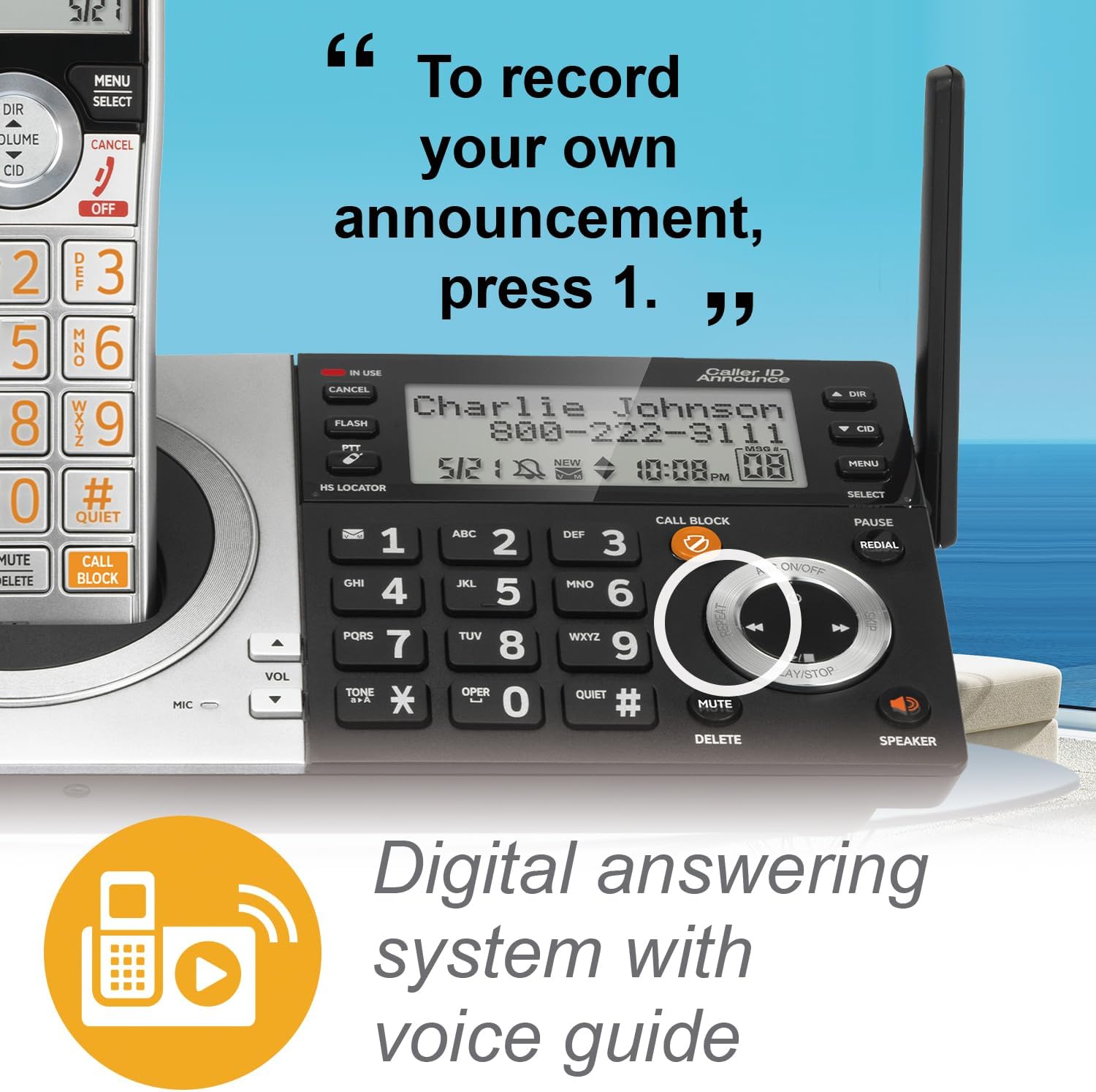
- Daqq ta' Messaġġi: Agħfas PLAY/WAQQAF on the base or handset.
- Reġistrazzjoni ta' Avviż: Follow the voice prompts from the answering system menu.
- Tħassir ta' Messaġġi: Agħfas Ħassar during message playback or from the menu.
Imblokkatur tas-Sejħiet Smart
The Smart Call Blocker feature helps filter unwanted calls. Robocalls are automatically blocked. You can also manually block numbers.
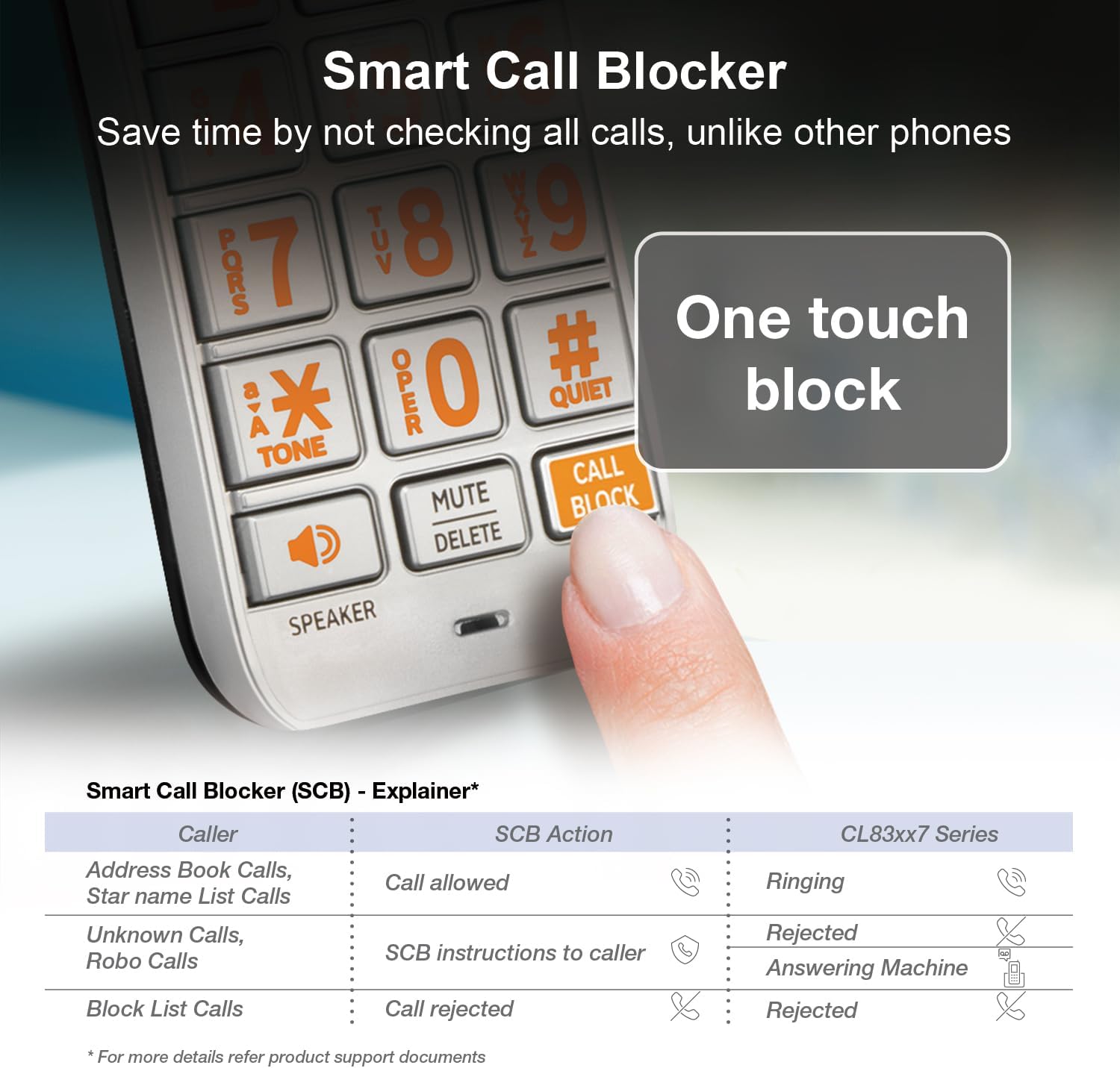
- Imblukkar ta' Numru: During a call or from the Caller ID log, press the SEJĦA BLOCK buttuna.
- Managing Block List: Access the Call Blocker menu to add or remove numbers. The directory can store up to 1,000 entries.
Tħabbira tal-ID tas-Sejjieħ
When a call comes in, the handset and base unit will announce the name of the caller (if available in your Caller ID service and phonebook).

Speakerphone and Intercom

- Speakerphone: Agħfas Kelliem on the handset or base to activate the speakerphone during a call. This allows for hands-free communication.
- Intercom: Use the intercom feature to communicate between handsets or between a handset and the base unit. Refer to the menu options for initiating an intercom call.
Imbotta biex Tkellem
The Push-to-Talk (PTT) feature allows you to use your handset as a walkie-talkie with other handsets in your system.

- Initiating PTT: Agħfas u żomm il- PTT button on the side of the handset.
- Taħdit: Speak into the handset while holding the PTT button.
- Smigħ: Itlaq il-buttuna PTT biex tisma.
Modalità Kwiet
Quiet mode silences all handset and base ringers for a set period, useful for uninterrupted sleep or activities.

- Activating Quiet Mode: Access the menu on the handset or base and select the Quiet Mode option. You can set the duration.
Display and Keypad Features


- Extra-Large Display: The handset features a high-contrast, extra-large LCD for easy viewing of caller ID and menu options.
- Lighted Keypad: The keypad is backlit, allowing for easy dialing in low-light conditions.
- Buttuni kbar: Large, clearly labeled buttons enhance usability.
Awdjo HD
The system supports HD audio with an equalizer, allowing for customized audio profiles for clearer conversations.
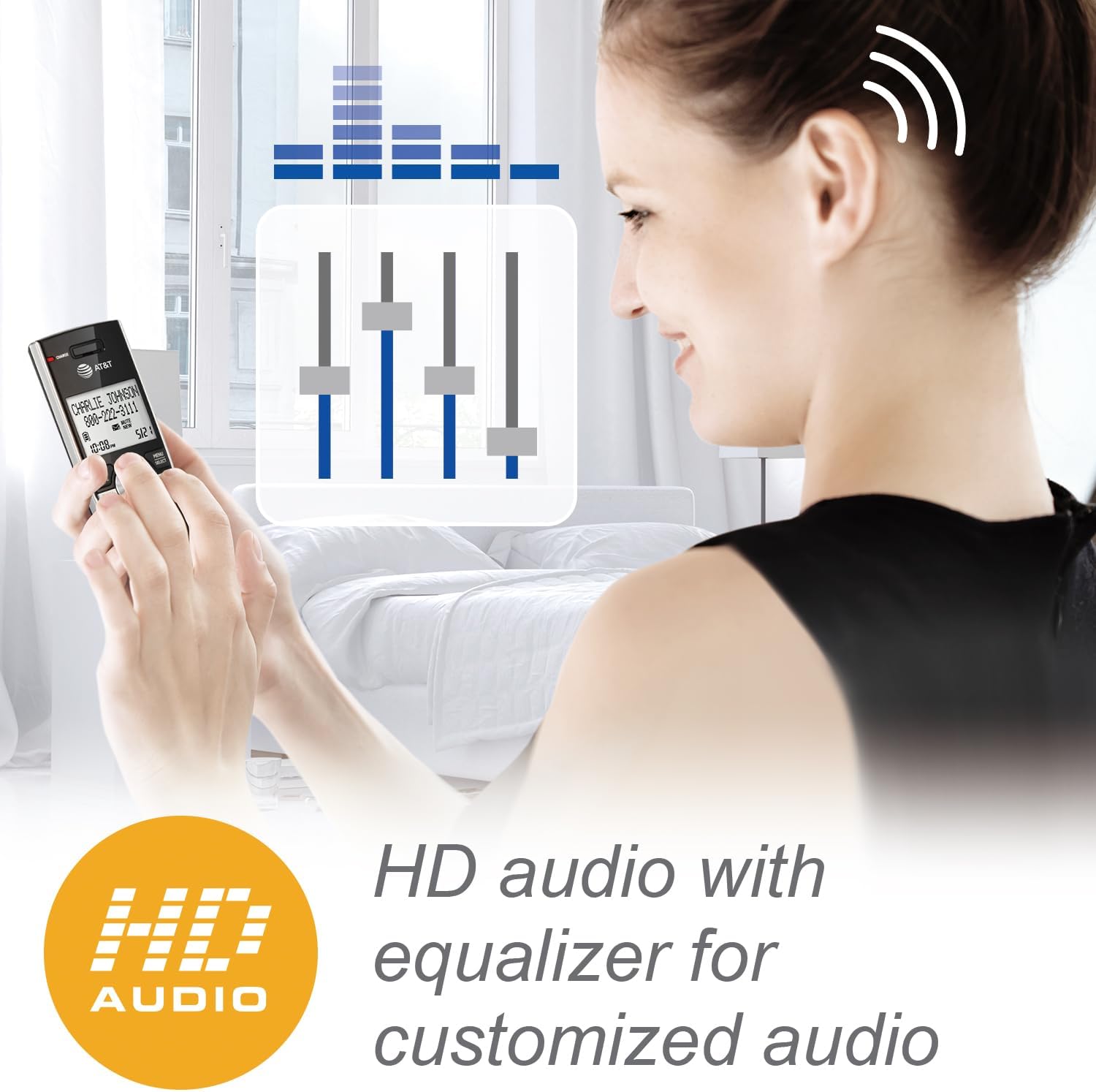
- Aġġustament tal-Awdjo: Access the audio settings in the handset menu to adjust equalizer settings for preferred sound quality.
Manutenzjoni
- Tindif: Naddaf it-telefon u l-unità bażi b'drapp artab u nadif.amp cloth. Do not use cleaning sprays or liquid cleaners.
- Kura tal-batterija: To maintain optimal battery performance, fully charge the handset for 16 hours before first use. If the handset will not be used for an extended period, remove the battery.
- Kundizzjonijiet Ambjentali: Evita li tpoġġi t-telefon fid-dawl tax-xemx dirett, ħdejn sorsi ta’ sħana, jew f’żoni b’umdità għolja.
Issolvi l-problemi
| Problema | Soluzzjoni |
|---|---|
| L-ebda ton tal-arloġġ |
|
| Il-mowbajl ma jiċċarġjax |
|
| Poor range or static |
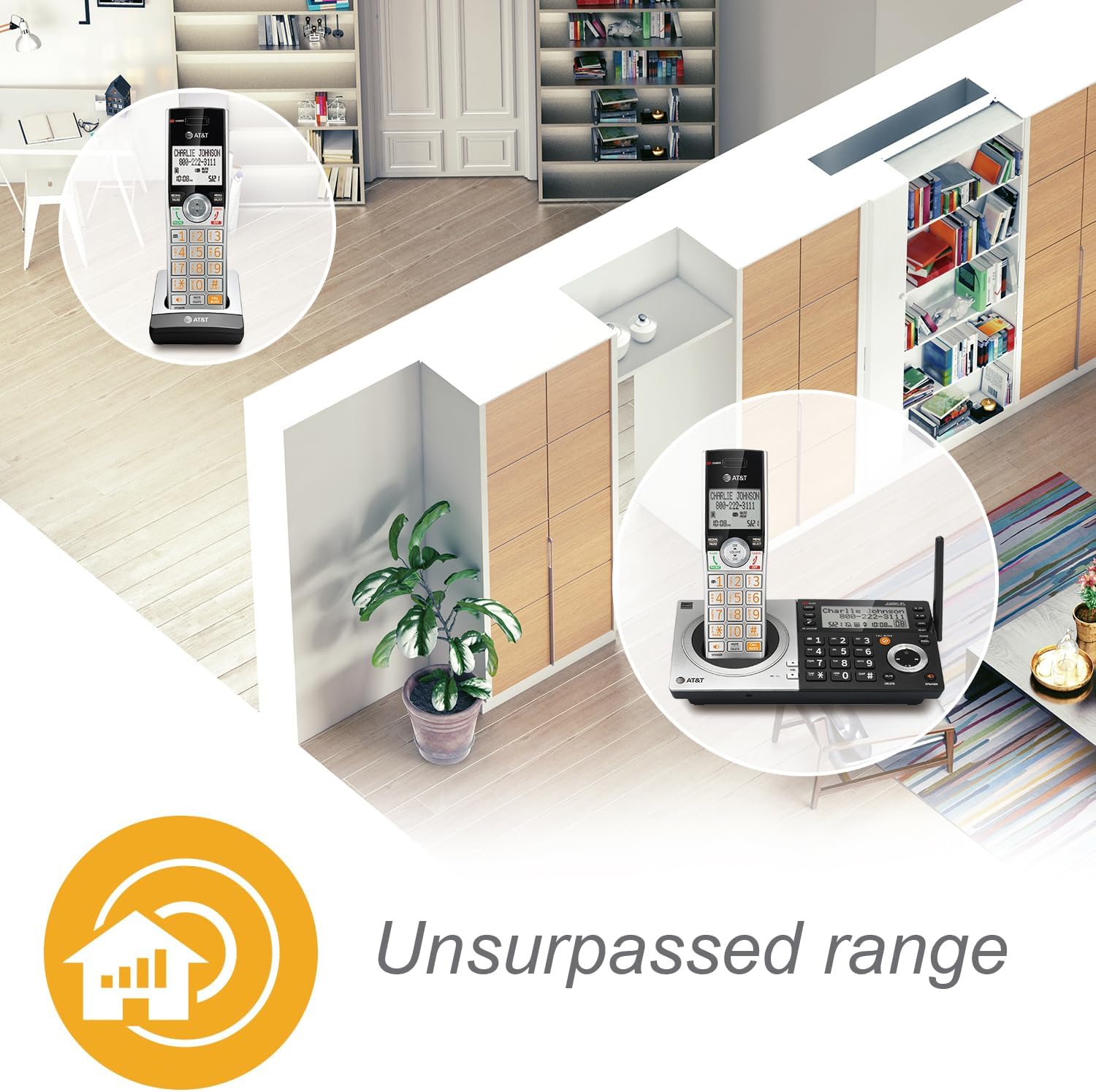 |
| Smart Call Blocker not working as expected |
|
Speċifikazzjonijiet
- Numru tal-Mudell: CL83107
- Teknoloġija: DECT 6.0
- Kulur: Silver/Black Keypad Base
- Tip tat-Telefon: Bla fili
- Tip ta' Dialer: Tastiera Doppju
- Tip ta' Sistema ta' Tweġiba: Diġitali
- Kapaċità tar-reġistrazzjoni: Sa 22 minuta
- Sors tal-Enerġija: Elettriku bil-Fili (Adapter tal-AC)
- Batteriji: 1 batterija speċifika tal-prodott (inkluża)
- Ħin tat-Taħdit tat-Telefon: Madwar 2.5 jum
- Ħin ta' Standby tat-Telefon: Madwar 5 jum
- Dimensjonijiet (L x W x H): 14 x 7.6 x 22.1 Ċentimetri
- Materjal: Plastik
- ID ta' min iċempel: Iva
- Kapaċità ta' Sejħa ta' Konferenza: Up to five parties
- Operazzjoni Multiline: Operazzjoni b'Linja Singola
- Espandibbiltà: Up to 12 handsets (compatible with CL80107, CL80067, and other specified models)
Informazzjoni dwar Garanzija
AT&T products are manufactured by VTech Communications, Inc. A limited warranty typically covers this product for a period of one year from the date of purchase. For specific warranty terms and conditions, please refer to the warranty card included with your product or visit the official AT&T product support websit. Żomm l-irċevuta oriġinali tax-xiri tiegħek bħala prova tax-xiri.
Appoġġ għall-Klijent
For technical assistance, product registration, or to download the full user manual, please visit the official AT&T product support website or contact their customer service. Contact information can typically be found in the Quick Start Guide or on the manufacturer's websit.


