Introduzzjoni
This manual provides detailed instructions for the proper setup, operation, and maintenance of your MARVO H8618 Wired Headset. Please read this manual thoroughly before using the product to ensure optimal performance and longevity.

Immaġni: Angolata minn quddiem view of the MARVO H8618 Wired Headset with its microphone extended. The headset is black with RGB lighting accents on the earcups.
Kontenut tal-Pakkett
The MARVO H8618 Wired Headset package typically includes:
- 1 x MARVO H8618 Wired Headset
Setup
Follow these steps to set up your MARVO H8618 Wired Headset:
- Qabbad il-Headset: Locate an available USB 2.0 port on your computer or gaming console. Insert the USB connector of the MARVO H8618 headset firmly into the USB port.
- Installazzjoni tas-Sewwieq (Awtomatika): The headset is designed for plug-and-play functionality. Your operating system should automatically detect the device and install the necessary drivers. This process may take a few moments.
- Audio Settings Configuration:
- Windows: Mur fuq Settings tal-Ħsejjes (right-click the speaker icon in the taskbar) and ensure "MARVO H8618" is selected as the default output and input device.
- macOS: Mur fuq Preferenzi tas-Sistema> Ħoss and select "MARVO H8618" for both output and input.
- Konsols tal-logħob: Refer to your console's system settings for audio input/output device selection.
- Aġġusta Fit: Place the headset over your ears and adjust the headband for a comfortable and secure fit. The earcups are designed to cover your ears completely for optimal sound isolation.
- Pożizzjoni tal-Mikrofonu: Adjust the flexible microphone boom to a position near your mouth for clear voice capture.

Immaġni: Quddiem view of the MARVO H8618 Wired Headset, showing the earcups and headband.
Istruzzjonijiet Operattivi
Once connected, your MARVO H8618 headset is ready for use. Here are key operational aspects:
- Daqq tal-awdjo: The headset will automatically play audio from your connected device once selected as the default output.
- Użu tal-mikrofonu: The integrated microphone is active when the headset is connected and selected as the input device. Ensure it is positioned correctly for clear communication.
- Touch Control: The headset features a touch control method. Specific functions (e.g., volume adjustment, microphone mute) may be integrated into the earcups or inline controls on the cable. Refer to the device's physical controls for exact functionality.
- Dawl RGB: The earcups feature RGB lighting. This lighting is typically powered via the USB connection and operates automatically.

Immaġni: Angolata view of the MARVO H8618 headset, highlighting the microphone and earcup design.
Manutenzjoni
Manutenzjoni xierqa tiżgura l-lonġevità u l-prestazzjoni tal-headset tiegħek:
- Tindif: Uża drapp artab u niexef biex timsaħ il-earcups u l-headband. Għal ħmieġ iebes, neħħi ftit.amp Jista' jintuża drapp, iżda kun żgur li ma tidħolx umdità fil-gradilji tal-ispiker jew fil-mikrofonu. Tużax kimiċi ħarxa jew prodotti tat-tindif li joborxu.
- Kura tal-Cable: The headset features a tangle-free cable. Avoid sharp bends, twists, or excessive pulling on the cable to prevent internal damage. Always grasp the connector, not the cable, when plugging or unplugging.
- Ħażna: Meta ma tkunx qed tuża l-headset, aħżenha f'post nadif u niexef 'il bogħod mix-xemx diretta u minn temperaturi estremi. Evita li tpoġġi oġġetti tqal fuq il-headset.
- Kura tal-Mikrofonu: Handle the microphone boom gently. Avoid forcing it into extreme positions.
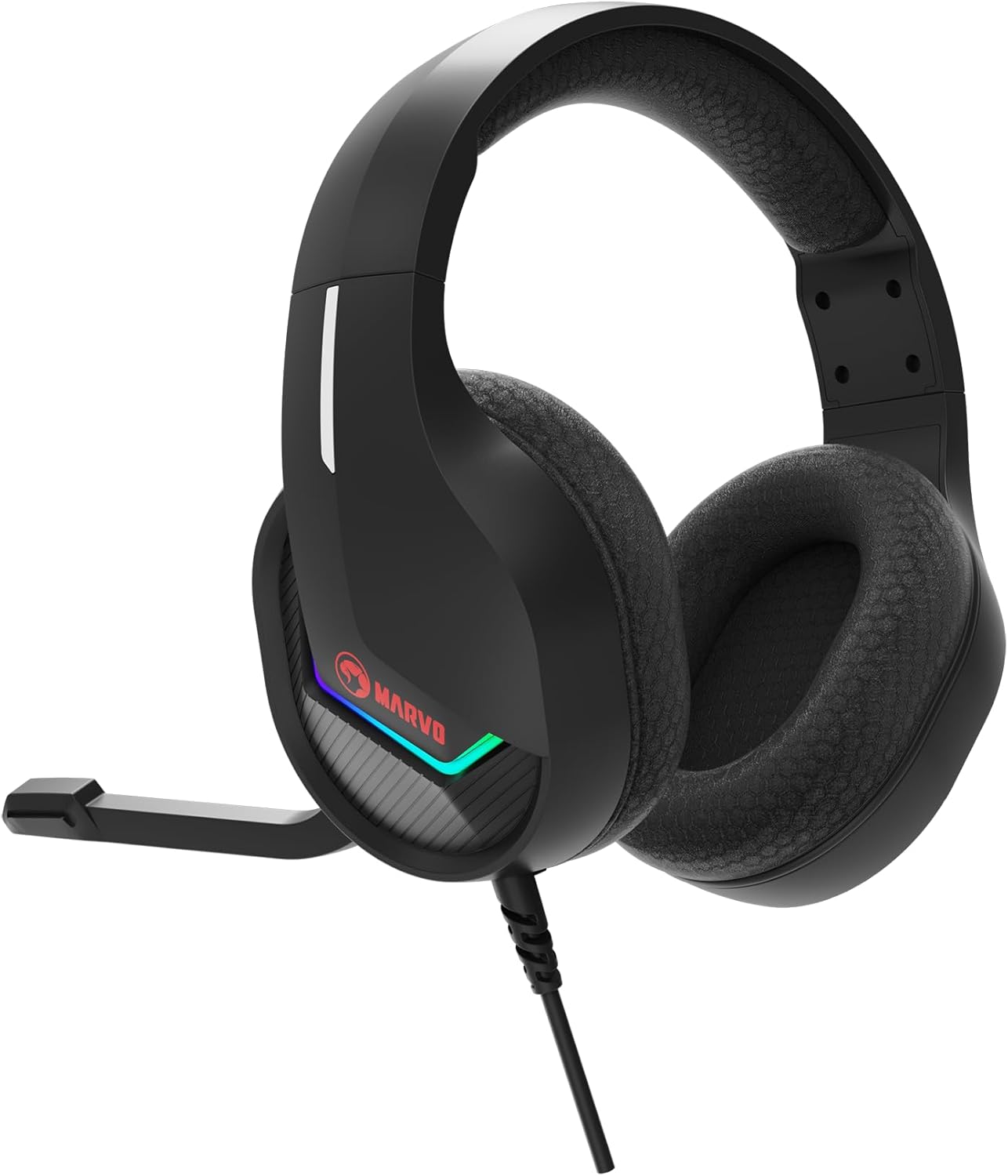
Immaġni: Ġenb view of the MARVO H8618 headset, showing the earcup and headband.
Issolvi l-problemi
If you encounter issues with your MARVO H8618 headset, refer to the following common solutions:
- Ebda Ħsejjes:
- Kun żgur li l-konnettur tal-USB huwa mdaħħal kompletament fil-port.
- Verify that "MARVO H8618" is selected as the default audio output device in your operating system's sound settings.
- Check the volume levels on your computer/console and any inline volume controls on the headset cable (if present).
- Test the headset on a different USB port or another device to rule out port issues.
- Mikrofonu Mhux Jaħdem:
- Ensure "MARVO H8618" is selected as the default input (microphone) device in your operating system's sound settings.
- Check if the microphone is muted via any physical controls on the headset or within your software (e.g., communication app settings).
- Confirm the microphone boom is positioned correctly and not obstructed.
- Ittestja l-mikrofonu fuq applikazzjoni jew apparat ieħor.
- Awdjo Mgħawġ:
- Lower the volume on your device or headset.
- Kun żgur li s-sors tal-awdjo mhux distort.
- Ipprova qabbad ma 'port USB differenti.
Speċifikazzjonijiet
Key technical specifications for the MARVO H8618 Wired Headset:
| Karatteristika | Speċifikazzjoni |
|---|---|
| Teknoloġija tal-Konnettività | Bil-fili (USB 2.0) |
| Daqs tal-Kelliem | 50mm |
| Impedenza tal-headset | 32Ω ±15% |
| Medda ta' Frekwenzi | 20Hz - 20KHz |
| Impedenza tal-mikrofonu | 2.2K Ω |
| Fattur tal-Formola | Fuq il-widnejn |
| Karatteristika Speċjali | Mikrofonu Inkluż |
| Metodu ta' Kontroll | Mess |
| Karatteristika tal-Cable | Tħabbil Ħieles |
| Piż tal-oġġett | 0.92 Kilogrammi (2.02 libbra) |
| Dimensjonijiet tal-Pakkett | 10.31 x 9.21 x 4.33 pulzieri |
Garanzija u Appoġġ
For warranty information or technical support, please refer to the documentation provided with your purchase or visit the official MARVO websit. Żomm il-prova tax-xiri tiegħek għal talbiet ta' garanzija.


