1. Introduzzjoni
This manual provides detailed instructions for the Arducam IMX708 12MP USB Camera Module 3. This high-resolution camera is designed for versatility, offering compatibility with various operating systems and platforms, including Raspberry Pi, Windows, Linux, Mac, and Android. Featuring a 12-megapixel IMX708 image sensor and a fixed-focus lens, it delivers clear and stable images. The integrated microphone module also supports high-quality audio input.
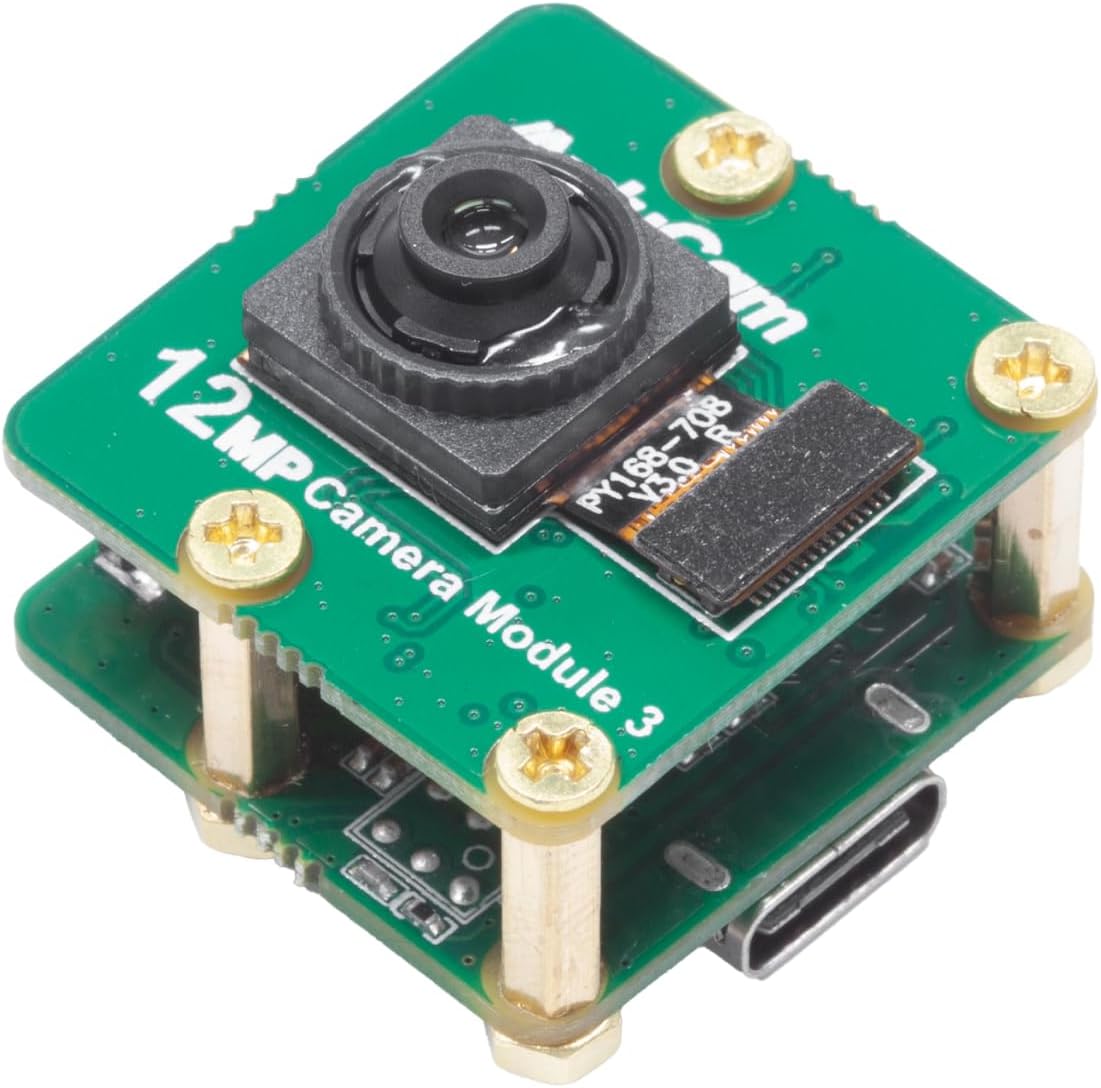
Immaġni 1.1: Minn fuq għal isfel view of the Arducam IMX708 12MP USB Camera Module 3, showing the lens and main board.
2. Kontenut tal-Pakkett
The package for the Arducam IMX708 12MP USB Camera Module 3 typically includes:
- Arducam IMX708 12MP USB Camera Module 3
Nota: Additional accessories such as a USB cable or mounting hardware may be sold separately or included depending on the specific kit purchased.
3. Istruzzjonijiet ta' Setup
The Arducam IMX708 USB Camera Module 3 is designed for plug-and-play functionality, utilizing the UVC (USB Video Class) protocol.
- Qabbad il-Kamera: Connect the USB Type-C port on the camera module to a compatible USB port on your host device (e.g., Raspberry Pi, computer, Android device) using a suitable USB cable.
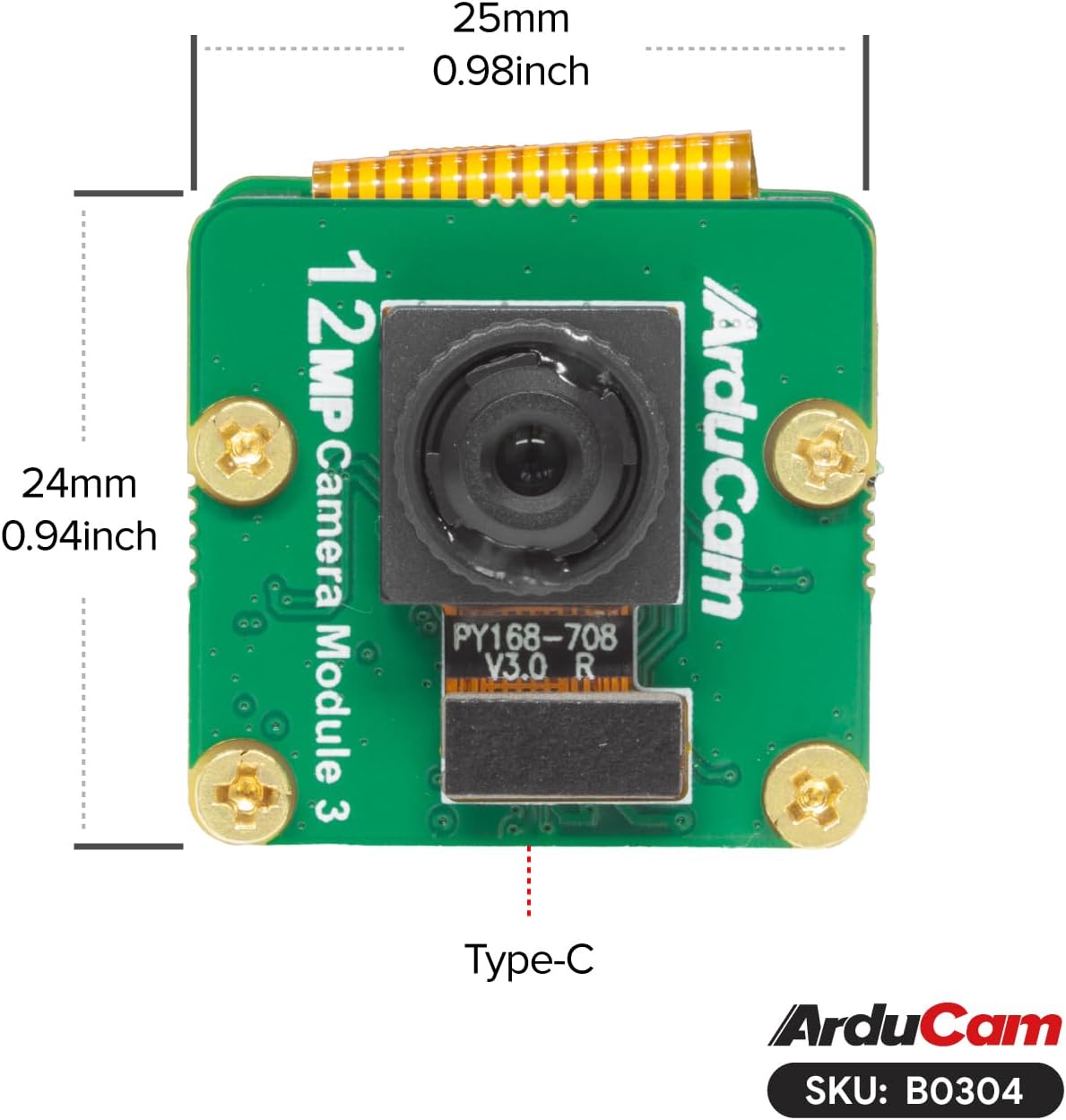
Image 3.1: The Arducam IMX708 camera module with its Type-C USB port clearly indicated for connection.
- Installazzjoni tas-sewwieq (jekk meħtieġ): For most modern operating systems (Windows, Linux, Mac, Android), the camera will be recognized automatically as a standard UVC device, and no additional drivers are required. If prompted, ensure the necessary USB device drivers are installed for your specific platform.
- Rikonoxximent tas-Softwer: Once connected, the camera should appear as a video input device in compatible applications (e.g., webcam software, video conferencing tools, custom vision applications).

Image 3.2: Visual representation of the camera module's broad compatibility with Windows, Apple, Raspberry Pi, Linux, and Android operating systems.
4. It-tħaddim tal-Kamera
The Arducam IMX708 camera module provides high-quality imaging and audio capabilities.
- Qbid tal-Immaġni: Utilize your preferred camera application or software to access the video stream and capture still images or record video. The camera supports a maximum resolution of 4608x2592 pixels, enabling sharp and detailed captures.

Image 4.1: The camera module displaying its 12MP resolution and 66-degree horizontal field of view.
- Fixed Focus Lens: This camera features a fixed-focus lens with a 66°(HFOV) field of view. This design provides consistent image quality and faster focusing compared to autofocus lenses, making it suitable for applications where the subject distance is relatively stable.

Image 4.2: The camera module emphasizing its fixed-focus capability.
- Input Awdjo: The integrated microphone module allows for high-quality audio input. Ensure your software application is configured to use the camera's microphone for audio recording or communication.

Immaġni 4.3: Sploda view of the camera module, pointing out the location of the microphone (MIC) component.
5. Manutenzjoni
To ensure the longevity and optimal performance of your Arducam IMX708 USB Camera Module 3, follow these maintenance guidelines:
- Tindif tal-Lenti: Gently clean the lens with a soft, lint-free cloth specifically designed for optical surfaces. Avoid using abrasive materials or harsh chemicals.
- Ħażna: Meta ma tkunx qed tużah, aħżen il-modulu tal-kamera f'ambjent nadif u niexef, 'il bogħod mix-xemx diretta u minn temperaturi estremi.
- Immaniġġjar: Handle the camera module by its edges to avoid touching the lens or the electronic components. Static electricity can damage sensitive electronics.
- Kura tal-Cable: Ensure the USB cable is not bent sharply or subjected to excessive strain, which can damage the cable or the camera's USB port.
6 Issolvi l-problemi
If you encounter issues with your Arducam IMX708 USB Camera Module 3, refer to the following common troubleshooting steps:
- Kamera Mhux Rilevata:
- Ensure the USB cable is securely connected to both the camera and the host device.
- Ipprova port USB differenti fuq l-apparat ospitanti tiegħek.
- Ittestja b'kejbil USB differenti.
- Erġa' ibda t-tagħmir ospitanti tiegħek.
- Verify that the necessary USB device drivers are installed (though typically plug-and-play for UVC).
- Ebda Immaġni/Skrin Iswed:
- Confirm that the camera is selected as the active video input device in your application.
- Check if any privacy settings on your operating system are blocking camera access.
- Ensure sufficient lighting in the environment.
- Kwalità Fqira tal-Immaġni:
- Naddaf il-lenti tal-kamera kif deskritt fit-taqsima tal-Manutenzjoni.
- Ensure the camera is positioned at an appropriate distance from the subject for the fixed-focus lens.
- Check your application's resolution and frame rate settings.
- L-ebda Input tal-Awdjo:
- Verify that the camera's microphone is selected as the default audio input device in your operating system and application settings.
- Check microphone privacy settings.
7. Speċifikazzjonijiet
| Karatteristika | Dettall |
|---|---|
| Brand | Arducam |
| Numru tal-Mudell | IMX708 |
| Sensor tal-Immaġni | IMX708 |
| Riżoluzzjoni | 12 Megapixels (Max 4608x2592) |
| Tip ta 'Focus | Focus Fiss |
| Qasam Orizzontali ta ' View (HFOV) | 66° |
| Konnettività | USB (UVC Protocol) |
| Awdjo | Integrated Microphone Module |
| Kompatibilità | Windows, Linux, Mac, Android, Raspberry Pi |
| Piż tal-oġġett | 1.6 uqija |
| Dimensjonijiet tal-Pakkett | 3.5 x 3 x 1.3 pulzieri |

Immaġni 7.1: Il-qiegħ view of the Arducam IMX708 camera module, revealing the electronic components and the USB-C connector.
Immaġni 7.2: Fuq view of the Arducam IMX708 camera module with its physical dimensions (25mm x 24mm) indicated.
8. Garanzija u Appoġġ
For warranty information and technical support, please refer to the official Arducam webis-sit jew ikkuntattja lis-servizz tal-konsumatur tagħhom direttament. Żomm l-irċevuta tax-xiri tiegħek għal talbiet ta' garanzija.


