1. Introduzzjoni
This manual provides detailed instructions for the installation, operation, and maintenance of your DIGIQUEST Q80 Combo Decoder. The Q80 is a versatile receiver designed to provide access to both satellite (DVB-S2) and terrestrial (DVB-T2) digital television broadcasts, including 4K Ultra HD content. It features recording capabilities, HbbTV for interactive services, and a convenient 2-in-1 remote control.
Please read this manual thoroughly before using the device to ensure proper functionality and to maximize your viewing esperjenza.
2. Prodott Aktarview
The DIGIQUEST Q80 Combo Decoder is engineered for high-quality digital television reception. Key features include:
- Tuner doppju: Integrated DVB-S2 (satellite) and DVB-T2 (terrestrial) tuners for comprehensive channel access.
- Appoġġ 4K Ultra HD: Experience television in stunning 4K resolution with HDR compatibility for enhanced colors and brightness.
- Funzjonalità tar-Reġistrazzjoni: Record your favorite programs and utilize Timeshift (live pause) for flexible viewing (requires activation).
- HbbTV: Access interactive television services and on-demand platforms like Rai Play and Mediaset Infinity.
- Media Player: Play multimedia content via USB.
- Tivùsat Card Included: Access encrypted Tivùsat platform channels (activation required).
- 2-in-1 Remote Control: Control both the decoder and primary TV functions with a single remote.

Figura 2.1: Quddiem view of the DIGIQUEST Q80 Combo Decoder, showing the display and control buttons.

Figura 2.2: Angolat view of the decoder, illustrating the smart card slot on the side.

Figure 2.3: The DIGIQUEST Q80 features a dual tuner for both terrestrial and satellite reception.

Figure 2.4: The decoder supports 4K Ultra HD resolution and HDR technology for superior image quality.
3. Setup
3.1 Connecting the Decoder
Follow these steps to connect your DIGIQUEST Q80 Combo Decoder to your television and antenna sources:

Figure 3.1: Rear panel connections of the DIGIQUEST Q80 decoder.
- Satellite Antenna Input (SAT IN): Connect your satellite dish cable to this port (1).
- Loop Output (SAT OUT): Use this port (2) to connect a second decoder with a single antenna cable, if desired.
- Terrestrial Antenna Input (RF IN): Connect your terrestrial antenna cable to this port (3).
- Audio/Video Output (AV): Connect to older TVs using RCA cables (4).
- Optical Audio Output (S/PDIF): For connecting to external audio devices (5).
- HDMI Output (HDMI): Connect an HDMI cable from this port (6) to your television for high-definition video and audio.
- USB Ports (USB 2.0 & USB 3.0): Connect USB storage devices for media playback or software updates (7).
- LAN Port (LAN): Connect an Ethernet cable for interactive TV services (HbbTV) and FTP updates (8).
- Power Input (DC IN): Connect the provided power adapter to this port (9).
- Smart Card Readers: Insert your Tivùsat smart card into one of the side slots (10).
3.2 Tivùsat Card Activation
The included Tivùsat smart card must be activated to access encrypted channels. Please visit the official Tivùsat websit fuq www.tivusat.tv for activation instructions.
3.3 Initial Power On and Channel Scan
After connecting all cables and inserting the smart card, plug the power adapter into an electrical outlet. The decoder will power on. Follow the on-screen instructions to perform an initial channel scan for both satellite and terrestrial broadcasts.
4. Istruzzjonijiet Operattivi
4.1 Kontroll mill-Bogħod
The DIGIQUEST Q80 comes with a 2-in-1 remote control designed to operate both the decoder and essential functions of your television. Refer to the remote control diagram for button layout and functions.

Figure 4.1: The 2-in-1 remote control for the DIGIQUEST Q80 decoder.
4.2 Basic TV Viewing
Use the 'CH+' and 'CH-' buttons to change channels. Use the 'VOL+' and 'VOL-' buttons to adjust the volume. Press the 'OK' button to display the channel list or information bar.
4.3 Recording and Timeshift
The Q80 decoder supports recording and Timeshift functions. Please note that the recording function may require a separate license activation. Once activated, you can record programs to a connected USB storage device.
- Reġistrazzjoni: Press the 'REC' button on the remote to start recording the current program.
- Timeshift (Live Pause): While watching live TV, press the 'PAUSE' button to pause the broadcast. Press 'PLAY' to resume.
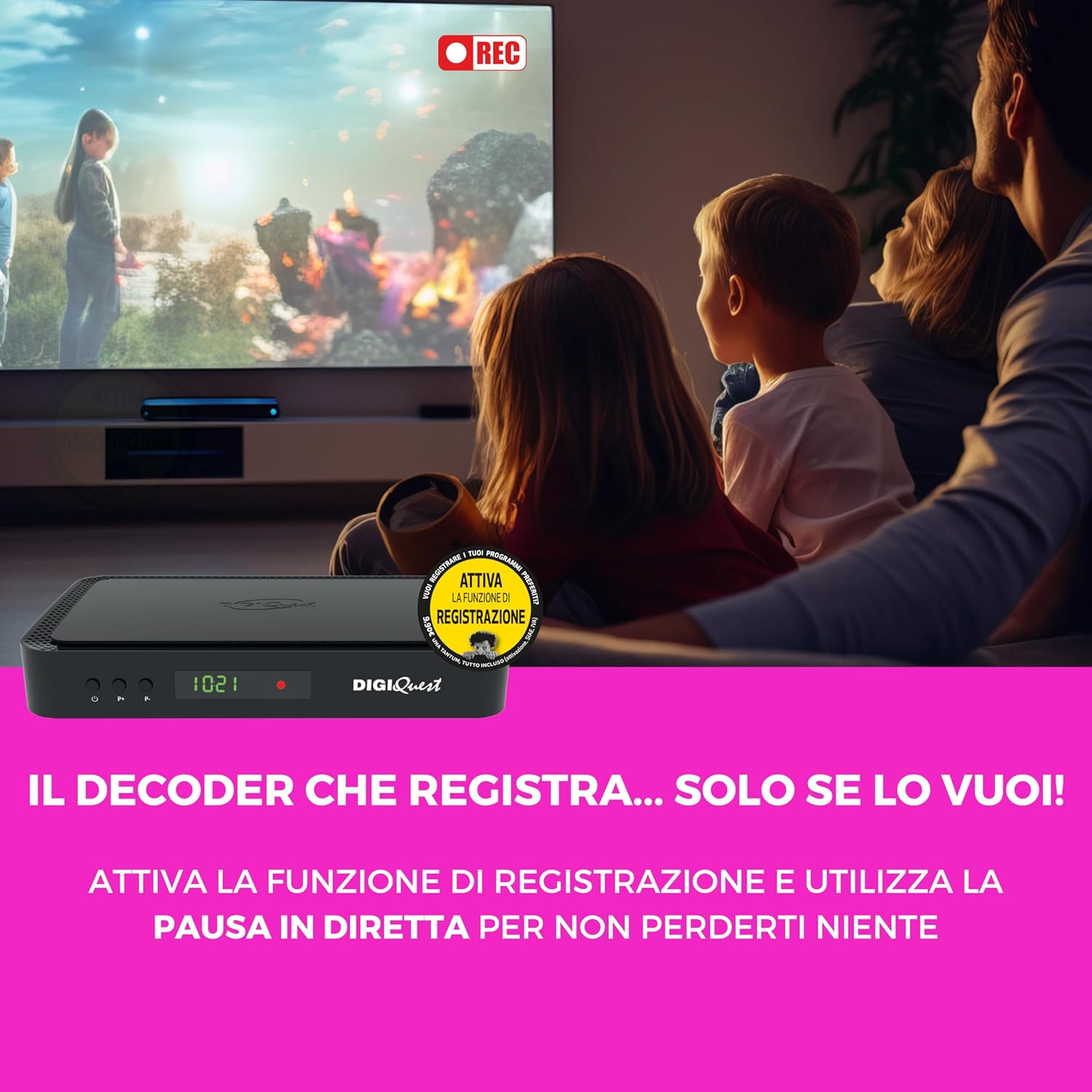
Figure 4.2: The decoder's recording function allows you to capture your favorite programs.
4.4 HbbTV and On-Demand Services
Connect the decoder to the internet via the LAN port to access HbbTV services. HbbTV allows you to interact with broadcast content and access on-demand platforms such as Rai Play and Mediaset Infinity directly through your decoder.

Figure 4.3: Utilize HbbTV technology to enjoy interactive and on-demand content.
4.5 Media Player
Insert a USB storage device containing multimedia files (photos, music, videos) into one of the USB ports. Navigate to the Media Player menu on the decoder to browse and play your content.
5. Manutenzjoni
To ensure the longevity and optimal performance of your DIGIQUEST Q80 Combo Decoder, follow these simple maintenance guidelines:
- Tindif: Use a soft, dry cloth to clean the exterior of the decoder. Do not use liquid or aerosol cleaners, as they may damage the device.
- Ventilazzjoni: Ensure the decoder is placed in a well-ventilated area. Do not block the ventilation openings.
- Itfi: If the decoder will not be used for an extended period, unplug it from the power outlet.
6 Issolvi l-problemi
If you encounter issues with your DIGIQUEST Q80, refer to the following common problems and solutions:
- Ebda Qawwa:
- Check if the power adapter is securely connected to the decoder and the electrical outlet.
- Kun żgur li l-iżbokk tad-dawl huwa funzjonali.
- Ebda Sinjal:
- Verify that the satellite and terrestrial antenna cables are correctly connected to the 'SAT IN' and 'RF IN' ports.
- Check your antenna and dish alignment.
- Perform a channel scan from the decoder's menu.
- L-ebda Stampa/Ħoss fuq it-TV:
- Ensure the HDMI cable is securely connected between the decoder and your TV.
- Select the correct HDMI input source on your TV.
- Check the volume level on both the decoder and your TV.
- Encrypted Channel Message:
- Ensure your Tivùsat smart card is correctly inserted into the smart card slot.
- Verify that your Tivùsat card has been activated on www.tivusat.tv.
- Il-Kontroll mill-bogħod Mhux Jaħdem:
- Ibdel il-batteriji fil-kontroll remot.
- Ensure there are no obstructions between the remote and the decoder.
7. Speċifikazzjonijiet
| Karatteristika | Speċifikazzjoni |
|---|---|
| Numru tal-Mudell | RICD1242 |
| Dimensjonijiet (Pakkett) | 28.9 x 20.5 x 5.8 ċm |
| Piż tal-oġġett | 300 Gramm |
| Teknoloġija tal-Konnettività | HDMI |
| Portijiet USB totali | 2 (USB 2.0, USB 3.0) |
| Portijiet HDMI totali | 1 |
| Modalità tal-Ħruġ tal-Awdjo | Jdawru |
| Kapaċità tal-Ħżin tal-Memorja | 256 MB |
| Apparati Kompatibbli | Televiżjoni |
| Format awdjo appoġġjat | Dolby Digital, Dolby Digital Plus |
| Kulur | Iswed |


