1. Introduzzjoni
Thank you for choosing the Hoco EW39 Bright Wireless Bluetooth Earbuds. This manual provides detailed instructions on how to set up, operate, and maintain your earbuds to ensure optimal performance and longevity. Please read this manual carefully before use.
These earbuds offer high-quality audio with deep bass and clear treble. Each earbud provides up to 4 hours of playback per charge, complemented by a digital display on the charging case for convenient battery monitoring. Featuring Bluetooth 5.3 for stable connectivity, intuitive touch controls for easy operation, and a built-in microphone for hands-free calls. The compact and lightweight design ensures portability, and Passive Noise Cancellation (ENC) enhances your listening and calling experience by reducing background noise.
2. Kontenut tal-Pakkett
- Hoco EW39 Bright Wireless Bluetooth Earbuds (Left & Right)
- Kawża tal-Iċċarġjar
- Cable tal-Iċċarġjar tal-USB
- Manwal għall-Utent
3. Prodott Aktarview
Familiarize yourself with the components of your Hoco EW39 earbuds and charging case.
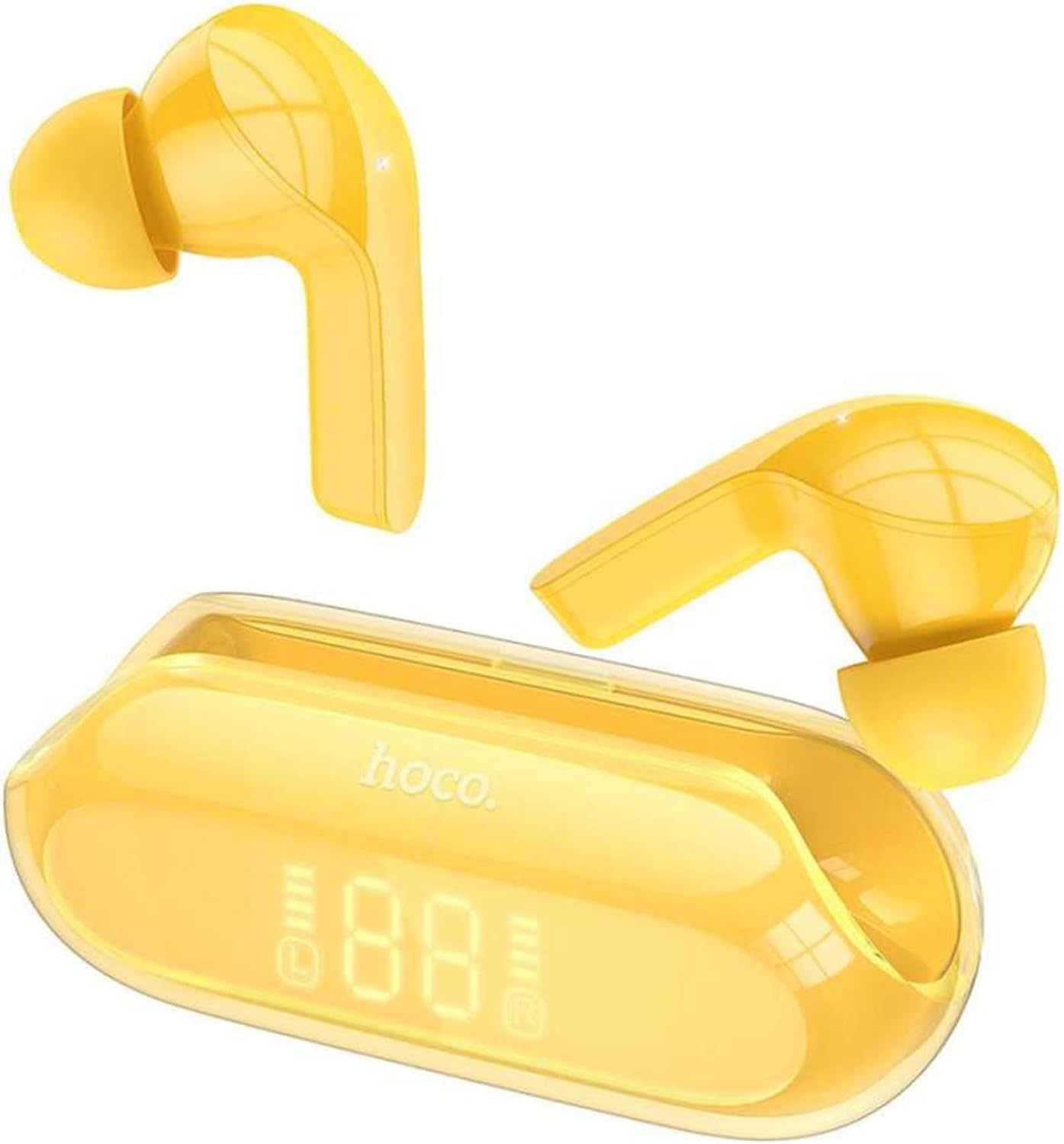
Figure 3.1: Hoco EW39 Bright Wireless Bluetooth Earbuds and Charging Case with Digital Display

Figura 3.2: Wara view of the Hoco EW39 charging case showing the USB-C charging port
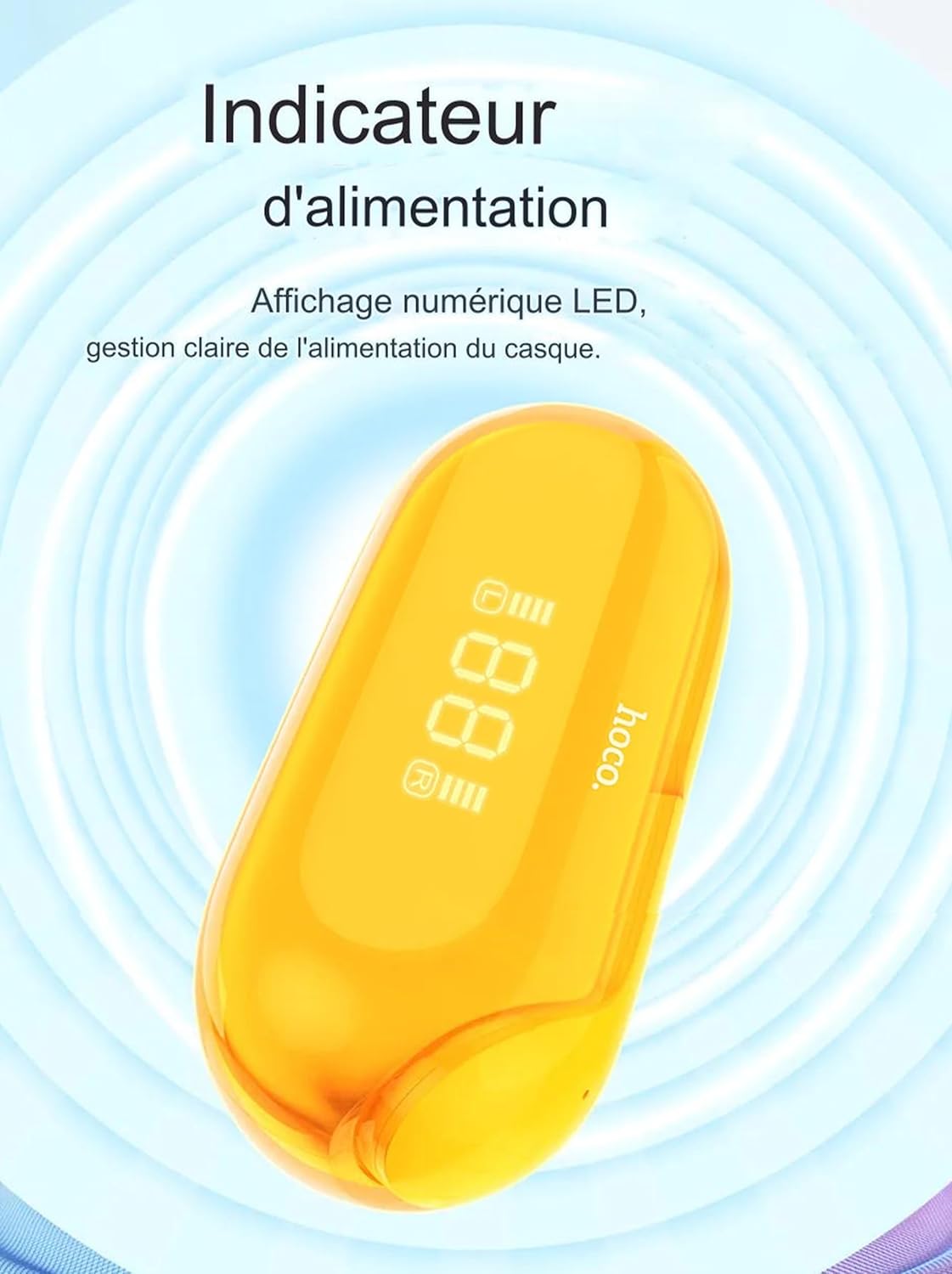
Figure 3.3: Close-up of the Hoco EW39 charging case digital display indicating battery level
4. Setup
4.1 Iċċarġjar tal-Earbuds u l-Kaxxa
Before first use, it is recommended to fully charge the earbuds and the charging case.
- Poġġi ż-żewġ earbuds fil-kaxxa tal-iċċarġjar, waqt li tiżgura li jkunu f'posthom sew.
- Connect the USB charging cable to the USB-C port on the back of the charging case and plug the other end into a compatible USB power source (e.g., wall adapter, computer USB port).
- The digital display on the charging case will illuminate and show the current battery percentage, li jindika li l-iċċarġjar għaddej.
- The earbuds will automatically charge when placed in the case, and their charging status may be indicated by small lights on the earbuds themselves or on the case display.
- Once fully charged, the display will show 100% or a full battery icon. Disconnect the charging cable.
4.2 It-tqabbil mat-Tagħmir Tiegħek
The Hoco EW39 earbuds utilize Bluetooth 5.3 for a stable and efficient connection.
- Kun żgur li l-earbuds huma ċċarġjati u mqiegħda ġewwa l-kaxxa tal-iċċarġjar.
- Iftaħ l-għatu tal-każ tal-iċċarġjar. Il-earbuds jinxtegħlu awtomatikament u jidħlu fil-mod ta 'tqabbil.
- Fuq l-ismartphone, it-tablet, jew apparat ieħor li jaħdem bil-Bluetooth tiegħek, mur fis-settings tal-Bluetooth u kun żgur li l-Bluetooth huwa mixgħul.
- Fittex għal new devices. You should see "Hoco EW39" appear in the list of available devices.
- Select "Hoco EW39" to connect. A voice prompt from the earbuds will confirm successful pairing.
- Once paired, the earbuds will automatically connect to the last paired device when removed from the case, provided Bluetooth is enabled on your device.
5. Istruzzjonijiet Operattivi
5.1 Power On/Off
- Qawwa Mixgħul: Open the charging case lid, or remove the earbuds from the case.
- Itfi: Place both earbuds back into the charging case and close the lid. The earbuds will automatically disconnect and power off. If disconnected from Bluetooth for several minutes, they will also power off automatically.
5.2 Kontrolli touch
The Hoco EW39 earbuds feature intuitive touch controls on each earbud.
| Azzjoni | Kontroll |
|---|---|
| Ilgħab/Pawża Mużika | Tektek wieħed fuq kull earbud |
| Track li jmiss | Tektek darbtejn fuq il-earbud tal-lemin |
| Track Preċedenti | Tektek darbtejn fuq il-earbud tax-xellug |
| Tweġiba/Tmiem Sejħa | Single tap on either earbud during an incoming call or active call |
| Irrifjuta Sejħa | Press and hold either earbud for 2 seconds during an incoming call |
| Attiva l-Assistent tal-Vuċi (Siri, Google Assistant, eċċ.) | Tektek tliet darbiet fuq kull earbud |
5.3 Nagħmlu Telefonati
The built-in microphone allows for clear, hands-free communication. Passive Noise Cancellation (ENC) helps to reduce ambient noise during your calls, ensuring your voice is heard clearly.
6. Manutenzjoni
Proper care will extend the life of your Hoco EW39 earbuds.
- Tindif: Uża drapp artab, niexef u mingħajr suf biex tnaddaf il-earbuds u l-kaxxa tal-iċċarġjar. Tużax prodotti tat-tindif li joborxu, alkoħol, jew solventi kimiċi.
- Ħażna: When not in use, store the earbuds in their charging case to protect them from dust and damage. Store in a cool, dry place, away from direct sunlight and extreme temperatures.
- Reżistenza għall-Ilma: These earbuds are not waterproof. Avoid exposing them to water, rain, or excessive moisture.
- Evita l-Impatt: Do not drop, hit, or subject the earbuds or case to strong impacts, as this may damage internal components.
7 Issolvi l-problemi
Jekk tiltaqa' ma' problemi bil-earbuds tiegħek, ipprova s-soluzzjonijiet li ġejjin:
- Il-earbuds mhux qed jitqabbdu:
- Kun żgur li ż-żewġ earbuds huma ċċarġjati.
- Make sure Bluetooth is enabled on your device and the earbuds are within range.
- Itfi l-Bluetooth fuq l-apparat tiegħek, imbagħad erġa' ixgħelu.
- Forget "Hoco EW39" from your device's Bluetooth list and try pairing again.
- Place both earbuds back into the charging case, close the lid for 5 seconds, then open it again to reset them.
- L-ebda ħoss minn earbud wieħed jew miż-żewġ earbuds:
- Iċċekkja l-livell tal-volum fuq l-apparat tiegħek u fuq il-earbuds.
- Kun żgur li l-earbuds huma konnessi sew mat-tagħmir tiegħek.
- Ipprova daqq awdjo differenti files jew apps.
- Kwistjonijiet tal-iċċarġjar:
- Kun żgur li l-kejbil tal-iċċarġjar huwa konness sew kemm mal-kaxxa kif ukoll mas-sors tal-enerġija.
- Ipprova port USB differenti jew adapter tal-enerġija.
- Naddaf il-kuntatti tal-iċċarġjar fuq il-earbuds u ġewwa l-kaxxa b'tajjara niexfa tal-qoton.
- Kwalità tal-ħoss fqira:
- Kun żgur li l-earbuds huma nodfa u ħielsa minn debris.
- Ersaq eqreb lejn l-apparat konness tiegħek biex tevita interferenza.
- Try disconnecting and reconnecting the earbuds.
8. Speċifikazzjonijiet
Detailed technical specifications for the Hoco EW39 Bright Wireless Bluetooth Earbuds:
| Karatteristika | Speċifikazzjoni |
|---|---|
| Mudell | EW39 |
| Verżjoni Bluetooth | 5.3 |
| Kapaċità tal-Batterija tal-Earbud | 30mAh (kull earbud) |
| Kawża tal-Iċċarġjar Kapaċità tal-Batterija | 300mAh |
| Ħin ta 'Daqq tal-Mużika | Sa 4 sigħat |
| Ħin tal-Iċċarġjar (Earbuds) | Madwar 1 siegħa |
| Ħin ta' Standby | Sa 150 sigħat |
| Daqs tas-Sewwieq tal-Kelliem | 6mm |
| Impedenza | 32Ω |
| Rispons ta' Frekwenza | 20-20000Hz |
| Sensittività | 98dB |
| Piż tal-Earbud | Madwar 3.5g (kull wieħed) |
| Port tal-Iċċarġjar | USB-C |
9. Garanzija u Appoġġ
For warranty information, technical support, or service inquiries regarding your Hoco EW39 Bright Wireless Bluetooth Earbuds, please refer to the official Hoco website or contact your local retailer where the product was purchased. Please retain your proof of purchase for warranty claims.


