1. Nibdew
1.1 X'hemm fil-Kaxxa
Your Ray-Ban Meta Wayfarer Smart Glasses package includes the following items:
- Ray-Ban Meta Wayfarer Smart Glasses
- Kawża tal-Iċċarġjar
- Drapp tat-Tindif
- Manwal għall-Utent (dan id-dokument)
- Gwida Quick Start
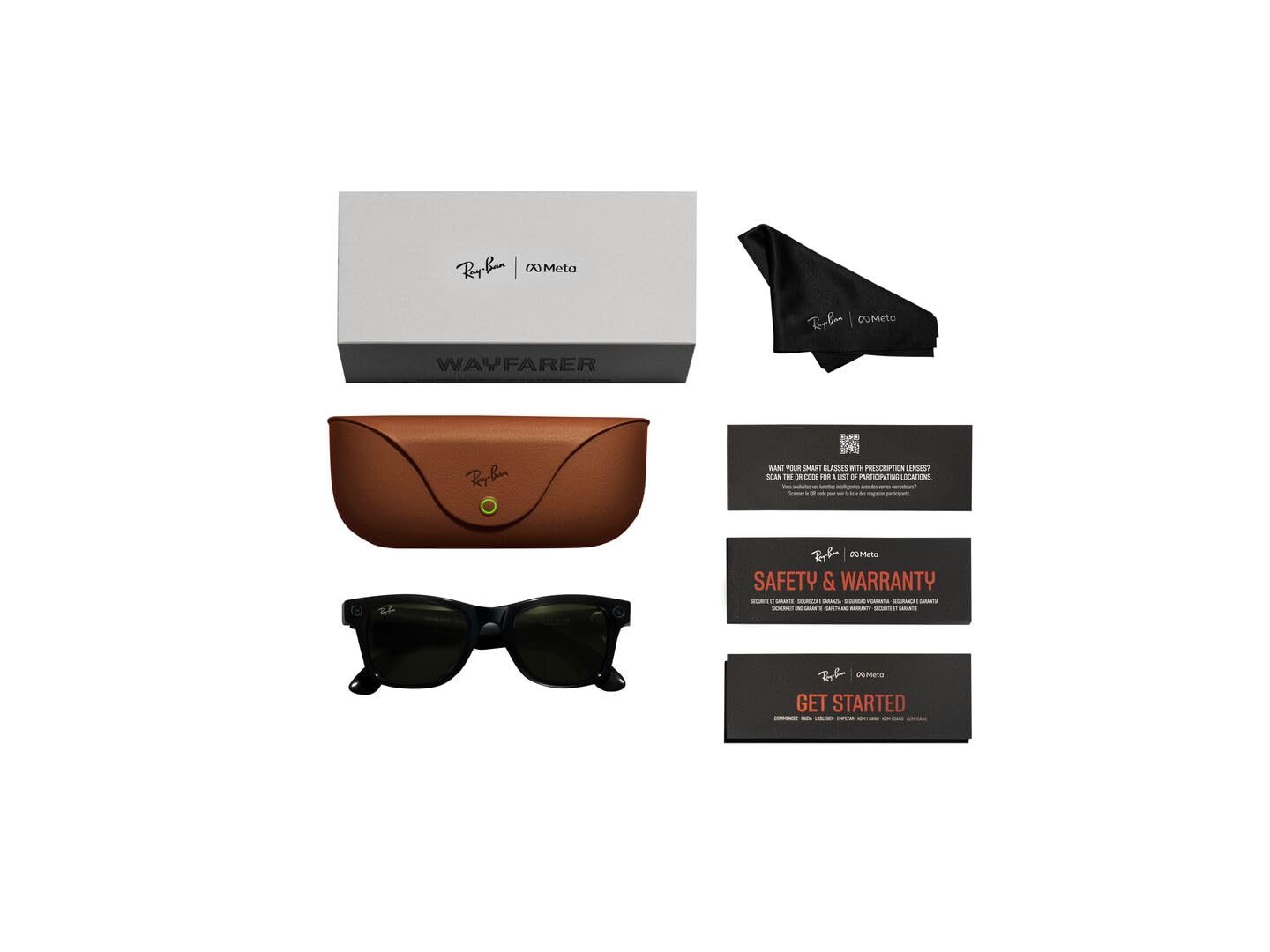
Image: Contents of the Ray-Ban Meta Wayfarer Smart Glasses package.
1.2 Setup Inizjali
Follow these steps to set up your new smart glasses:
- Iċċarġja n-Nuċċali Tiegħek: Place your Ray-Ban Meta glasses into the charging case. Ensure the case is charged using the provided USB-C cable. The indicator light on the case will show charging status.
- Niżżel il-Meta View App: Scan the QR code in your Quick Start Guide or search for 'Meta View' in your device's app store.
- Pair Your Glasses: Iftaħ il-Meta View app and follow the on-screen instructions to pair your glasses with your smartphone via Bluetooth.
- Imla Setup: Follow the remaining prompts in the app to customize settings and explore features.
2. Prodott Aktarview & Karatteristiċi
2.1 Disinn u Komponenti
The Ray-Ban Meta Wayfarer Smart Glasses integrate advanced technology into a classic design. Key components include:
- Kamera Ultra-Wide ta' 12 MP: Located on the front frame, designed for hands-free photo and video capture.
- Five-Mic System: Integrated for clear audio recording and calls, even in windy conditions.
- Open-Ear Speakers: Discreetly built into the temples, providing rich audio without blocking ambient sounds.
- Touchpad: Located on the temple for intuitive control of music, calls, and camera functions.
- Swiċċ tal-Enerġija: A small switch on the temple to turn the glasses on or off, conserving battery.
- Indikatur LED: A small light that indicates recording status for privacy.

Image: Labeled components of the smart glasses.
2.2 Karatteristiċi ewlenin
- Hands-Free Capture: Record photos and 1080p videos from your first-person perspective using the 12 MP ultra-wide camera and five-mic system.
- Awdjo tal-widnejn miftuħa: Enjoy music, podcasts, and calls through integrated open-ear speakers, allowing you to remain aware of your surroundings.
- Meta AI Integration: Access Meta AI for real-time answers and context-rich suggestions based on what you see and hear.
- Komunikazzjoni mingħajr idejn: Make and receive calls, and send messages directly from your glasses via Bluetooth connection to your phone.
- Traduzzjoni f'Ħin Reali: Utilize live translation features for conversations between supported languages (French, Italian, Spanish, English, German, Portuguese).
- POV Sharing: Instantly switch between your phone's camera and the glasses' camera during video calls to share your perspective.
- Kontrolli tal-Privatezza: Manage voice commands and other privacy settings through the Meta View app. An external LED indicator illuminates when recording is active.
3. Istruzzjonijiet Operattivi
3.1 Qbid ta' Ritratti u Vidjows
Capture moments effortlessly with your glasses:
- Kmand tal-Vuċi: Say "Hey Meta, take a photo" or "Hey Meta, record a video."
- Kontroll tat-touchpad: Short press the capture button on the temple to take a photo. Long press to start recording a video.

Image: Built-in HD camera for hands-free capture.
3.2 Listening to Audio and Calls
Your glasses provide an immersive audio experience:
- Play Mużika: Use voice commands like "Hey Meta, play my workout playlist on Spotify" or control via the touchpad.
- Agħmel/Irċievi Telefonati: Answer incoming calls by tapping the temple or using voice commands. The five-mic system ensures clear communication.

Image: Open-ear audio for music and calls.
3.3 Using Meta AI
Engage with Meta AI for assistance throughout your day:
- Ask Questions: Say "Hey Meta" followed by your question to get real-time information.
- Contextual Suggestions: Meta AI can analyze your surroundings and provide relevant suggestions.
- Live Translation: Activate live translation to understand and communicate in different languages.
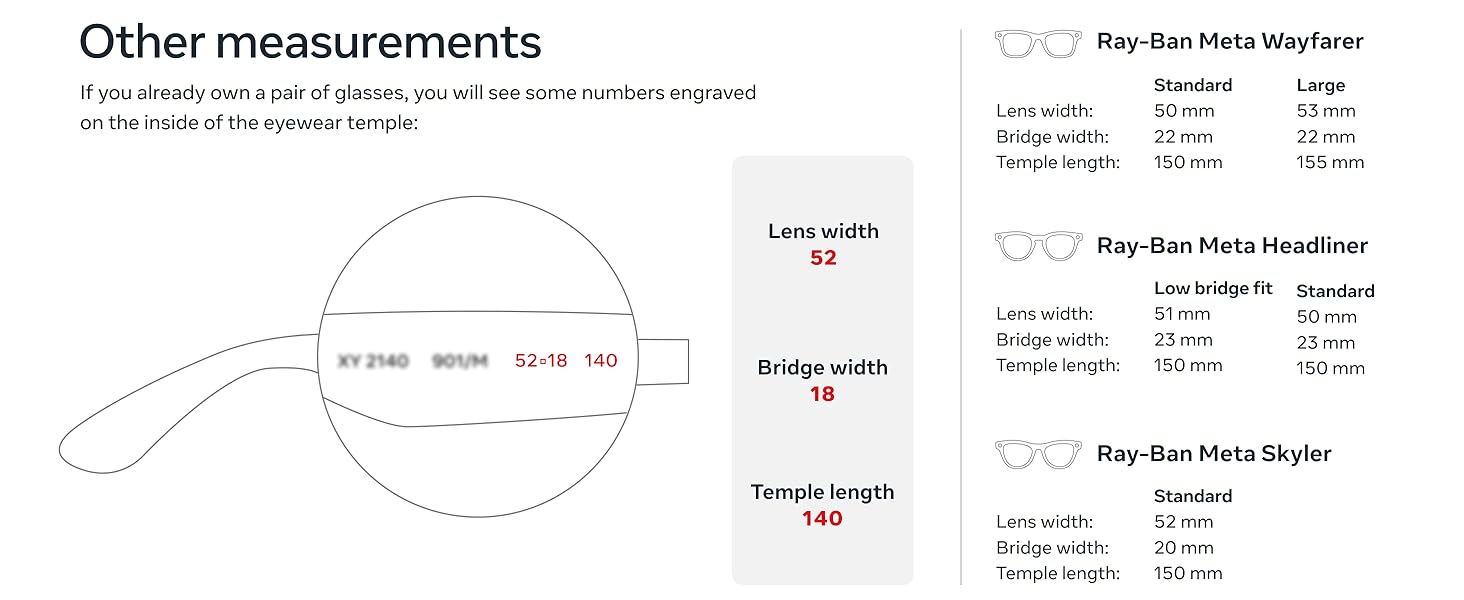
Image: Meta AI providing real-time answers.
4. Batterija u Iċċarġjar
4.1 Ħajja tal-batterija
Your Ray-Ban Meta glasses offer:
- Up to 4 hours of use on a full charge with moderate usage.
- The included charging case provides an additional 32 hours of charge, allowing multiple recharges on the go.

Image: Charging case for extended battery life.
4.2 Iċċarġjar tan-Nuċċali
To charge your glasses:
- Ensure your charging case is adequately charged.
- Fold your glasses and place them securely into the charging case.
- Id-dawl indikatur fuq il-każ se juri l-istatus tal-iċċarġjar.
5. Manutenzjoni u Kura
5.1 Istruzzjonijiet għat-Tindif
Biex iżżomm prestazzjoni u dehra ottimali:
- Use the provided cleaning cloth to gently wipe lenses and frames.
- Għal tbajja’ iebsa, neħħi ħafifampen the cloth with water or a lens cleaning solution.
- Evita kimiċi ħarxa jew materjali li joborxu.
5.2 Reżistenza għall-Ilma
The Ray-Ban Meta glasses are IPX4 splash-proof, meaning they are resistant to splashes of water from any direction. They are not waterproof and should not be submerged in water.
6 Issolvi l-problemi
If you encounter any issues with your Ray-Ban Meta glasses, try the following:
- Kwistjonijiet ta' Konnettività: Ensure Bluetooth is enabled on your phone and the glasses are within range. Try unpairing and re-pairing the device in the Meta View app.
- Ixxotta tal-batterija: Reduce continuous video recording or extensive Meta AI usage. Ensure the glasses are fully powered off when not in use.
- Kwalità tal-Awdjo: Check for obstructions around the open-ear speakers and microphones. Ensure the glasses are positioned correctly on your face.
- App Mhux Tirrispondi: Close and restart the Meta View app. If the issue persists, try reinstalling the app.
- Glasses Not Responding: Perform a soft reset by holding down the power button for 12 seconds.
7. Speċifikazzjonijiet
| Speċifikazzjoni | Dettall |
|---|---|
| Numru tal-Mudell | 0RW4008 |
| ASIN | B0CGXYNWBH |
| Data ta' Rilaxx | 17 ta’ Ottubru, 2023 |
| Dimensjonijiet tal-Prodott | 2.13 x 3.94 x 3.94 pulzieri |
| Piż tal-oġġett | 11.04 uqija |
| Batteriji | 1 batterija tal-jone tal-litju meħtieġa (inkluża) |
| Manifattur | Luxottica |
| Konnettività | Wi-Fi 6 Certified, Bluetooth 5.2 |
| Kompatibilità OS | iOS 14.4 or newer | Android 10 or newer |
8. Garanzija u Appoġġ
For warranty information and customer support, please refer to the documentation included with your product or visit the official Meta Store on Amazon:
9. Fit Guide
9.1 Ray-Ban Meta Wayfarer Sizing
Ensure a comfortable fit with the following dimensions:
| Kejl | Standard | Kbir |
|---|---|---|
| Hinge to Hinge | 131 mm | 137 mm |
| Għoli tal-Lenti | 40.6 mm | 43.6 mm |
| Wisa' tal-Lenti | 50 mm | 53 mm |
| Wisa' tal-Pont | 22 mm | 22 mm |
| Tul tat-Tempju | 150 mm | 155 mm |
Image: Detailed fit guide for Ray-Ban Meta Wayfarer.
9.2 Lens Types
Ray-Ban Meta glasses are available with various high-performance lens types:
- Lentijiet tax-Xemx: Provide advanced eye protection in bright conditions with 100% UVA & UVB protection.
- Lentijiet Ċari: Blue light filter lenses designed to improve visual comfort by filtering at least 20% of blue light between 380-450nm.
- Lentijiet Transitions®: Seamlessly adapt to changing light conditions, going from fully clear or slightly tinted indoors to fully dark outdoors.
- Lentijiet Polarizzati: Intercept reflections and reduce glare for better contrast and improved clarity, with 100% UVA and UVB protection.
Image: Sun lenses for bright conditions.
Image: Clear lenses with blue light filter.
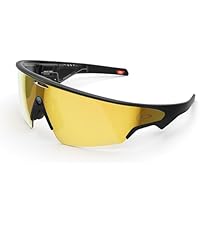
Image: Transitions lenses adapting to light.


