Introduzzjoni
The SUNOL T16 Wireless Earbuds are designed for an active lifestyle, offering high-quality audio and convenient features. These Bluetooth headphones provide up to 48 hours of total playtime with their wireless charging case, featuring an LED power display for easy monitoring. With earhooks for a secure fit and water resistance, they are ideal for workouts, running, and various sports activities. The built-in microphone with noise cancellation ensures clear calls.
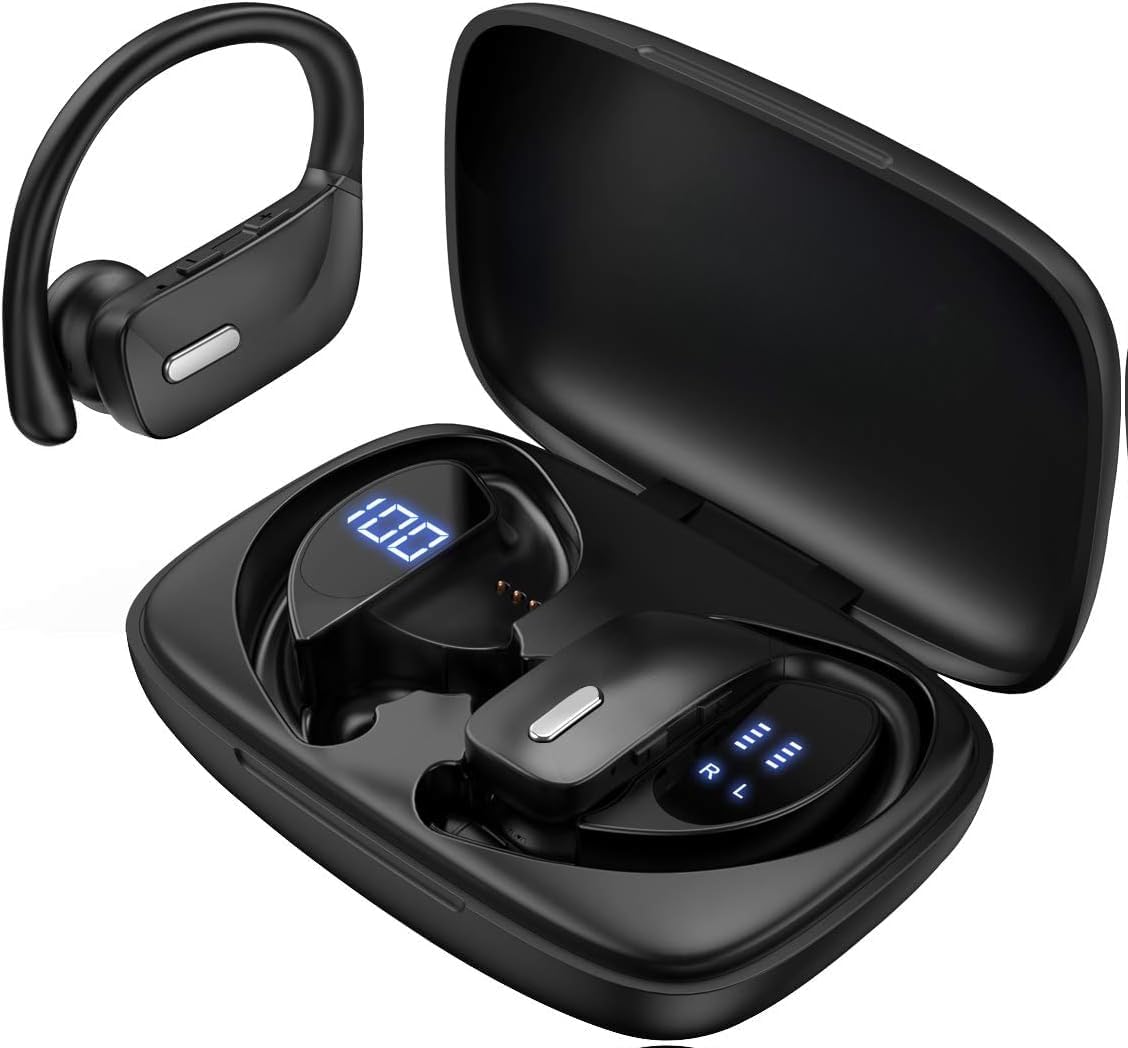
Image: The SUNOL T16 Wireless Earbuds with their charging case, showcasinid-displej diġitali.
X'hemm fil-Kaxxa
- SUNOL T16 Wireless Earbuds (Left and Right)
- Kawża tal-Iċċarġjar bla Fili
- Cable tal-Iċċarġjar tal-USB-C
- 3 Pairs of Ear Caps (S, M, L)
Speċifikazzjonijiet
| Karatteristika | Dettall |
|---|---|
| Isem tal-Mudell | T16 |
| Teknoloġija tal-Konnettività | Mingħajr fili (Bluetooth 5.0) |
| Medda Bluetooth | Sa 10 metri |
| Ħajja tal-Batterija tal-Earbud | Sa 9 sigħat (ċarġ wieħed) |
| Ħin Totali tal-Logħob (bil-kaxxa) | Sa 48 sigħat |
| Għażliet tal-Iċċarġjar | Wireless Charging, USB-C Charging |
| Daqs tas-Sewwieq tal-Awdjo | Sewwieq Dinamiku ta '10 mm |
| Medda ta' Frekwenzi | 20 Hz - 20,000 Hz |
| Impedenza | 40 Ohm |
| Kontroll tal-Ħoss | Kanċellazzjoni Attiva tal-Ħoss |
| Mikrofonu | Built-in with Noise Cancellation |
| Livell ta 'Reżistenza għall-Ilma | Reżistenti għall-Ilma |
| Tip ta' Kontroll | Touch, Siri Voice Assistant |
| Tqegħid tal-widnejn | Fuq il-widna (bil-ganċijiet tal-widna) |
| Materjal | Acrylonitrile Butadiene Styrene (ABS) |
| Piż tal-oġġett | 6.4 uqija |

Image: Diagram illustrating the premium stereo sound quality and Bluetooth 5.0 connectivity.
Setup
1. Iċċarġjar tal-Earbuds u l-Kaxxa
The charging case supports both wireless charging and USB-C charging. The impressive 9 hours of listening time on a single charge for the sports wireless headphones are extended to a remarkable 48 hours of play time with the included charging case.
- To charge the case, connect a USB-C cable to the charging port on the back of the case, or place it on a compatible wireless charging pad.
- Place the earbuds into their respective slots in the charging case. Ensure they are properly seated to initiate charging.
- The smart LED digital power display on the case will show the remaining battery level of the charging case and the individual earbuds. The percentage in the middle indicates the case battery, while the battery icons on both sides indicate the left and right earbud charge levels.

Image: The charging case with its LED display showing battery levels for the case and individual earbuds.

Image: Diagram illustrating the battery life: 15 min charge for 1 hour playtime, 8 hours on a single charge, and 48 hours with the charging case.
2. It-tqabbil mat-Tagħmir Tiegħek
The earbuds automatically enter pairing mode when removed from the charging case.
- Iftaħ il-kaxxa tal-iċċarġjar u neħħi ż-żewġ earbuds. Dawn jinxtegħlu awtomatikament u jidħlu fil-modalità ta' tqabbil.
- Fuq l-apparat mobbli tiegħek (smartphone, tablet, laptop), mur fis-settings tal-Bluetooth.
- Fittex għal available devices. You should see "T16" or "S8" appear in the list.
- Select "T16" or "S8" to connect. Once connected, you will hear an audio prompt, and the earbuds will be ready for use.

Image: Diagram showing the earbuds automatically pairing with mobile phones.
Video: Official product video demonstrating the unboxing, charging, and Bluetooth pairing process of the SUNOL T16 Wireless Earbuds.
Istruzzjonijiet Operattivi
Liebes il-Earbuds
The T16 earbuds are designed with flexible earhooks to ensure a secure and comfortable fit, especially during physical activity. Gently place the earbud into your ear canal and adjust the earhook over the top of your ear until it feels stable and comfortable. Experiment with the included ear cap sizes to find the best fit for optimal sound and comfort.

Image: A woman wearing the SUNOL T16 earbuds, demonstrating their secure fit for an active lifestyle.
Touch Kontrolli
The earbuds feature physical buttons for precise control of various functions:
- Play/Pawsa: Tektek wieħed fuq kull earbud.
- Wieġeb/Hang up Call: Tektek waħda fuq kwalunkwe earbud waqt telefonata.
- Kanzunetta ta' qabel: Tektek darbtejn fuq il-earbud tax-xellug.
- Kanzunetta li jmiss: Tektek darbtejn fuq il-earbud tal-lemin.
- Active Voice Assistant (Siri): Tektek tliet darbiet fuq kull earbud.
- Tiċħad Sejħiet: Agħfas fit-tul fuq kwalunkwe earbud waqt telefonata li tkun dieħla.
- Aġġustament tal-Volum: Use the dedicated volume buttons on the earbuds.

Image: Diagram detailing the physical buttons and their functions, including volume adjustment, play/pause, call management, and voice assistant activation.
Manutenzjoni
To ensure the longevity and optimal performance of your SUNOL T16 Wireless Earbuds, follow these maintenance guidelines:
- Tindif: Regularly wipe the earbuds and charging case with a soft, dry, lint-free cloth. For ear caps, remove them and clean with mild soap and water, then dry thoroughly before reattaching.
- Reżistenza għall-Ilma: While water-resistant, avoid submerging the earbuds in water. Dry them completely if they get wet from sweat or rain before placing them back in the charging case.
- Ħażna: Meta ma tkunx qed tużahom, aħżen il-earbuds fil-kaxxa tal-iċċarġjar tagħhom biex tipproteġihom u żżommhom iċċarġjati. Aħżen f'post frisk u niexef 'il bogħod minn temperaturi estremi.
- Port tal-Iċċarġjar: Żomm il-port tal-iċċarġjar USB-C ħieles mit-trab u l-fdalijiet.
Issolvi l-problemi
If you encounter any issues with your SUNOL T16 Wireless Earbuds, try the following solutions:
- Il-earbuds mhux qed jitqabbdu:
- Kun żgur li ż-żewġ earbuds huma kompletament iċċarġjati.
- Place earbuds back in the case, close the lid, wait a few seconds, then open and remove them again.
- Itfi l-Bluetooth fuq l-apparat tiegħek, imbagħad erġa' ixgħelu u erġa' pprova tqabbad.
- Forget or remove the "T16" or "S8" device from your device's Bluetooth list and attempt to pair from scratch.
- Earbud wieħed biss jaħdem:
- Kun żgur li ż-żewġ earbuds huma ċċarġjati.
- Place both earbuds back in the charging case, close the lid, and then take them out simultaneously.
- If the issue persists, try resetting the earbuds.
- Kwalità tal-ħoss fqira:
- Ensure the earbuds are properly seated in your ears and the ear caps provide a good seal.
- Check the audio source device's volume and sound settings.
- Move closer to your connected device to avoid interference or exceeding the 10-meter Bluetooth range.
- Clean the earbud speakers and ear caps.
- Kaxxa tal-iċċarġjar mhux qed tiċċarġja:
- Kun żgur li l-kejbil USB-C huwa konness sew kemm mal-kaxxa kif ukoll mas-sors tal-enerġija.
- Ipprova kejbil USB-C jew adapter tal-enerġija differenti.
- Jekk qed tuża ċċarġjar mingħajr fili, kun żgur li l-kaxxa tkun pożizzjonata sew fuq il-pjattaforma tal-iċċarġjar.
Garanzija u Appoġġ
For warranty information and technical support, please refer to the documentation included with your product or contact the manufacturer, SUNOL, directly through their official website or customer service channels. Keep your purchase receipt as proof of purchase for any warranty claims.


