1. Introduzzjoni
The HiFuture Future Zone 2 BT Smartwatch is designed to enhance your daily life by providing convenient access to fitness tracking, communication, and entertainment features directly from your wrist. This manual provides essential information on how to set up, operate, and maintain your new smartwatch.
Key features include step tracking, distance measurement, time and date display, music playback control, an AMOLED touchscreen display, and a seamless Bluetooth calling system. With an impressive 7-day battery life, the Future Zone 2 is built for extended use.
2. Prodott Aktarview
2.1. Karatteristiċi
- Traċċar tal-Attività: Helps you track simple steps, distance traveled, time, and date.
- Kontroll tal-Mużika: Allows you to control your phone's music player directly from the watch.
- Wiri: Features a vibrant AMOLED touchscreen display.
- Sejħa Bluetooth: Enables hassle-free communication with a built-in Bluetooth calling system.
- Ħajja tal-batterija: Offers an impeccable battery that lasts up to 7 days on a single charge.
- Reżistenza għall-Ilma: IP68 certified for water resistance.
- Modi sportivi: Jappoġġja aktar minn 100 modalità sportiva għal traċċar ta' attività diversa.
2.2. Komponenti u Wiri

Figura 2.2.1: The HiFuture Future Zone2 Smartwatch in silver and white, showcasing its sleek design and vibrant display with activity metrics.
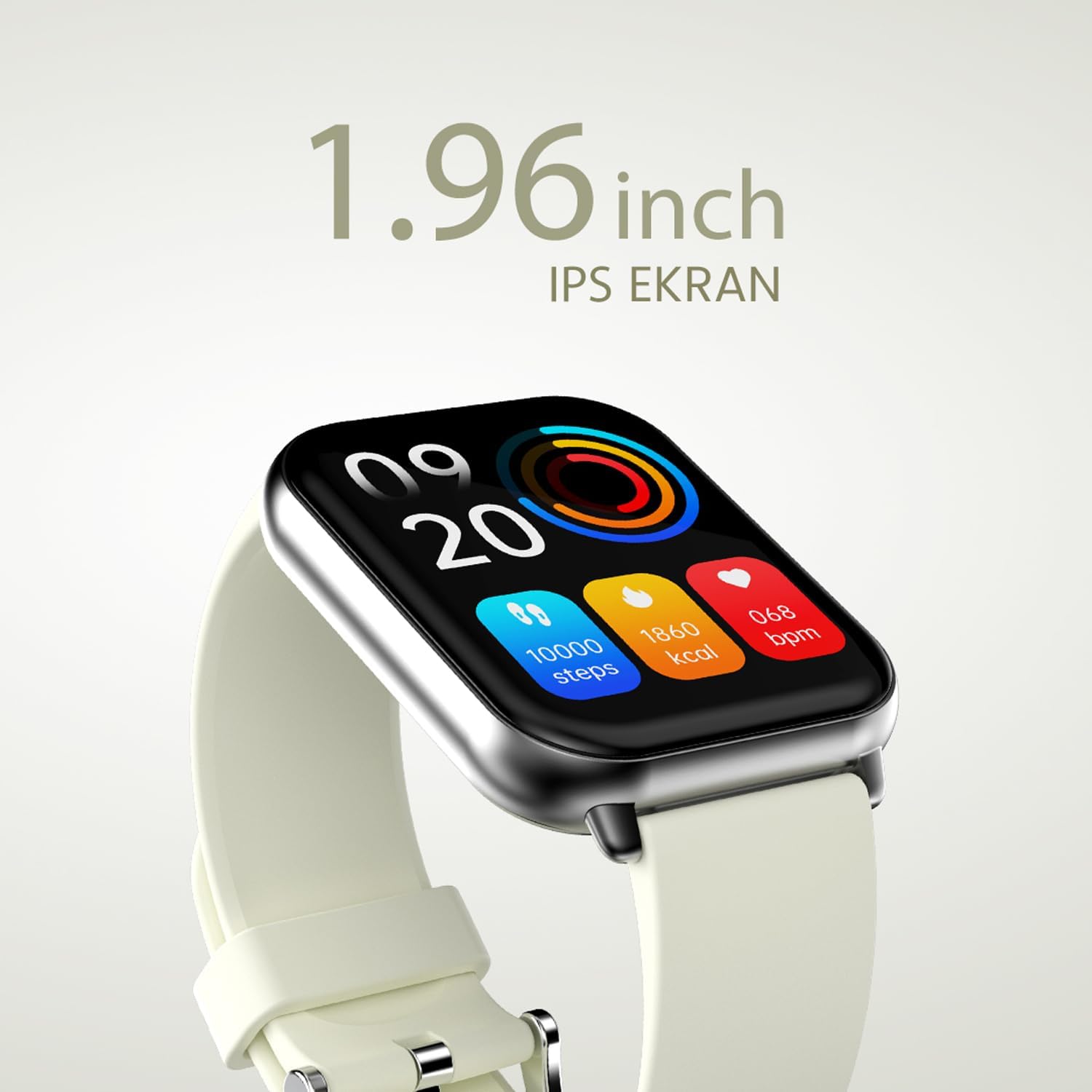
Figura 2.2.2: A dettaljata view of the smartwatch display, highlighting its 1.96-inch IPS screen, which offers clear and crisp visuals.

Figura 2.2.3: The smartwatch accompanied by icons representing its core features: 1.96-inch IPS screen, wireless connectivity, 7-day battery life, and IP68 water resistance.

Figura 2.2.4: The smartwatch surrounded by various sport icons, indicating its support for over 100 different sport modes for comprehensive fitness tracking.
3. Setup
3.1. Iċċarġjar tal-Ismartwatch
Before first use, fully charge your HiFuture Future Zone2 Smartwatch. Connect the charging cable to the charging port on the back of the watch and plug the USB end into a compatible power adapter (not included) or a computer's USB port. The watch display will indicate charging status. A full charge typically takes approximately 2 hours.
3.2. It-tqabbil mal-Ismartphone Tiegħek
- Niżżel l-App: Fittex għal the official HiFuture companion app on your smartphone's app store (Google Play Store for Android or Apple App Store for iOS). Install the app.
- Ippermetti Bluetooth: Kun żgur li l-Bluetooth huwa attivat fuq l-ismartphone tiegħek.
- Iftaħ l-App: Launch the HiFuture app and follow the on-screen instructions to create an account or log in.
- Żid Apparat: Within the app, navigate to the "Add Device" or "Pair Device" section. The app will search for nearby smartwatches.
- Agħżel l-Arloġġ Tiegħek: Select "HiFuture Future Zone2" from the list of discovered devices.
- Ikkonferma l-Imqabbad: Talba ta' tqabbil tidher kemm fuq it-telefon tiegħek kif ukoll fuq l-ismartwatch. Ikkonferma l-tqabbil fuq iż-żewġ apparati.
- Imla Setup: Once paired, the app will guide you through initial settings such as personal information, notification preferences, and watch face customization.
Note: For optimal performance, ensure your smartphone's operating system and the smartwatch app are up to date.
4. Istruzzjonijiet Operattivi
4.1. Navigazzjoni Bażika
- Touchscreen: Skrolla lejn ix-xellug, lejn il-lemin, 'il fuq, jew 'l isfel biex tinnaviga fil-menus u l-iskrins. Tektek biex tagħżel għażla.
- Buttuna tal-ġenb: Press the side button to return to the home screen or wake up the display. A long press may access power options or a quick menu.
4.2. Sejħiet bil-Bluetooth
The Future Zone2 Smartwatch supports Bluetooth calling, allowing you to make and receive calls directly from your wrist when connected to your smartphone.
- Ippermetti l-Awdjo tas-Sejħa: Ensure that the smartwatch is connected to your phone for both data and call audio. This setting is usually managed within your phone's Bluetooth settings after initial pairing.
- Tagħmel Sejħiet: Access the dialer or contact list on your smartwatch. Tap to dial a number or select a contact to initiate a call.
- Jirċievu Sejħiet: Meta tidħol telefonata, l-arloġġ juri l-ID ta’ min qed iċempel. Tektek l-ikona ħadra biex twieġeb jew l-ikona ħamra biex tirrifjuta.
- During a Call: You can speak directly into the watch's built-in microphone and listen through its speaker. Options to mute, adjust volume, or transfer the call to your phone may be available on the watch screen.
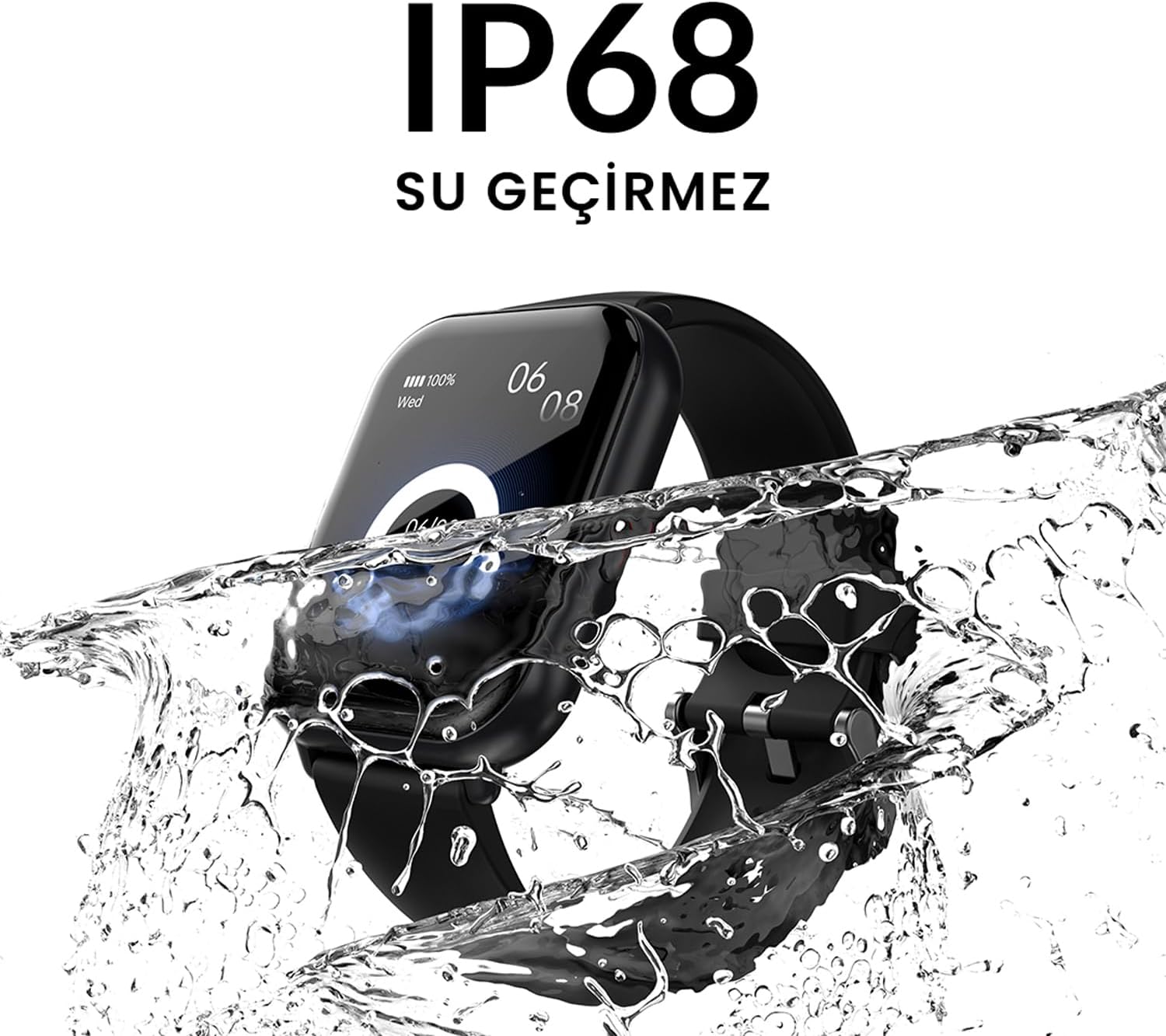
Figura 4.2.1: The smartwatch screen showing a missed call notification, demonstrating its Bluetooth calling capability.
4.3. Kontroll tad-Daqq tal-Mużika
Control your smartphone's music playback directly from your smartwatch.
- Access Music Control: Swipe on your watch face or navigate through the app list to find the "Music" or "Media Control" icon.
- Kontroll tad-daqq: From this screen, you can play/pause, skip tracks (next/previous), and adjust the volume of the music playing on your connected smartphone.
4.4. Traċċar tal-Attività
The smartwatch automatically tracks your daily steps, distance, and calories burned. You can view these metrics on the watch display or in the companion app for more detailed insights.
- Attività ta' Kuljum: The main watch face or a dedicated activity screen will show your current steps, calories, and heart rate (if applicable).
- Modi Sportivi: Select a specific sport mode (e.g., running, cycling, walking) from the watch's menu before starting an activity for more accurate tracking.
5. Manutenzjoni
5.1. Tindif tal-Ismartwatch Tiegħek
- Imsaħ l-iskrin u l-qafas tal-arloġġ b'ċarruta ratba u mingħajr suf.
- Għal tebgħat iebsa, dampLaħlaħ id-drapp ftit bl-ilma. Evita li tuża kimiċi ħarxa jew materjali li joborxu.
- Kun żgur li l-kuntatti tal-iċċarġjar huma nodfa u niexfa qabel ma tiċċarġja.
5.2. Reżistenza għall-Ilma (IP68)
The HiFuture Future Zone2 Smartwatch is IP68 water-resistant, meaning it can withstand immersion in water up to 1.5 meters for up to 30 minutes. It is suitable for daily use, such as hand washing or light rain.
- Do not use the watch for diving, snorkeling, or high-pressure water activities.
- Avoid exposing the watch to hot water, steam, or detergents, as this may compromise its water resistance.
- Jekk l-arloġġ jixxarrab, nixxef sew qabel ma tiċċarġjah jew tħaddem.

Figura 5.2.1: The smartwatch shown with water splashing over it, illustrating its IP68 water resistance rating.
5.3. Kura tal-batterija
- Biex ittawwal il-ħajja tal-batterija, evita li tiċċarġja kompletament il-batterija ta' spiss.
- Iċċarġja l-arloġġ billi tuża biss il-kejbil tal-iċċarġjar provdut.
- Aħżen l-arloġġ f'post frisk u niexef meta ma jkunx qed jintuża għal perjodi twal.
6 Issolvi l-problemi
6.1. Kwistjonijiet Komuni u Soluzzjonijiet
| Ħruġ | Kawża Possibbli | Soluzzjoni |
|---|---|---|
| Watch ma tixgħel | Low battery; device frozen | Charge the watch for at least 30 minutes. If still unresponsive, perform a forced restart (refer to device-specific instructions, usually a long press of the side button). |
| Ma nistax nqabbad ma' smartphone | Bluetooth mitfi; problema bl-app; arloġġ mhux skopert | Ensure Bluetooth is on for both devices. Restart both the watch and phone. Clear the app's cache or reinstall it. Make sure the watch is in pairing mode. |
| Is-sejħiet bil-Bluetooth mhux qed jaħdmu | Incorrect Bluetooth profile; app permissions | Check your phone's Bluetooth settings to ensure the watch is connected for "Calls" or "Phone audio." Verify app permissions for phone calls. |
| Traċċar tal-attività mhux preċiż | Improper wear; software glitch | Ensure the watch is worn snugly on your wrist. Restart the watch. Update the watch firmware via the app if available. |
7. Speċifikazzjonijiet
| Karatteristika | Dettall |
|---|---|
| Brand | HiFuture |
| Isem tal-Mudell | Smartwatch (Future Zone2) |
| Numru tal-Mudell | ZONE2 SILVER WHITE |
| Kulur | Silver and White (as per product title, though spec says Grey) |
| Daqs tal-Iskrin | 41 Millimeters (1.96 inches IPS) |
| Teknoloġija tal-Konnettività | Bluetooth |
| Karatteristiċi Speċjali | Music Player, Distance Tracker, Bluetooth Calling |
| Apparati Kompatibbli | Smartphone, Tablet, Other Portable Devices |
| Kompożizzjoni tal-batterija | Lithium-ion (1 Lithium-polymer battery included) |
| Batterija Rikarikabbli | Iva |
| Reżistenza għall-Ilma | Ċertifikat IP68 |
| GPS | L-ebda GPS |
| Forma | Pjazza |
| Manifattur | HiFuture Group |
8. Garanzija u Appoġġ
8.1. Garanzija tal-Prodott
Specific warranty details for the HiFuture Future Zone2 Smartwatch are typically provided with your purchase documentation or on the manufacturer's official websit. Jekk jogħġbok żomm il-prova tax-xiri tiegħek għal talbiet ta' garanzija.
Note: Information regarding guaranteed software updates and spare parts availability is not explicitly provided.
8.2. Appoġġ għall-Klijent
For technical assistance, troubleshooting beyond this manual, or warranty inquiries, please contact HiFuture customer support through their official webis-sit jew l-informazzjoni ta' kuntatt ipprovduta mal-imballaġġ tal-prodott tiegħek.
Tista' wkoll tirreferi għall- product page on Amazon.com.be għal aktar informazzjoni u r-rispons tal-klijentiviews.


