Introduzzjoni
Thank you for choosing the Cherry KW 3000 Wireless Keyboard. This full-size keyboard is designed for quiet and comfortable typing, featuring 2.4 GHz wireless technology for reliable connectivity with Windows and Mac operating systems. This manual provides essential information for setting up, operating, and maintaining your keyboard.
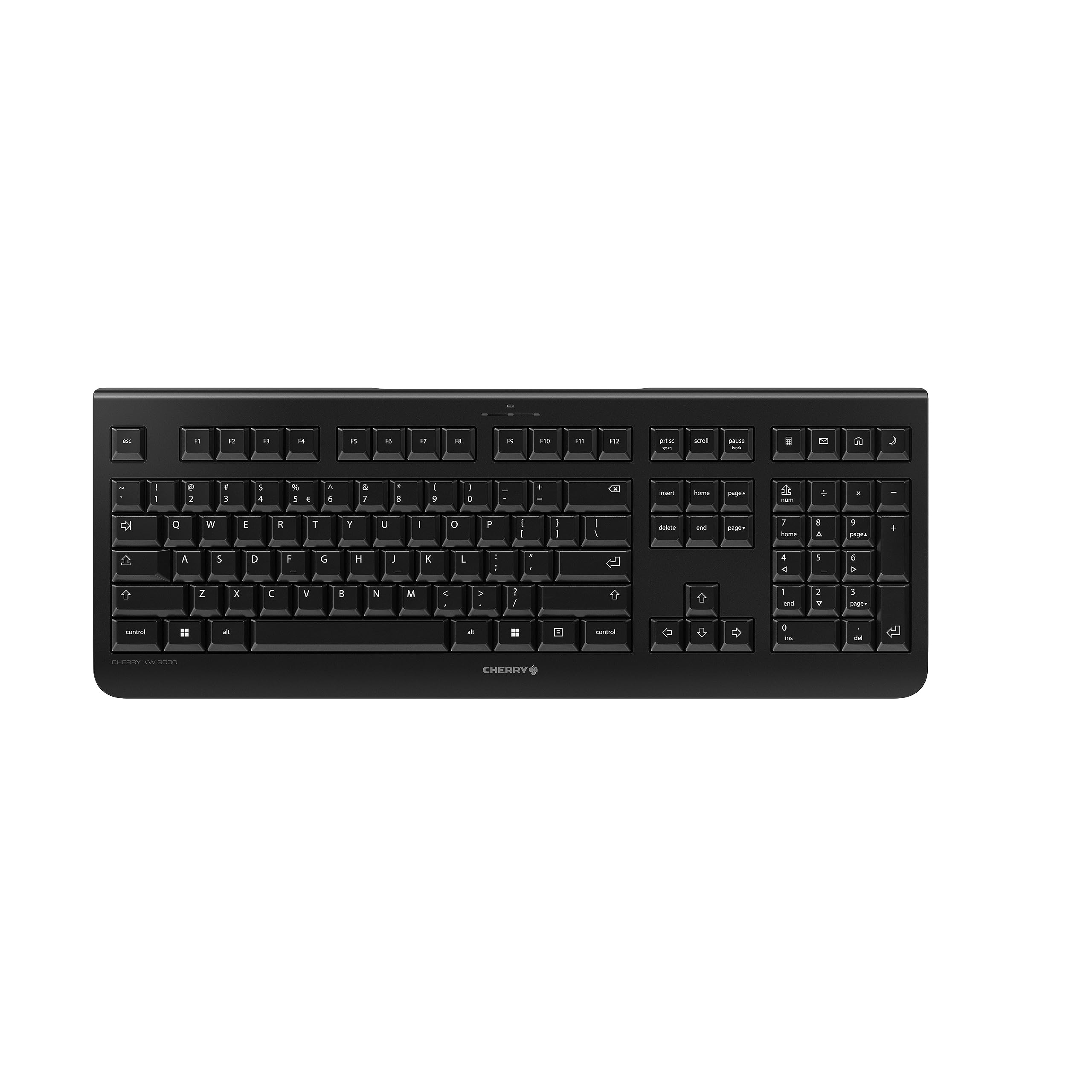
Image: The Cherry KW 3000 Wireless Keyboard, a full-size black keyboard, is shown on a light-colored desk mat. A laptop and an external monitor are visible in the background, indicating a typical office or home workspace setup. A computer mouse is also next to the keyboard.
Kontenut tal-Pakkett
Jekk jogħġbok iċċekkja l-pakkett għall-oġġetti li ġejjin:
- Cherry KW 3000 Wireless Keyboard
- USB Nano Receiver (dongle)
- 2 x Batteriji AAA
- Gwida Quick Start (dan id-dokument)
Setup
Follow these steps to set up your Cherry KW 3000 Wireless Keyboard:
- Daħħal Batteriji: Locate the battery compartment on the underside of the keyboard. Open the cover and insert the two AAA batteries, ensuring correct polarity (+/-). Close the battery cover securely.
- Qabbad ir-Riċevitur USB: Plug the USB nano receiver into an available USB-A port on your computer (Windows or Mac). The operating system will automatically detect and install the necessary drivers.
- Ibda Ittajpja: Your keyboard is now ready for use. There is no on/off switch; the keyboard enters a power-saving sleep mode automatically when not in use and wakes up with any key press.

Image: The underside of the keyboard is shown, highlighting the battery compartment. The adjustable feet are also visible in their extended position.

Image: A small black USB nano receiver, labeled 'CHERRY', is shown on a light-colored surface, ready to be plugged into a computer's USB port.
Istruzzjonijiet Operattivi
Użu Bażiku
The Cherry KW 3000 features a standard full-size QWERTY layout, including a numeric keypad and function keys. Simply begin typing as you would with any standard keyboard.
Hotkeys
The keyboard includes four dedicated hotkeys for quick access to common functions:
- Kalkulatur: Opens the calculator application.
- E-mail: Launches your default email client.
- Browser: Jiftaħ id-default tiegħek web browser.
- Modalità Sleep: Ipoġġi l-kompjuter tiegħek fil-modalità sleep.

Immaġni: Close-up view of the upper right section of the keyboard, showing the four dedicated hotkeys with icons for calculator, email, web browser, and sleep mode.
Saqajn aġġustabbli
For ergonomic comfort, the keyboard is equipped with stable fold-out feet on the underside. You can extend these feet to adjust the typing angle to your preference. The keyboard also features a non-slip bottom for stability.
Immaġni: Pro tal-ġenbfile of the Cherry KW 3000 keyboard, illustrating its slim design and the adjustable feet extended to provide an elevated typing angle.
Karatteristiċi
- Teknoloġija bla fili ta' 2.4 GHz: Provides a stable and reliable connection with a range of up to 10 meters.
- Layout ta' Daqs sħiħ: Includes a numeric keypad and cursor keys for comprehensive functionality.
- Quiet Membrane Keys: Designed for low-noise typing, ideal for office and home environments.
- Disinn Durabbli: Built for longevity with a keystroke lifespan of up to 10 million actuations.
- Hotkeys: Four convenient hotkeys for quick access to essential applications.
- Ergonomija aġġustabbli: Fold-out feet allow for customizable typing angles.
- Plug & Play: Easy installation without the need for complex software.

Image: A close-up of the keyboard keys, emphasizing their low-profile design and durable lettering, indicative of a quiet and long-lasting typing experience.
Manutenzjoni
Tindif
To clean your keyboard, disconnect the USB receiver from your computer. Use a soft, lint-free cloth slightly dampened with water or a mild cleaning solution. Avoid excessive moisture and do not spray cleaners directly onto the keyboard. For cleaning between keys, use compressed air or a small brush.
Sostituzzjoni tal-batterija
When the keyboard's performance degrades or it stops responding, it's likely time to replace the batteries. Open the battery compartment on the underside, remove the old AAA batteries, and insert new ones, observing the correct polarity. Dispose of old batteries responsibly according to local regulations.
Issolvi l-problemi
- It-tastiera ma tirrispondix:
- Ensure the USB receiver is securely plugged into a working USB port on your computer.
- Iċċekkja l-batteriji. Ibdelhom jekk ikunu baxxi jew eżawriti.
- Move the keyboard closer to the USB receiver to rule out range issues.
- Ipprova waħħal ir-riċevitur USB f'port USB differenti.
- Iċ-ċwievet huma mwaħħlin jew ma jirrispondux:
- Clean the keyboard as described in the Maintenance section to remove any debris that might be affecting key presses.
- Konnessjoni intermittenti:
- Ensure there are no large metal objects or other wireless devices causing interference between the keyboard and the receiver.
- Try using the keyboard in a different location to check for environmental interference.
Speċifikazzjonijiet
| Karatteristika | Dettall |
|---|---|
| Numru tal-Mudell | JK-3000EU-2 |
| Teknoloġija tal-Konnettività | 2.4 GHz Wireless (USB-A receiver) |
| Deskrizzjoni tat-Tastiera | Membrana |
| Apparati Kompatibbli | Mac, Windows |
| Karatteristiċi Speċjali | Durable, Hotkeys and Media Keys, Wireless |
| Kulur | Iswed |
| Materjal | Plastik |
| Dimensjonijiet tal-Prodott | 18.03 x 6.69 x 0.79 pulzieri (45.8 x 17 x 2 ċm) |
| Piż tal-oġġett | 1.11 liri (0.5 kg) |
| Batteriji | 2 batteriji AAA (inklużi) |
| Manifattur | ĊIRASA |
Garanzija u Appoġġ
Cherry products are manufactured to high-quality standards. This product comes with a standard manufacturer's warranty against defects in materials and workmanship. For specific warranty terms, duration, and to access customer support, please refer to the official Cherry webis-sit jew ikkuntattja lis-servizz tal-konsumatur tagħhom direttament. Żomm il-prova tax-xiri tiegħek għal talbiet ta' garanzija.
Informazzjoni dwar is-Sigurtà
- Tesponix it-tastiera għal likwidi jew umdità eċċessiva.
- Evita temperaturi estremi.
- Tippruvax tiżżarma jew timmodifika t-tastiera. Dan jannulla l-garanzija.
- Żomm il-batteriji fejn ma jintlaħaqx mit-tfal. Jekk tibela', fittex attenzjoni medika immedjata.
- Dispose of batteries and electronic waste responsibly.


