1. Introduzzjoni u Fuqview
Thank you for choosing the Artis MS306 60W Wireless Bluetooth Party Speaker. This powerful speaker is designed to deliver an immersive audio experience with its 60W RMS output and triple 8-inch woofers. Featuring Bluetooth 5.0 connectivity, FM radio, USB, Aux-in, and TF card support, it offers versatile playback options. The included wireless microphone and remote control enhance its utility for parties and events. With a robust 7200mAh rechargeable battery, enjoy extended playback time. This manual provides essential information for setting up, operating, and maintaining your speaker.

Image: The Artis MS306 Party Speaker, showcasing its tall design with three illuminated woofers, accompanied by a wireless microphone and remote control.
2. X'hemm fil-Kaxxa
Jekk jogħġbok iċċekkja l-kontenut tal-pakkett biex tiżgura li l-oġġetti kollha huma preżenti:
- 1 x Artis MS306 Party Speaker
- 1 x Mikrofonu mingħajr fili
- 1 x Kontroll mill-bogħod
- 1 x Cable tal-Iċċarġjar
- 1 x Manwal għall-Utent
- 1 x Karta ta' Reġistrazzjoni tal-Garanzija

Image: The Artis MS306 speaker with its included wireless microphone and slim remote control, highlighting these key accessories.
3. Setup
- Spakkjar: Neħħi l-ispiker u l-aċċessorji kollha mill-imballaġġ bir-reqqa.
- Pjazzament: Poġġi l-ispiker fuq wiċċ stabbli u ċatt. Kun żgur li jkun hemm ventilazzjoni adegwata madwar l-unità.
- Iċċarġjar: Before first use, fully charge the speaker's built-in 7200mAh battery. Connect the provided charging cable to the speaker's charging port and a suitable power source. The charging time is approximately 5 hours.
- Qawwa Mixgħul: Press and hold the Power button on the speaker's control panel to turn it on.
4. Istruzzjonijiet Operattivi
4.1. Kontrolli Bażiċi
Familiarize yourself with the control panel located on top of the speaker and the functions of the remote control.

Image: Close-up of the Artis MS306 speaker's top panel, illustrating the various input options including FM Radio, USB, AUX, TF Card, and Mic Input.
4.2. Konnessjoni Bluetooth
- Ixgħel l-ispiker. Dan jidħol awtomatikament fil-modalità ta' tqabbil Bluetooth.
- Ippermetti l-Bluetooth fuq l-apparat tiegħek (smartphone, tablet, eċċ.).
- Fittex għal "Artis MS306" in your device's Bluetooth list and select it to pair.
- Once connected, you will hear a confirmation sound, and the Bluetooth indicator on the speaker will remain steady.
4.3. Modalità TWS (Stereo Veru Wireless)
To achieve a wider stereo sound, you can pair two Artis MS306 speakers together:
- Ensure both MS306 speakers are powered on and not connected to any Bluetooth device.
- On one of the speakers (this will be the primary speaker), press and hold the TWS button (refer to the control panel diagram in your physical manual if available).
- L-ispiker primarju se jfittex l-ispiker sekondarju. Ladarba jkun konness, se tisma' ħoss ta' konferma.
- Issa, qabbad l-apparat Bluetooth tiegħek mal-ispiker primarju kif deskritt fit-taqsima 4.2. L-awdjo se jindaqq miż-żewġ kelliema b'mod stereo.

Image: Two Artis MS306 speakers positioned side-by-side, illustrating the True Wireless Stereo (TWS) functionality for a combined 120W output.
4.4. Other Playback Modes (FM/USB/Aux-in/TF Card)
Press the 'Mode' button on the speaker or remote control to cycle through available input modes: Bluetooth, FM Radio, USB, Aux-in, and TF Card.
- Radju FM: In FM mode, press the Play/Pause button to auto-scan and save available stations. Use the Previous/Next buttons to switch stations.
- Karta USB/TF: Insert a USB drive or TF card into the respective slot. The speaker will automatically switch to the corresponding mode and begin playing audio files.
- Aux-in: Connect an external audio device using a 3.5mm audio cable to the AUX input port. The speaker will switch to Aux mode.
4.5. Użu tal-mikrofonu
Connect the wireless microphone to the speaker. Ensure the microphone is powered on. Adjust the microphone volume using the dedicated knob on the speaker's control panel.
4.6. RGB Glow Lights
The speaker features RGB glow lights around the woofers, enhancing the party atmosphere. These lights typically activate automatically when the speaker is on. Refer to the remote control or speaker panel for any dedicated light control buttons if available.
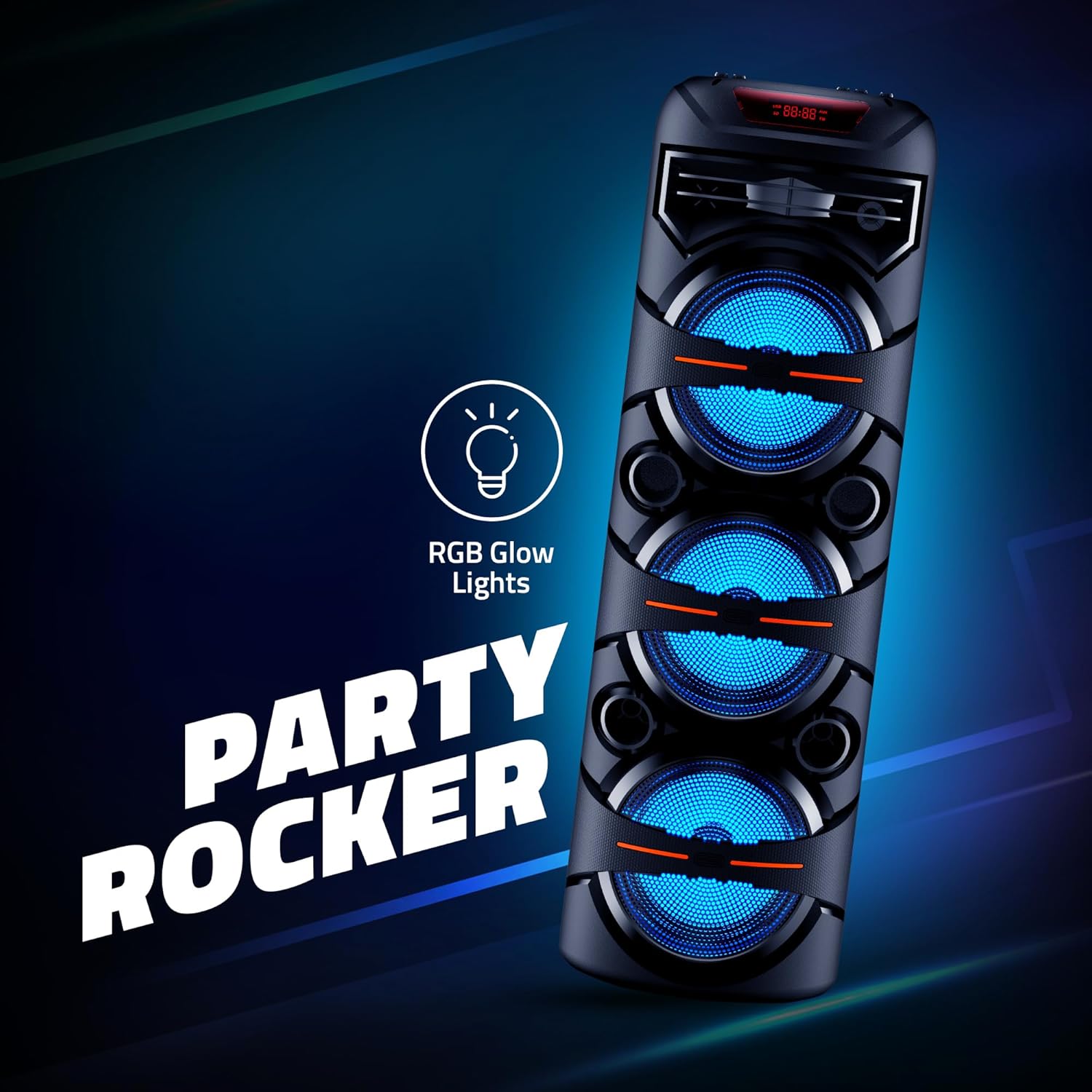
Image: The Artis MS306 speaker illuminated by its RGB glow lights, emphasizing its 'Party Rocker' feature.
5. Manutenzjoni
- Tindif: Uża drapp artab u niexef biex tnaddaf il-barra tal-ispiker. Tużax prodotti tat-tindif, xama' jew solventi li joborxu.
- Ħażna: Meta ma tkunx qed tużah għal perjodi twal, aħżen l-ispiker f'post frisk u niexef 'il bogħod mix-xemx diretta u minn temperaturi estremi.
- Kura tal-batterija: Biex ittawwal il-ħajja tal-batterija, evita li tiċċarġja kompletament il-batterija ta' spiss. Iċċarġja l-ispiker regolarment, anke jekk ma jkunx qed jintuża, biex iżżomm il-batterija f'saħħitha.
- Evita l-Ilma: This speaker is not waterproof. Keep it away from water, moisture, and humid environments.
6 Issolvi l-problemi
| Problema | Kawża Possibbli | Soluzzjoni |
|---|---|---|
| L-ispiker ma jixgħelx. | Il-batterija hija baxxa jew eżawrita. | Connect the speaker to a power source and charge it fully. |
| L-ebda ħoss mill-ispiker. | Il-volum huwa baxx wisq; Modalità ta' input mhux korretta; Apparat mhux imqabbad sew. | Increase volume; Press 'Mode' button to select correct input; Reconnect Bluetooth device or check audio cables. |
| Il-konnessjoni Bluetooth tfalli. | L-ispiker mhux fil-modalità ta' tqabbil; L-apparat wisq 'il bogħod; Interferenza. | Ensure speaker is in Bluetooth mode; Move device closer to speaker; Turn off other Bluetooth devices nearby. |
| Il-mikrofonu mhux qed jaħdem. | Microphone not powered on; Volume too low. | Ensure microphone has fresh batteries and is switched on; Increase microphone volume on speaker. |
| It-tqabbil tat-TWS ifalli. | L-ispikers diġà konnessi ma' apparat ieħor; L-ispikers huma 'l bogħod wisq minn xulxin. | Disconnect both speakers from any Bluetooth devices; Ensure speakers are within close proximity during pairing. |
7. Speċifikazzjonijiet
| Karatteristika | Dettall |
|---|---|
| Numru tal-Mudell | MS306 |
| Output Wattage | 60 Watt RMS |
| Daqs tas-subwoofer | 8 pulzieri x 3 |
| Verżjoni Bluetooth | 5.0 |
| Medda Bluetooth | 10-il metru |
| Kapaċità tal-batterija | 7200mAh (Ion tal-litju) |
| Ħin tal-Iċċarġjar | Madwar 5 Sigħat |
| Teknoloġija tal-Konnettività | Bluetooth, USB, Aux, TF Card |
| Input Awdjo | Mikrofonu |
| Rispons ta' Frekwenza | 150 Hz |
| Livell ta' Storbju | 80 dB |
| Materjal | Plastik, Metall |
| Piż tal-oġġett | 7 Kilogrammi |
| Dimensjonijiet tal-Prodott (LxWxH) | 28 x 28 x 90 Ċentimetru |
8. Garanzija u Appoġġ
The Artis MS306 Party Speaker comes with a 1 Snin Garanzija from the date of purchase. Please retain your purchase receipt and the warranty registration card for any warranty claims.
For technical support, service, or warranty inquiries, please contact Artis India customer care:
- Numri ta' Kura tal-Klijent: 1800 123 8195 / 1800 1208195
- Email: inquiry@artis.in
Manifattur: Artis India
Packer & Importer: Kunhar Peripherals Pvt. Ltd.


