Informazzjoni Importanti dwar is-Sigurtà
Read all instructions before operating the TV. Keep this manual for future reference. Follow all warnings and instructions marked on the product.
- Twaqqafx il-fetħiet tal-ventilazzjoni.
- Tinstallax ħdejn sorsi ta 'sħana.
- Ipproteġi l-korda tad-dawl milli jimxi fuqu jew maqrusa.
- Uża biss aċċessorji/aċċessorji speċifikati mill-manifattur.
- Spluggja waqt maltempati bis-sajjetti jew meta ma tintużax għal perjodi twal.
- Irreferi l-manutenzjoni kollha lil persunal tas-servizz kwalifikat.
Prodott Overview
The THOMSON 24HA2S13C is a 24-inch HD Smart Android TV designed for versatile use, including camping with its 12V power supply. It features Google Assistant, Wi-Fi, Bluetooth, Dolby Digital audio, and a triple-tuner for various signal reception.

Immaġni: Quddiem view of the THOMSON 24HA2S13C 24-inch Smart Android TV, showing the screen displaying streaming service logos and a family enjoying the TV in a campiffissar tal-ing.
Kontenut tal-Pakkett
Iċċekkja li l-oġġetti kollha huma inklużi fil-pakkett:
- THOMSON 24HA2S13C Smart Android TV
- Kontroll mill-bogħod
- Adapter tal-Enerġija (kompatibbli ma' 12V)
- Stands tat-TV (2)
- Viti għal Stands tat-TV
- Manwal għall-Utent (dan id-dokument)
- Gwida Quick Start
Setup
1. Twaħħil tal-Istands tat-TV
- Poġġi t-TV b'attenzjoni wiċċu 'l isfel fuq wiċċ artab u ċatt biex tevita li tagħmel ħsara lill-iskrin.
- Align the TV stands with the mounting holes on the bottom of the TV.
- Waħħal l-istands billi tuża l-viti pprovduti. Kun żgur li huma ssikkati sew.

Image: The THOMSON 24HA2S13C TV showing two possible stand positions for different furniture widths. The image highlights the flexibility in stand placement.
2. Qawwa tal-Konnessjoni
Connect the 12V power adapter to the TV's power input and then to a suitable power source. For camping or mobile use, connect to a 12V DC power outlet.

Image: The THOMSON 24HA2S13C TV mounted in a caravan, with a 12V power adapter shown, illustrating its suitability for mobile use.
3. Konnessjoni ta 'Tagħmir Estern
It-TV joffri diversi portijiet għall-konnessjoni ta' apparati esterni:
- HDMI: For high-definition audio and video devices (e.g., game consoles, Blu-ray players).
- USB: Għall-konnessjoni ta' apparati tal-ħażna USB biex iddoqq il-midja.
- LAN: Għal konnessjoni tal-internet bil-fili.
- Antenna/Satellita: Għar-riċeviment ta' sinjali tax-xandir.
- AV IN: Għal apparati analogi eqdem.
- Ħruġ tal-Awdjo (Ottiku): Għall-konnessjoni ma' sistemi tal-ħoss esterni.
- CI+: Għal moduli ta' aċċess kondizzjonali.

Immaġni: Wara view of the THOMSON 24HA2S13C TV, detailing the various input and output ports available for connectivity.
It-tħaddim tat-TV
1. Inizjali Setup Wizard
Malli tixgħel it-TV għall-ewwel darba, dan jiggwidak permezz ta' proċess inizjali ta' setup. Dan jinkludi:
- Għażla tal-lingwa.
- Konnessjoni tan-netwerk (Wi-Fi jew Ethernet).
- Google account sign-in (optional, but recommended for full Smart TV features).
- Channel scanning (for DVB-T2/C/S2).
2. Funzjonijiet ta 'Kontroll mill-bogħod
The included remote control provides access to all TV functions. It features backlit buttons for use in low light and a dedicated "Favorite" button for quick access to your preferred app.

Image: The remote control for the THOMSON 24HA2S13C TV, highlighting its ergonomic design, backlit buttons, and voice control capabilities.
3. Karatteristiċi tat-TV Intelliġenti (Android TV)
This TV runs on Android TV, providing access to a wide range of applications and services:
- Servizzi ta' Streaming: Access Netflix, Prime Video, YouTube, Disney+, and more.
- Google Assistent: Use voice commands to search for content, control playback, and get information. Activate by pressing the Google Assistant button on the remote.
- Chromecast inkorporat: Cast content from compatible smartphones, tablets, or computers directly to your TV.
- Google Play Store: Niżżel apps u logħob addizzjonali.

Image: The THOMSON 24HA2S13C TV screen showing the Android TV home interface with popular streaming applications and content recommendations.
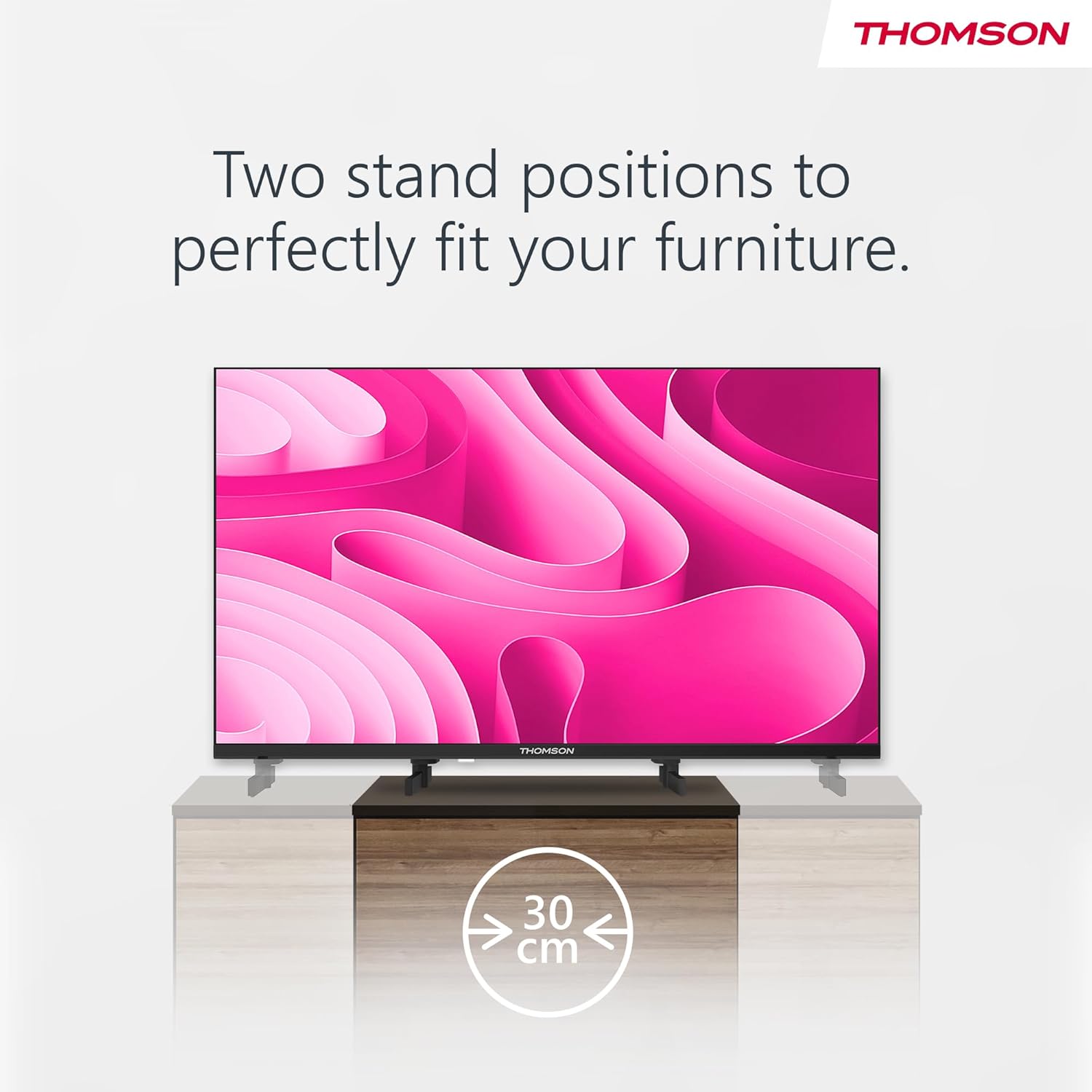
Image: A person using the voice control feature of the THOMSON TV remote, demonstrating interaction with Google Assistant.
Manutenzjoni
Tindif tat-TV
- Dejjem aqla’ t-TV qabel ma tnaddaf.
- Use a soft, dry cloth to wipe the screen and cabinet. Do not use liquid cleaners or aerosol sprays.
- Għal marki iebsa, ħassar bil-modampen a microfiber cloth with water and gently wipe. Avoid excessive moisture.
Aġġornamenti tas-Software
The TV may receive software updates to improve performance and add new features. Ensure your TV is connected to the internet to receive these updates. You can usually check for updates in the TV's settings menu.
Issolvi l-problemi
| Problema | Kawża Possibbli | Soluzzjoni |
|---|---|---|
| Ebda qawwa | Il-korda tal-enerġija mhux imqabbda; is-sokit tal-enerġija mhux attiv. | Iċċekkja l-konnessjoni tal-korda tal-enerġija. Ittestja s-sokit b'apparat ieħor. |
| L-ebda stampa, iżda l-ħoss huwa preżenti | Sors ta' input mhux korrett magħżul; problema bil-backlight. | Press the "Input" button on the remote to select the correct source. Contact support if issue persists. |
| L-ebda ħoss, iżda l-istampa hija preżenti | Volume too low or muted; audio cables loose. | Increase volume. Check mute status. Ensure audio cables are securely connected. |
| Il-kontroll mill-bogħod ma jaħdimx | Batteries depleted; obstruction between remote and TV. | Ibdel il-batteriji. Neħħi kwalunkwe ostaklu. Kun żgur li r-remote huwa ppuntat lejn is-sensor IR tat-TV. |
| Ma tistax tikkonnettja mal-Wi-Fi | Password mhux korretta; problemi bir-router; it-TV wisq 'il bogħod mir-router. | Ivverifika l-password tal-Wi-Fi. Erġa' ibda r-router. Mexxi t-TV eqreb lejn ir-router jew uża konnessjoni bil-fili. |
Speċifikazzjonijiet
| Karatteristika | Dettall |
|---|---|
| Brand | Thomson |
| Mudell | 24HA2S13C |
| Daqs tal-Iskrin | 24 Pulzier (60 ċm) |
| Teknoloġija tal-Wiri | LED |
| Riżoluzzjoni | 1366 x 768 (HD) |
| Sistema Operattiva | Android TV |
| Karatteristiċi Speċjali | Google Assistant, Chromecast Built-in, 12V Power Supply, Dolby Audio, Triple Tuner (DVB-T2/C/S2) |
| Konnettività | Wi-Fi, Bluetooth, HDMI (x3), USB (x2), LAN, Optical Audio Out, AV In, CI+ |
| Voltage | 12 Volts (DC) |
| Dimensjonijiet tal-Prodott (W x D x H) | 53.5 x 15.1 x 35.3 ċm (bl-istand) |
| Piż | 3.5 kg |
Għal informazzjoni dettaljata dwar l-effiċjenza enerġetika, jekk jogħġbok irreferi għall-bażi tad-dejta EPREL tal-UE: https://eprel.ec.europa.eu/qr/1456673

Image: The EU Energy Label for the THOMSON 24HA2S13C TV, showing an energy efficiency rating of E and power consumption of 18 kWh/1000h.
Garanzija u Appoġġ
This Thomson TV comes with a 3-year guarantee. For technical support, warranty claims, or service inquiries, please contact your local Thomson service provider or refer to the manufacturer's websit.
Manufacturer: STREAMVIEW GMBH
Websit: www.streamview.com
Email: kuntatt@streamview.com
Vidjo Uffiċjali tal-Prodott
Ara dan il-filmat għal idea viżwali aktar 'il fuqview of the Thomson 24-inch Easy TV.
Vidjo: Fil-qosor dwarview of the Thomson 24-inch Easy TV, showcasing its design and features. This video is provided by the vendor Streamview GmbH.


