Introduzzjoni
The Anderic RR1004 is a universal TV remote control designed for simplicity and ease of use, particularly beneficial for seniors, individuals in assisted living, or anyone seeking a straightforward television control experience. Its large, glow-in-the-dark buttons and minimalist layout reduce complexity, focusing on essential functions for effortless TV operation.
This manual provides comprehensive instructions for setting up, operating, and maintaining your Anderic RR1004 remote control.
Karatteristiċi Ewlenin
- Large, Glow-in-the-Dark Buttons: Designed for enhanced visibility and ease of use in various lighting conditions.
- Simplified Layout: Features only essential controls (Power, Volume, Channel, Mute, Closed Captioning) to prevent confusion.
- Broad IR Compatibility: Works with most standard IR (infrared) TVs, including major brands like LG, Samsung, and Sony.
- Funzjoni ta' Tagħlim: Allows copying functions from an existing IR remote for customized control, such as input or streaming buttons.
- Pre-programmed for LG TVs: Ready to use with LG televisions right out of the box.
- Disinn Durabbli: Built for reliability in various environments, including hospitality and healthcare settings.
- Wrist Lanyard Attachment: Provides a convenient way to keep the remote accessible and prevent loss.
Kontenut tal-Pakkett
- Anderic RR1004 Big Button TV Remote Control
- Manwal ta 'Istruzzjoni (dan id-dokument)
- Nota: Meħtieġa 2 batteriji AAA u mhumiex inklużi.
Setup
1. Installazzjoni tal-batterija
The Anderic RR1004 remote requires two (2) AAA batteries for operation. Ensure correct polarity when inserting the batteries.
- Sib l-għatu tal-kompartiment tal-batterija fuq wara tal-kontroll remot.
- Żerżaq l-għatu 'l isfel biex tiftaħ il-kompartiment.
- Daħħal żewġ batteriji AAA, billi tqabbel it-terminals pożittivi (+) u negattivi (-) kif indikat ġewwa l-kompartiment.
- Żerġa l-għatu fil-post sakemm tikklikkja sew.

Immaġni: Wara view of the Anderic RR1004 remote control, highlighting the easy-removable battery cover and the small wrist lanyard attachment point. This design helps prevent battery loss and keeps the remote accessible.

Immaġni: The Anderic RR1004 remote control displayed alongside two AAA batteries, illustrating the battery type required. The image also shows the remote's dimensions: 5.75 inches in length, 2 inches in width, and 1 inch in thickness, emphasizing its compact yet easy-to-handle size.
2. Initial TV Programming
The RR1004 is pre-programmed for LG TVs and may work immediately. For other TV brands, follow the steps below to program the remote.
Automatic Code Search (3-Step Modification)
This method allows the remote to scan through its internal code database to find a compatible code for your TV.
- Qawwa fuq it-TV tixtieq tikkontrolla.
- Agħfas u żomm il- QAWWA buttuna u l- CH+ button simultaneously for approximately three seconds. The remote's indicator light will illuminate, signifying it is in programming mode.
- While pointing the remote at the TV, press and release either the CH+ or CH- button repeatedly. Each press sends a new code. Stop when the TV turns off.
- Once the TV turns off, press the SET buttuna biex issalva l-kodiċi. Id-dawl indikatur jintefa.
Test the remote's functions (Power, Volume, Channel). If not all functions work correctly, repeat the process, stopping at a different code when the TV turns off.
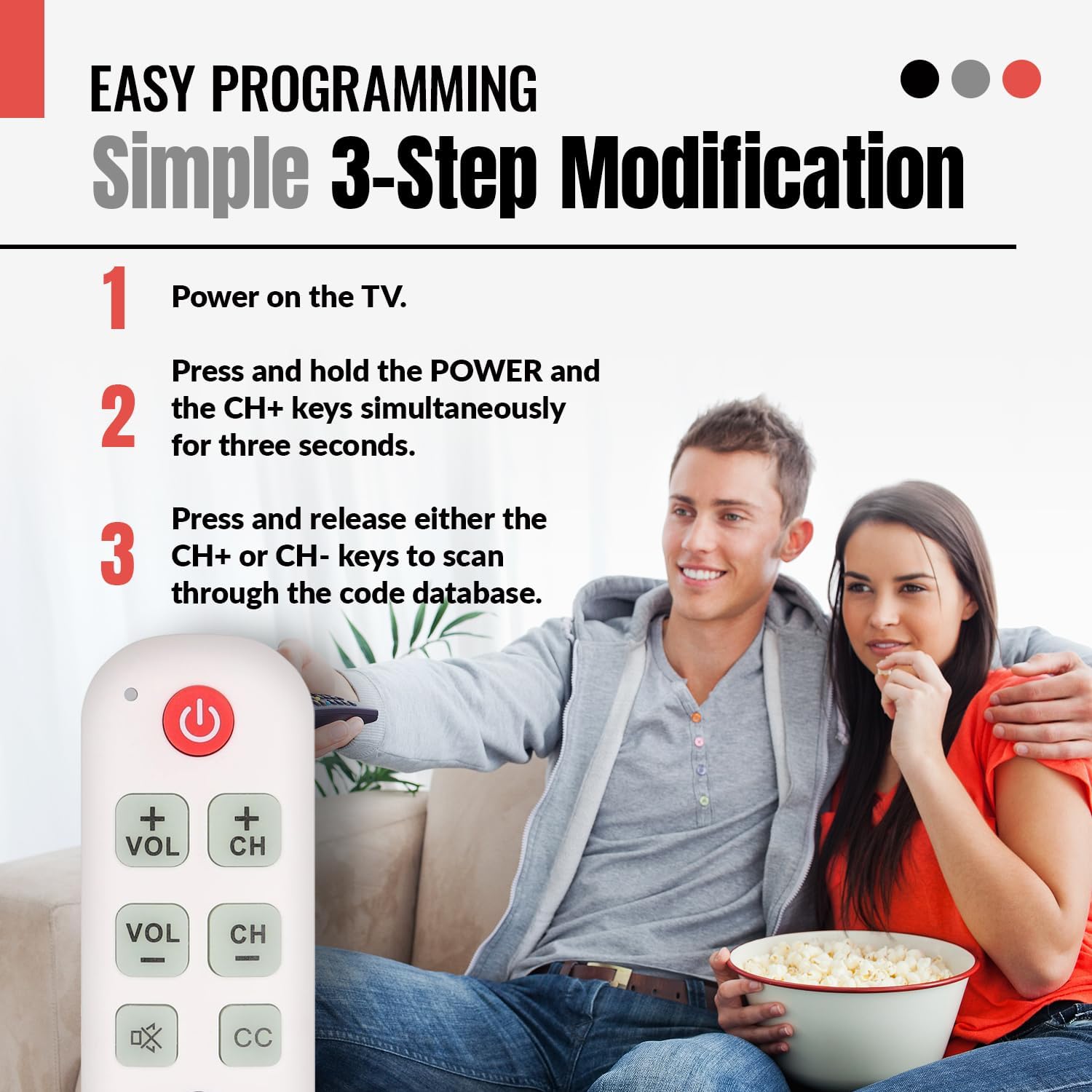
Immaġni: A visual guide illustrating the simple 3-step programming process for the Anderic RR1004 remote control. It shows a user pressing the POWER and CH+ buttons, then repeatedly pressing CH+ or CH- to find the correct code for their TV.

Immaġni: The Anderic RR1004 remote control in use with an LG HDTV, demonstrating its instant plug-and-play setup for LG models. This image highlights the convenience for users with LG televisions, requiring no programming.
3. Learning Function (Copying from Original Remote)
The learning function allows the RR1004 to copy infrared signals from your existing IR remote control. This is useful for adding functions not present on the RR1004, such as an "Input" button or specific streaming service buttons, provided your original remote is IR-based.
Importanti: The learning function does not work with RF (Radio Frequency) or Bluetooth remotes. Ensure both remotes have fresh batteries and are pointed directly at each other during the learning process. Perform learning in a low-light environment to avoid interference.
- Place the Anderic RR1004 and your original remote control on a flat surface, facing each other, with their IR emitters aligned and approximately 1-2 inches apart.
- Agħfas u żomm il- SET button on the RR1004 for approximately three seconds until the indicator light illuminates steadily.
- Press the button on the RR1004 that you wish to program (e.g., the QAWWA button if you want to learn a different power code). The indicator light will flash slowly.
- Press and hold the corresponding button on your original remote control (e.g., its Power button). The indicator light on the RR1004 will flash rapidly, then turn solid, indicating successful learning.
- Repeat steps 3 and 4 for any other buttons you wish to program.
- After programming all desired buttons, press the SET button on the RR1004 to exit learning mode. The indicator light will turn off.
Test the newly programmed buttons. If a button does not work, repeat the learning process for that specific button.

Immaġni: An illustration showing the Anderic RR1004 remote control connected via a dashed line to a cable box, which in turn is connected to a TV. This demonstrates the remote's capability to control both a TV and a cable box, especially through its learning function for cable box commands.
Istruzzjonijiet Operattivi
The Anderic RR1004 remote control features a minimalist design with clearly labeled, large buttons for essential TV functions.

Immaġni: Front ċar view of the Anderic RR1004 Big Button TV Remote Control, showcasing its large, distinct buttons for Power, Volume Up/Down, Channel Up/Down, Mute, Closed Captioning, and the SET button for programming. The remote is white with green and red buttons, and features a small wrist lanyard.

Immaġni: The Anderic RR1004 remote control with a red circle highlighting the glow-in-the-dark keys for Volume, Channel, Mute, and Closed Captioning. This feature enhances accessibility and ease of use in low-light conditions, making it ideal for seniors.
- QAWWA Buttuna: Ixgħel jew jitfi t-TV.
- VOL + / VOL- Buttuni: Increases or decreases the television's volume.
- CH+ / CH- Buttuni: Ibdel il-kanal tat-televiżjoni 'l fuq jew 'l isfel.
- MUTE Button (Speaker with X): Jismute jew jattiva l-awdjo tat-televiżjoni.
- CC Buttuna: Activates or deactivates Closed Captioning.
- SET Buttuna: Used for programming the remote control. Not for daily TV operation.
Manutenzjoni
- Tindif: Imsaħ ir-remote b'ċarruta ratba u niexfa. Tużax prodotti tat-tindif likwidi jew materjali li joborxu.
- Sostituzzjoni tal-batterija: Replace batteries when the remote's performance diminishes or the indicator light does not respond. Always replace both AAA batteries simultaneously with new ones.
- Ħażna: Aħżen il-kontroll remot f'post frisk u niexef 'il bogħod mix-xemx diretta u minn temperaturi estremi.
Issolvi l-problemi
| Problema | Kawża Possibbli | Soluzzjoni |
|---|---|---|
| Remote ma taħdimx. |
|
|
| Xi buttuni ma jaħdmux wara l-ipprogrammar. |
|
|
| Learning function does not work. |
|
|
Speċifikazzjonijiet
- Mudell: RR1004
- Dimensjonijiet: 5.75 x 2 x 1 pulzieri (Tul x Wisa' x Ħxuna)
- Piż tal-oġġett: 1.76 uqija (mingħajr batteriji)
- Sors tal-Enerġija: 2 x batteriji AAA (mhux inklużi)
- Kompatibilità: Most IR (Infrared) TVs (LG, Samsung, Sony, etc.)
- Karatteristiċi Speċjali: Glow-in-the-dark buttons, Learning Function, Simplified Layout
- Manifattur: Dan's Electronics Etc., Inc.
Garanzija u Appoġġ
For warranty information or technical support regarding your Anderic RR1004 remote control, please contact the manufacturer, Dan's Electronics Etc., Inc., or refer to the official Anderic websit. Żomm l-irċevuta tax-xiri tiegħek bħala prova tax-xiri għal kwalunkwe talba ta' garanzija.
Manifattur: Dan's Electronics Etc., Inc.
Għal aktar għajnuna, żur il- Anderic Store on Amazon.


