Introduzzjoni
This manual provides essential information for the proper setup, operation, and maintenance of your HOCO Y1 Pro Smart Watch. Please read this guide thoroughly before using your device to ensure optimal performance and longevity. The HOCO Y1 Pro is designed to enhance your daily life with features like Bluetooth calling, comprehensive health monitoring, and various sports modes, all presented on a vibrant 1.96-inch TFT display.
Kontenut tal-Pakkett
Ivverifika li l-oġġetti kollha huma preżenti fl-imballaġġ tal-prodott tiegħek:
- HOCO Y1 Pro Smart Watch
- Iċċarġjar Cable
- Manwal għall-Utent (dan id-dokument)
Prodott Overview
Familiarize yourself with the key components and design of your HOCO Y1 Pro Smart Watch.

Figura 1: Quddiem view of the HOCO Y1 Pro Smart Watch displaying an analog watch face with battery, day, time, steps, and heart rate indicators.
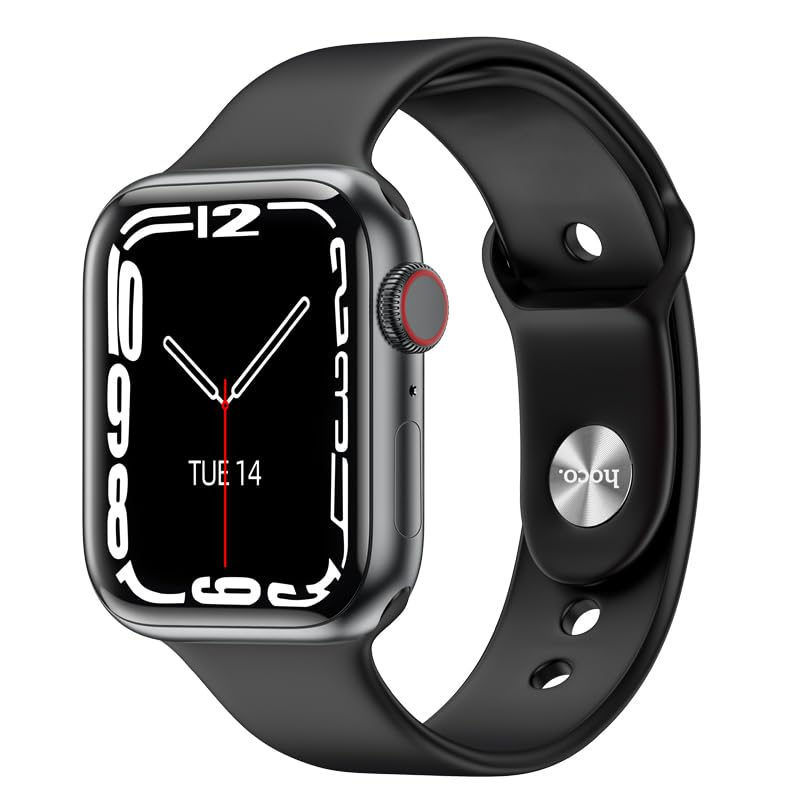
Figura 2: Angolat view of the HOCO Y1 Pro Smart Watch, showing a digital time display, the side button, and the rotating crown for navigation.
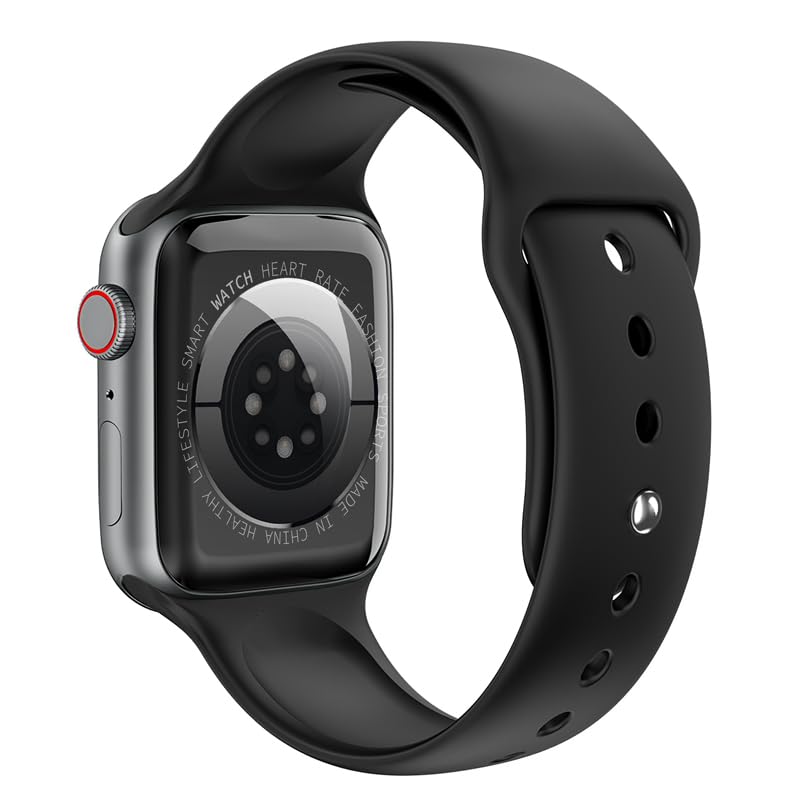
Figura 3: Wara view of the HOCO Y1 Pro Smart Watch, highlighting the optical sensors for health monitoring and product information.
Setup
1. Iċċarġjar tal-Arloġġ Intelliġenti
Before initial use, fully charge your HOCO Y1 Pro Smart Watch. Connect the provided charging cable to the charging port on the back of the watch and plug the other end into a standard USB power adapter (not included). The watch display will indicate charging status. A full charge typically provides 5-7 days of battery life in single Bluetooth mode or 3-4 days in dual Bluetooth mode.
2. It-tqabbil mal-Ismartphone Tiegħek
- Niżżel l-App: Scan the QR code in the watch interface or search for the companion app (e.g., 'WearFit Pro' or similar, refer to on-screen instructions) in your smartphone's app store (iOS or Android).
- Ippermetti Bluetooth: Kun żgur li l-Bluetooth huwa attivat fuq l-ismartphone tiegħek.
- Iftaħ l-App: Iftaħ l-app li takkumpanja u segwi l-istruzzjonijiet fuq l-iskrin biex toħloq kont jew tidħol.
- Żid Apparat: In the app, navigate to the 'Add Device' or 'Pair Device' section. The app will search for available devices.
- Agħżel l-Arloġġ Tiegħek: Select 'HOCO Y1 Pro' from the list of discovered devices. Confirm the pairing request on both your watch and smartphone.
- Imla Setup: Follow any remaining prompts in the app to complete the pairing process and synchronize data.
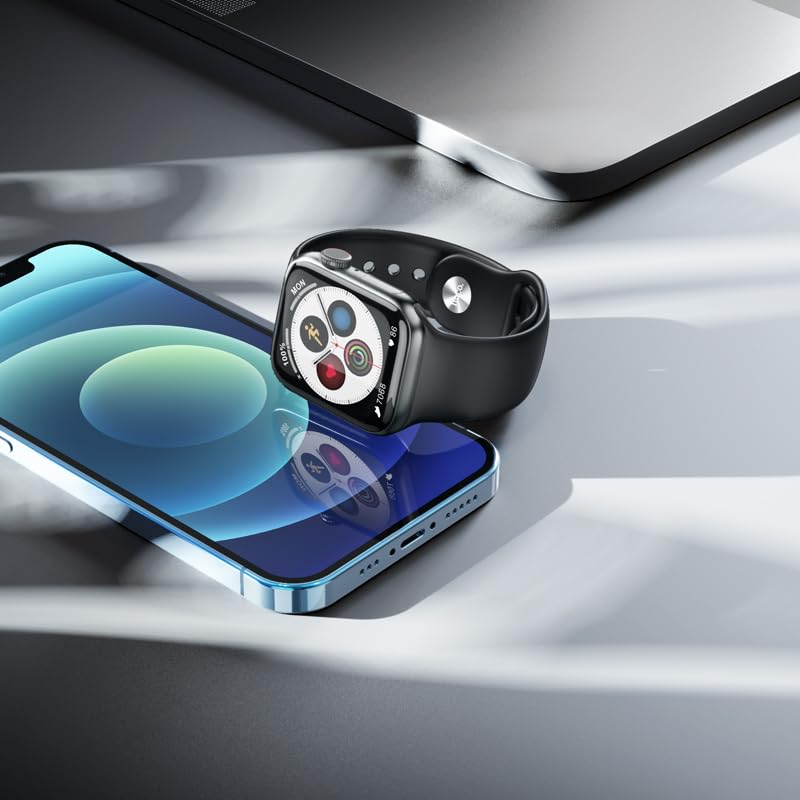
Figura 4: The HOCO Y1 Pro Smart Watch positioned beside a smartphone, illustrating the device's compatibility and connectivity.
Istruzzjonijiet Operattivi
Navigazzjoni Bażika
- Touchscreen: Swipe left, right, up, or down to navigate through menus and features. Tap to select an item.
- Buttuna/Kuruna tal-Ġenb: Press the side button to return to the home screen or wake the display. Rotate the crown to scroll through lists or zoom in/out (functionality may vary by watch face/app).
Sejħat Bluetooth
Once paired, your HOCO Y1 Pro supports Bluetooth calling. You can answer incoming calls, dial numbers, and view call logs directly from your watch. Ensure your watch is within Bluetooth range of your phone for this feature to function.
Modi sportivi
The watch includes multiple sports modes to track various physical activities. Select your desired sport from the watch menu to monitor metrics such as steps, distance, calories burned, and heart rate during your workout.

Figura 5: The HOCO Y1 Pro Smart Watch showing an activity tracking interface, including icons for running, heart rate, steps, and calories.
Monitoraġġ tas-Saħħa
The HOCO Y1 Pro features integrated sensors for health monitoring:
- Monitor tar-rata tal-qalb: Continuously or on-demand measures your heart rate.
- Monitor tal-Pressjoni tad-Demm: Jipprovdi qari stmat tal-pressjoni tad-demm.
- Monitoraġġ tal-irqad: Isegwi x-xejriet tal-irqad tiegħek, inkluż irqad fil-fond, irqad ħafif, u l-ħinijiet tal-qawmien.
- Exercise Pedometer: Counts your daily steps and estimates distance covered.
Note: Health monitoring features are for reference only and should not be used for medical diagnosis or treatment. Consult a medical professional for health concerns.
Notifications and Other Functions
Receive notifications for calls, messages, and app alerts directly on your watch. Additional functions include GPS track (via phone), remote music control, real-time weather updates, and a mobile phone search feature.
Manutenzjoni
Tindif tal-Arloġġ Intelliġenti Tiegħek
Biex iżżomm id-dehra u l-funzjonalità tal-arloġġ tiegħek:
- Imsaħ l-iskrin u ċ-ċinga regolarment b'ċarruta ratba, niexfa u mingħajr suf.
- Għal ħmieġ iebes, neħħi ftitampLaħlaħ id-drapp bl-ilma. Evita li tuża kimiċi ħarxa jew materjali li joborxu.
- Kun żgur li l-kuntatti tal-iċċarġjar huma nodfa u niexfa qabel ma tiċċarġja.
Reżistenza għall-Ilma (IP68)
The HOCO Y1 Pro Smart Watch is IP68 rated, meaning it is resistant to dust and can withstand immersion in water up to 1.5 meters for 30 minutes. It is suitable for daily use, including hand washing, rain, and light swimming. However, it is not recommended for hot showers, saunas, or diving, as steam and high-pressure water jets may compromise the seals.
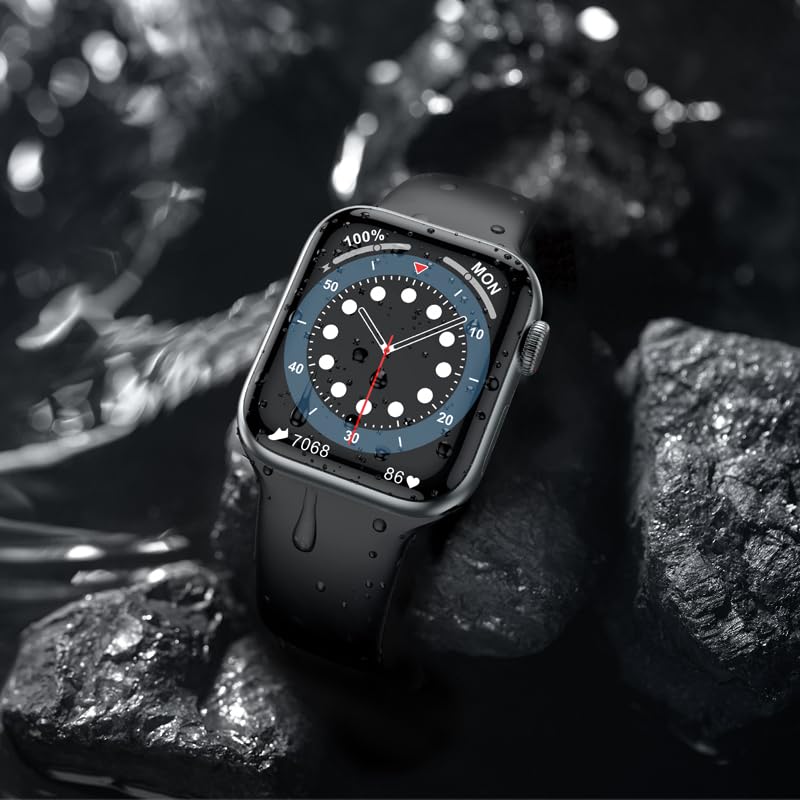
Figura 6: The HOCO Y1 Pro Smart Watch partially submerged in water, demonstrating its IP68 water resistance.
Issolvi l-problemi
If you encounter issues with your HOCO Y1 Pro Smart Watch, refer to the following common solutions:
- L-arloġġ ma jixgħelx: Kun żgur li l-arloġġ ikun iċċarġjat kompletament. Qabbad mal-ċarġer għal mill-inqas 30 minuti.
- Ma tistax tqabbad ma' smartphone:
- Kun żgur li l-Bluetooth huwa attivat fuq it-telefon u l-arloġġ tiegħek.
- Kun żgur li l-arloġġ jinsab fil-firxa tat-telefon tiegħek.
- Erġa' ibda kemm l-arloġġ kif ukoll l-ismartphone tiegħek.
- Neħħi l-cache tal-Bluetooth fuq it-telefon tiegħek (jekk applikabbli) u erġa' pprova tqabbad.
- Dejta dwar is-saħħa mhux preċiża: Kun żgur li l-arloġġ jintlibes sew fuq il-polz tiegħek, la issikkat wisq u lanqas maħlul wisq. Naddaf is-sensuri fuq wara tal-arloġġ.
- Notifiki mhux riċevuti: Check app permissions on your smartphone to ensure the companion app has access to notifications. Verify that notifications are enabled within the watch's settings and the companion app.
- Ħajja qasira tal-batterija: Reduce screen brightness, disable unnecessary features, or limit continuous heart rate monitoring.
Speċifikazzjonijiet
| Karatteristika | Speċifikazzjoni |
|---|---|
| Brand | HOCO |
| Mudell | Y1 Pro |
| Daqs tal-Wiri | 1.96 Pulzier |
| Riżoluzzjoni tal-Wiri | 240 x 285 |
| Tip ta 'Wiri | TFT LCD |
| Konnettività | Bluetooth 5.3 |
| Kapaċità tal-batterija | 280 mAh |
| Ħajja tal-Batterija (Medja) | 3-7 Days (depending on usage) |
| Reżistenza għall-Ilma | IP68 |
| Sistema Operattiva | Android compatible |
| Kapaċità tal-Ħżin tal-Memorja | 128 MB |
| Apparati Kompatibbli | Smartphone, Tablet (iOS & Android) |
| Karatteristiċi Speċjali | Blood Pressure Monitor, Daily Workout Memory, Heart Rate Monitor & Sports Modes, Voice Call, Wireless Connectivity |
| Piż tal-oġġett | 60g |
| Dimensjonijiet tal-Pakkett | 22 x 7 x 3 ċm |
Garanzija u Appoġġ
Informazzjoni dwar Garanzija
Your HOCO Y1 Pro Smart Watch comes with a Garanzija Limitata ta' 1 Snin from the date of purchase. This warranty covers manufacturing defects and workmanship under normal use. It does not cover damage caused by misuse, accidents, unauthorized modifications, or normal wear and tear. Please retain your proof of purchase for warranty claims.
Appoġġ għall-Klijent
For further assistance, technical support, or warranty inquiries, please contact HOCO customer service through the official HOCO website or the contact information provided with your purchase. When contacting support, please have your product model (Y1 Pro) and purchase details ready.


