Introduzzjoni
Thank you for choosing the HiFuture EVENT Bluetooth Speaker. This powerful and portable speaker is designed to deliver exceptional audio quality with vibrant RGB lighting, making it perfect for any event or gathering. This manual provides detailed instructions to help you set up, operate, and maintain your speaker for optimal performance.
Prodott Overview

Figura 1: Quddiem view of the HiFuture EVENT Bluetooth Speaker, showcasing its sleek black design and dynamic RGB light ring.

Figure 2: An illustrative diagram highlighting the main features of the HiFuture EVENT speaker, including dual DSP, multiple audio inputs, dual-directional sound system, 50W woofer + 30W tweeter, RGB lights, TWS connection option, bass boost function, and power bank functionality.

Figura 3: Close-up view of the speaker's internal components, specifically pointing out the 50W Woofer and 30W Tweeter, which contribute to its powerful 80W sound output.

Figure 4: An internal diagram demonstrating the speaker's optimized acoustic design for deep and impactful bass, including the bass port and vibration suppression features.
Karatteristiċi Ewlenin
- Ħruġ Awdjo Qawwi: Equipped with a 50W woofer and 30W tweeter for a total of 80W RMS output, with a maximum peak power of 180 Watts, delivering rich and clear stereo sound.
- Konnettività Bluetooth: Seamless wireless connection to your devices.
- Dawl RGB Dinamiku: Enhance your listening experience with vibrant, rhythm-synced RGB lights.
- Dual DSP & Multiple Audio Inputs: Advanced Digital Signal Processing for optimized sound and versatile connectivity options.
- Appoġġ għal Stereo Veru Wireless (TWS): Connect two EVENT speakers for an immersive stereo sound experience.
- Bass Boost Function: Dedicated feature to amplify low frequencies for deeper bass.
- Funzjonalità tal-Bank tal-Enerġija: Use the speaker to charge your other devices on the go.
- Disinn portabbli: Durable acrylic material and table-mount type for easy placement and transport, designed for parties and various events.
Gwida ta' Setup
1. Il-ftuħ tal-kaxxa u l-iċċarġjar inizjali
- Neħħi l-ispiker u l-aċċessorji kollha mill-imballaġġ bir-reqqa.
- Inspect the speaker for any signs of damage.
- Before first use, fully charge the speaker using the provided charging cable. The battery life is approximately 4 hours on a full charge.
2. Tixgħil / Mitfi
- To power on, press and hold the Power button (location typically on the back or top panel) for a few seconds until you hear an audible prompt or see the indicator lights illuminate.
- Biex titfi, agħfas u żomm il-buttuna tal-Power mill-ġdid sakemm l-ispiker jintefa.
Istruzzjonijiet Operattivi
1. Tqabbil tal-Bluetooth
- Ensure the speaker is powered on and in Bluetooth pairing mode (usually indicated by a blinking LED light). If not, press the Bluetooth button to activate pairing mode.
- Fuq l-apparat tiegħek (smartphone, tablet, kompjuter), mur fis-settings tal-Bluetooth u attiva l-Bluetooth.
- Fittex għal available devices. You should see "HiFuture EVENT" in the list.
- Select "HiFuture EVENT" to connect. Once connected, the speaker will provide an audible confirmation, and the LED light will become solid.
- Issa tista' ddoqq l-awdjo mit-tagħmir tiegħek permezz tal-ispiker.
2. Tqabbil ta' Stereo Wireless Veru (TWS)
To pair two HiFuture EVENT speakers for a stereo experience:
- Kun żgur li ż-żewġ kelliema huma mixgħula u mhumiex konnessi ma' xi apparat Bluetooth ieħor.
- On one speaker (this will be the primary speaker), press and hold the TWS button (refer to your speaker's button layout if unsure).
- L-ispiker primarju se jfittex l-ispiker sekondarju. Ladarba jkunu konnessi, iż-żewġ kelliema se jipprovdu konferma li tinstema'.
- Issa, qabbad it-tagħmir tiegħek mal-ispiker primarju permezz tal-Bluetooth kif deskritt fit-taqsima "Bluetooth Pairing". L-awdjo se jindaqq stereo permezz taż-żewġ spikers.
3. Kontrolli u Funzjonijiet
- Kontroll tal-Volum: Use the volume buttons (+/-) on the speaker or your connected device.
- Play/Pawsa: Agħfas il-buttuna Play/Pause darba biex tilgħab jew twaqqaf l-awdjo.
- Aqbeż il-binarji: Double-press the Next Track button to skip forward, or the Previous Track button to skip backward.
- Kontroll tad-Dawl RGB: Press the Light button to cycle through different lighting modes or turn the lights off.
- Spinta baxxa: Press the Bass Boost button to activate or deactivate the enhanced bass mode.
- Funzjoni tal-Bank tal-Enerġija: Connect your device to the speaker's USB output port to charge it.

Figure 5: The HiFuture EVENT speaker displaying its vibrant RGB lighting, which can be controlled to match your mood or music.
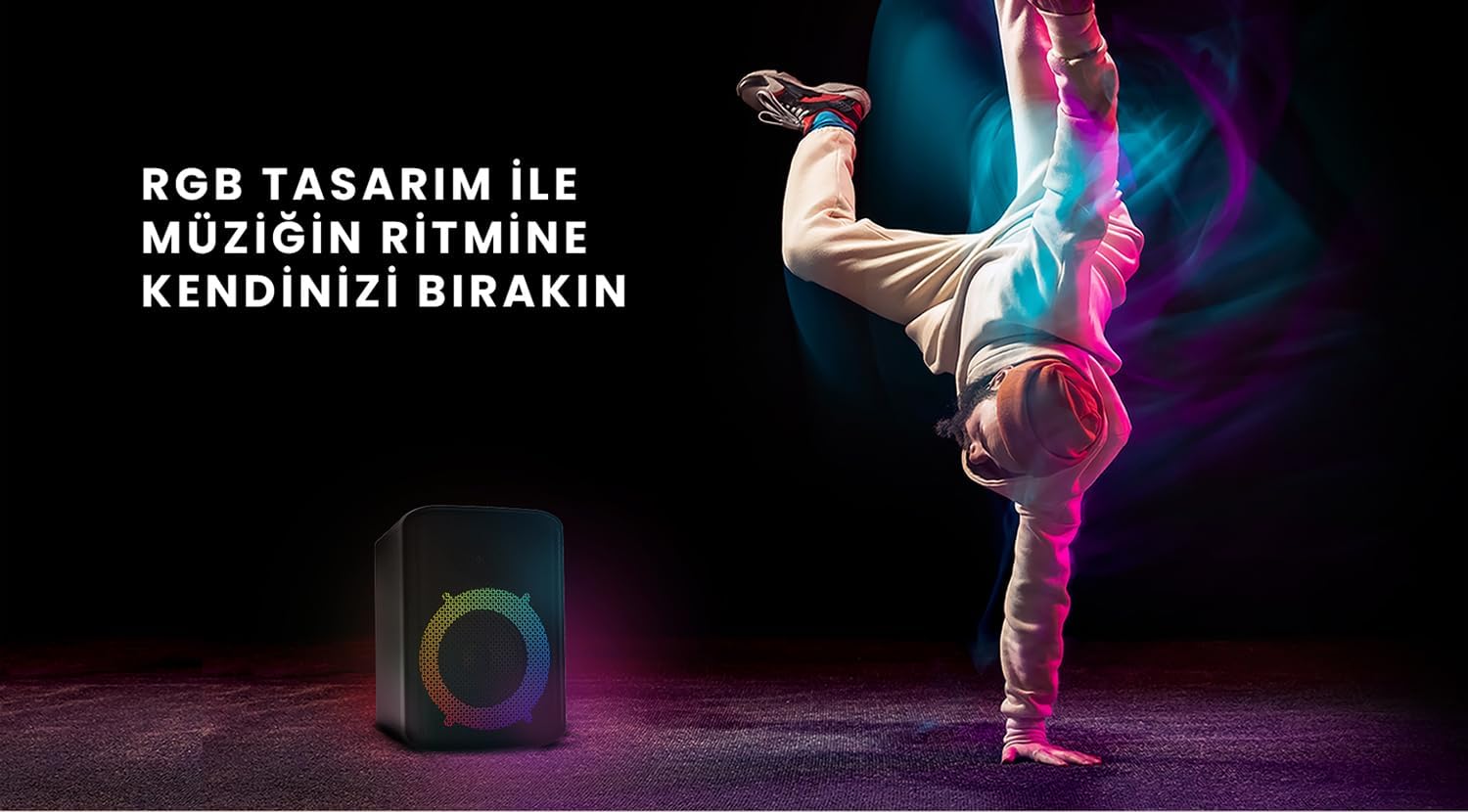
Figure 6: The HiFuture EVENT speaker in a dynamic setting, emphasizing how its RGB lighting enhances the atmosphere for parties and events.
Manutenzjoni
- Tindif: Uża drapp artab u niexef biex timsaħ il-wiċċ tal-ispiker. Tużax prodotti tat-tindif jew solventi li joborxu.
- Ħażna: Aħżen l-ispiker f'post frisk u niexef 'il bogħod mix-xemx diretta u minn temperaturi estremi.
- Kura tal-batterija: Biex ittawwal il-ħajja tal-batterija, evita li tiċċarġja kompletament il-batterija ta' spiss. Iċċarġjaha regolarment, anke jekk ma tkunx qed tużaha għal perjodi twal.
- Reżistenza għall-Ilma: While designed for portability, avoid exposing the speaker to excessive moisture or submerging it in water unless explicitly stated as waterproof.
Issolvi l-problemi
| Problema | Soluzzjoni Possibbli |
|---|---|
| L-ispiker ma jixgħelx. | Kun żgur li l-ispiker huwa ċċarġjat kompletament. Qabbad ma' sors ta' enerġija u erġa' pprova. |
| Ma tistax tqabbad permezz tal-Bluetooth. |
|
| L-ebda ħoss jew volum baxx. |
|
| Id-dwal RGB mhux qed jaħdmu. | Press the Light button to cycle through modes or turn them on. Ensure the speaker is powered on. |
Speċifikazzjonijiet
| Karatteristika | Dettall |
|---|---|
| Brand | HiFuture |
| Mudell | AVVENIMENT |
| Qawwa Massima tal-Ħruġ tal-Ispeaker | 180 Watts (Peak), 80W RMS (50W Woofer + 30W Tweeter) |
| Teknoloġija tal-Konnettività | Bluetooth |
| Modalità tal-Ħruġ tal-Awdjo | Stereo |
| Tip ta 'Immuntar | Tabella Mount |
| Materjal | Akriliku |
| Tip ta' Kelliem | Multimedia |
| Apparati Kompatibbli | Bluetooth-enabled devices (e.g., smartphones, tablets) |
| Kulur | Iswed |
| Ħajja tal-batterija | Sa 4 sigħat |
Garanzija u Appoġġ
The HiFuture EVENT Bluetooth Speaker comes with a standard manufacturer's warranty. Please refer to the warranty card included in your product packaging for specific terms and conditions. For technical support, troubleshooting assistance, or warranty claims, please contact HiFuture customer service through their official webis-sit jew il-bejjiegħ bl-imnut minn fejn xtrajt il-prodott.


