1. Introduzzjoni
This manual provides detailed instructions for the setup, operation, maintenance, and troubleshooting of your Machenike K500-B94 Mechanical Keyboard. Please read this manual thoroughly before using the product to ensure proper functionality and longevity.
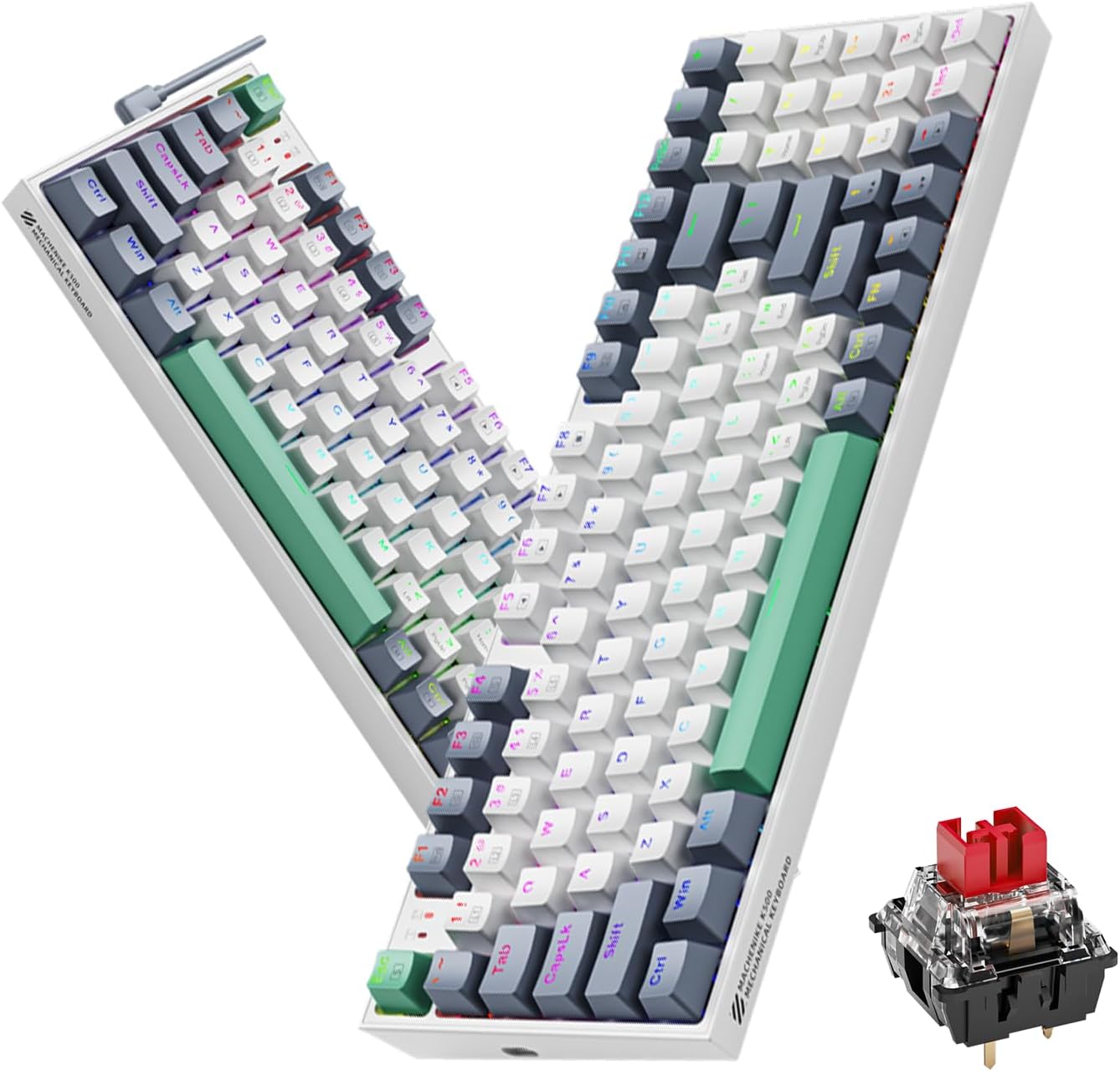
Image 1.1: The Machenike K500-B94 Mechanical Keyboard, showcasing its compact layout and a detailed view of a hot-swappable mechanical switch.
2. Kontenut tal-Pakkett
Ivverifika li l-oġġetti kollha huma preżenti fil-pakkett:
- Tastiera Mekkanika Machenike K500-B94
- Kejbil USB tat-Tip Ċ li Jinqala'
- Keycap Puller (għal swiċċijiet li jistgħu jinbidlu bis-sħana)
- Switch Puller (għal swiċċijiet li jistgħu jinbidlu bis-sħana)
- Manwal għall-Utent (dan id-dokument)
3. Istruzzjonijiet ta' Setup
- Ħoll it-Tastiera: Oħroġ bir-reqqa t-tastiera u l-aċċessorji kollha mill-imballaġġ.
- Qabbad il-Cable USB: Insert the Type-C end of the provided USB cable into the port on the keyboard. Connect the standard USB-A end to an available USB port on your computer (PC, Desktop, All-in-one, or Notebook).
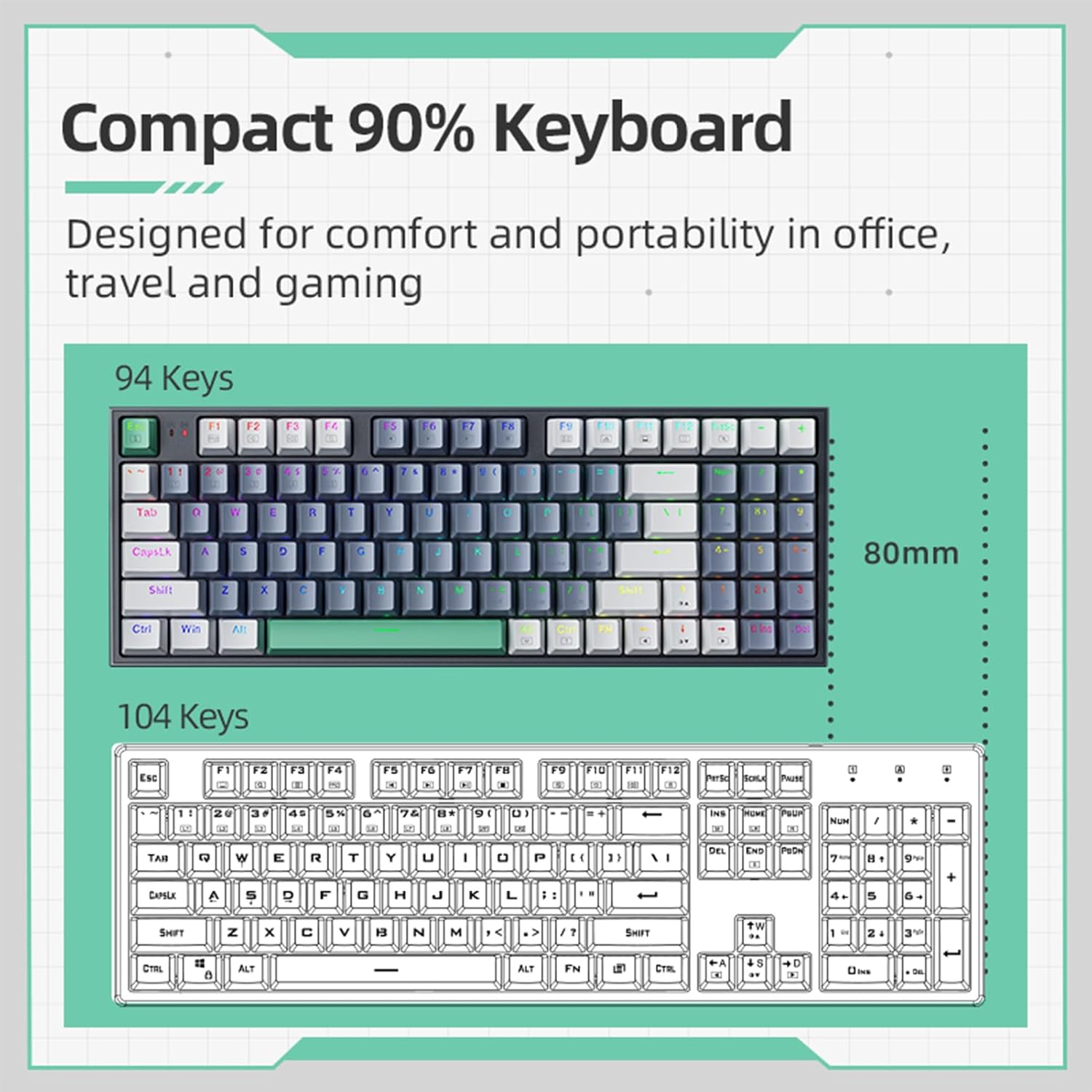
Image 3.1: Illustration of the detachable Type-C USB cable connection to the keyboard, highlighting its compatibility with various devices.
- Installazzjoni tas-sewwieq: The keyboard is plug-and-play. Your operating system will automatically detect and install the necessary drivers. No additional software installation is required for basic functionality.
- Installazzjoni ta' Softwer Fakultattiv: For advanced customization of RGB lighting and macros, download the official Machenike K500-B94 software from the official Machenike websit.
4. Istruzzjonijiet Operattivi
4.1. Funzjonijiet Bażiċi tat-Tastiera
The Machenike K500-B94 features a 94-key layout, providing a compact yet functional experience. All standard keyboard functions operate as expected.

Image 4.1: A visual representation of the Machenike K500-B94's 94-key compact layout, designed for comfort and portability.
4.2. Kontroll tad-Dawl RGB
The keyboard features customizable RGB backlighting. Use the dedicated function keys or the optional software to adjust lighting effects, brightness, and color.
- Aġġustament tal-luminożità: Typically, use Fn + Vleġġa 'l fuq/'l isfel ċwievet.
- Ċikliżmu tal-Effett: Użu Fn + Right/Left Arrow keys to cycle through various lighting modes.
- Għażla tal-Kulur: Some modes allow color changes via Fn + specific keys or through the software.

Image 4.2: Screenshot of the customizable software interface, demonstrating options for RGB lighting effects, brightness, speed, and color selection.
4.3. Swiċċijiet li jistgħu jinbidlu bis-sħana
The Machenike K500-B94 features hot-swappable switches, allowing users to change mechanical switches without soldering. This enables customization of typing feel and sound.

Immaġni 4.3: Stampa dettaljata view of the keyboard with several keycaps and switches removed, illustrating the hot-swappable switch sockets for easy replacement.
Biex tissostitwixxi swiċċ:
- Uża l-puller tal-keycap provdut biex tneħħi bil-mod il-keycap mixtieq.
- Uża l-puller tas-swiċċ provdut biex taqbad is-swiċċ bir-reqqa u iġbdu dritt 'il fuq.
- Allinja l-pinnijiet tas-swiċċ il-ġdid mat-toqob fuq il-PCB u agħfas sew f'postu sakemm tikklikkja.
- Erġa' waħħal il-keycap.
5. Manutenzjoni
5.1. Tindif tat-Tastiera
- Skonnettja t-tastiera mill-kompjuter tiegħek qabel ma tnaddafha.
- Uża puller tal-keycaps biex tneħħi l-keycaps għal tindif bir-reqqa.
- Uża arja kkompressata biex tneħħi t-trab u l-fdalijiet minn bejn iċ-ċwievet.
- Wipe keycaps and the keyboard surface with a soft, damp drapp. Evita kimiċi ħarxa.
- Ensure all parts are completely dry before reattaching keycaps and reconnecting the keyboard.
5.2. Ġestjoni tal-Kejbil
The detachable Type-C cable allows for easy replacement and storage. Ensure the cable is not kinked or excessively bent to prevent damage.
6 Issolvi l-problemi
- It-Tastiera Mhux Tirrispondi:
- Kun żgur li l-kejbil USB huwa konness sew kemm mat-tastiera kif ukoll mal-kompjuter.
- Ipprova qabbad it-tastiera ma' port USB differenti fuq il-kompjuter tiegħek.
- Ittestja t-tastiera fuq kompjuter ieħor biex teskludi problema speċifika tal-kompjuter.
- Ibda mill-ġdid il-kompjuter tiegħek.
- Id-Dawl RGB Mhux Jaħdem jew Mhux Korrett:
- Check if the lighting is turned off via keyboard shortcuts (e.g., Fn + specific key).
- If using the software, ensure it is running and configured correctly.
- Reinstall the optional software if issues persist.
- Ċwievet Speċifiċi Mhux Jaħdmu:
- Due to the hot-swappable design, a switch might be improperly seated. Gently remove the keycap and switch, then reinsert the switch firmly.
- If a switch is faulty, replace it with a new one using the provided tools.
7. Speċifikazzjonijiet
| Karatteristika | Dettall |
|---|---|
| Brand | Machenike |
| Numru tal-Mudell | K500-B94 |
| Kulur | Abjad |
| Teknoloġija tal-Konnettività | USB (Detachable Type-C) |
| Numru ta' Ċwievet | 94 |
| Deskrizzjoni tat-Tastiera | Mechanical, Hot-Swappable |
| Piż tal-Prodott | 830 g |
| Apparati Kompatibbli | PC |
8. Garanzija u Appoġġ
Machenike products are designed for reliability and performance. For warranty information and technical support, please refer to the official Machenike webis-sit jew ikkuntattja lis-servizz tal-klijenti tagħhom direttament.
Żomm l-irċevuta tax-xiri tiegħek bħala prova tax-xiri għal talbiet ta' garanzija.
Għal appoġġ addizzjonali, żur: www.machenike.com


