1. Introduzzjoni
This manual provides detailed instructions for the setup, operation, and maintenance of your 8BitDo Retro Mechanical Keyboard (Fami Edition). Designed with a classic aesthetic, this keyboard offers versatile connectivity options and programmable features for an enhanced user experience on Windows and Android devices.

Image: The 8BitDo Retro Mechanical Keyboard (Fami Edition) set up on a wooden desk, surrounded by vintage computer peripherals, showcasing its retro design.
2. Kontenut tal-Pakkett
Ivverifika li l-oġġetti kollha huma preżenti fil-pakkett tiegħek:
- 8BitDo Retro Mechanical Keyboard (Fami Edition)
- 8BitDo Dual Super Buttons (x1 set)
- USB-C Cable
- 2.4G Wireless Receiver (stored within the keyboard)
- Manwal ta 'Istruzzjoni (dan id-dokument)
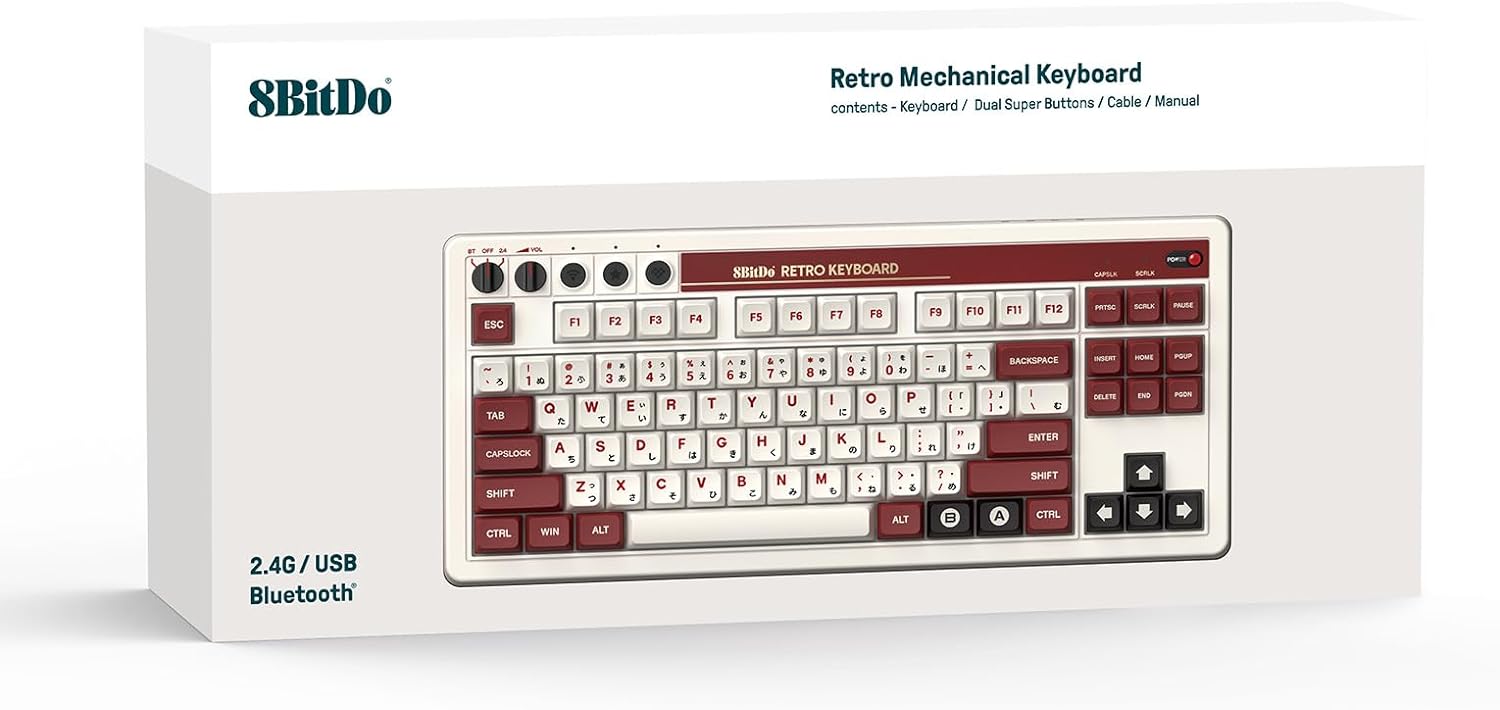
Image: The rear of the keyboard, highlighting the USB-C port and the integrated storage compartment for the 2.4G wireless receiver.
3. Setup
3.1 Tixgħel/Jitfi
To power on the keyboard, locate the power switch on the top right of the keyboard and slide it to the 'ON' position. A classic power status LED will illuminate. To power off, slide the switch to 'OFF'.

Immaġni: Dettaljata view of the keyboard's independent control panel, showing the power switch, volume knobs, and connection mode selector.
3.2 Għażliet ta' Konnettività
The 8BitDo Retro Mechanical Keyboard supports three connection modes: Bluetooth, 2.4G Wireless, and USB-C Wired.
3.2.1 Konnessjoni bla fili 2.4G
- Locate the 2.4G wireless receiver stored in the compartment on the back of the keyboard.
- Plug the receiver into an available USB port on your Windows PC or Android device.
- Set the keyboard's connection mode switch (located on the independent control panel) to '2.4G'.
- It-tastiera għandha tikkonnettja awtomatikament.

Image: A hand demonstrating the removal or insertion of the 2.4G USB wireless receiver from its dedicated storage slot on the keyboard.
3.2.2 Konnessjoni Bluetooth
- Set the keyboard's connection mode switch to 'BT' (Bluetooth).
- On your Windows PC (Windows 10 version 1903 or above) or Android device (Android 9.0 or above), navigate to Bluetooth settings.
- Select '8BitDo Retro Mechanical Keyboard' from the list of available devices to pair.
3.2.3 Konnessjoni bil-Wajer USB-C
- Qabbad tarf wieħed tal-kejbil USB-C provdut mal-port USB-C tat-tastiera.
- Connect the other end of the cable to an available USB port on your device.
- The keyboard will automatically switch to wired mode and begin charging if necessary.
4. Istruzzjonijiet Operattivi
4.1 It-tqassim u l-karatteristiċi tat-tastiera
The keyboard features an 87-key layout with Kailh Box Switch V2 White switches and durable dye-sub PBT keycaps. It supports N-key rollover for precise input during gaming or fast typing.

Immaġni: Stampa ċara minn fuq għal isfel view of the 8BitDo Retro Mechanical Keyboard (Fami Edition), showcasing its 87-key layout and keycap design.
4.2 PCB li jista' jinbidel bis-sħana
The keyboard is equipped with a hot-swappable PCB, allowing users to easily change switches without soldering. This enables customization of typing feel and sound.

Image: A close-up shot illustrating the hot-swappable nature of the keyboard, with a keycap and switch removed to show the socket.
4.3 Dual Super Buttons
The included Dual Super Buttons offer large, programmable keys that can be mapped instantly without software. Up to 4 sets (1 set included) can be connected.
- Connect the Super Buttons to the designated 3.5mm audio jacks on the side of the keyboard.
- Use the 8BitDo Ultimate Software V2 (available September 2023) for advanced custom mapping and macro creation.
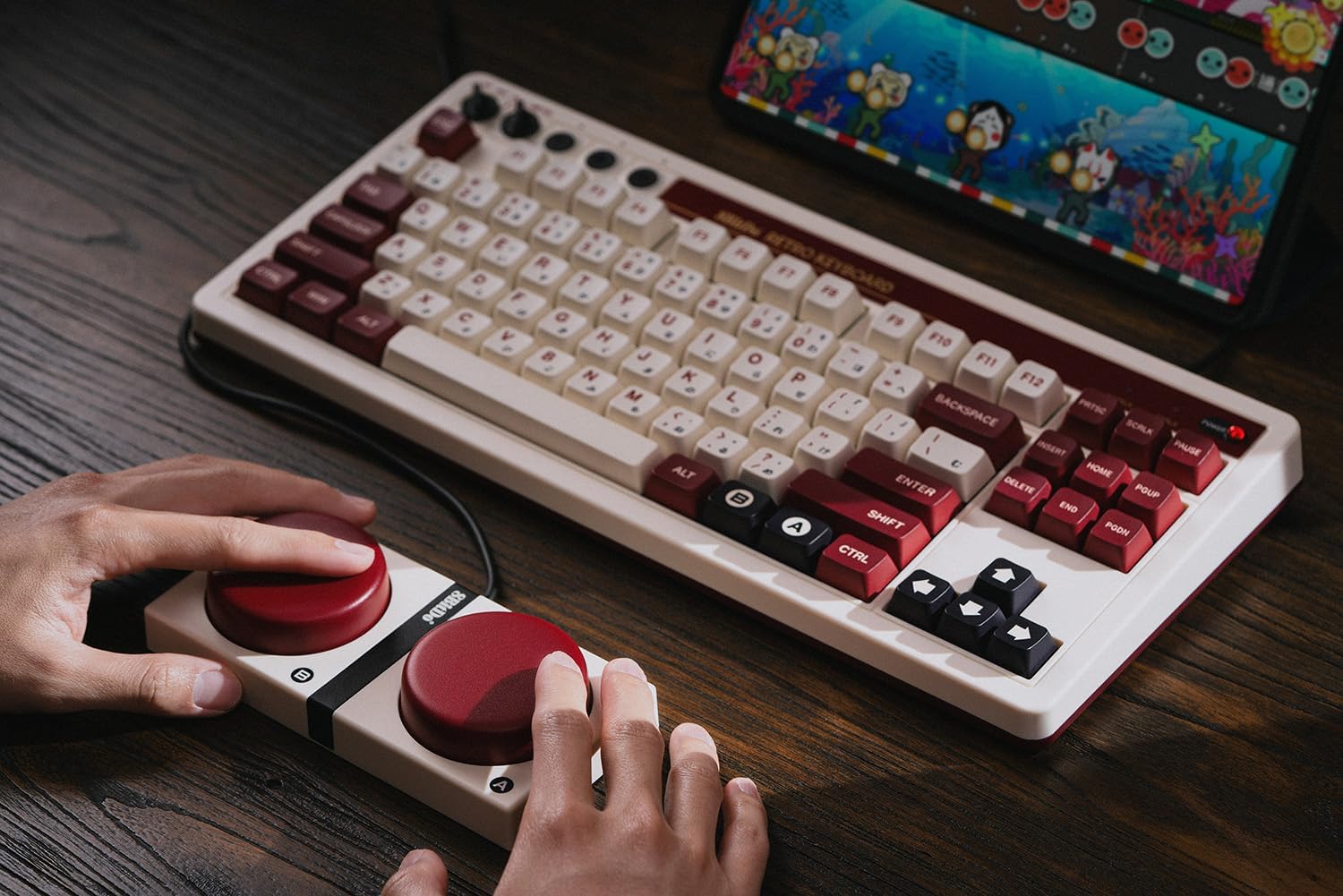
Image: A user's hands interacting with the 8BitDo Retro Mechanical Keyboard and the connected Dual Super Buttons, demonstrating their use.

Image: A close-up of a hand placing a custom sticker onto one of the large, red Dual Super Buttons, indicating customization options.

Image: A hand connecting the 3.5mm audio jack from the Dual Super Buttons into the corresponding port on the side of the keyboard.
4.4 Independent Control Panel
The keyboard features an independent control panel with dedicated knobs for volume control and a switch for selecting between Bluetooth, Off, and 2.4G wireless modes.
4.5 8BitDo Ultimate Software V2
For advanced customization, including key remapping and macro creation, download the 8BitDo Ultimate Software V2. This software allows for personalized keyboard configurations to suit your workflow or gaming style. (Software release: September 2023)
Video: An official 8BitDo video demonstrating the features and functionality of the Retro Mechanical Keyboard, including its design and programmable elements.
5. Manutenzjoni
To ensure the longevity and optimal performance of your 8BitDo Retro Mechanical Keyboard, follow these maintenance guidelines:
- Tindif: Use a soft, dry cloth to wipe down the keyboard surface. For deeper cleaning, remove keycaps and use compressed air to clear debris.
- Sostituzzjoni tal-Keycap u s-Swiċċ: Due to the hot-swappable design, keycaps and switches can be replaced. Use a keycap puller and switch puller (not included) to carefully remove components. Ensure replacement switches are compatible (5-pin).
- Ħażna: When not in use, store the keyboard in a cool, dry place away from direct sunlight and extreme temperatures.
6 Issolvi l-problemi
Jekk tiltaqa' ma' problemi bit-tastiera tiegħek, irreferi għas-soluzzjonijiet komuni li ġejjin:
- It-Tastiera Mhux Tirrispondi:
- Kun żgur li t-tastiera tkun mixgħula.
- Check the connection mode switch (BT, 2.4G, or wired) matches your intended connection.
- Għal 2.4G, kun żgur li r-riċevitur huwa mdaħħal sew.
- For Bluetooth, ensure the keyboard is paired and within range. Try re-pairing if necessary.
- Connect via USB-C cable to check if the issue is power-related or wireless connectivity.
- Super Buttons Not Working:
- Ensure the 3.5mm jacks are fully inserted into the keyboard ports.
- Verify button mappings using the 8BitDo Ultimate Software V2.
- Ċwievet Mhux Reġistrazzjoni:
- Check for debris under the keycaps.
- If a specific key is not working, the switch might need to be reseated or replaced due to the hot-swappable design.
7. Speċifikazzjonijiet
| Karatteristika | Dettall |
|---|---|
| Brand | 8Bitdo |
| Numru tal-Mudell | 6922621504283 |
| Konnettività | Bluetooth, 2.4G bla fili, USB-C bil-fili |
| Tqassim | 87-ċavetta |
| Swiċċijiet | Kailh Box Switch V2 White (Hot-swappable) |
| Tappijiet ewlenin | Dye-sub PBT |
| Kompatibilità | Windows 10 (1903 or above), Android 9.0 (or above) |
| Karatteristiċi Speċjali | N-key rollover, Dual Super Programmable Buttons, Independent Control Panel, 8BitDo Ultimate Software V2 support |
| Piż tal-oġġett | 4.27 liri |
| Batteriji | 1 batterija tal-polimer tal-litju (inkluża) |
8. Garanzija u Appoġġ
For warranty information and technical support, please refer to the official 8Bitdo webis-sit jew ikkuntattja s-servizz tal-konsumatur tagħhom. Żomm il-prova tax-xiri tiegħek għal talbiet ta’ garanzija.
Online resources and software updates can be found at: www.8bitdo.com


