1. Introduzzjoni
Thank you for choosing the HOCO EW50 Bluetooth 5.3 TWS Earbuds. These earbuds are designed to provide a high-quality audio experience with features such as Active Noise Cancellation, deep bass, and touch controls. This manual will guide you through the setup, operation, and maintenance of your new earbuds.
2. Informazzjoni dwar is-Sigurtà
- Żarmax jew timmodifikax il-prodott.
- Żomm il-earbuds u l-kaxxa tal-iċċarġjar 'il bogħod minn temperaturi estremi, umdità, u likwidi.
- Evita smigħ għal żmien twil f'livelli għoljin ta' volum biex tevita ħsara fis-smigħ.
- Naddaf il-earbuds u l-kaxxa tal-iċċarġjar b'ċarruta ratba u niexfa. Tużax kimiċi ħarxa.
- Armi l-prodott b'mod responsabbli skont ir-regolamenti lokali.
3. Prodott Aktarview
The HOCO EW50 earbuds consist of two wireless earbuds and a portable charging case. The case not only protects the earbuds but also recharges them on the go.
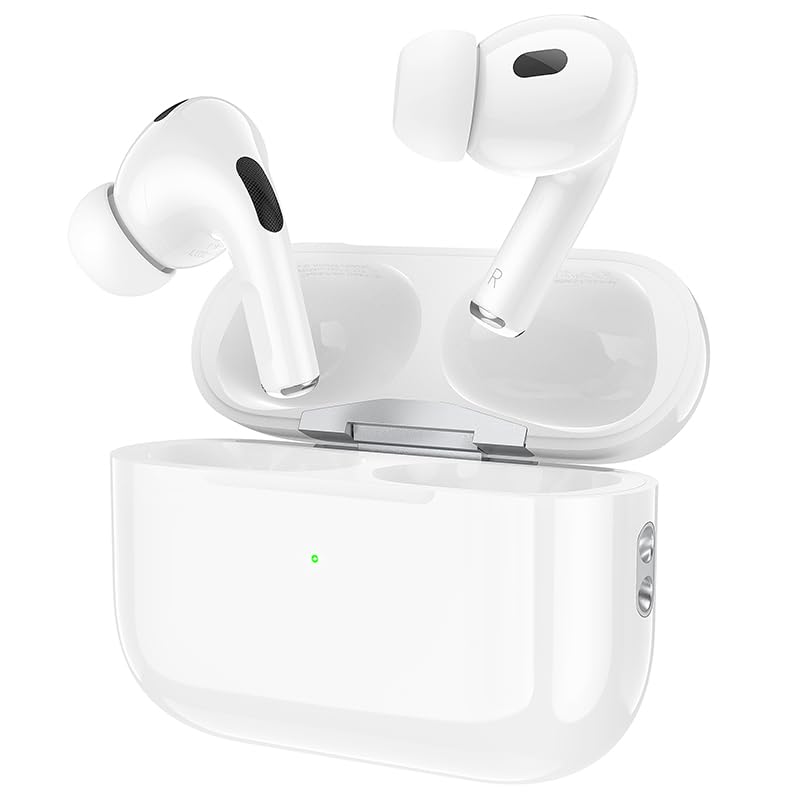
Image: HOCO EW50 Earbuds shown inside their open charging case.
X'hemm fil-Kaxxa:
- HOCO EW50 Earbuds (Left and Right)
- Kawża tal-Iċċarġjar bla Fili
- Cable tal-Iċċarġjar tal-USB
- Kuxxini tal-widnejn (daqsijiet varji)
- Kawża Protettiva
- Manwal għall-Utent
4. Setup
4.1 Iċċarġjar tal-Earbuds u l-Kaxxa
Before first use, fully charge the earbuds and the charging case. Place the earbuds into the charging case. Connect the charging case to a USB power source using the provided USB cable. The indicator light on the case will show the charging status.
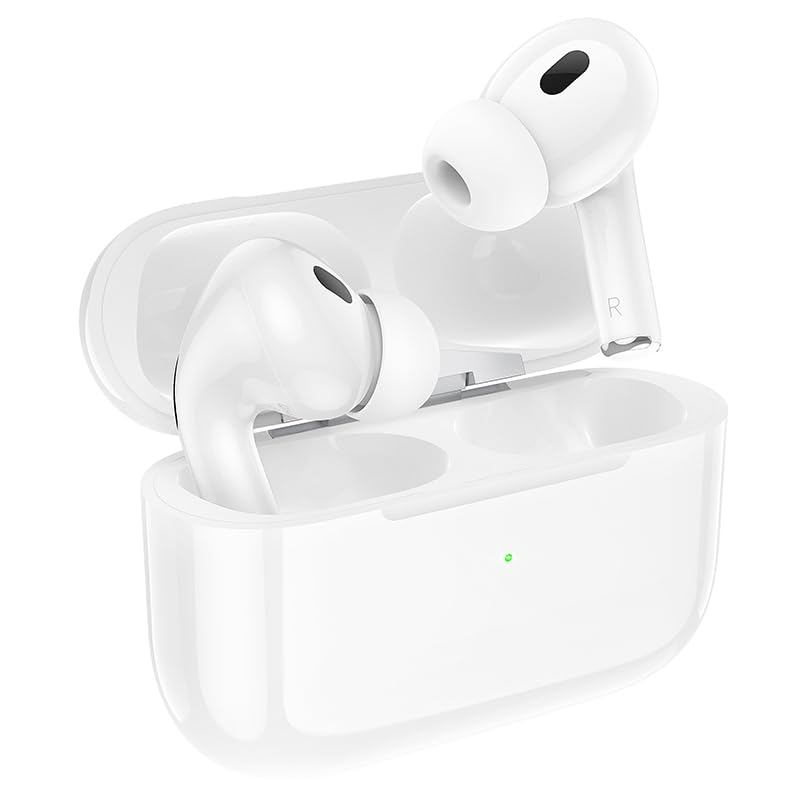
Image: HOCO EW50 Earbuds resting in their charging case, with a visible charging indicator light.
- Kawża tal-Iċċarġjar tal-batterija: 300mAh
- Ħin tal-Daqq tal-Earbuds: Sa 50 siegħa (b'kaxxa tal-iċċarġjar)
- Ħin tal-Iċċarġjar: Madwar siegħa għal ċarġ sħiħ.
4.2 Tqabbil ma' Apparat
- Kun żgur li l-earbuds huma ċċarġjati u mqiegħda fil-kaxxa tal-iċċarġjar.
- Open the charging case lid. The earbuds will automatically enter pairing mode, and an indicator light will flash.
- Fuq l-apparat tiegħek (smartphone, tablet, laptop), attiva l-Bluetooth.
- Fittex għal available Bluetooth devices and select "HOCO EW50" from the list.
- Ladarba jkun konness, se tinstema' twissija bil-vuċi biex tikkonferma li l-akkoppjar sar b'suċċess.
- Il-earbuds jerġgħu jikkonnettjaw awtomatikament mal-aħħar apparat imqabbad meta joħorġuhom mill-kaxxa.
5. Istruzzjonijiet Operattivi
5.1 Power On/Off
- Qawwa Mixgħul: Iftaħ il-każ tal-iċċarġjar, u l-earbuds jinxtegħlu awtomatikament.
- Itfi: Poġġi l-earbuds lura fil-kaxxa tal-iċċarġjar u agħlaq l-għatu. Dawn jintfew awtomatikament u jibdew jiċċarġjaw.
5.2 Kontrolli touch
The HOCO EW50 earbuds feature pressure-sensitive touch controls on each earbud for easy management of music and calls.
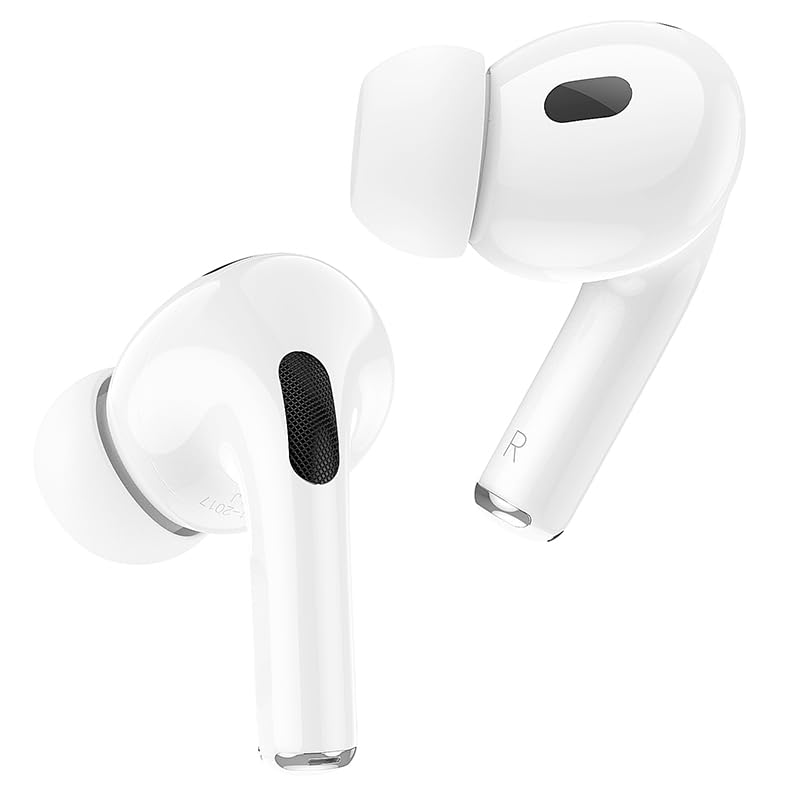
Image: Individual HOCO EW50 Earbuds displayed outside their charging case, highlighting their design.
| Azzjoni | Funzjoni |
|---|---|
| Tektek Waħda (Xellug/Lemin) | Daqq/Pawża l-Mużika, Tweġiba/Tmiem is-Sejħa |
| Tektek Doppju (Lemin) | Track li jmiss |
| Tektek Doppju (Xellug) | Track Preċedenti |
| Tektek Tripla (Xellug/Lemin) | Attiva Voice Assistant (Siri, Google Assistant) |
| Agħfas Twil (Xellug/Lemin) | Aqleb il-Kanċellazzjoni Attiva tal-Istorbju (ANC) / Modalità ta' Trasparenza |
| Agħfas Twil (Sejħa Dieħla) | Irrifjuta Sejħa |
5.3 Kanċellazzjoni Attiva tal-Istorbju (ANC) / Modalità ta' Trasparenza
The HOCO EW50 features Active Noise Cancellation to reduce ambient noise and Transparency Mode to allow you to hear your surroundings. Long press either earbud to cycle through ANC On, Transparency Mode, and ANC Off.
5.4 Modalità tal-Logħob
For an enhanced gaming experience with reduced audio latency, activate Gaming Mode. Refer to the specific instructions for activating Gaming Mode, usually a specific touch gesture or setting within a companion app if available.
5.5 Tagħmel/Riċeviment Sejħiet
- Irrispondi Sejħa: Tektek darba waħda fuq kwalunkwe earbud.
- Tmiem Sejħa: Tektek darba waħda fuq kwalunkwe earbud waqt telefonata.
- Irrifjuta Sejħa: Long press either earbud during an incoming call.
- The built-in microphone ensures clear communication during calls.
6. Manutenzjoni
6.1 Tindif
- Regularly clean the earbuds and charging case to maintain optimal performance.
- Uża drapp artab, niexef u mingħajr suf biex timsaħ l-uċuħ.
- Gently remove any earwax or debris from the earbud mesh and charging contacts using a clean, dry cotton swab or a small, soft brush.
- Do not use liquids, sprays, or chemical cleaners.
6.2 Ħażna
- Meta ma tkunx qed tużahom, aħżen il-earbuds fil-kaxxa tal-iċċarġjar tagħhom biex tipproteġihom u żżommhom iċċarġjati.
- Aħżen il-prodott f'post frisk u niexef, 'il bogħod mix-xemx diretta u minn temperaturi estremi.
6.3 Reżistenza għall-Ilma
The HOCO EW50 earbuds are sweatproof and water-resistant, making them suitable for workouts and outdoor activities. However, they are not waterproof and should not be submerged in water. Avoid exposure to heavy rain or showering with the earbuds.
7 Issolvi l-problemi
If you encounter any issues with your HOCO EW50 earbuds, please refer to the following common solutions:
| Problema | Soluzzjoni |
|---|---|
| Earbuds ma jingħaqdux | Ensure earbuds are charged. Place them in the case, close, then open the lid to re-enter pairing mode. Turn off and on Bluetooth on your device. Forget "HOCO EW50" from your device's Bluetooth list and try pairing again. |
| L-ebda ħoss minn earbud wieħed | Check battery level of both earbuds. Place both earbuds back in the case, close the lid, then take them out again. Re-pair with your device. |
| Earbuds ma jiċċarġjawx | Ensure the charging cable is securely connected to both the case and the power source. Check if the charging contacts on the earbuds and in the case are clean and free of debris. Try a different charging cable or power adapter. |
| Volum baxx jew kwalità ħażina tal-ħoss | Adjust volume on both your device and the earbuds. Ensure earbud tips are clean and properly seated in your ears for a good seal. Try different sized ear cushions. |
| Il-kontrolli tal-mess ma jirrispondux | Kun żgur li subgħajk huma nodfa u niexfa. Ipprova erġa' ibda l-earbuds billi tpoġġihom fil-kaxxa u oħroġhom mill-ġdid. |
8. Speċifikazzjonijiet
| Karatteristika | Dettall |
|---|---|
| Isem tal-Mudell | EW50 |
| Teknoloġija tal-Konnettività | Mingħajr fili (Bluetooth 5.3) |
| Kontroll tal-Ħoss | Kanċellazzjoni Attiva tal-Ħoss |
| Metodu ta' Kontroll | Mess |
| Ħin tal-daqq | Sa 50 Siegħa (bil-kaxxa tal-iċċarġjar) |
| Kawża tal-Iċċarġjar tal-batterija | 300mAh |
| Livell ta 'Reżistenza għall-Ilma | Reżistenti għall-Ilma (Reżistenti għall-Għaraq) |
| Komponenti Inklużi | Cable, Ear Cushions, Protective Case, Wireless Charging Case |
| Piż tal-oġġett | 57 Gramm |
| Dimensjonijiet tal-Prodott | 4.5 x 6 x 2 ċm |
| Materjal | Plastik |
| Tqegħid tal-widnejn | Fil-widnejn |
9. Garanzija u Appoġġ
The HOCO EW50 Earbuds come with a 1-Sena Garanzija from the date of purchase. This warranty covers manufacturing defects and ensures your product is free from material and workmanship flaws under normal use.
For warranty claims, technical support, or any inquiries, please contact your retailer or the HOCO customer service department. Please retain your proof of purchase for warranty validation.


