1. Introduzzjoni
This user manual provides comprehensive instructions for the MoreJoy Smart Projector CUBE2. It covers setup, operation, maintenance, and troubleshooting to ensure optimal performance and longevity of your device. Please read this manual thoroughly before using the projector.
2. Kontenut tal-Pakkett
Malli tiftaħ il-pakkett, ivverifika li l-oġġetti kollha li ġejjin huma inklużi:
- MoreJoy Smart Projector CUBE2
- TV dongle
- Kontroll mill-bogħod
- Adapter tal-Enerġija
- Manwal għall-Utent (dan id-dokument)

Image: The MoreJoy Smart Projector CUBE2 shown with its included accessories, including the remote control and power cable.
3. Karatteristiċi tal-prodott
The MoreJoy Smart Projector CUBE2 is equipped with advanced features for an enhanced viewesperjenza:
- 4K Projector & HDR10: Supports 4K resolution input with HDR10 for vibrant and clear images, even in well-lit environments. Features 1300 ANSI lumens brightness.
- Auto Focus & Auto 6D Keystone Correction: Built-in displacement gyroscope and sensor automatically adjust picture clarity and shape without manual intervention.
- 50% Zoom Function: Allows image size reduction from 100% to 50% without moving the projector.
- Display Kbir: Capable of projecting up to a 500-inch screen.
- Android TV Integration: Access to over 8000+ apps, including popular streaming services like Prime Video, YouTube, Disney+, and HBO Max. The TV dongle is detachable.
- WiFi6 & Dual-band (2.4G+5G): Provides faster and more stable wireless screen mirroring connections.
- Bluetooth 5.2: Bidirectional Bluetooth for easy connection to headphones, speakers, or other audio devices.
- Fully Sealed Engine: Optical core designed to prevent dust entry, reducing black spots and maintaining image quality.
- USB Presentation: Supports direct reading of PPT, XLSX, and DOCX filepermezz tal-USB.

Image: A visual comparison demonstrating the enhanced brightness and clarity of the MoreJoy projector (1080P Native, Support 4K) compared to other 720P native projectors.

Image: The projector displaying a high-quality image in a room during both daytime and nighttime conditions, highlighting its adaptability to different lighting environments.
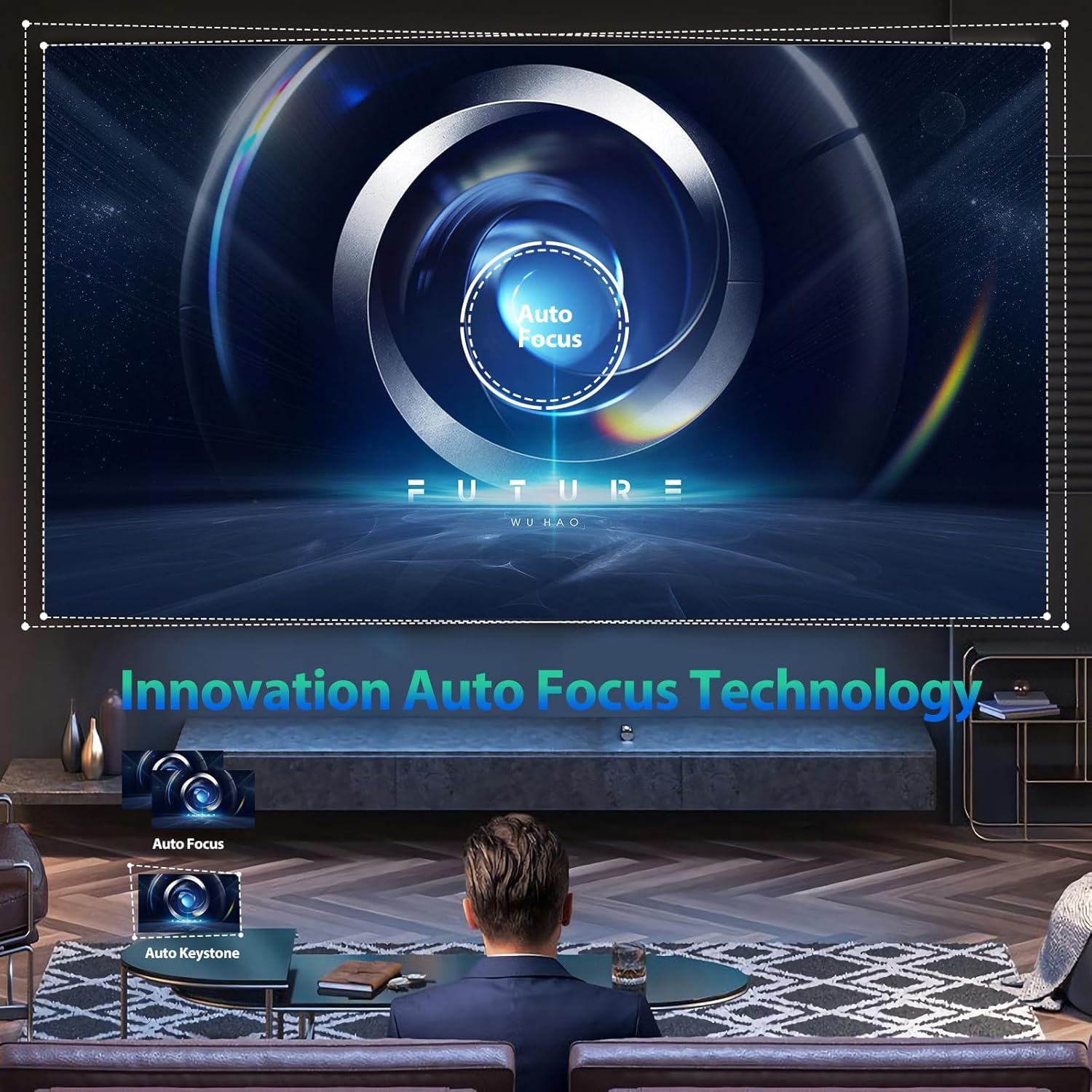
Image: An illustration of the projector's innovative auto-focus and auto-keystone correction technology, showing how it automatically adjusts the image for optimal clarity and shape.

Image: The projector demonstrating its capability to project adjustable screen sizes, ranging from 220 inches at 3.2 meters distance to 500 inches at 8 meters distance.
4. Setup
4.1 Pożizzjonament Fiżiku
Place the projector on a stable, flat surface. Ensure there is adequate ventilation around the device to prevent overheating. Position the projector at a suitable distance from the projection surface (wall or screen) to achieve the desired screen size. Refer to the specifications for recommended projection distances.
4.2 Konnessjoni tal-Enerġija
- Qabbad l-adapter tal-enerġija mal-port tad-dħul tal-enerġija tal-proġettazzjoni.
- Ipplaggja l-adapter tal-enerġija fi żbokk elettriku standard.
- Agħfas il-buttuna tal-qawwa fuq il-proġekter jew il-kontroll mill-bogħod biex tixgħel l-apparat.
4.3 Aġġustament tal-Fokus u l-Keystone
The CUBE2 projector features automatic focus and 6D keystone correction. Upon power-on or movement, the projector will automatically adjust the image for clarity and correct geometric distortion. Manual adjustments are generally not required.
4.4 Konnessjoni tan-Netwerk (Wi-Fi)
To access online content and streaming services, connect the projector to a Wi-Fi network:
- Navigate to the "Settings" menu on the projector's interface.
- Select "Network & Internet" or "Wi-Fi Settings".
- Ixgħel il-Wi-Fi u agħżel in-netwerk mixtieq tiegħek mil-lista.
- Enter the Wi-Fi password if prompted and confirm the connection.

Image: The projector illustrating its 2.4G and 5G dual-band WiFi screen synchronization technology, showing seamless connectivity with Android, iOS, and Windows devices.
4.5 Tqabbil tal-Bluetooth
Pair Bluetooth audio devices (e.g., speakers, headphones) with the projector:
- Go to "Settings" and select "Bluetooth".
- Ensure Bluetooth is enabled on both the projector and your audio device.
- Agħżel l-apparat awdjo tiegħek mil-lista ta' apparati disponibbli biex tqabbadhom.

Image: The projector's display showing the Android TV interface with a wide selection of streaming applications such as Netflix, YouTube, Prime Video, and Hulu, indicating its smart capabilities.
5. Istruzzjonijiet Operattivi
5.1 Konnessjoni ta' Apparati Esterni
Il-proġettazzjoni tappoġġja diversi sorsi ta' input:
- HDMI: Connect gaming consoles, Blu-ray players, laptops, or other HDMI-enabled devices using an HDMI cable. Select the corresponding HDMI input from the projector's source menu.
- USB: Daħħal USB drive fil-port USB biex tilgħab il-midja files (photos, videos, music) or view documents (PPT, XLSX, DOCX).
- Ethernet: Għal konnessjoni stabbli tal-internet bil-fili, qabbad kejbil Ethernet mal-port LAN.

Image: The projector highlighting its wide compatibility, showing connections for HDMI devices (Fire TV stick, X-BOX, Switch, PC), 5G WiFi for mobile phones (Android and iOS) and tablets, and USB for photos, videos, music, and office files.
Image: The projector demonstrating its versatility for different applications, including video yoga, competitive gaming, and business office presentations, all projected onto a large 500-inch screen.
5.2 Using Android TV
The integrated Android TV system allows you to stream content directly. Use the remote control to navigate the interface, download apps from the Google Play Store, and access your favorite movies and TV shows.
5.3 Screen Mirroring
To mirror your smartphone or tablet screen:
- Kun żgur li kemm il-proġettur kif ukoll l-apparat mobbli tiegħek huma konnessi mal-istess netwerk Wi-Fi.
- On the projector, select the "Screen Mirroring" or "Cast" option.
- On your mobile device, enable screen mirroring (e.g., "Smart View" on Android, "Screen Mirroring" on iOS) and select the projector from the list of available devices.
5.4 Aġġustament tas-Settings
Access the "Settings" menu to customize various aspects of the projector:
- Settings tal-Istampa: Adjust brightness, contrast, color saturation, and sharpness.
- Settings tal-ħoss: Control volume, audio output mode, and equalizer settings.
- Modalità ta' Projezzjoni: Change projection orientation (front, rear, ceiling front, ceiling rear).
- Lingwa: Agħżel il-lingwa preferuta tiegħek għall-interface tal-utent.
6. Manutenzjoni
6.1 Tindif
- Lenti: Use a soft, lint-free cloth specifically designed for optical lenses. Gently wipe the lens in a circular motion. Do not use abrasive cleaners or excessive force.
- Barra: Imsaħ il-barra tal-proġettazzjoni b'ċarruta ratba u niexfa. Għal marki persistenti, neħħi ftit ċarruta.amp Jista' jintuża drapp, segwit minn imsaħ niexef.
- Portijiet tal-Ventilazzjoni: Periodically check and clean the ventilation ports to ensure unobstructed airflow. Use a soft brush or compressed air to remove dust.
Nota: The CUBE2 features a fully sealed optical engine, which significantly reduces dust accumulation inside the projector, minimizing the need for internal cleaning.

Image: A visual representation highlighting the benefits of the MoreJoy projector's fully sealed optical engine, which prevents light decay and the appearance of black spots, ensuring a longer lifespan compared to normal non-sealed designs.
6.2 Ħażna
Meta ma tkunx qed tużah għal perjodi twal, aħżen il-proġettur f'ambjent frisk, niexef u ħieles mit-trab. Uża l-imballaġġ oriġinali jew kaxxa protettiva biex tevita l-ħsara.
7 Issolvi l-problemi
If you encounter issues with your MoreJoy Smart Projector CUBE2, refer to the following common problems and solutions:
| Problema | Kawża Possibbli | Soluzzjoni |
|---|---|---|
| Ebda Qawwa | Kejbil tal-enerġija mhux imqabbad; Problema fis-sokit tal-enerġija. | Kun żgur li l-kejbil tal-enerġija huwa konness sew. Ipprova sokit tal-enerġija differenti. |
| Ebda Immaġni | Incorrect input source; Device not connected properly. | Select the correct input source (HDMI, USB). Check cable connections. |
| Fuzzy/Blurry Image | Projector moved; Auto-focus issue. | Allow the auto-focus to recalibrate. Ensure the lens is clean. |
| Ebda Ħoss | Volume too low; Incorrect audio output; Bluetooth not paired. | Increase volume. Check audio output settings. Re-pair Bluetooth device. |
| Kwistjonijiet ta' Konnessjoni Wi-Fi | Incorrect password; Router too far; Network interference. | Ivverifika l-password tal-Wi-Fi. Mexxi l-proġettazzjoni eqreb lejn ir-router. Erġa' ixgħel ir-router. |
If the problem persists after trying these solutions, please contact MoreJoy customer support for assistance.
8. Speċifikazzjonijiet
| Karatteristika | Dettall |
|---|---|
| Brand | Aktar Ferħ |
| Mudell | KUBU2 |
| Riżoluzzjoni tal-Wiri | 1920 x 1080 (Native), Supports 4K input |
| Luminożità | 1300 lumens ANSI |
| Daqs tal-Projezzjoni | Sa 500 pulzier |
| Iffoka | Auto Focus |
| Korrezzjoni Keystone | Auto 6D Keystone Correction |
| Funzjoni Zoom | 50% Digital Zoom |
| Sistema Operattiva | Android TV |
| Konnettività Wi-Fi | WiFi6, 2.4G + 5G Dual-band |
| Bluetooth | Bluetooth 5.2 (Bidirectional) |
| Portijiet tad-dħul | HDMI, USB, Ethernet |
| Karatteristiċi Speċjali | Fully Sealed Optical Engine, HDR10, USB Document Playback |
| Piż tal-oġġett | 7.87 liri |
| Dimensjonijiet tal-Prodott | 500 x 500 x 500 inches (Note: This dimension seems incorrect for a projector, likely a placeholder or error in source data.) |
9. Garanzija u Appoġġ
The MoreJoy Smart Projector CUBE2 comes with a Lifetime Warranty as stated in the product features. For warranty claims, technical support, or any inquiries not covered in this manual, please contact MoreJoy customer service through the official channels provided at the point of purchase or on the MoreJoy official websit.
Jekk jogħġbok żomm il-prova tax-xiri tiegħek għal skopijiet ta' garanzija.


