1. Introduzzjoni
Welcome to the user manual for your Fitbit Charge 6 Fitness Tracker. This guide provides essential information to help you set up, operate, maintain, and troubleshoot your device, ensuring you get the most out of its features. The Fitbit Charge 6 is designed to boost your routine with integrated Google apps and comprehensive fitness tracking tools.
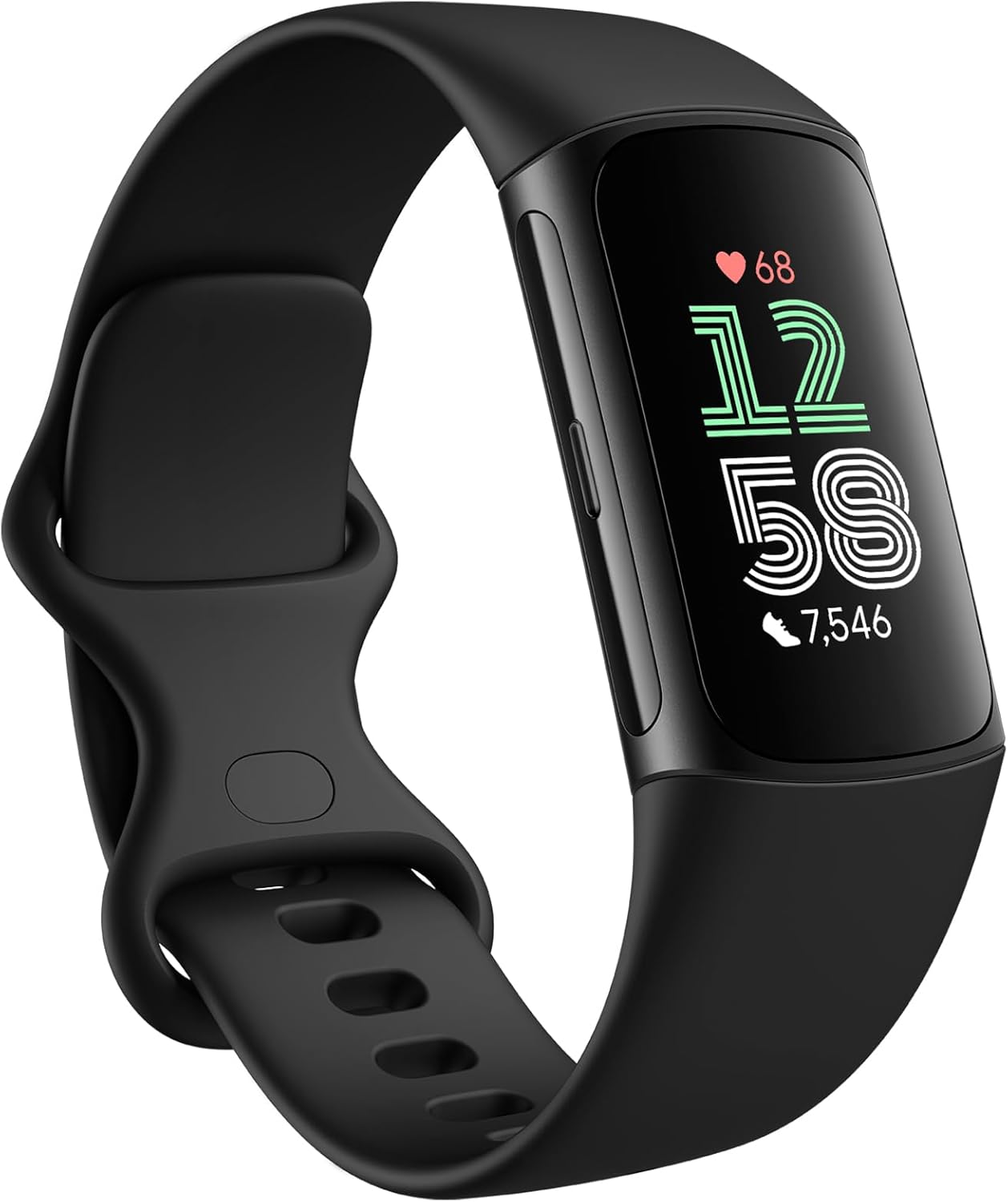
Image: Fitbit Charge 6 Fitness Tracker in Obsidian/Black, showcasing id-disinn u l-wiri eleganti tiegħu.
2. X'inhu Inkluż
Your Fitbit Charge 6 package contains the following items:
- Fitbit Charge 6 Device
- Small and Large Bands (one of each size)
- Iċċarġjar Cable

Image: A visual representation of the Fitbit Charge 6 device, two band sizes (small and large), and the charging cable included in the product packaging.
3. Nibdew: Konfigurazzjoni
Follow these steps to set up your new Fitbit Charge 6:
- Iċċarġja l-Apparat Tiegħek: Connect the charging cable to your Charge 6 and a USB power source. Ensure the device is fully charged before first use. A full charge can provide up to 7 days of battery life.
- Installa l-App Fitbit: Download and install the Fitbit app on your smartphone or tablet. The app is available for both iOS and Android devices.
- Agħlaq it-Tagħmir Tiegħek: Open the Fitbit app and follow the on-screen instructions to create an account or log in. The app will guide you through the process of pairing your Charge 6 via Bluetooth.
- Ilbes l-Apparat Tiegħek: Choose the band size that fits comfortably. The Charge 6 comes with both small and large bands. Ensure the tracker is snug but not too tight on your wrist for accurate heart rate tracking.

Image: The Fitbit Charge 6 connected to its proprietary charging cable, illustrating the charging process.

Image: Illustration highlighting the Fitbit Charge 6's battery life of up to 7 days and its compatibility with both Android and iOS devices.
4. Operating Your Fitbit Charge 6
The Fitbit Charge 6 offers a range of features to help you manage your health and fitness:
4.1. Fitness Tracking & Motivation
- 40+ Modalità ta' Eżerċizzju: Track various workouts, from runs to HIIT, with specific metrics.
- GPS inkorporat: Map your outdoor activities without needing your phone.
- Minuti fiż-Żona Attiva: Earn credit for time spent in fat burn, cardio, and peak heart rate zones.
- Heart Rate on Exercise Equipment: Link your Charge 6 to compatible gym machines to see real-time heart rate data.
- Kontrolli tal-Mużika ta' YouTube: Manage your music directly from your wrist (requires YouTube Music Premium subscription).

Image: A collage demonstrating various fitness features of the Fitbit Charge 6, including exercise modes, heart rate tracking on equipment, and YouTube Music controls.
4.2. Advanced Health Tools
- Daily Readiness (with Premium): Understand if your body is ready for a workout or needs recovery.
- Punteġġ tal-Ġestjoni tal-Istress: Track your body's physical response to stress.
- Blood Oxygen Level (SpO2) Monitoring: Gain insights into your blood oxygen saturation.
- Notifiki tar-Rata tal-Qalb: Receive alerts for high or low heart rates.
- Metriċi tas-Saħħa: Access a dashboard of key health stats in the Fitbit app.

Image: A visual guide to the health tracking capabilities of the Fitbit Charge 6, including Daily Readiness, Stress Management Score, and Blood Oxygen Level monitoring.
4.3. Google Essentials & Connectivity
- Google Maps: Get turn-by-turn directions directly on your wrist during runs or rides.
- Kartiera tal-Google: Make contactless payments on the go with a tap of your wrist.
- Notifiki Intelliġenti: Receive call, text, and app notifications from your smartphone.
- Disinn Sleek: Enjoy a comfortable and stylish tracker for all-day wear.

Image: Demonstrates the integration of Google services like Google Maps for navigation and Google Wallet for contactless payments on the Fitbit Charge 6.
4.4. Traċċar tal-Irqad
- Punteġġ tal-Irqad: Get a personalized score based on your sleep quality.
- Advanced Sleep Insights: Ifhem l-irqad tiegħektages (light, deep, REM) and patterns.
- Smart Wake: Wake up during an optimal sleep stage b'allarm li jivvibra sieket.
- Sleep Profiles (with Premium): Discover your sleep animal and receive tailored guidance.

Image: Illustrates the sleep tracking capabilities of the Fitbit Charge 6, including Sleep Score, Smart Wake, and advanced sleep insights.
4.5. Fitbit Premium Membership
Your Fitbit Charge 6 includes a 6-month Fitbit Premium membership, unlocking additional features:
- Access to a library of workouts (HIIT, cycling, strength training, dance cardio, etc.).
- Personalized insights and guidance.
- Advanced sleep tools and profiles.

Image: Shows the Fitbit Premium interface on a smartphone, highlighting workout options and daily readiness scores available with the membership.
5. Kura u Manutenzjoni
To ensure the longevity and optimal performance of your Fitbit Charge 6, follow these care guidelines:
- Tindif: Regularly clean your device and band, especially after workouts or exposure to sweat, soap, or lotions. Use a mild, soap-free cleanser and rinse thoroughly.
- Tnixxif: Always dry your device and band completely before putting it back on.
- Reżistenza għall-Ilma: The Charge 6 is water-resistant. It can be worn in the shower or while swimming in a pool or ocean. However, it is not recommended for hot tubs or saunas.
- Kura tal-Ġilda: If you experience skin irritation, remove the device and consult a doctor. Ensure the band is not worn too tightly.
- Kuntatti tal-Iċċarġjar: Keep the charging contacts on the back of the device clean and dry to ensure proper charging.
6. Issolvi l-problemi ta' Kwistjonijiet Komuni
If you encounter issues with your Fitbit Charge 6, try the following common solutions:
- Apparat mhux Jirrispondi: Try restarting your Charge 6. Connect it to the charging cable, then press the button on the side of the charger three times within eight seconds.
- Kwistjonijiet ta' Sinkronizzazzjoni: Ensure Bluetooth is enabled on your phone and the Fitbit app is open. Try restarting both your phone and the Charge 6.
- Rata tal-Qalb Mhux Preċiża: Ensure the device is worn snugly on your wrist, about a finger's width above your wrist bone. Clean the sensor on the back of the device.
- Batterija Tbattal malajr: Reduce screen brightness, turn off always-on display, and limit notifications to extend battery life.
- Id-Displej Mhux Mixgħul: Charge the device for at least 30 minutes. If it still doesn't turn on, try restarting it as described above.
For more detailed troubleshooting, refer to the official Fitbit support webis-sit jew il-manwal sħiħ tal-utent.
7. Speċifikazzjonijiet Tekniċi
| Karatteristika | Speċifikazzjoni |
|---|---|
| Numru tal-Mudell | GA05195-WW |
| Dimensjonijiet tal-Prodott | 6 x 4 x 4 pulzieri |
| Piż tal-oġġett | 5 uqija |
| Daqs tal-Wiri tal-Iskrin | 1.04 Pulzier |
| Kapaċità tal-Ħżin tal-Memorja | 4 GB |
| Sistema Operattiva | Android (Compatible with iOS) |
| Karatteristiċi Speċjali | Traċċatur tal-Attività, Traċċatur Multisport, GPS, ECG, Ħlasijiet Mingħajr Kuntatt, Monitor tal-Irqad |
| Tip ta 'batterija | Jonju tal-litju |
| Teknoloġija tal-Konnettività | Wi-Fi, Bluetooth |
| Forma | Rettangolari |
| Manifattur | Fitbit |
8. Appoġġ u Garanzija
For further assistance, detailed information, or warranty claims, please refer to the following resources:
- Manwal Uffiċjali għall-Utent (PDF): For a comprehensive guide, download the official PDF manual: Niżżel il-Manwal tal-Utent
- Appoġġ għal Fitbit: Visit the official Fitbit support websit għal FAQs, gwidi għas-soluzzjoni tal-problemi, u għażliet ta’ kuntatt.
- Informazzjoni dwar il-garanzija: Your Fitbit Charge 6 is covered by a limited manufacturer's warranty. Please refer to the warranty documentation included with your product or visit the Fitbit support websit għal termini u kundizzjonijiet speċifiċi.


