1. Introduzzjoni
Thank you for choosing the Dragon Touch Notepad-102 Android 12 Tablet. This manual provides essential information for setting up, operating, maintaining, and troubleshooting your device. Please read it thoroughly to ensure optimal performance and longevity of your tablet.
2. Prodott Aktarview
The Dragon Touch Notepad-102 is a 10.1-inch Android 12 tablet designed for versatile use, from entertainment to productivity. It features an 8-core CPU, 8GB RAM, 128GB internal storage, and a vibrant IPS display.

Stampa 2.1: Quddiem u lura view of the Dragon Touch Notepad-102 tablet. The front displays 'Android 12' and '8GB+128GB', while the back shows a silver finish and the rear camera module.
2.1. Komponenti u Portijiet
Familiarize yourself with the tablet's physical features:
- Wiri: 10.1-inch IPS screen.
- Kamera ta' quddiem: 8MP, typically located at the top center when held vertically.
- Kamera ta' wara: 13MP, located on the back panel.
- Buttuna tal-Qawwa: Used to turn the tablet on/off or put it to sleep.
- Buttuni tal-Volum: Aġġusta l-livelli tal-awdjo.
- Port USB tat-Tip Ċ: Għall-iċċarġjar u t-trasferiment tad-dejta.
- Jack tal-headphones ta' 3.5mm: Għall-output tal-awdjo.
- Slott tal-Karta MicroSD: For storage expansion (up to 128GB).
- Kelliema: Kelliema stereo doppji għall-ħruġ tal-awdjo.

Stampa 2.2: Ġenb view of the tablet highlighting the various ports and buttons, including the USB Type-C port and volume controls.
3. Setup
3.1. L-Ewwel Tixgħil
- Agħfas u żomm il- Buttuna tal-Qawwa sakemm jixgħel l-iskrin.
- Segwi l-istruzzjonijiet fuq l-iskrin biex tagħżel il-lingwa u r-reġjun tiegħek, u taċċetta t-termini u l-kundizzjonijiet.
3.2. Konnessjoni Wi-Fi
- During initial setup or later, navigate to Settings > Netwerk u internet > Wi-Fi.
- Ixgħel il-Wi-Fi On.
- Agħżel in-netwerk Wi-Fi mixtieq tiegħek mil-lista.
- Daħħal il-password tan-netwerk jekk tintalab, imbagħad tektek Qabbad.
3.3. Konfigurazzjoni tal-Kont tal-Google
Sign in with your Google account to access the Google Play Store, Gmail, and other Google services. If you don't have an account, you can create one during this step.
4. Operazzjoni Bażika
4.1. Navigazzjoni f'Android 12
The tablet runs on Android 12, offering an intuitive user interface. Common gestures include:
- Tektek: Agħżel oġġett jew iftaħ app.
- Swipe: Skrollja minn paġni jew menus.
- Agħfas biex tiżżumja: Enlarge or shrink content on the screen.
- Stampa Twila: Aċċessa l-menus kuntestwali jew iċċaqlaq l-ikoni.
4.2. Installazzjoni tal-App
Download and install applications from the Google Play Store. Ensure you have a stable internet connection.

Stampa 4.1: The tablet screen showing a collection of application icons and photo thumbnails, demonstrating its multimedia capabilities and storage capacity.
5. Karatteristiċi Avvanzati
5.1. Kameras
The tablet is equipped with an 8MP front camera and a 13MP rear camera. Open the Camera app to capture photos and videos. The front camera is ideal for video calls and selfies.

Stampa 5.1: The tablet displaying a video call, showcasing the clarity of the front-facing camera for communication.
5.2. Projezzjoni bla fili
The tablet supports wireless projection, allowing you to mirror its screen to a compatible large display, such as a TV. This feature is useful for presentations or sharing media.
5.3. Docking Keyboard Support
Enhance your productivity by connecting a compatible docking keyboard (sold separately). This transforms your tablet into a laptop-like device, suitable for typing and work tasks.
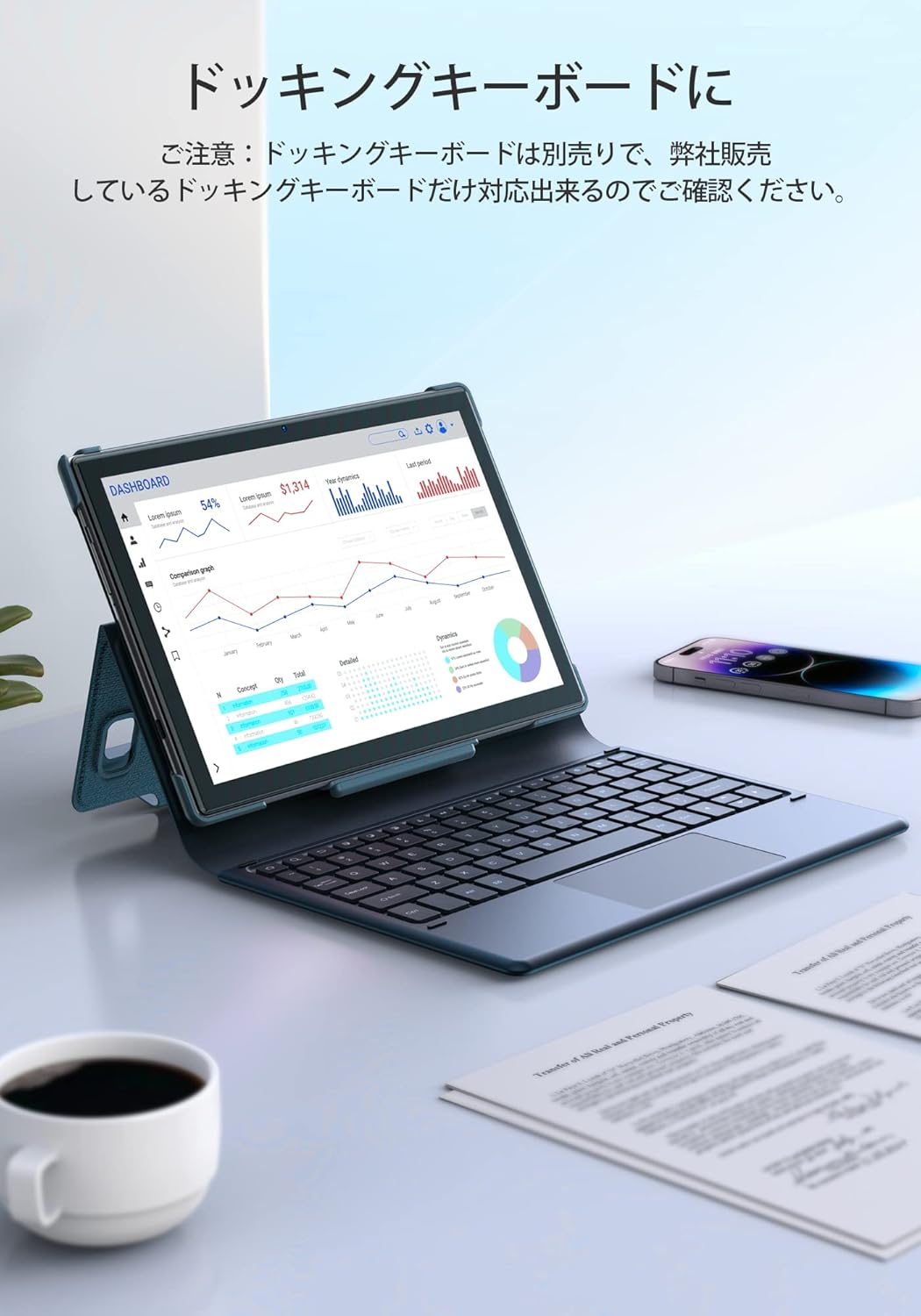
Stampa 5.2: The tablet docked with a keyboard accessory, displaying a dashboard with charts, illustrating its use for productivity.
6. Konnettività
6.1. Wifi
The tablet supports dual-band Wi-Fi (2.4GHz and 5GHz) with 802.11ac technology for stable and high-speed internet access. To manage Wi-Fi settings, go to Settings > Netwerk u internet > Wi-Fi.
6.2.Bluetooth
Connect wireless headphones, speakers, or other Bluetooth-enabled devices. Access Bluetooth settings via Settings > Apparati konnessi > Bluetooth.
7. Ġestjoni tal-batterija
The Notepad-102 is equipped with a 6000mAh battery. To charge, connect the included Type-C cable to the tablet's Type-C port and a compatible 5V/2A power adapter.
7.1. Pariri dwar il-Ħajja tal-Batterija
- Naqqas il-luminożità tal-iskrin.
- Itfi l-Wi-Fi u l-Bluetooth meta ma tkunx qed tużahom.
- Agħlaq l-applikazzjonijiet fl-isfond.
- Enable battery saver mode.
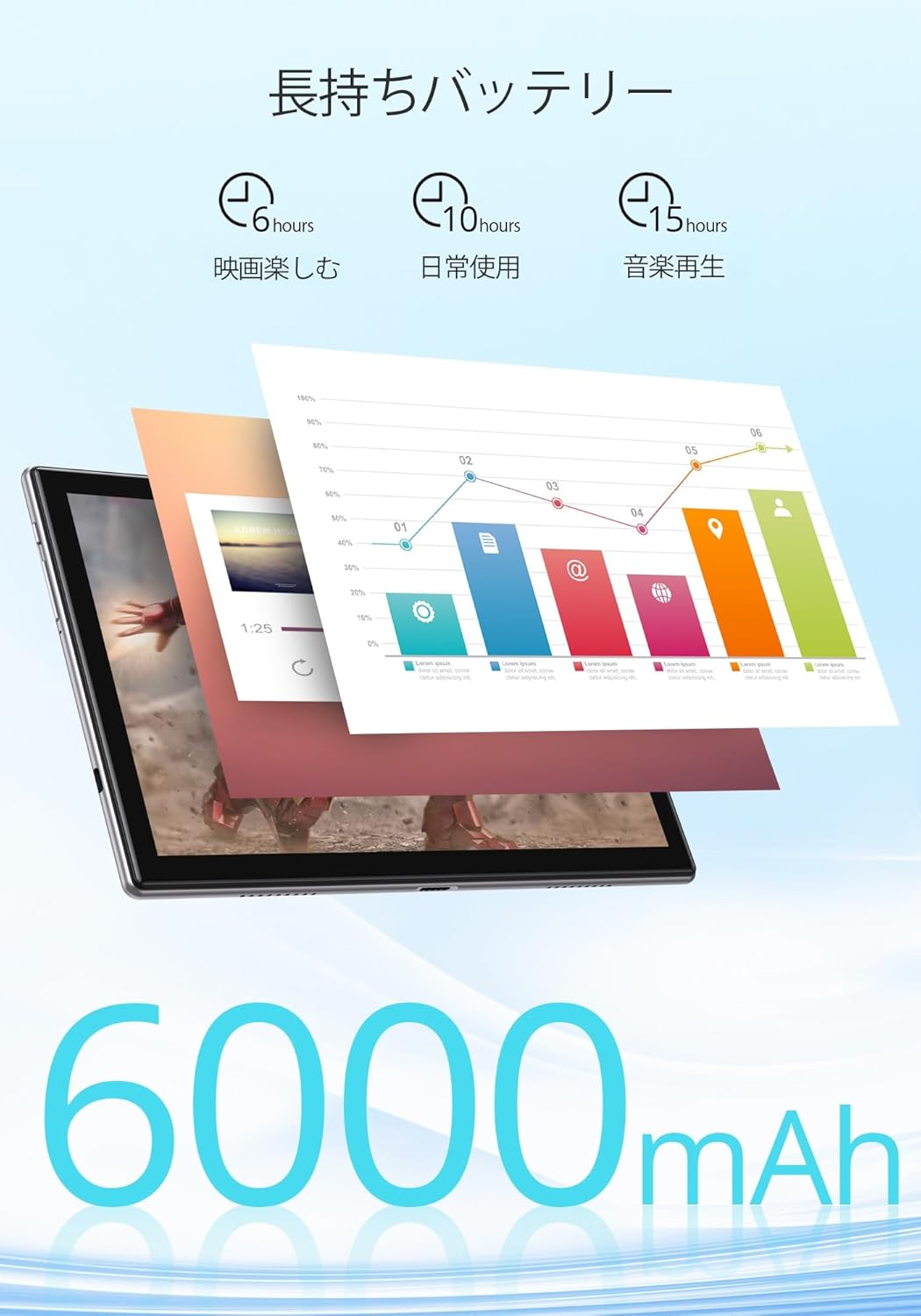
Stampa 7.1: An infographic showing estimated battery life for various activities: 6 hours for movies, 10 hours for daily use, and 15 hours for music playback, powered by the 6000mAh battery.
8. Manutenzjoni u Kura
- Żomm il-pillola 'l bogħod minn temperaturi estremi u dawl tax-xemx dirett.
- Avoid dropping the tablet or subjecting it to strong impacts.
- Naddaf l-iskrin b'ċarruta ratba u mingħajr suf. Tużax kimiċi ħarxa.
- Kun żgur li l-port tal-iċċarġjar ikun ħieles mit-trab u l-fdalijiet.
9 Issolvi l-problemi
9.1. Tablet Not Turning On
- Kun żgur li t-tablet huwa ċċarġjat biżżejjed. Qabbadha ma' sors ta' enerġija għal mill-inqas 30 minuta.
- Agħfas u żomm il-buttuna tal-Qawwa għal 10-15-il sekonda biex twettaq restart furzat.
9.2. Kwistjonijiet ta' Konnettività tal-Wi-Fi
- Erġa' ibda r-router Wi-Fi tiegħek u t-tablet.
- Kun żgur li tinsab fil-firxa tas-sinjal tal-Wi-Fi.
- Insieh in-netwerk fis-settings tal-Wi-Fi u erġa' qabbad.
- Iċċekkja jekk apparati oħra jistgħux jikkonnettjaw mal-istess netwerk Wi-Fi.
9.3. L-Applikazzjonijiet Jiġġarraf jew Jiffriża
- Agħlaq u terġa' tiftaħ l-app.
- Neħħi l-cache u d-dejta tal-app Settings > Apps > [Isem tal-App] > Ħażna u cache.
- Kun żgur li l-app hija aġġornata għall-aħħar verżjoni tagħha.
10. Speċifikazzjonijiet
| Karatteristika | Speċifikazzjoni |
|---|---|
| Brand | Dragon Touch |
| Mudell | Notepad-102 |
| Sistema Operattiva | Android 12 (Ċertifikat GMS) |
| Daqs tal-Wiri | 10.1 pulzieri |
| Riżoluzzjoni tal-Wiri | 1280 x 800 pixel (IPS) |
| Proċessur | 8-core CPU (2.0GHz) |
| RAM | 8GB |
| Ħażna Interna | 128GB |
| Ħażna espansibbli | MicroSD sa 128GB |
| Wi-Fi | 2.4Ghz/5Ghz Dual-band (802.11ac) |
| Bluetooth | Iva |
| Kamera ta' Quddiem | 8MP |
| Kamera ta' wara | 13MP |
| Kapaċità tal-batterija | 6000mAh |
| Port tal-Iċċarġjar | Tip-Ċ |
| Dimensjonijiet | 27.1 x 20 x 4.9 ċm |
| Piż | 940 g |
11. Garanzija u Appoġġ
The Dragon Touch Notepad-102 tablet comes with a one-year warranty. For any inquiries or support needs, please contact customer service through your Amazon purchase history, providing your order number. Our support team is dedicated to assisting you.
Nota: Please use the provided charging cable and a 5V/2A power adapter for optimal charging.


