Introduzzjoni
This manual provides instructions for the proper use and maintenance of your Casio DS-2B-GD-W-DP 12-Digit Practical Calculator. Please read this manual thoroughly before using the calculator to ensure optimal performance and longevity.

Figura 1: Quddiem view of the Casio DS-2B-GD-W-DP calculator, showing the display and key layout.
Setup
Sors tal-Enerġija
The Casio DS-2B-GD-W-DP calculator operates using a dual power system: solar power and battery power. It automatically switches between these sources based on ambient light conditions.
- Enerġija Solari: The calculator is powered by solar cells when sufficient light is available. Ensure the solar panel, located above the display, is exposed to light for operation.
- Qawwa tal-batterija: When light is insufficient, the calculator automatically switches to battery power. No user intervention is required for this transition.
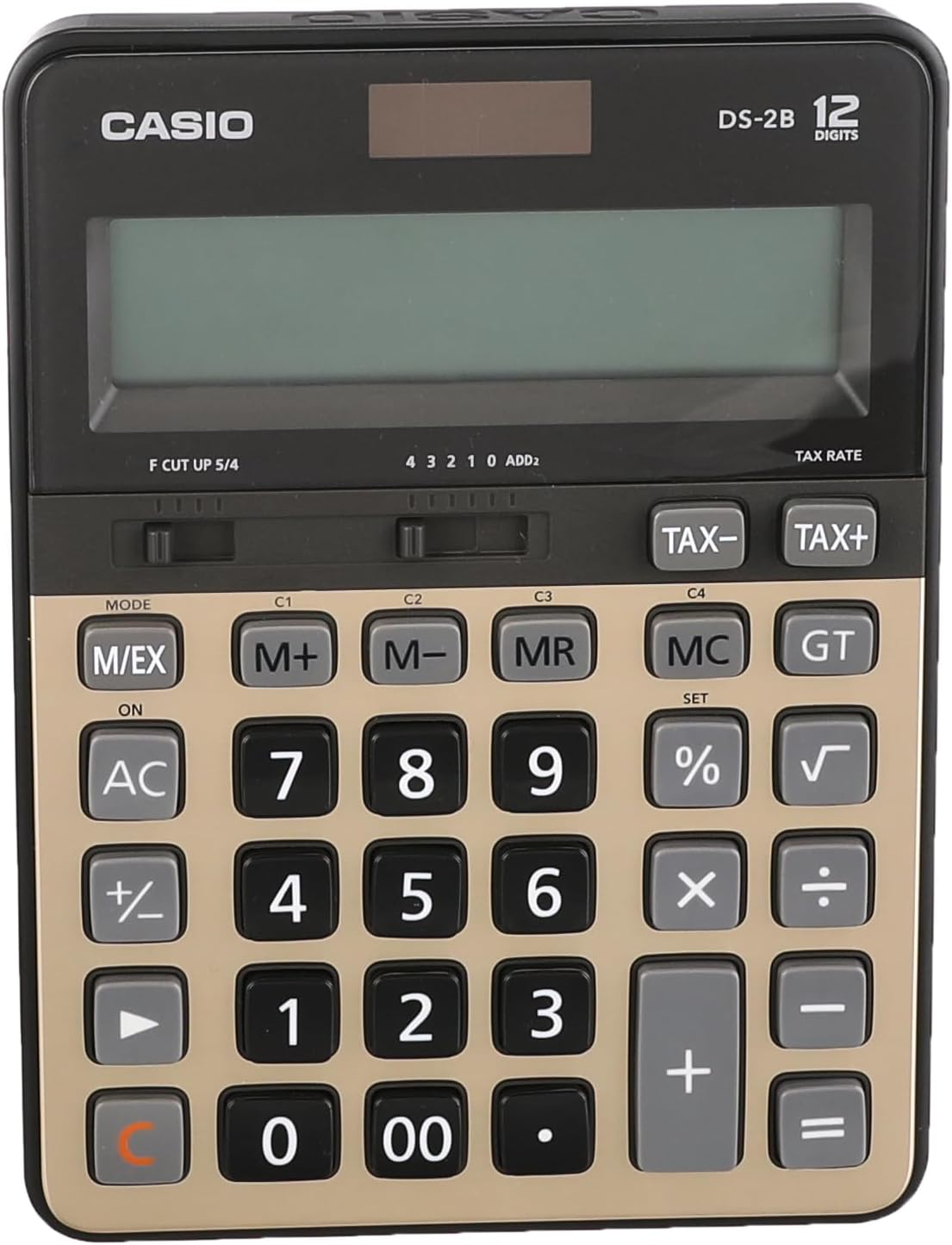
Figura 2: Fuq view of the calculator, highlighting the solar panel and large display area.
Użu Inizjali
- Place the calculator in a well-lit area.
- Agħfas il- ON/AC button to turn on the calculator and clear any previous calculations.
- The display should show "0". If the display is blank, ensure adequate light is available or that the battery is functional.
Istruzzjonijiet Operattivi
Kalkoli Bażiċi
- Żieda: Daħħal l-ewwel numru, agħfas +, daħħal it-tieni numru, agħfas =.
- Tnaqqis: Daħħal l-ewwel numru, agħfas -, daħħal it-tieni numru, agħfas =.
- Multiplikazzjoni: Daħħal l-ewwel numru, agħfas ×, daħħal it-tieni numru, agħfas =.
- Diviżjoni: Daħħal l-ewwel numru, agħfas ÷, daħħal it-tieni numru, agħfas =.
- Dħul Ċar: Agħfas CE (often combined with AC) to clear the last entered number.
- Kollox Ċar: Agħfas AC to clear all calculations and reset the display to zero.
Funzjonijiet tal-Memorja
The calculator includes independent memory functions for storing and recalling values.
- M+: Iżżid il-valur muri mal-memorja.
- M-: Inaqqas il-valur muri mill-memorja.
- MR: Ifakkar il-valur maħżun fil-memorja fuq id-displej.
- MC: Clears the memory.
Kalkolu tat-Taxxa
The calculator features dedicated keys for tax calculations.
- TAXXA+: Adds tax to the displayed value.
- TAXXA-: Subtracts tax from the displayed value.
Note: The tax rate must be set prior to using these functions. Refer to the full Casio manual for detailed instructions on setting the tax rate.

Figure 3: Close-up of the calculator's key layout, showing function keys like M+, M-, MR, MC, TAX+, and TAX-.
Manutenzjoni
Tindif
- Imsaħ il-kalkulatur b'ċarruta ratba u niexfa.
- Għal ħmieġ iebsa, ħafif dampLaħlaħ id-drapp bl-ilma u deterġent ħafif, imbagħad imsaħ niexef immedjatament.
- Do not use strong solvents, abrasive cleaners, or spray cleaners directly onto the calculator.
Ħażna
- Aħżen il-kalkulatur f'post frisk u niexef 'il bogħod mix-xemx diretta u minn temperaturi estremi.
- Avoid exposing the calculator to excessive moisture or dust.
Sostituzzjoni tal-batterija
The calculator uses a button-cell battery as a backup power source. If the display becomes dim or unresponsive in sufficient light, the battery may need replacement. Battery replacement should ideally be performed by a qualified technician or according to the detailed instructions in the comprehensive Casio manual to avoid damaging the device.
Issolvi l-problemi
| Problema | Kawża Possibbli | Soluzzjoni |
|---|---|---|
| Id-displej huwa vojt jew mudlam. | Insufficient light for solar power. / Battery is low or depleted. | Move the calculator to a brighter area. / Replace the battery (refer to Maintenance section). |
| Calculator does not respond to key presses. | Calculator is off. / Temporary malfunction. | Agħfas ON/AC. / Remove the calculator from light for a few minutes, then re-expose to light and press ON/AC. |
| Riżultati tal-kalkolu mhux korretti. | Incorrect input. / Incorrect mode setting. | Verify input numbers and operations. / Press AC to clear and restart. Check mode settings if applicable (e.g., decimal point selector). |
Speċifikazzjonijiet
- Mudell: Casio DS-2B-GD-W-DP
- Ċifri: 12
- Sors tal-Enerġija: Solar & Battery (Dual Power)
- Tip ta' wiri: Extra Large LCD
- Tip ta 'ċavetta: Durable anti-fade plastic keys
- Dimensjonijiet (L x W x H): Madwar 18.95 x 14 x 0.25 ċm
- Piż: Madwar 305 g
- Materjal: Plastik
- Funzjonijiet: Basic arithmetic, Memory (M+, M-, MR, MC), Tax calculation (TAX+, TAX-), Percentage (%), Square Root (√), Grand Total (GT), Mark-up (MU), Decimal Selector (F, CUT, UP, 5/4), Rounding Selector (4, 3, 2, 1, 0, ADD2).
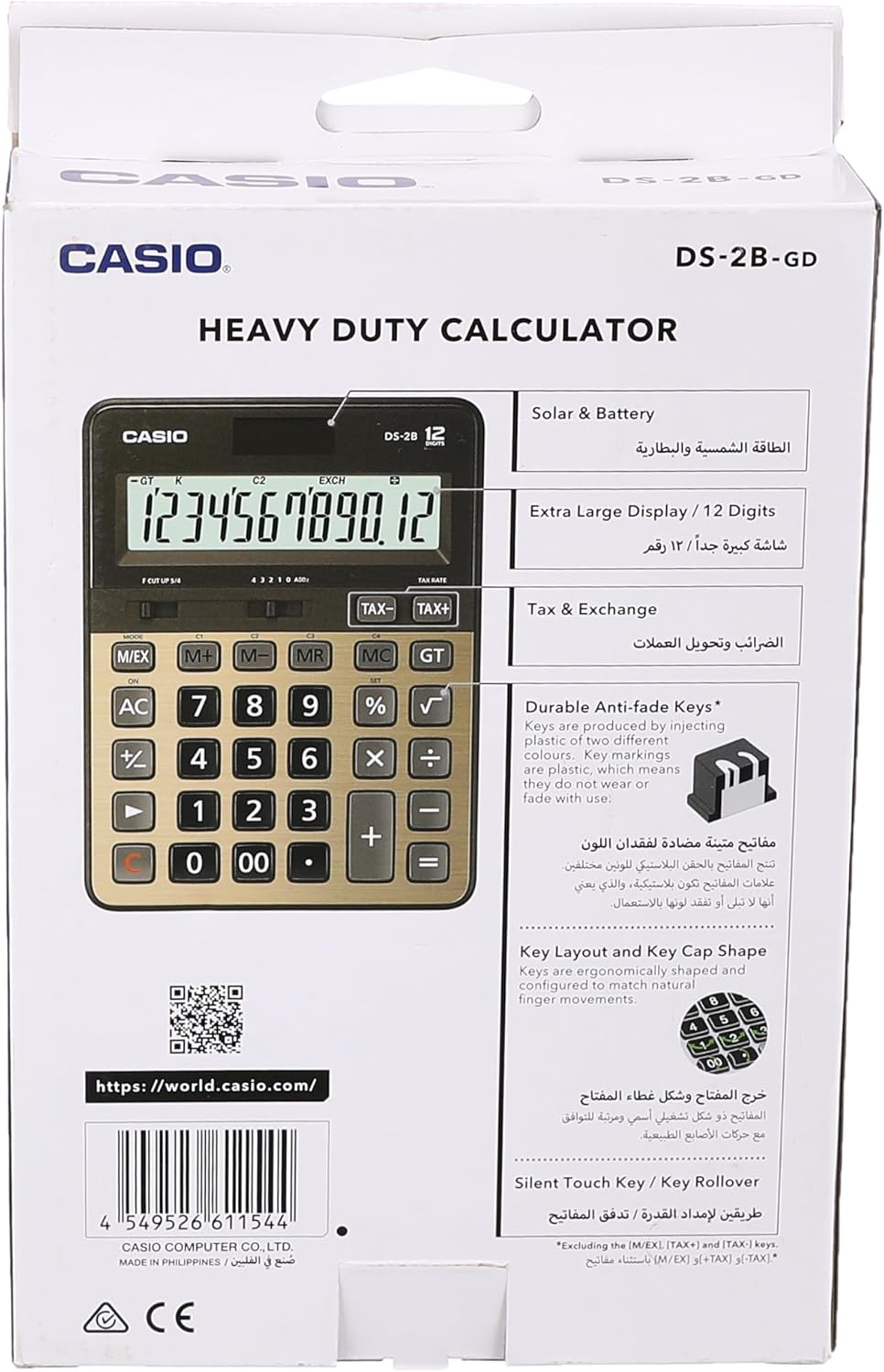
Figure 4: Product packaging highlighting key features such as solar & battery power, extra large display, and durable keys.
Garanzija u Appoġġ
For detailed warranty information and customer support, please refer to the documentation included with your purchase or visit the official Casio websit.
- Casio Uffiċjali Websit: https://world.casio.com
- Manifattur: Casio Computer Co., Ltd.
- Numru tal-Mudell: DS-2B-GD-W-DP
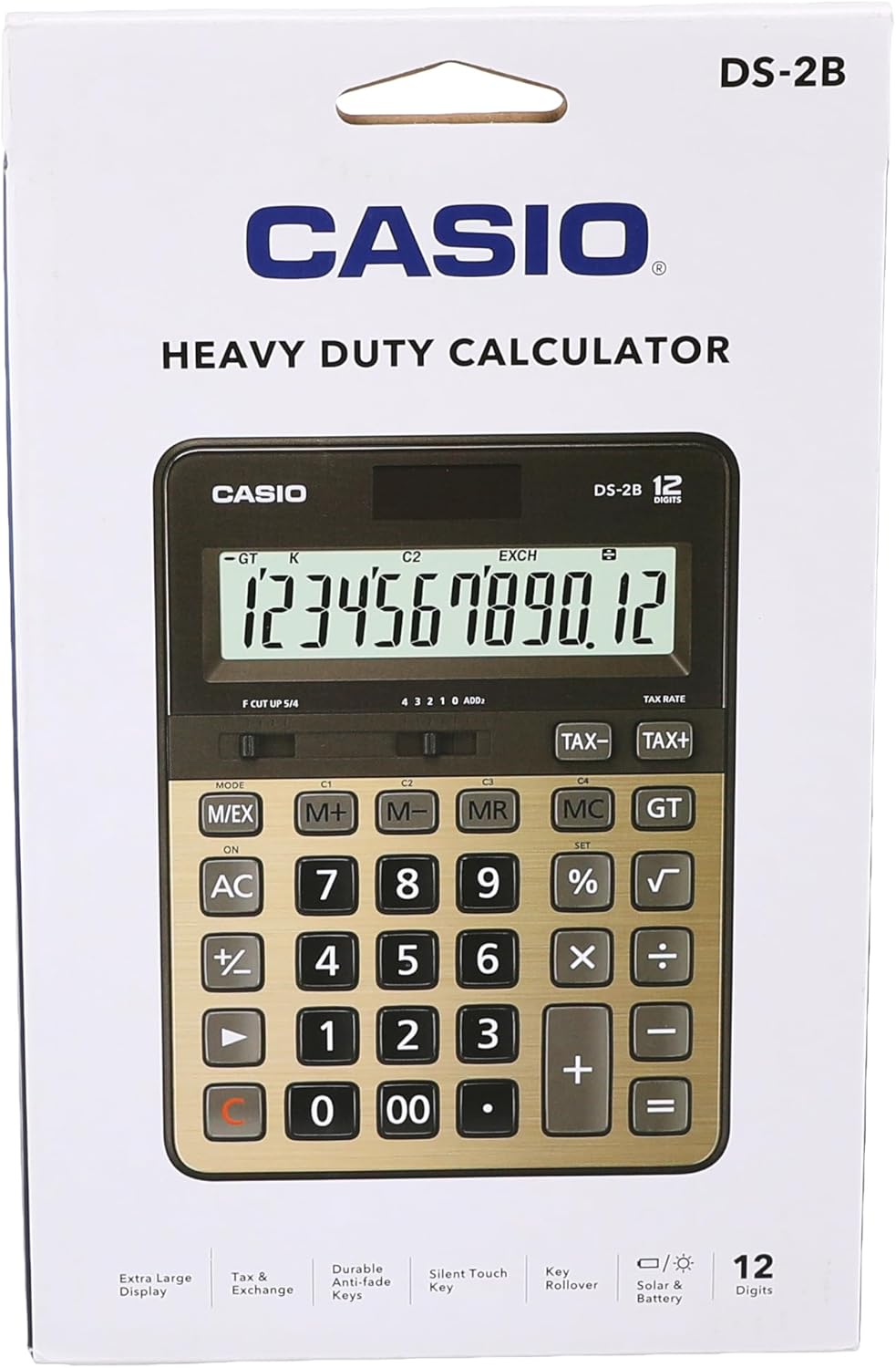
Figura 5: Wara view of the product packaging, displaying the barcode and official webgħal aktar informazzjoni.


