1. Prodott Aktarview
The ELECCTV w1 is a 2K QHD battery-powered wireless security camera designed for outdoor use. It features dual-band 2.4GHz and 5GHz WiFi connectivity, AI motion detection, color night vision, two-way audio, and is IP65 weatherproof. This manual provides instructions for setting up, operating, and maintaining your camera.

Image 1.1: ELECCTV w1 2K Dual-Band WiFi Security Camera.
2. Setup u Installazzjoni
2.1 Iċċarġjar tal-batterija
Before initial use, fully charge the camera's built-in rechargeable battery. The camera can operate for 1-3 months on a full charge, depending on usage and power-saving settings configured in the app.
2.2 Installazzjoni tal-App
Niżżel u installa l- O-KAM Pro application on your smartphone (available for iOS and Android devices). This app is essential for camera setup, live viewing, u l-immaniġġjar tas-settings.
2.3 Konnessjoni mal-Wi-Fi
The camera supports both 2.4GHz and 5GHz dual-band wireless connectivity. Follow the in-app instructions for a one-touch quick setup. Bluetooth can also be used for simplified initial pairing.

Image 2.1: The O-KAM Pro app interface showing Bluetooth setup for the camera.
2.4 Immuntar tal-Kamera
The ELECCTV w1 is 100% wire-free and IP65 waterproof, allowing flexible installation indoors or outdoors. Choose a location with good Wi-Fi signal and a clear view of the area you wish to monitor. Use the provided mounting hardware to secure the camera to a wall or under an eave.

Image 2.2: The camera shown in a rain-resistant outdoor environment, highlighting its IP65 waterproof rating.
3. Operazzjoni
3.1 Ħaj View u Reġistrazzjoni
Access the O-KAM Pro app to view live 2K QHD video streams. The camera features a 130° wide-angle lens for extensive coverage. Recordings are triggered by motion detection.
3.2 Viżjoni bil-lejl
The camera offers Viżjoni bil-Lejl tal-Kulur, providing clear, full-color images even in low-light conditions. It utilizes 2 PIR LEDs and 2 white lights. Infrared night vision is also available.

Image 3.1: Comparison of infrared night vision and color night vision, demonstrating the camera's capability.
3.3 Awdjo b'żewġ direzzjonijiet
Utilize the built-in speaker and microphone for two-way communication through the app. This allows you to speak to individuals near the camera.

Image 3.2: A person speaking through the camera to a delivery person, illustrating the two-way audio feature.
3.4 Sejbien tal-Mozzjoni u Twissijiet
The camera features AI motion detection to identify human movement and reduce false alarms. You can customize detection areas and sensitivity within the app. Upon detection, the camera can send real-time notifications to your phone, activate a spotlight, and sound a siren (with customizable alert sounds).
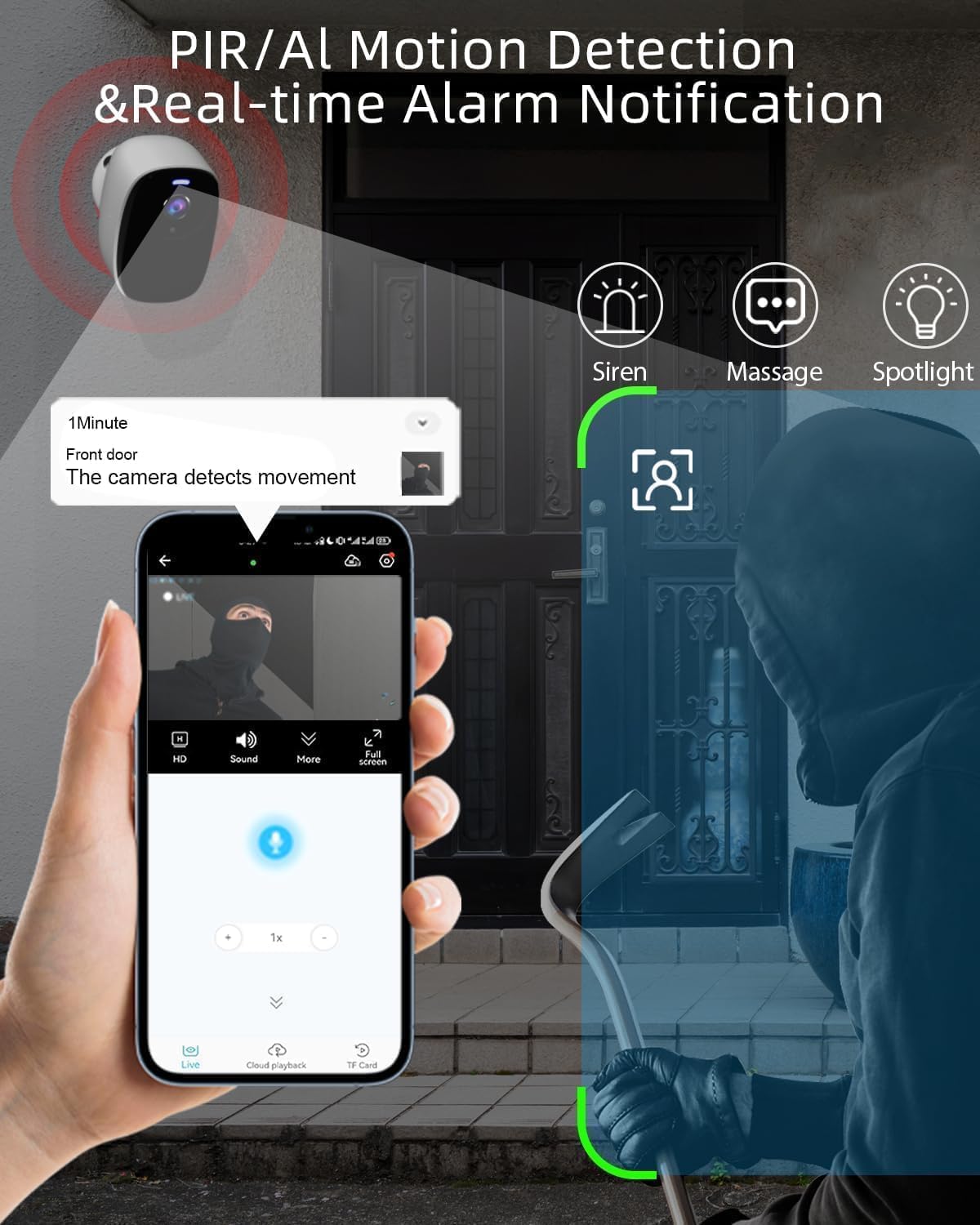
Image 3.3: An illustration of the camera detecting motion and sending an alert to a smartphone, with options for siren, message, and spotlight.
3.5 Għażliet ta' Ħażna
Reġistrati video footage can be stored in two ways:
- Ħażna Cloud: Free 1-day rolling cloud storage is provided for life without a subscription.
- Karta Micro SD: The camera supports a Micro SD card (not included) up to 256GB for local storage.

Image 3.4: Visual representation of cloud storage and Micro SD card storage options for the camera.
3.6 Integrazzjoni ta' Alexa
The ELECCTV w1 camera is compatible with Amazon Alexa. You can integrate it with your smart home system for voice control and viewing live feeds on compatible Alexa devices.
4. Manutenzjoni
4.1 Ġestjoni tal-batterija
Monitor the battery level through the O-KAM Pro app. Recharge the camera when the battery is low to ensure continuous operation. Adjust power-saving modes in the app to optimize battery life.
4.2 Tindif
Naddaf il-lenti u l-kaxxa tal-kamera perjodikament b'drapp artab u dryer.amp drapp biex tneħħi t-trab u l-fdalijiet. Evita li tuża kimiċi ħarxa jew materjali li joborxu li jistgħu jagħmlu ħsara lill-finitura jew lill-lenti tal-kamera.
5 Issolvi l-problemi
5.1 Kwistjonijiet ta' Konnettività
- Kun żgur li n-netwerk Wi-Fi tiegħek huwa attiv u li l-kamera tinsab fil-medda tagħha.
- Verify that you have selected the correct 2.4GHz or 5GHz network during setup.
- Erġa' ibda r-router u l-kamera tiegħek.
5.2 Tħassib dwar il-Ħajja tal-Batterija
- Frequent motion detections, live view access, and siren activations can reduce battery life.
- Adjust motion detection sensitivity and recording duration in the app.
- Ensure the camera is fully charged before deployment.
5.3 Is-Sejbien tal-Mozzjoni Mhux Jaħdem
- Check the motion detection settings in the O-KAM Pro app.
- Ensure the detection area is correctly delineated and not too small.
- Verify that the camera lens is clean and unobstructed.
5.4 Kwistjonijiet Oħra
For any other issues not covered here, please refer to the in-app help section or contact ELECCTV customer support.
6. Speċifikazzjonijiet tal-Prodott
| Karatteristika | Dettall |
|---|---|
| Isem tal-Mudell | w1 |
| Użu fuq ġewwa/barra | Barra |
| Sors tal-Enerġija | Mħaddma bil-batterija |
| Protokoll tal-Konnettività | Wi-Fi (2.4GHz u 5GHz) |
| Riżoluzzjoni tal-Qbid tal-Vidjo | 2K QHD (2304*1296) |
| Karatteristiċi Speċjali | 2-Way Audio, Color Night Vision, Local Recording, Built-In Light, Motion Sensor, AI Detection |
| Livell ta 'Reżistenza għall-Ilma | IP65 |
| Kapaċità tal-batterija | 5200 Milliamp Sigħat |
| Angolu tal-Lenti | 130° Wide-Angolu |
| Għażliet ta' Ħażna | Cloud (1-day free rolling), Micro SD (up to 256GB) |
| Apparati Kompatibbli | Smartphone, Amazon Alexa |
| Dimensjonijiet tal-Prodott | 8 x 2 x 2.7 pulzieri |
| Piż tal-oġġett | 12.6 uqija |
7. Garanzija u Appoġġ
7.1 Informazzjoni dwar Garanzija
For specific warranty details regarding your ELECCTV w1 camera, please refer to the product packaging or contact ELECCTV customer service directly. Warranty terms typically cover manufacturing defects for a specified period from the date of purchase.
7.2 Appoġġ għall-Klijent
If you encounter any issues or have questions about your ELECCTV w1 camera, please utilize the support resources available through the O-KAM Pro app. You may also contact ELECCTV customer support for assistance. Contact information can usually be found on the manufacturer's official webis-sit jew fl-imballaġġ tal-prodott.


