1. Introduzzjoni
This manual provides detailed instructions for the setup, operation, maintenance, and troubleshooting of your Qulose Ultra-Slim Wireless Bluetooth Keyboard. This keyboard is designed for seamless compatibility across iOS, iPadOS, Android, and Windows operating systems, offering a comfortable and efficient typing experience for various devices including tablets, smartphones, desktops, and laptops.

Image: The Qulose Ultra-Slim Wireless Bluetooth Keyboard, showcasing its compact and sleek design in white silver.
2. Informazzjoni dwar is-Sigurtà
- Do not expose the keyboard to liquids, moisture, or extreme temperatures.
- Evita li twaqqa’ jew li tissottometti t-tastiera għal impatti qawwija.
- Żomm fejn ma jintlaħaqx mit-tfal.
- Armi l-batterija skont ir-regolamenti lokali. Tiħrixha.
- Uża biss il-kejbil USB Type-C provdut għall-iċċarġjar.
3. Kontenut tal-Pakkett
Jekk jogħġbok immarka l-kaxxa għall-oġġetti li ġejjin:
- 1 x Qulose Ultra-Slim Wireless Bluetooth Keyboard
- 1 x USB-A għal Kejbil tal-Iċċarġjar tat-Tip-Ċ
- 1 x Manwal tal-Utent (dan id-dokument)
4. Prodott Aktarview u Karatteristiċi
The Qulose Ultra-Slim Wireless Bluetooth Keyboard features a compact layout with responsive scissor-switch keys for a comfortable and quiet typing experience. It includes dedicated multimedia keys for quick access to various functions.
4.1 Karatteristiċi ewlenin
- Kompatibilità Universali: Automatically recognizes iOS, iPadOS, Android, and Windows systems.
- Stable Bluetooth 5.0 Connection: Provides a reliable connection up to 33 feet (10 meters).
- Ċwievet Responsivi tal-Iswiċċ tal-Imqass: Iddisinjat għal ittajpjar kwiet u komdu.
- Batterija Rikarikabbli Inkorporata: 300mAh Lithium-ion battery for long standby time.
- Funzjoni ta' Auto-Sleep: Jiffranka l-enerġija billi jidħol fil-modalità sleep wara 30 minuti ta' inattività.
- Kompatt u portabbli: Slim design (11.29 x 5 x 0.77 inches) and lightweight (12 ounces).
4.2 Multimedia Keys Overview
The top row of keys provides quick access to various functions. These functions may vary slightly depending on the operating system.
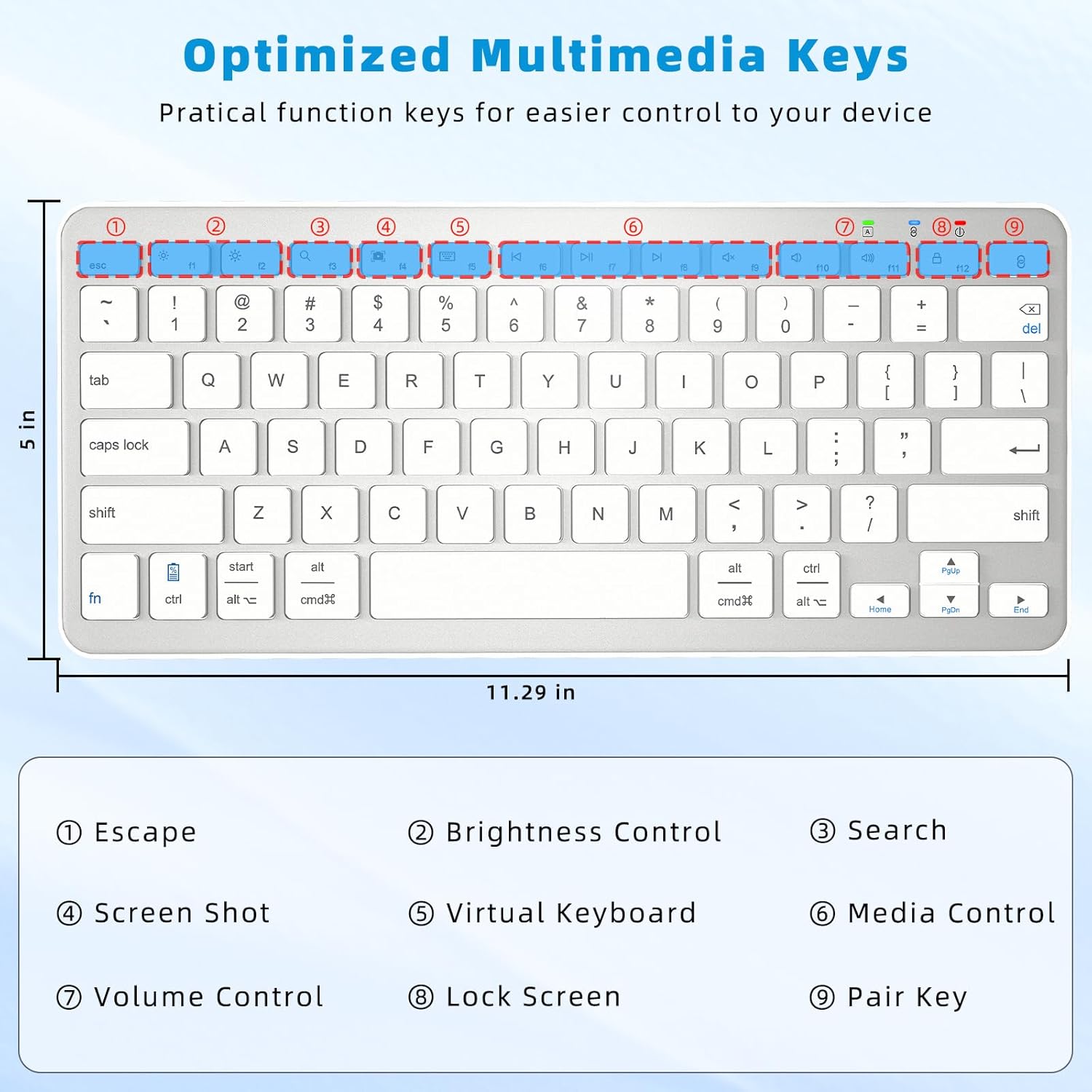
Image: A diagram highlighting the multimedia keys on the keyboard, including Escape, Brightness Control, Search, Screenshot, Virtual Keyboard, Media Control, Volume Control, Lock Screen, and Pair Key.
- Ħarba: Functions as an Escape key. Note: This is not a home screen function for iOS. For iOS, use Command + H to return to the home screen.
- Kontroll tal-luminożità: Jaġġusta l-luminożità tal-iskrin.
- Fittex: Jiftaħ il-funzjoni tat-tiftix.
- Screenshot: Captures a screenshot.
- Tastiera Virtwali: Jixgħel u jattiva t-tastiera virtwali fuq l-iskrin.
- Kontroll tal-Midja: Daqq/Pawża, Trakka Preċedenti, Trakka Li Jmiss.
- Kontroll tal-Volum: Mute, Volum 'l isfel, Volum 'il fuq.
- Lock Screen: Locks the device screen.
- Par Key: Jibda l-modalità ta' tqabbil Bluetooth.
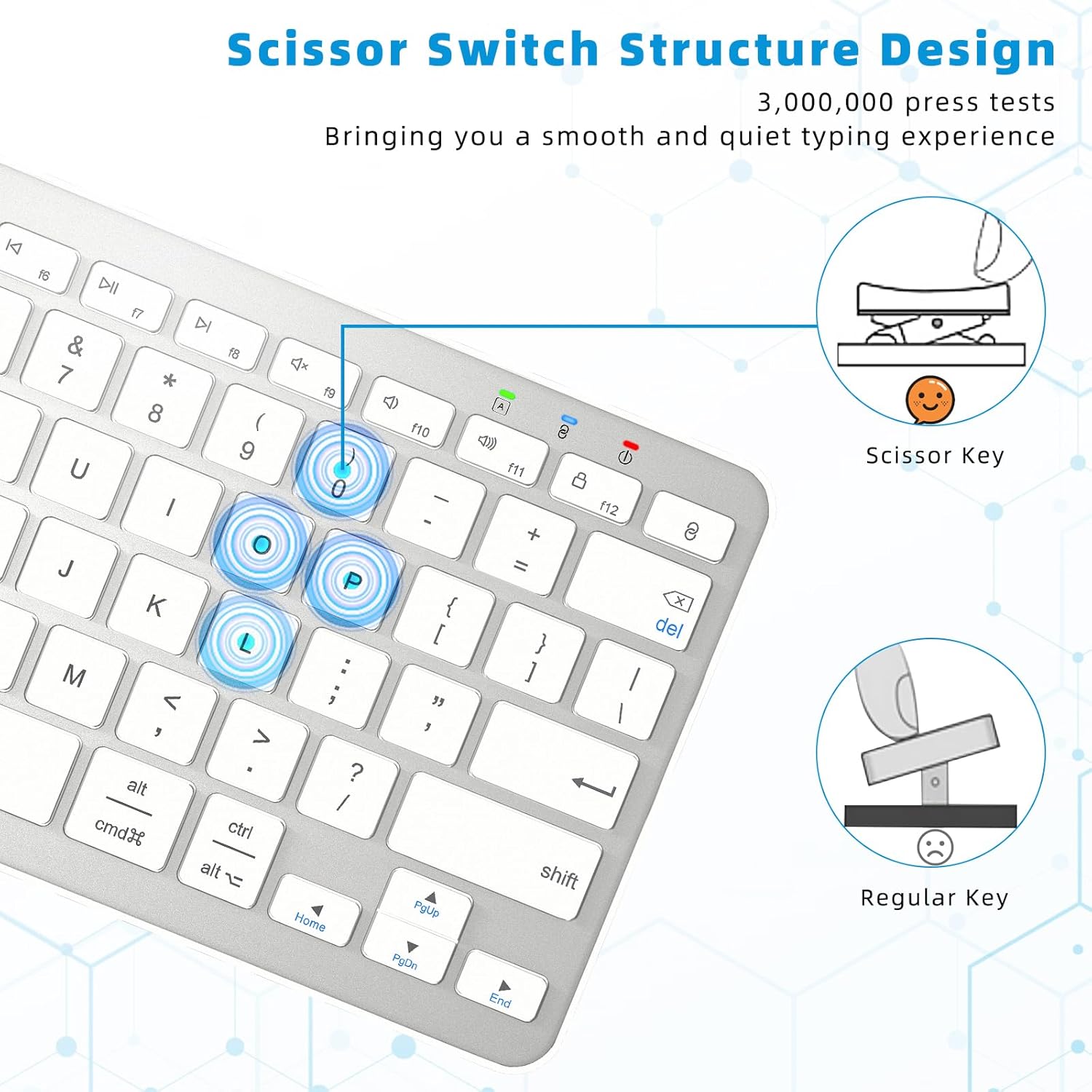
Image: A close-up diagram comparing the scissor-switch key structure, which provides a smooth and quiet typing experience, to a regular key mechanism.
5. Setup
5.1 Iċċarġjar tat-Tastiera
Before first use, or when the battery indicator light flashes red, charge the keyboard fully.
- Locate the USB Type-C charging port on the keyboard (typically on the top edge).
- Connect the provided USB-A to Type-C cable to the keyboard and a USB power source (e.g., computer USB port, USB wall adapter).
- Id-dawl indikatur tal-iċċarġjar jixgħel waqt l-iċċarġjar u jintefa meta jkun iċċarġjat kompletament.
- A full charge takes approximately 3-4 hours and provides over 100 hours of continuous use or about 150 days of standby time.
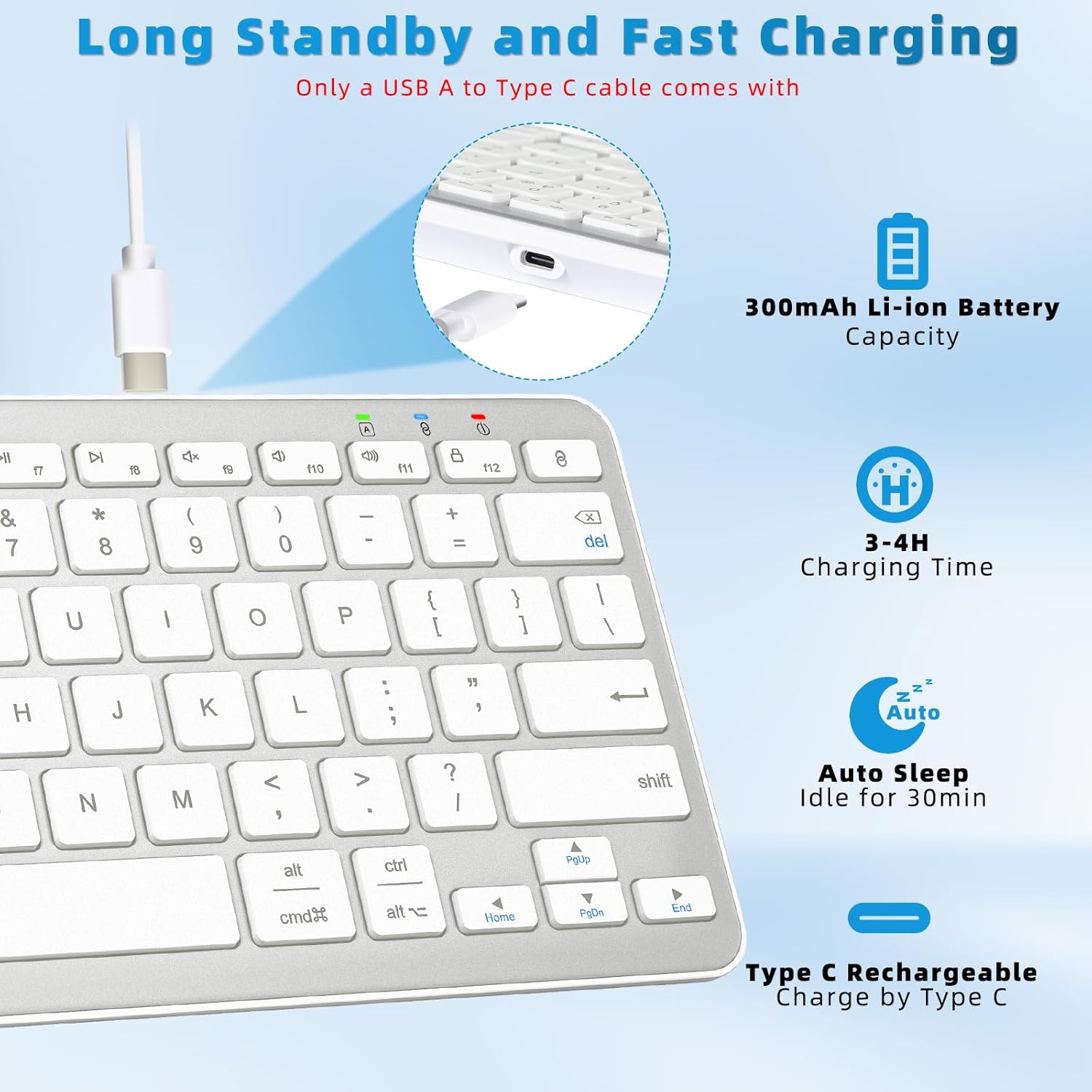
Image: A diagram illustrating the Type-C charging port, the 300mAh Li-ion battery capacity, 3-4 hour charging time, and 30-minute auto-sleep feature.
5.2 Bluetooth Pairing Instructions
Follow these steps to connect your keyboard to your device via Bluetooth:

Image: A visual guide demonstrating the four steps to connect the Qulose Bluetooth keyboard to a device.
- Qawwa Mixgħul: Locate the ON/OFF switch on the back of the keyboard and slide it to the "ON" position. The power indicator light will briefly illuminate.
- Attiva l-Modalità ta' Tqabbil: Agħfas u żomm il- Par Key (usually marked with a Bluetooth symbol or '8' on the F-row) for 3 seconds. The Bluetooth indicator light will start flashing, indicating it's in pairing mode.
- Ippermetti l-Bluetooth fuq l-Apparat Tiegħek: On your device (iPad, phone, computer), go to Settings > Bluetooth and ensure Bluetooth is turned ON.
- Agħżel it-Tastiera: In the list of available Bluetooth devices, select "Qulose Keyboard" (or similar name). Your device will indicate when the pairing is successful.
Nota: This wireless Bluetooth keyboard can only be connected to one device at a time. If your desktop computer/PC does not have Bluetooth functionality, an additional Bluetooth receiver (not included) is required.
6. It-Tħaddim tat-Tastiera
6.1 Kompatibilità tas-Sistema
The keyboard automatically recognizes the operating system of the connected device (iOS, iPadOS, Android, Windows), so you do not need to manually select compatibility modes. This ensures optimal functionality across different platforms.
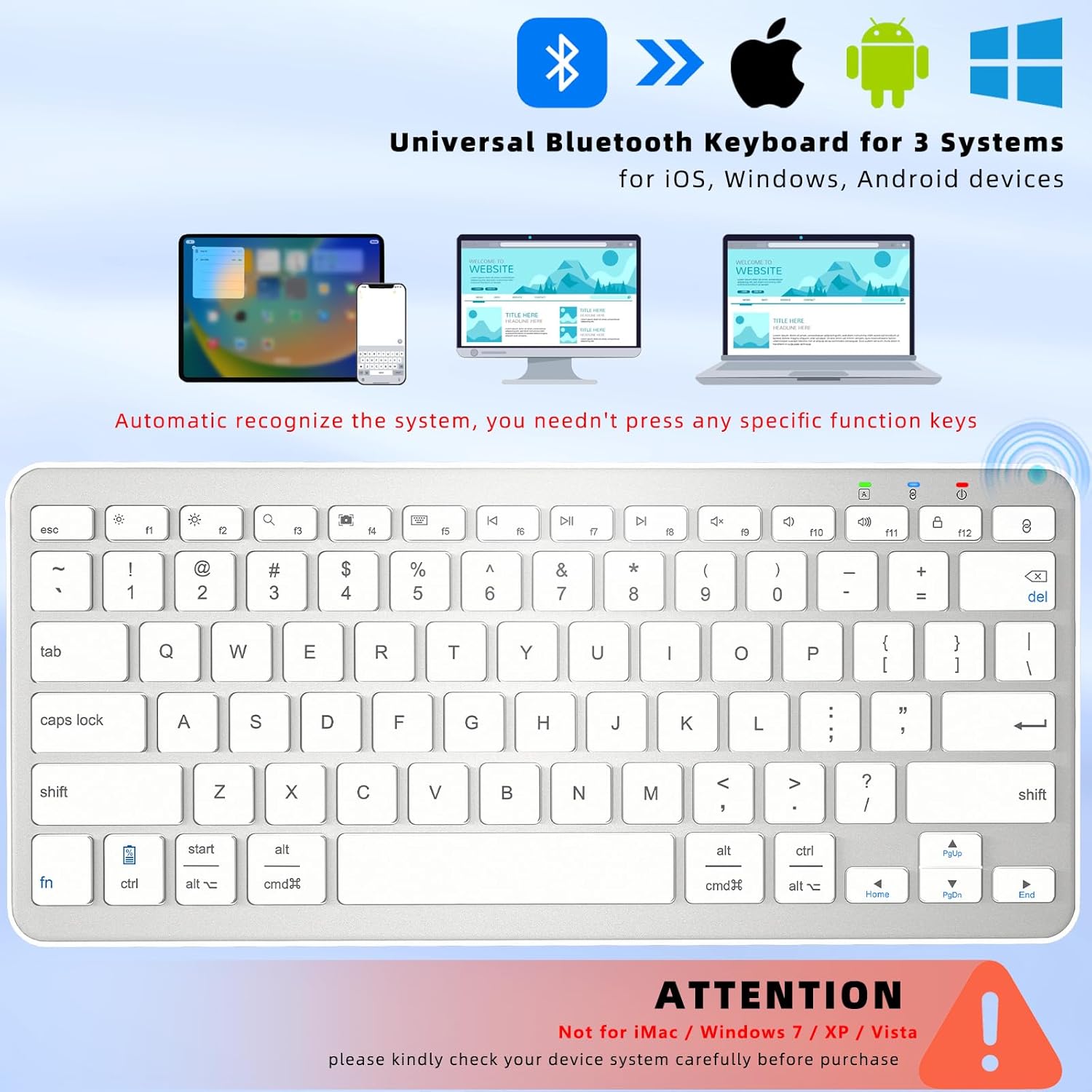
Image: A visual representation of the keyboard's universal compatibility with iOS, Android, and Windows operating systems, showing it can connect to iPads, smartphones, and laptops.
Nota Importanti: It-tastiera hija mhux kompatibbli with iMac, Windows 7, Windows XP, or Windows Vista systems. Please verify your device's operating system before purchase.
6.2 Funzjoni ta' Rqad Awtomatiku
To conserve battery life, the keyboard features an intelligent auto-sleep mode. If left inactive for 30 minutes, it will automatically enter sleep mode. To wake the keyboard, simply press any key and wait for 2-3 seconds for it to reconnect to your device.
7. Manutenzjoni
7.1 Tindif
- Gently wipe the keyboard surface with a soft, lint-free cloth.
- Għal ħmieġ iebes, neħħi ftitampmt id-drapp bl-ilma jew cleaner ħafif u li ma jobrox.
- Tisprejjax prodotti tat-tindif direttament fuq it-tastiera.
- Uża arja kkompressata biex tneħħi l-fdalijiet minn bejn iċ-ċwievet.
7.2 Ħażna
- Aħżen it-tastiera f'post frisk u niexef 'il bogħod mix-xemx diretta u minn temperaturi estremi.
- Jekk taħżinha għal perjodu estiż, kun żgur li t-tastiera tkun iċċarġjata kompletament qabel ma taħżinha u erġa' ċċarġjaha kull ftit xhur biex iżżomm il-batterija f'saħħitha.
8 Issolvi l-problemi
Jekk tiltaqa' ma' problemi bit-tastiera tiegħek, jekk jogħġbok irreferi għall-problemi u s-soluzzjonijiet komuni li ġejjin:
| Problema | Kawża Possibbli | Soluzzjoni |
|---|---|---|
| It-tastiera ma tixgħelx. | Il-batterija hija eżawrita. | Charge the keyboard for 3-4 hours. |
| It-tastiera ma tikkonnettjax permezz tal-Bluetooth. | Bluetooth is off on device; keyboard not in pairing mode; device already connected to another keyboard; incompatible OS. | Ensure Bluetooth is ON on your device. Put keyboard in pairing mode (hold Pair Key for 3s). Disconnect other Bluetooth keyboards. Check OS compatibility (not compatible with Windows 7/XP/Vista, iMac). |
| Iċ-ċwievet mhux qed jirrispondu jew qed jittajpjaw ħażin. | Low battery; connection issue; software glitch. | Recharge the keyboard. Re-pair the keyboard with your device. Restart your device. |
| It-tastiera tiskonnettja spiss. | Batterija baxxa; wisq 'il bogħod mill-apparat; interferenza. | Recharge the keyboard. Ensure keyboard is within 33 feet (10m) of your device. Move away from other wireless devices that may cause interference. |
9. Speċifikazzjonijiet
| Karatteristika | Dettall |
|---|---|
| Mudell | B0C9959R94 |
| Dimensjonijiet | 11.29 x 5 x 0.77 pulzieri (28.68 x 12.7 x 1.96 ċm) |
| Piż | 12 uqija (340 gramma) |
| Teknoloġija tal-Konnettività | Bluetooth 5.0 |
| Medda Operattiva | Sa 33 pied (10 metri) |
| Tip ta 'batterija | Batterija rikarikabbli tal-jone tal-litju ta' 300mAh integrata |
| Ħin tal-Iċċarġjar | 3-4 sigħat |
| Ħin Operattiv | Appross. 100 siegħa (użu kontinwu) |
| Ħin ta' Standby | Appross. 150 ijiem |
| Tip taċ-ċavetta | Swiċċ imqass |
| Numru ta' Ċwievet | 78 |
| Sistemi Kompatibbli | iOS, iPadOS, Android, Windows (excluding Windows 7/XP/Vista, iMac) |
10. Garanzija u Appoġġ
Qulose products are designed for reliability and performance. For specific warranty details, please refer to the warranty card included with your product packaging or visit the official Qulose website. If you require technical assistance or have questions not covered in this manual, please contact Qulose customer support through the following channels:
- Qulose Store on Amazon: Visit the Qulose Store
- Mistoqsijiet Ġenerali: Refer to the contact information provided on your product packaging or the Qulose brand store for the most up-to-date support options.


