1. Introduzzjoni
Grazzi tax-xiriasing the Ledwood XTREM140 Portable Bluetooth Speaker. This manual provides important information regarding the setup, operation, maintenance, and troubleshooting of your device. Please read this manual thoroughly before using the product to ensure proper functionality and to prevent damage.
The Ledwood XTREM140 is a robust and versatile portable speaker designed for outdoor and indoor use. Its waterproof design (IPX5) allows for use in various environments, and the integrated LED light show enhances your audio experience.
2. Informazzjoni dwar is-Sigurtà
Jekk jogħġbok osserva l-prekawzjonijiet ta' sigurtà li ġejjin biex tevita ħsara lill-apparat jew korriment lilek innifsek:
- Tesponix l-ispiker għal temperaturi estremi jew dawl tax-xemx dirett għal perjodi twal.
- Do not immerse the speaker in water. While it is IPX5 water-resistant, it is not designed for submersion.
- Tippruvax tiżżarma jew timmodifika l-ispiker. Dan jannulla l-garanzija u jista' jikkawża ħsara.
- Żomm l-ispiker 'il bogħod minn kampi manjetiċi qawwija.
- Uża biss il-kejbil tal-iċċarġjar u l-aċċessorji pprovduti.
- Naddaf l-ispiker b'ċarruta ratba u niexfa. Tużax prodotti tat-tindif jew solventi li joborxu.
3. Kontenut tal-Pakkett
Kun żgur li l-oġġetti kollha huma preżenti fil-pakkett:
- Ledwood XTREM140 Portable Bluetooth Speaker
- Cable tal-Iċċarġjar tal-USB-C
- 3.5mm AUX Cable Awdjo
- Manwal għall-Utent (dan id-dokument)
- FestiNight Ouni LED Light (if included with your model)
4. Prodott Aktarview
Familiarize yourself with the components and controls of your Ledwood XTREM140 speaker.
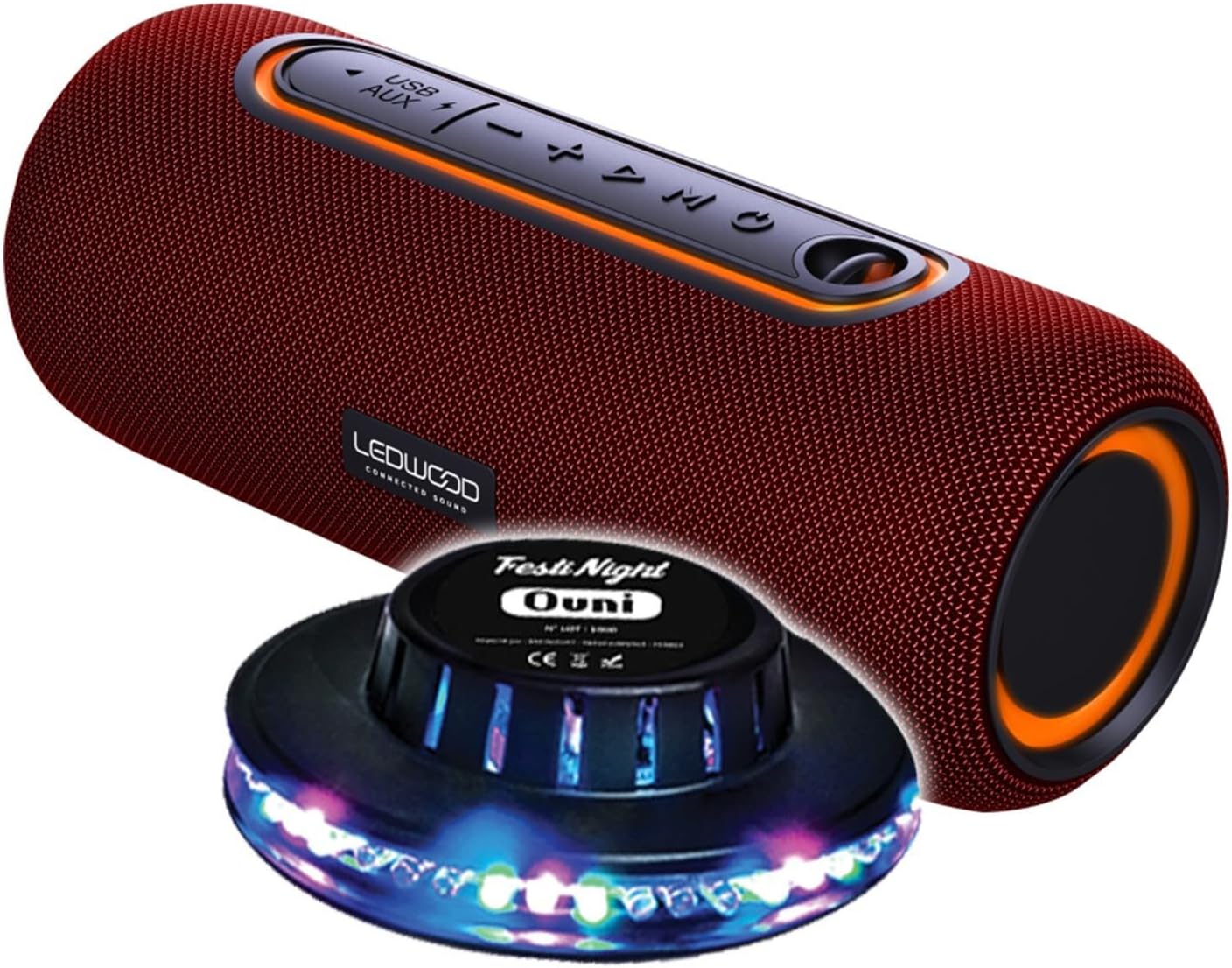
Figure 1: Ledwood XTREM140 Portable Bluetooth Speaker with included FestiNight Ouni LED light. The speaker is red with black accents and control buttons on top. The light is a black disc with multi-colored LEDs.

Figure 2: Ledwood XTREM140 Portable Bluetooth Speaker shown with its integrated carrying strap. The speaker is cylindrical, red, with control buttons on the top surface.
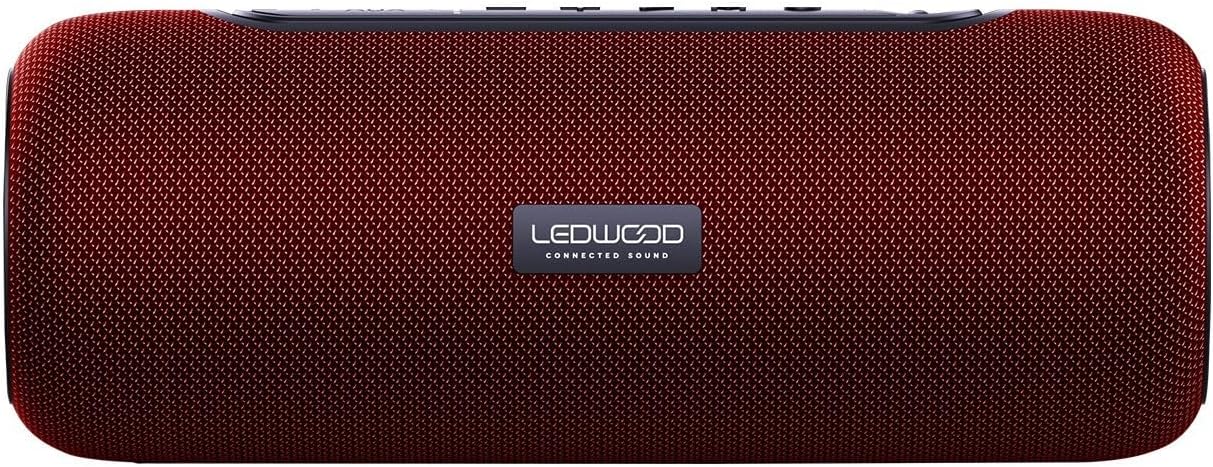
Figura 3: Fuq view of the Ledwood XTREM140 Portable Bluetooth Speaker, highlighting the control panel. From left to right, buttons include USB/AUX port, minus volume/previous track, play/pause, plus volume/next track, and mode button. There is also a power button.

Figure 4: A collage showing the FestiNight Ouni LED light projecting various colors and patterns. The light is a black disc with LEDs around its circumference, creating dynamic light effects.
4.1. Panel tal-Kontroll
- Buttuna tal-Qawwa: Agħfas u żomm biex tixgħel/itfi.
- Buttuna tal-Modalità (M): Press to switch between Bluetooth, AUX, and USB modes.
- Buttuna tal-Logħob/Pawża (►▮▮): Press to play or pause audio. In call mode, press to answer/end calls.
- Volum 'l isfel / Trakka Preċedenti (-): Agħfas biex tnaqqas il-volum. Agħfas u żomm biex tmur għat-trakka ta' qabel.
- Volum 'il fuq / Trakka li jmiss (+): Agħfas biex iżżid il-volum. Agħfas u żomm biex tmur għat-trakka li jmiss.
- Port USB: Għall-plejbek tal-USB.
- Port AUX: For wired audio connection via 3.5mm jack.
- Port tal-Iċċarġjar USB-C: Għall-iċċarġjar tal-ispiker.
5. Setup
5.1. Iċċarġja l-Ispeaker
- Connect the provided USB-C charging cable to the speaker's USB-C charging port.
- Qabbad it-tarf l-ieħor tal-kejbil USB-C ma' adapter tal-enerġija USB (mhux inkluż) jew mal-port USB tal-kompjuter.
- The charging indicator light will illuminate. Once fully charged, the light may change color or turn off. A full charge provides approximately 6 hours of playback.
5.2. L-Ewwel Tixgħil
Agħfas u żomm il- Buttuna tal-Qawwa for a few seconds until you hear an audible prompt or see an indicator light, indicating the speaker is powered on.
6. Istruzzjonijiet Operattivi
6.1. Konnessjoni Bluetooth
- Ensure the speaker is powered on and in Bluetooth mode (indicated by a specific sound or light). If not, press the Buttuna tal-Modalità (M) biex taqleb għall-modalità Bluetooth.
- Fuq l-apparat tiegħek (smartphone, tablet, kompjuter), attiva l-Bluetooth u fittex apparati disponibbli.
- Select "XTREM140" from the list of found devices.
- Once connected, you will hear a confirmation sound. You can now play audio through the speaker.
6.2. Modalità AUX
- Connect one end of the 3.5mm AUX audio cable to the speaker's AUX port.
- Qabbad it-tarf l-ieħor mal-jack tal-output tal-awdjo tat-tagħmir tiegħek.
- Agħfas il- Buttuna tal-Modalità (M) biex taqleb għall-modalità AUX.
- L-awdjo issa se jindaqq permezz tal-ispiker mit-tagħmir konness tiegħek.
6.3. Daqq USB
- Daħħal USB flash drive li jkun fih l-awdjo files fil-port USB tal-ispiker.
- Agħfas il- Buttuna tal-Modalità (M) biex taqleb għall-modalità USB.
- L-ispiker jibda jdoqq l-awdjo awtomatikament files mill-USB drive.
6.4. Funzjoni Stereo Veru Mingħajr Fili (TWS)
The TWS function allows you to pair two XTREM140 speakers together for a stereo sound experience.
- Ensure both XTREM140 speakers are powered on and in Bluetooth pairing mode.
- Fuq wieħed mill-ispikers, agħfas u żomm il-buttuna Buttuna Play/Pause for a few seconds until you hear a pairing sound. The speakers will automatically connect to each other.
- Once paired, connect your device to one of the speakers via Bluetooth as described in section 6.1.
- Iż-żewġ kelliema issa se jdoqqu l-awdjo fi stereo.
6.5. FestiNight Ouni LED Light Operation
If your package includes the FestiNight Ouni LED light, connect it to a USB power source. The light will automatically project multi-colored patterns, synchronizing with the music if placed near the speaker (no direct connection required for synchronization).
7. Manutenzjoni
7.1. Tindif
Imsaħ l-ispiker b'ċarruta ratba, niexfa u mingħajr suf. Tużax prodotti tat-tindif likwidi, aerosols, jew solventi.
7.2. Ħażna
When not in use for extended periods, store the speaker in a cool, dry place, away from direct sunlight and extreme temperatures. It is recommended to fully charge the speaker before storing it for a long time and to recharge it every few months to maintain battery health.
8 Issolvi l-problemi
| Problema | Kawża Possibbli | Soluzzjoni |
|---|---|---|
| L-ispeaker ma jixgħelx. | Il-batterija hija eżawrita. | Iċċarġja l-kelliem billi tuża l-kejbil USB-C ipprovdut. |
| L-ebda ħoss mill-kelliem. | Volume is too low or muted. Incorrect mode selected. Device not connected. | Increase volume on both the speaker and your connected device. Press the Mode button to select the correct input (Bluetooth, AUX, USB). Ensure Bluetooth is paired or AUX/USB cable is properly connected. |
| Il-konnessjoni Bluetooth tfalli. | Speaker is too far from the device. Interference. Speaker not in pairing mode. | Move the speaker closer to your device. Avoid obstacles. Ensure the speaker is in Bluetooth pairing mode. Forget the device on your phone and re-pair. |
| Kwalità fqira tal-awdjo. | Low battery. Device volume too high (distortion). Interference. | Charge the speaker. Adjust volume levels. Move away from other electronic devices. |
| It-tqabbil tat-TWS ifalli. | L-ispikers huma wisq 'il bogħod minn xulxin. Spiker wieħed diġà huwa konness ma' apparat. | Kun żgur li ż-żewġ kelliema huma qrib xulxin u mhumiex konnessi ma' xi apparat Bluetooth ieħor qabel tibda t-tqabbil tat-TWS. |
9. Speċifikazzjonijiet
| Karatteristika | Dettall |
|---|---|
| Isem tal-Mudell | XTREM140 |
| Verżjoni Bluetooth | 5.0 |
| Klassifikazzjoni tar-Reżistenza għall-Ilma | IPX5 |
| Ħruġ ta 'Qawwa RMS | 10W RMS |
| Total Admissible Power | 100W |
| Sewwieqa tal-Ispeaker | 2 x 3.5 inch (9cm) |
| Ħajja tal-batterija | Sa 6-il Siegħa |
| Kapaċità tal-batterija | 5V, 2000mAh |
| Rispons ta' Frekwenza | 80Hz-16KHz |
| Konnettività | Bluetooth, USB, 3.5mm Jack (AUX) |
| Karatteristiċi Speċjali | TWS Function, Vocal Assistance, Multicolored UFO LED Light (FestiNight Ouni) |
| Dimensjonijiet (L x H x D) | 24.2cm x 9.2cm x 9.2cm (9.53 x 3.62 x 3.62 pulzieri) |
| Piż | 1.6 Kilogramma (3.53 lbs) |
10. Informazzjoni dwar Garanzija
Ledwood products are covered by a limited warranty from the date of purchase. This warranty covers defects in materials and workmanship under normal use. It does not cover damage caused by misuse, accident, unauthorized modification, or external causes.
For specific warranty terms and conditions, please refer to the warranty card included with your product or contact Ledwood customer support.
11. Appoġġ għall-Klijent
If you encounter any issues or have questions not covered in this manual, please contact Ledwood customer support:
- Websit: www.ledwood.fr (Please check the official Ledwood webis-sit għall-aktar informazzjoni ta' kuntatt aġġornata.)
- Email: Irreferi għall-imballaġġ tal-prodott jew għall-informazzjoni uffiċjali websit għal email ta' appoġġ.
- Telefon: Irreferi għall-imballaġġ tal-prodott jew għall-informazzjoni uffiċjali websit għal numru tat-telefon ta' appoġġ.
When contacting support, please have your product model (XTREM140) and purchase details ready.


