1. Introduzzjoni
Dan il-manwal jipprovdi informazzjoni essenzjali għall-użu sikur u effiċjenti tad-Displej Professjonali Sharp NEC 86-inch 4K UHD tiegħek, mudell 4P-B86EJ2U. Dan id-displej huwa ddisinjat għal applikazzjonijiet kummerċjali u professjonali, u joffri viżwali b'riżoluzzjoni għolja u prestazzjoni affidabbli għal sigħat ta' tħaddim estiżi. Jekk jogħġbok aqra dan il-manwal bir-reqqa qabel l-installazzjoni u t-tħaddim, u żommu għal referenza futura.
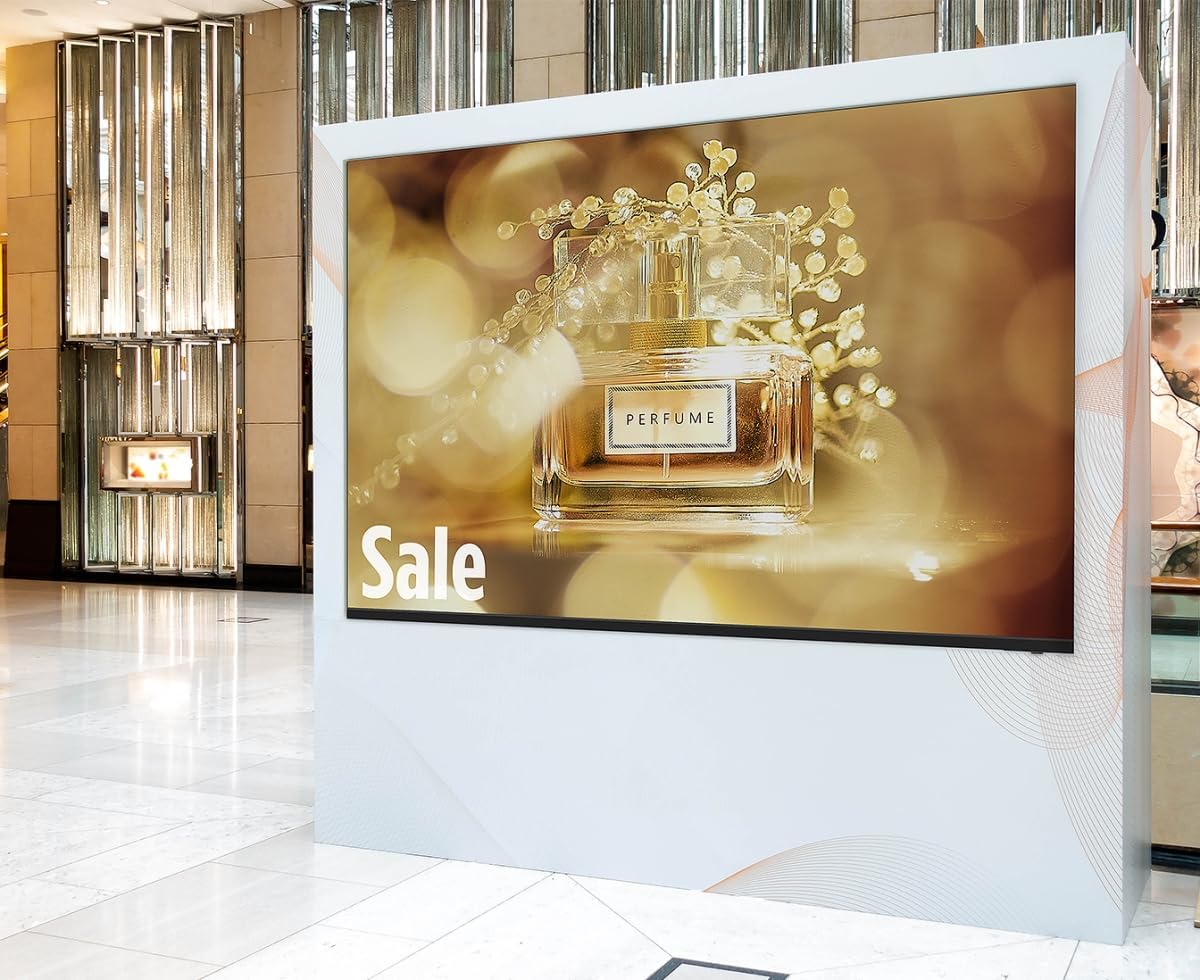
Immaġni: Id-Displej Professjonali Sharp NEC ta' 86 pulzier, mudell 4P-B86EJ2U, jidher integrat f'ambjent kummerċjali, u juri reklam vibranti għall-fwieħa. Id-displej huwa mmuntat vertikalment fi qafas abjad, li jenfasizza l-idoneità tiegħu għal sinjali diġitali u kontenut promozzjonali fi spazji tal-bejgħ bl-imnut jew pubbliċi.
2. Informazzjoni dwar is-Sigurtà
Osserva l-prekawzjonijiet ta' sigurtà li ġejjin biex tevita ħsara lid-displej u tiżgura s-sigurtà tal-utent:
- Provvista tal-Enerġija: Qabbad id-displej biss ma' sokit tal-enerġija ertjat bil-volum speċifikattage (120V AC). Tgħabbix iżżejjed il-power strips jew il-extension cords.
- Ventilazzjoni: Kun żgur li jkun hemm ventilazzjoni adegwata madwar id-displej. Timblokkax il-fetħiet tal-ventilazzjoni jew tinstallax id-displej fi spazju magħluq mingħajr fluss tal-arja xieraq.
- Immaniġġjar: Id-displej huwa tqil. Dejjem uża tekniki ta' rfigħ xierqa u biżżejjed persunal meta ċċaqlaq jew tinstalla l-unità.
- Umdità: Żomm id-displej 'il bogħod mill-ilma, mix-xita, jew minn umdità eċċessiva. Tħaddimx b'idejn imxarrbin.
- Tindif: Skonnettja l-provvista tal-enerġija qabel it-tindif. Uża drapp artab u niexef. Evita li l-prodotti tat-tindif likwidi jitpoġġew direttament fuq l-iskrin.
- Servizzi: Tippruvax tagħmel manutenzjoni fuq id-displej int stess. Irreferi għal kull manutenzjoni għand persunal tas-servizz kwalifikat.
3. Kontenut tal-Pakkett
Ivverifika li l-oġġetti kollha huma preżenti fil-pakkett:
- Wiri Professjonali Sharp NEC ta' 86 pulzier 4K UHD (Mudell 4P-B86EJ2U)
- Display Stand
- Korda tal-Enerġija
- Kontroll mill-bogħod (bil-batteriji)
- Manwal ta 'Istruzzjoni (dan id-dokument)
4. Setup
4.1 Disimballaġġ
- Poġġi l-kartuna tal-wiri fuq wiċċ ċatt u stabbli.
- Iftaħ il-kartuna bir-reqqa u neħħi kwalunkwe materjal tal-ippakkjar.
- Bl-għajnuna ta' xi ħadd, erfa' d-displej 'il barra mill-kartuna. Evita li tmiss l-iskrin direttament.
4.2 Installazzjoni ta' Stand
Jekk qed tuża l-istand inkluż:
- Poġġi l-iskrin b'wiċċu 'l isfel bir-reqqa fuq wiċċ artab u nadif biex tevita li tagħmel ħsara lill-iskrin.
- Waħħal l-istand mal-punti tal-immuntar magħżula fuq wara tad-displej billi tuża l-viti pprovduti. Kun żgur li l-viti kollha huma ssikkati sew.
- Bl-għajnuna ta' xi ħadd, poġġi d-displej wieqaf bir-reqqa fuq wiċċ stabbli u livellat.
4.3 Immuntar mal-Ħajt (Mhux obbligatorju)
Id-displej jappoġġja immuntar tal-ħajt konformi mal-VESA. Irreferi għall-istruzzjonijiet tal-immuntar tal-ħajt tiegħek għal installazzjoni xierqa. Kun żgur li l-immuntar tal-ħajt jista' jsostni l-piż tad-displej (madwar 123 libbra).
4.4 Apparat li jgħaqqad
- Qawwa: Qabbad il-korda tal-enerġija mad-dħul tal-enerġija tad-displej u mbagħad ma' sokit tal-enerġija ta' 120V AC ertjat.
- Video Input: Qabbad is-sors tal-vidjow tiegħek (eż., media player, kompjuter) mad-displej permezz ta' kejbil HDMI. Id-displej jappoġġja riżoluzzjoni 4K permezz tal-HDMI.
- USB: Għal aġġornamenti tal-firmware jew daqq tal-midja (jekk appoġġjat mill-plejer intern tad-displej), qabbad apparat USB mal-port USB.
4.5 Tixgħel Inizjali
- Kun żgur li l-konnessjonijiet kollha huma siguri.
- Agħfas il-buttuna tal-qawwa fuq id-displej jew fuq il-kontroll remot.
- Segwi kwalunkwe struzzjonijiet fuq l-iskrin għas-setup inizjali, bħall-għażla tal-lingwa jew is-sors tal-input.
5. Istruzzjonijiet Operattivi
5.1 Kontrolli Bażiċi
Uża l-kontroll remot jew il-buttuni fuq id-displej biex tinnaviga l-menù u tikkontrolla l-funzjonijiet:
- Qawwa: Ixgħel jew itfi l-wiri.
- Input/Sors: Jagħżel is-sors tad-dħul mixtieq (HDMI 1, HDMI 2, USB, eċċ.).
- Menu: Jaċċessa l-menù prinċipali tas-settings.
- Buttuni tan-Navigazzjoni: Użat biex tiċċaqlaq bejn l-għażliet tal-menù.
- Daħħal/OK: Jikkonferma l-għażla.
5.2 Settings tal-wiri
Aċċessa l-menù prinċipali biex taġġusta diversi parametri tal-wiri:
- Modalità Stampa: Agħżel minn settings tal-istampa predefiniti (eż., Standard, Dinamiku, Personalizzat).
- Luminożità: Aġġusta l-luminanza ġenerali tal-iskrin (klassifikata għal 380 cd/m2).
- Kuntrast: Aġġusta d-differenza bejn l-aktar żoni ċari u l-aktar skuri tal-immaġni (rata ta' 1,200:1).
- Riżoluzzjoni: Id-displej jappoġġja riżoluzzjoni 4K Ultra-HD (3840 x 2160). Kun żgur li l-apparat tas-sors tiegħek huwa kkonfigurat biex joħroġ b'din ir-riżoluzzjoni għal ċarezza ottimali.
- Proporzjon tal-aspett: Issettja l-proporzjon tal-aspett tal-wiri għal 16:9 jew għażliet oħra disponibbli biex jaqbel mal-kontenut tiegħek.
5.3 Modalità Pajsaġġ
Id-displej huwa ddisinjat biex jaħdem f'orjentazzjoni orizzontali. Kun żgur li l-installazzjoni fiżika taqbel ma' din l-orjentazzjoni għal tħaddim xieraq. viewing.
5.4 Operazzjoni Estiża (16/7)
Dan id-displej professjonali huwa ddisinjat għal tħaddim affidabbli sa 16-il siegħa kuljum, 7 ijiem fil-ġimgħa, u dan jagħmilha adattata għal ambjenti kummerċjali impenjattivi.
6. Manutenzjoni
6.1 Tindif tal-Iskrin
- Itfi d-displej u aqla’ l-korda tal-enerġija.
- Imsaħ l-iskrin bil-mod b'ċarruta ratba u mingħajr suf. Għal marki persistenti, nixxef bil-modampLaħlaħ id-drapp bl-ilma jew b'soluzzjoni tat-tindif speċifika għall-iskrin (tisprejjax direttament fuq l-iskrin).
- Ħalli l-iskrin jinxef kompletament qabel ma twaħħal il-korda tal-enerġija u tixgħel id-displej.
6.2 Tindif tal-Kabinett
Imsaħ il-kabinett tal-wiri b'ċarruta ratba u niexfa. Evita li tuża prodotti tat-tindif jew solventi li joborxu.
6.3 Aġġornamenti tal-Firmware
Iċċekkja perjodikament l-appoġġ ta' Sharp NEC websit għal aġġornamenti tal-firmware disponibbli. Segwi l-istruzzjonijiet ipprovduti mal-pakkett tal-aġġornament għall-installazzjoni permezz tal-USB.
7 Issolvi l-problemi
Jekk tiltaqa' ma' problemi bid-displej tiegħek, irreferi għall-problemi u s-soluzzjonijiet komuni li ġejjin:
| Problema | Kawża Possibbli | Soluzzjoni |
|---|---|---|
| Ebda qawwa | Korda tal-enerġija skonnettjata; Sokit tal-enerġija difettuż; Wiri mitfi | Iċċekkja l-konnessjoni tal-korda tal-enerġija; Ittestja s-sokit b'apparat ieħor; Agħfas il-buttuna tal-enerġija fuq id-displej/remote |
| L-ebda sinjal/L-ebda stampa | Sors ta' input mhux korrett magħżul; Kejbil tal-vidjo maħlul/difettuż; Apparat tas-sors mitfi/difettuż | Agħżel is-sors tad-dħul korrett; Iċċekkja l-konnessjonijiet tal-kejbil tal-vidjo; Kun żgur li l-apparat tas-sors huwa mixgħul u jaħdem |
| Stampa skura/qawwija wisq | Is-settings tal-luminożità/kuntrast mhumiex korretti | Aġġusta s-settings tal-Luminożità u l-Kuntrast fil-menù tal-OSD |
| Il-kontroll mill-bogħod ma jaħdimx | Batteriji eżawriti; Ostruzzjoni bejn ir-remote u d-displej; Sensur tar-remote imblukkat | Ibdel il-batteriji; Neħħi l-ostakli; Kun żgur li s-senser tal-bogħod ikun ċar |
Jekk il-problema tippersisti wara li tipprova dawn is-soluzzjonijiet, jekk jogħġbok ikkuntattja l-appoġġ għall-klijenti ta' Sharp NEC.
8. Speċifikazzjonijiet
Speċifikazzjonijiet tekniċi ewlenin għall-Wiri Professjonali Sharp NEC ta' 86 pulzier 4K UHD (Mudell 4P-B86EJ2U):
- Numru tal-Mudell: 4P-B86EJ2U
- Daqs tal-iskrin: 86 Pulzieri (85.6" Djagonali)
- Teknoloġija tal-Wiri: LED (Dawl ta' wara LED Dirett)
- Riżoluzzjoni: 4K Ultra-HD (3840 x 2160)
- Proporzjon tal-aspett: 16:9
- Luminożità: 380 cd/m²
- Proporzjon ta' Kuntrast: 1,200:1
- Rata ta' Aġġornar: 60 Hz
- Ħinijiet ta' Operazzjoni: 16/7 (16-il siegħa kuljum, 7 ijiem fil-ġimgħa)
- Konnettività: HDMI, USB
- Dimensjonijiet tal-Prodott (P x W x H): 3.7" x 75.7" x 3.7" (Nota: Id-dimensjoni H tidher li mhix korretta bbażata fuq kejl tipiku tad-displej, x'aktarx tirreferi għall-fond)
- Piż tal-oġġett: 123 Liri
- Voltage: 120 Volts (AC)
- Wattage: 8 watts (Nota: Din il-watttagIl-valur e huwa baxx b'mod mhux tas-soltu għal display ta' dan id-daqs u r-riżoluzzjoni. Jekk jogħġbok irreferi għat-tikketta tal-prodott għall-konsum preċiż tal-enerġija.)
- Karatteristika Speċjali: Disinn ta' Panel Ċatt
9. Garanzija u Appoġġ
Id-Displej Professjonali Sharp NEC tiegħek huwa kopert minn garanzija tal-manifattur. Għat-termini u l-kundizzjonijiet dettaljati tal-garanzija, jekk jogħġbok irreferi għall-karta tal-garanzija inkluża mal-prodott tiegħek jew żur is-sit uffiċjali ta' Sharp NEC. websit. Għal assistenza teknika, soluzzjoni ta' problemi lil hinn minn dan il-manwal, jew biex tistaqsi dwar is-servizz, jekk jogħġbok ikkuntattja direttament lill-appoġġ għall-klijenti ta' Sharp NEC.
Appoġġ onlajn: www.sharpnecdisplays.us


