Introduzzjoni
Thank you for choosing the johgee Smart Water Timer. This device, combined with its Wi-Fi Hub, offers convenient and efficient control over your garden irrigation system. With smart app control, rain delay features, and durable waterproof design, it ensures your plants receive optimal watering while conserving water. Please read this manual thoroughly before installation and operation to ensure proper use and longevity of your product.
X'hemm fil-Kaxxa?

Image: Components included in the johgee Smart Water Timer package.
- Smart Water Timer x1
- Wi-Fi Hub x1
- 1/2" inlet adapter x1
- Threaded connector x1
- Manwal ta' Istruzzjoni x1
Setup
1. Installazzjoni Fiżika
The johgee Smart Water Timer is designed for easy installation on standard outdoor faucets. It supports both USA-type 3/4" hose faucets and EU-type 2/1" hose faucets using the provided adapters.

Image: Installation guide for connecting the water timer to different faucet types.
- Ensure your faucet is turned off.
- Select the appropriate adapter (1/2" or 3/4") for your faucet.
- Screw the water timer onto the faucet securely. The 360° rotating connector allows for easy tightening without twisting the hose.
- Connect your garden hose or irrigation system to the outlet of the water timer.
2. Installazzjoni u Konnessjoni tal-App
The johgee Smart Water Timer is controlled via a dedicated mobile application (Android or iOS). Fittex għal the "Smart Life" or "Tuya Smart" app in your device's app store and install it.

Image: The smart water timer and its accompanying Wi-Fi hub, with a smartphone showing the control app interface.
- Plug in the Wi-Fi Hub to a power outlet within 15 meters (49.2 ft) of the water timer.
- Open the installed app and register/log in.
- Follow the in-app instructions to add the Wi-Fi Hub and then the Smart Water Timer. The app will guide you through connecting the hub to your home Wi-Fi network and then pairing the water timer via Bluetooth (which automatically switches to Wi-Fi when available).
- Ensure the Wi-Fi Hub is always connected to Wi-Fi for remote control functionality. If Wi-Fi connection is lost, the timer will automatically connect via Bluetooth to your device to maintain the watering schedule.
Istruzzjonijiet Operattivi
1. App Smart Control
The app provides comprehensive control over your watering schedules. You can program the timer from anywhere, ensuring your garden is watered even when you are away.

Image: The mobile app interface for remote control of the smart water timer.
2. Manual Watering Function
You can manually initiate watering directly from the timer or through the app without affecting your programmed schedules. This is useful for quick, on-demand watering.
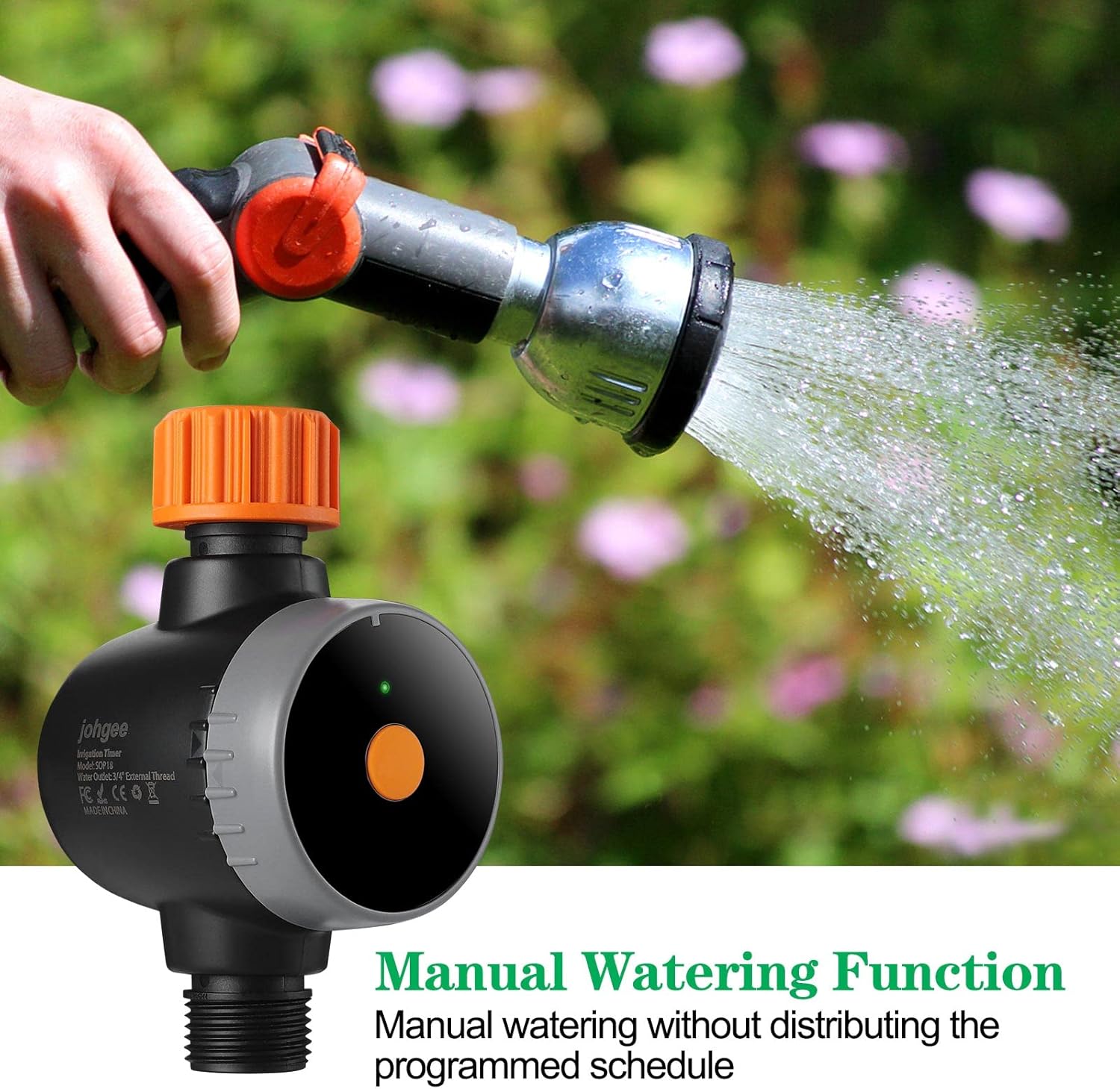
Image: Demonstrating the manual watering function of the smart water timer.
3. Rain Delay System
The timer can automatically detect local weather conditions via the app. You can set a rain delay for 24, 48, or 72 hours to prevent unnecessary watering during rainy periods, conserving water and protecting your plants from overwatering.

Image: The rain delay feature interface on the mobile app, showing options for postponing watering.
4. Skedi ta' Programmazzjoni
The app supports two main watering modes: Timed Irrigation (Normal Schedule) and Cyclic Irrigation (Cycle/Soak). This allows for flexible and efficient watering plans.
Video: Detailed programming guide for the water timer using the mobile application.
- Skeda normali: Set specific start times and durations for watering on selected days of the week.
- Ċiklu/Xarrab: Program repeated watering cycles within a period, allowing for soak times between irrigation intervals to improve water absorption and reduce runoff.

Image: Setting up an easy watering schedule through the app, allowing for minute, hour, or specific day programming.
5. Automatic Irrigation
Once programmed, the timer will automatically irrigate your garden at the set times, whether you are working, sleeping, or traveling, providing peace of mind.

Image: The convenience of automatic irrigation, allowing watering schedules to run while you are busy or away.
Manutenzjoni
The johgee Smart Water Timer is constructed from PC+UV silicone material and is waterproof to IPX5, making it suitable for outdoor use. To ensure optimal performance and longevity:
- Regularly check the inlet filter for debris and clean if necessary to maintain proper water flow.
- Waqt temperaturi ta' ffriżar, skonnettja t-tajmer mill-vit u aħżnu ġewwa biex tevita l-ħsara.
- Imsaħ il-barra bl-adamp cloth as needed. Do not use harsh chemicals.
Image: The water timer's waterproof design, suitable for outdoor use.
Issolvi l-problemi
| Problema | Kawża Possibbli | Soluzzjoni |
|---|---|---|
| L-ebda fluss ta' ilma jew pressjoni baxxa |
|
|
| Timer not connecting to app |
|
|
| Scheduled watering not occurring |
|
|
Speċifikazzjonijiet
| Karatteristika | Dettall |
|---|---|
| Numru tal-Mudell | 02SOP18 |
| Brand | johgee |
| Dimensjonijiet | 6.1 x 2.7 x 3.9 pulzieri |
| Piż tal-oġġett | 11.7 uqija |
| Materjal | Polikarbonat, silikonju |
| Klassifikazzjoni li ma jgħaddix ilma minnha | IPX5 |
| Konnettività | Wi-Fi (via Hub), Bluetooth |
| Kompatibilità tal-App | Android, iOS |
| Għażliet ta’ Dewmien għax-Xita | 24h, 48h, 72h |
| Watering Modes | Timed Irrigation, Cyclic Irrigation |
Garanzija u Appoġġ
For warranty information and technical support, please refer to the contact details provided on the product packaging or visit the official johgee websit. Żomm l-irċevuta tax-xiri tiegħek għal pretensjonijiet ta' garanzija.
Għal aktar assistenza, tista' wkoll tikkuntattja lill-bejjiegħ direttament permezz tal-pjattaforma minn fejn inxtara l-prodott.


